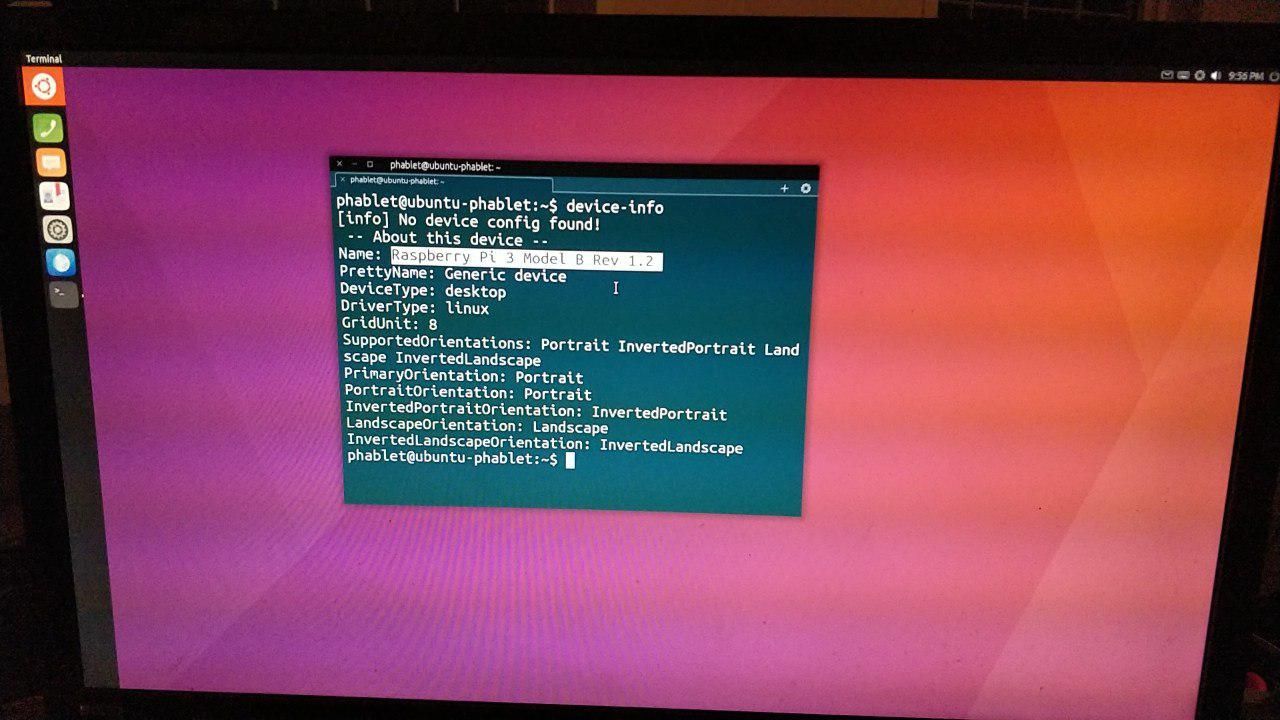
Continuation of rpi effort and how to test
-
 Thanks for that, @Mark
 -
I've tried image 117 and it seems to work as well on the Pi 3B+ as 95. It still has many of the same issues (wifi, selection and audio). Rodney helped fix the bug where the swipe tutorial covers the screen but won't disappear (because you can't swipe like on the phones).
If you only have a touchscreen and you find your view is getting blocked by the first run tutorial then edit /var/lib/AccountsService/users/phablet so that the line starting DemoEdgesCompleted reads DemoEdgesCompleted=[‘left’, ‘top’, ‘right’, ‘left-long’]
You can do this via ssh or (with difficulty) in the terminal squinting through the tutorial screen.
If you have an hdmi monitor and connect to that it should open in desktop mode and after that it will be fine in the touchscreen next time it is run.
The Super-a Key opens the launcher just like on Gnome. -
v44 : no graphic mode available
v66 : Desktop displayed but application graphical garbage
v77 : no graphical display at all (black screen)
v137 :
- desktop display garbage,
- resolution seems to change 2 times,
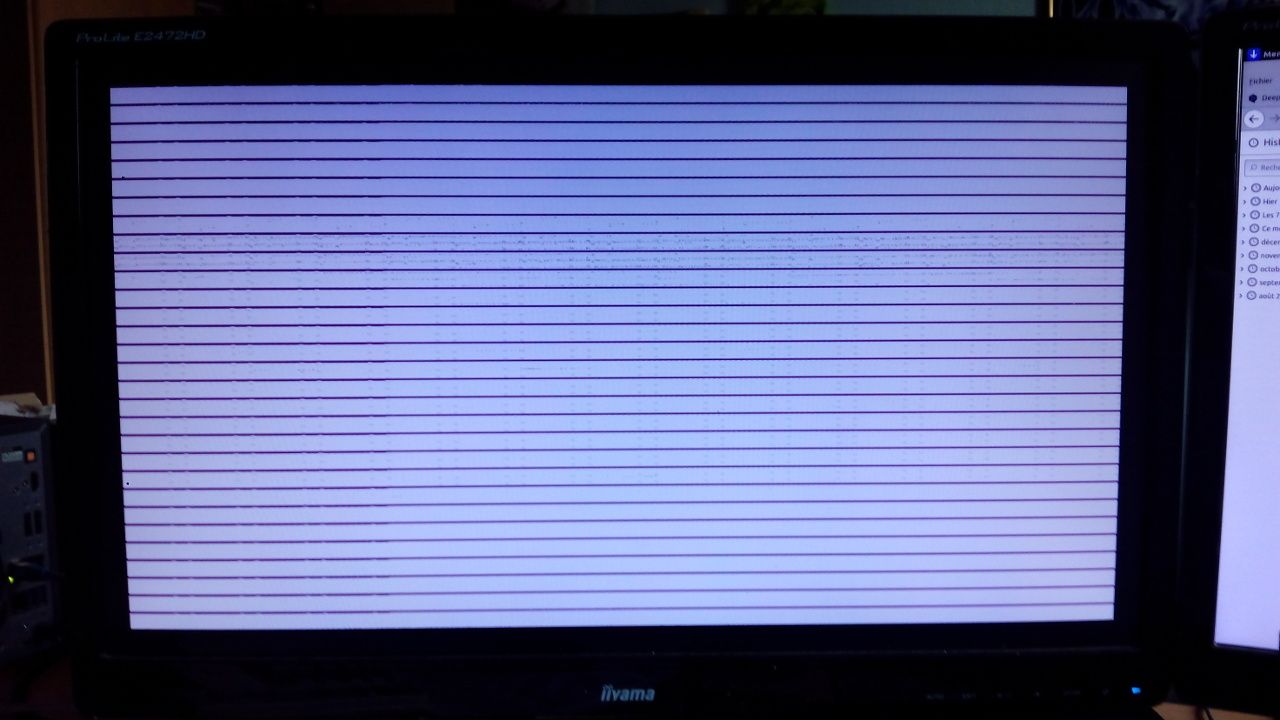
- black screen after some seconds then HDMI disconnected,
- able to retrieve HDMI with Shift Key and TV re-selection
Is there a way to use this with a RPI4 4GB ???
BR
Pulsar33Start
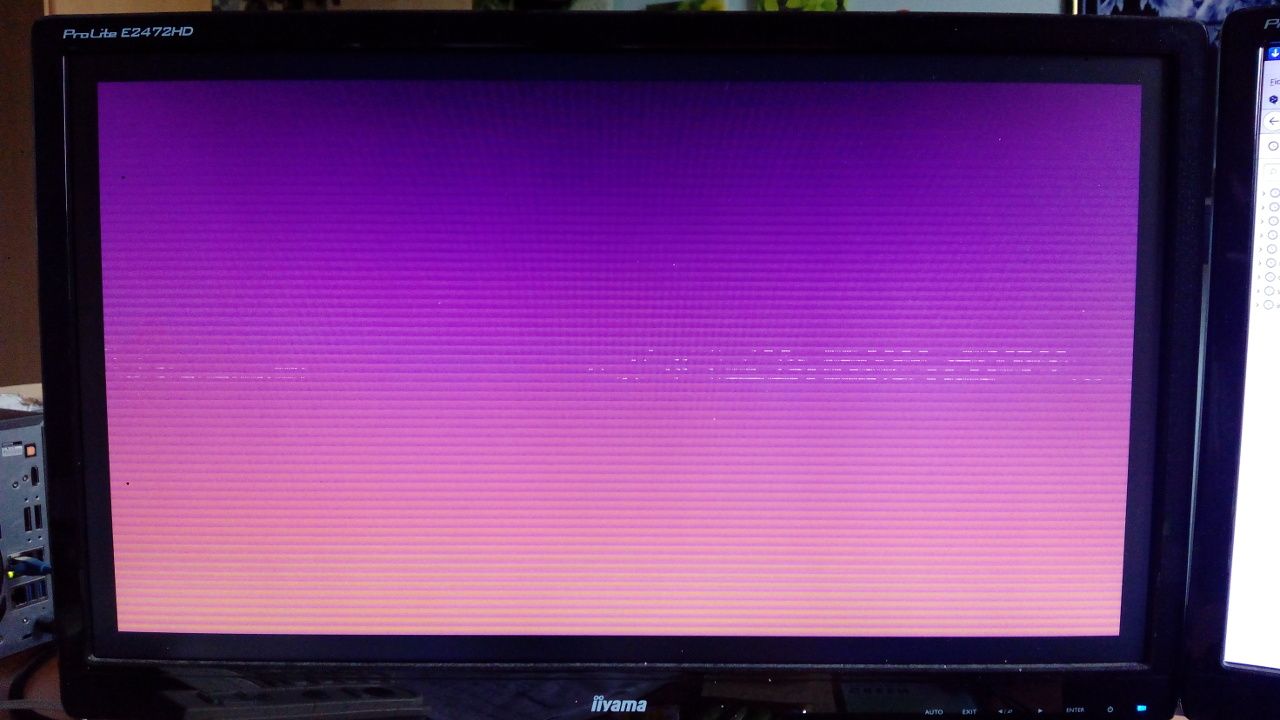
Following after some seconds
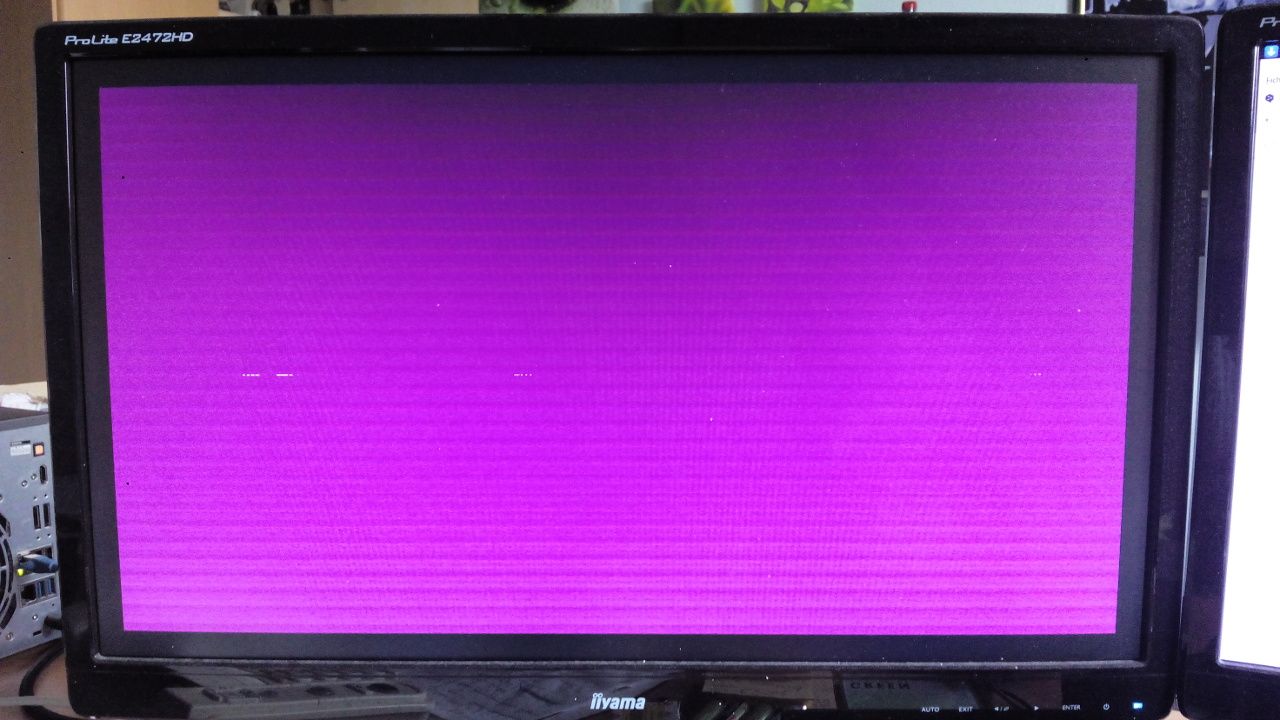
Stable before black screen
-
Nobody knows ?
Am I the only one to try with a PI4B 4GB ?
Pulsar33 -
@Pulsar33 Several of us have a Pi 4 (mine is also 4Gb) but until someone (who knows how) can put in the work needed to get the tiling vs Unity8 problem fixed we can't get very far. However the more bugs and issues we can identify and fix on the Pi 3 in the meantime the better the Pi 4 experience will be when it comes.
-
On Pi 3 with touchscreen it starts without an external keyboard or mouse. The bug where you needed to unplug the mouse and plug it in again was fixed a long timealreadyThere are still niggling selection problems but lots of improvements. Good choice on the Openstore (though some apps still use oxide and ubuntu.web and they will need to be updated to work on the Pi). For me Dekko, Morph, TELEports, Openstore, Terminal, UT Tweak Tool, Document Viewer and many more work well already.
-
@Mark thank you for the answer
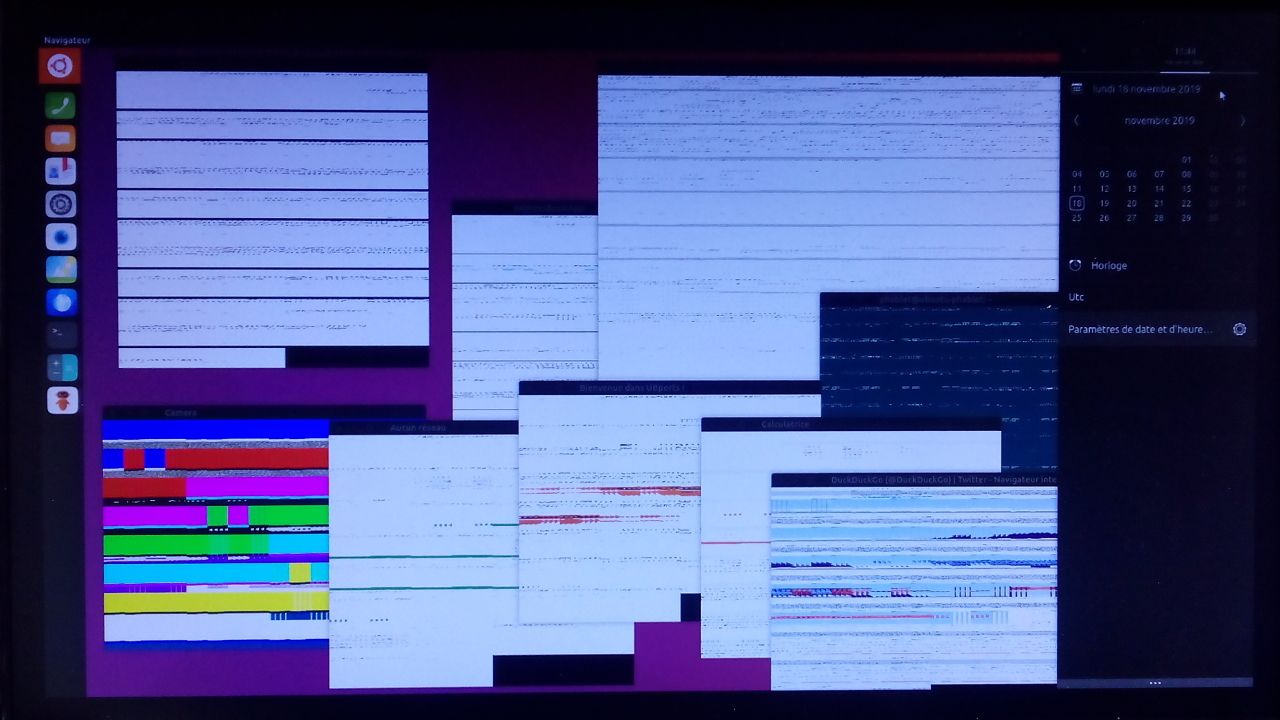
I'm not able to look in the code, sorry. But when I look at the two pictures below, it's clear that v66 was able to display the background, the menu and the notifications as well as the window borders, and unable to display the content of the windows, "just" because there was a mismatch between the "display port" size and the "window" size. Lines are wrapped because the available pixel size doesn't match the used pixel size. Later versions of the code have the same problem for all what worked in v66 that is, not only the parts inside the windows, but also the background and borders of all the graphical objects.
BR
Pulsar33 -
@Pulsar33 I don't know what to think....
here Marius says that this is a mir problem (January 2020)
here the mir developers say that is a mesa problem (7 august 2020)
and here the mesa developers said they had the problem (2 august 2019) but already corrected that ( 15 august 2019)...for them mesa works correctly on rpi4 (and hardware accelerated)... -
@Aury88 : thank you for alerting me
I'll give a try to the next distribution as soon as possible and report here.BR
Pulsar33 -
@Aury88 : some news about #371 distribution
Starting as usual, terminal display is correct but graphical display is garbage as previously.
I'm connected to a 4k Samsung TV (3840x2160) with a standard HDMI wire.
I've not tested in 1920x1080 but previous tests have shown no difference with a Full HD monitor.
So, after some time and automatic reboot, I've seen the same grey lines on white page screen, with some pixels blinking.
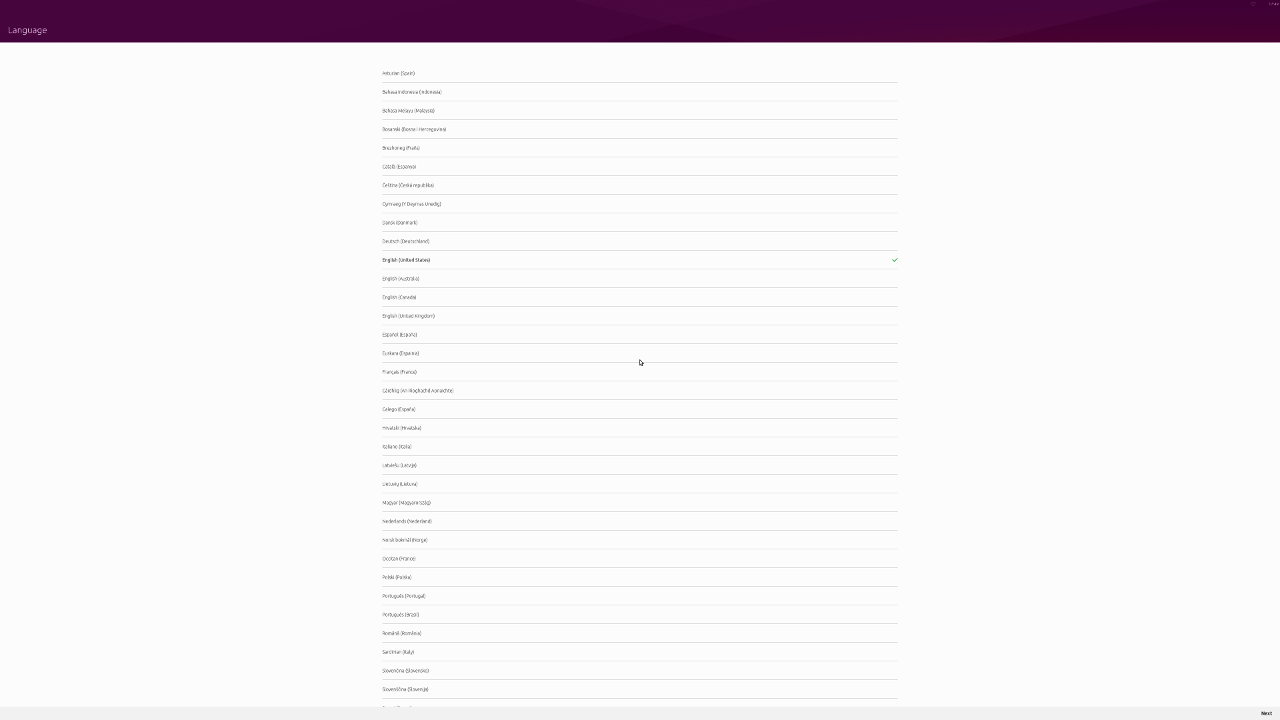
Fortunately, the PrintScreen function has captured a 4k snapshot of the display and it is correct as you can see below (I've reduced the image size for forum convenience). So it is definitely a problem of bad parameters in the frame buffer (correct) to video output (garbage) process (I don't know the code breakdown).
Good evening
Pulsar33


Hello! It looks like you're interested in this conversation, but you don't have an account yet.
Getting fed up of having to scroll through the same posts each visit? When you register for an account, you'll always come back to exactly where you were before, and choose to be notified of new replies (either via email, or push notification). You'll also be able to save bookmarks and upvote posts to show your appreciation to other community members.
With your input, this post could be even better 💗
Register Login