Help needed - Motion Eye in a Container
-
Dear Community,
I gave it a try and run Motion Eye (https://github.com/ccrisan/motioneye/wiki) in a Container, see my notes below, however, 14 Local V4L2 Cameras show up (rather randomly) on Nexus 5 and none of them actually works:
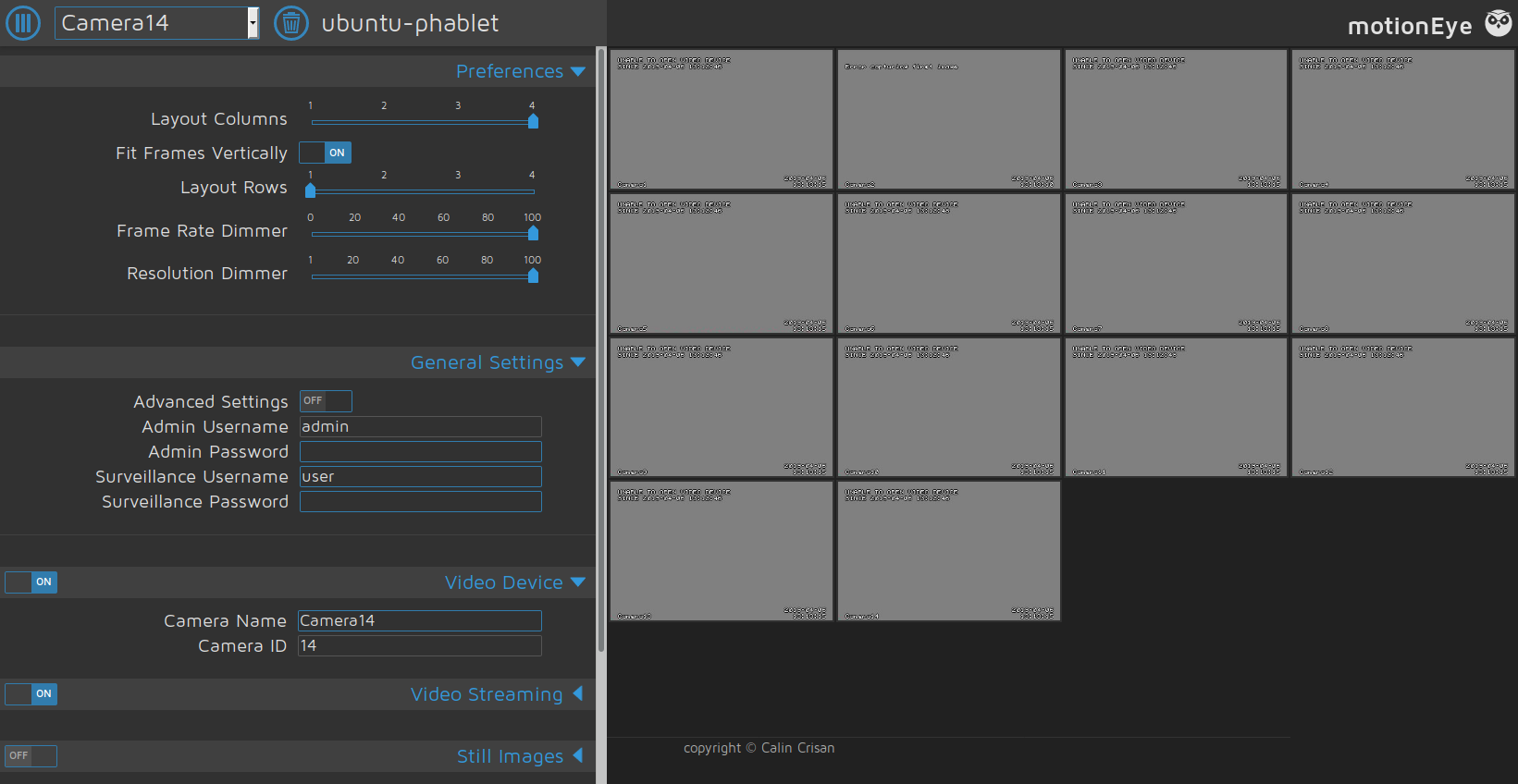
Anyone would know how to, or if it would be possible, to access the Phone Cameras from a Container to be used by Motion Eye?
Many thanks in advance,
Peace,
TeraMotion Eye in a Container installation notes:
#Create container: #Use ADB or create inifinte loop: ssh-keygen -t rsa cp .ssh/id_rsa.pub .ssh/authorized_keys sudo /etc/init.d/ssh start ssh phablet@127.0.0.1 #end infinite loop libertine-container-manager create -i motioneye -n motioneye -t chroot #Exit or continue in ADB/infiniye loop #Login into Container, you should be root: libertine-container-manager exec -i motioneye -c "/bin/bash" #Install required packages: apt-get update apt-get upgrade apt-get install motion ffmpeg v4l-utils python-pip python-dev curl libssl-dev libcurl4-openssl-dev libjpeg-dev python-imaging nano #Upgrade pip: pip install --upgrade pip #Correct pip: mv /usr/bin/pip /usr/bin/pip.orig nano /usr/bin/pip #pip content: #!/usr/bin/python # GENERATED BY DEBIAN import sys # Run the main entry point, similarly to how setuptools does it, but because # we didn't install the actual entry point from setup.py, don't use the # pkg_resources API. from pip import __main__ if __name__ == '__main__': sys.exit(__main__._main()) #end pip content #Install motioneye: pip install motioneye mkdir -p /etc/motioneye cp /usr/local/share/motioneye/extra/motioneye.conf.sample /etc/motioneye/motioneye.conf mkdir -p /var/lib/motioneye cp /usr/local/share/motioneye/extra/motioneye.systemd-unit-local /etc/systemd/system/motioneye.service #Start manually: #Service start gives: #root@ubuntu-phablet:/# systemctl start motioneye.service #Failed to connect to bus: No such file or directory /usr/local/bin/meyectl startserver -c /etc/motioneye/motioneye.conf #Open morph and access http://127.0.0.1:8765/ #Login with "admin", no password -
The cameras on the device are not V4L devices. Instead, they are proxied through libhybris, libcompat, and qtubuntu-camera (finally landing in QtMultimedia) to be exposed in native Qt applications. I don't know if you'll be able to find a way to access these devices without building a native app.
-
@UniSuperBox I was afraid to hear that... thanks

Hello! It looks like you're interested in this conversation, but you don't have an account yet.
Getting fed up of having to scroll through the same posts each visit? When you register for an account, you'll always come back to exactly where you were before, and choose to be notified of new replies (either via email, or push notification). You'll also be able to save bookmarks and upvote posts to show your appreciation to other community members.
With your input, this post could be even better 💗
Register Login