Focal and Waydroid news for Lenovo X605
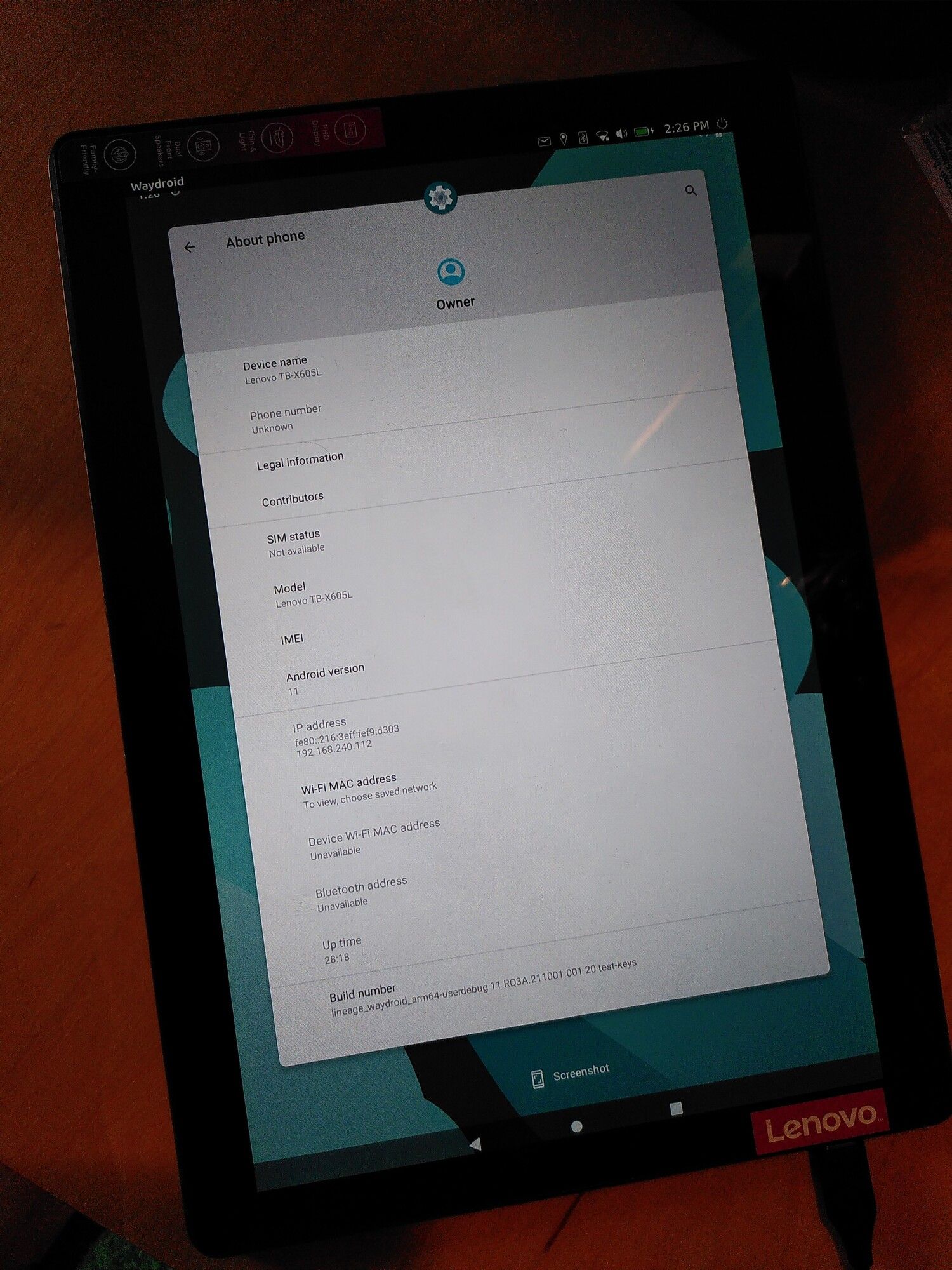
-
@pe3noATo2DOTpl
The first install/flash after flashing android 9 stock rom, always needs a userdata wipe.
After that, only flashing system.img (and boot.img if kernel has changed) is necessary.The installer is installing the rootfs differently to systempartition. Thats why it is downloading more files.
When flashing the system.img, it already contains the rootfs. -
Dear @Luksus thank you for the explanation and I would be happy if I could support you further

Have a nice day and kind regards~~ Piotrek~~pe3no. -
Dear @Luksus,
I successfully installed UT20.04 devel-14 @ X605L 4/64, using ubports-installer - thank you very much for another Great Step
and Congratulations!Kind regards~~ Piotrek~~pe3no.
-
Dear @Luksus, @DPITTI, @gzagatti, @muskist, @Resonus and other UBPorts Friends,
57.1). Would you be able to help me to solve the "Checking info..." error, please? Moreover, the real goal is to install, run and use the WizzAir Aplication, please.
57.2). I installed Waydroid some time ago, with GAPPS and now for the first time I need to install some Applications.
57.3). The Waydroid Updater has upgraded the Image to the Latest Version: 18.1 (26 Jul 2024). I try to Sign In to the Play Store and I get the "Checking info..." loop. After some time I get the error: "Something went wrong. Please go back and try again". When I go back and try again, the same error occurs.
57.4). I checked that the internet works on the Waydroid. The Web browser is showing web pages without any problem.
57.5). I cannot perform the Factory Erase: Settings > System > advanced > Reset options > Erase all data (factory reset) > Erase all data > Erase all data > {no effect}.
57.6). Settings > Accounts > Add account > {I would like to add the google mai} > Again the same error: "Something went wrong".
57.7). Unfortunately, I'm not able to successfully install manually the WizzAir Application, either. Well, the installation was done, the application runs, the WizzAir App Initial Screen appears but it gets frozen...
57.8). I did the following:
57.9). Inside Waydroid > WebBrowser > WizzAir apk > Search > https://apkpure.com > WizzAir 8.0.5 > Download APK > Quick Download from APK Pure > Download > Install > Scann App > Install > App installed > Open > Wizz Air > Downloading.. 153.6MB > Allow from this source > {Switched from 0 to 1} > back > Do you want to install this application? > Install > Installing... > App Installed > OPEN >
57.10). The WizzAir application starts, the Initial Screen appears but it gets frozen on this first screen...
Thanks in advance for your help and Kind Regards~~ Piotrek ~~ pe3no.
-
@pe3noATo2DOTpl I've had issues to login in google play too. I just use the Aurora Store from FDroid instead. Maybe that works for you too.
-
Dear @luksus - are you planning to release the Ubuntu Touch 24.04, please?
Thank you and I wish you All the Best. -
@pe3noATo2DOTpl currently it is just not possible, because the system-partition is too small for the rootfs.
But there is ongoing work, to work around this issue for such devices.
It may still take some time. When it is ready, I will do the necessary steps to bring UT 24.04 or even 26.04 to the x605. -
there is ongoing work, to work around this issue for such devices.
Good to hear it's being worked on. Does that by any chance include the Oneplus 5t?
-
@Moem yes, same applies for the OP5(t).
-


Hello! It looks like you're interested in this conversation, but you don't have an account yet.
Getting fed up of having to scroll through the same posts each visit? When you register for an account, you'll always come back to exactly where you were before, and choose to be notified of new replies (either via email, or push notification). You'll also be able to save bookmarks and upvote posts to show your appreciation to other community members.
With your input, this post could be even better 💗
Register Login