Call for testing: Google/Huawei Nexus 6P (angler) owners
-
@Flohack Ok, I'm having a problem. I thought I'd go back and reflash android and start from scratch, thinking that maybe that might be the hangup with camera. So, I did, successfully, several times. Android runs fine. Then I enable usb debugging and wipe dalvick, data, and cache. But every time I use the halium-install script after that, I get this:
passwd: password updated successfully
I: Shrinking images
e2fsck 1.44.1 (24-Mar-2018)
resize2fs 1.44.1 (24-Mar-2018)
Resizing the filesystem on .halium-install-imgs.uRLbP/system.img to 48434 (4k) blocks.
Begin pass 2 (max = 967)
Relocating blocks XXXXXXXXXXXXXXXXXXXXXXXXXXXXXXXXXXXXXXXX
Begin pass 3 (max = 2)
Scanning inode table resize2fs: No space left on device while trying to resize .halium-install-imgs.uRLbP/system.img
Please run 'e2fsck -fy .halium-install-imgs.uRLbP/system.img' to fix the filesystem
after the aborted resize operation.
I: Cleaning upAny help on what I can do to fix this and re-install UT?
-
@rocket2nfinity Is your PC out of disk space maybe?

-
@Flohack No, this is regarding the file system on the phone. I had libertine on it. could that have changed the file system?
-
@Flohack when I do e2fsck on it, it tells me its not an ext2 file system.
I don't get it. I completely wiped the device and re-installed android and it did the same again.
-
@rocket2nfinity It has nothing to do with the device, the preparation fails on your local PC. halium-install is a bit stupid sometimes. Try to run it as root maybe. Also reboot can help to clean up the mounted images that are still in your temp area ^^
-
@Flohack No, it's definitely something not right with the phone. Just reflashed android and it now says:
extracting vendor.img (190 MB)...
archive does not contain 'vendor.sig'
wiping userdata...
Couldn't parse erase-block-size '0x'.
Couldn't parse logical-block-size '0x'.
mke2fs 1.44.1 (24-Mar-2018)
/tmp/TemporaryFile-l1pvvW: Unimplemented ext2 library function while setting up superblock
/usr/lib/android-sdk/platform-tools/mke2fs failed with status 1
mke2fs failed: 1
error: Cannot generate image for userdataSomehow my file system got messed up...
-
@rocket2nfinity Sorry no idea right now. Though I saw this error from above somewhere I forgot what was the fix ^^
-
Ok guys camera is now clear why it would not work: There are still beta packages that are not in the normal rootfs. So that one is only for people who want to fiddle a bit with the console. But the result is rewarding. Shall I link the description here: https://pad.ubports.com/p/InstallGStreamerCamera
I managed to get back to full working camera with that ^^
-
@Flohack Oh and I forgot it needs a system.img update as well... I will upload a new system.img in a minute....
-
try going into the flash-all.sh script and take out the -w flag on the last command then run it again?
-
Can someone take a look at their phone's file structure and tell me what their drive is formatted to - especially system?
The problem seems to be with Android developer tools not functioning properly. Before I try it again with the updated tools, just want to make sure my drive is roughly the right sizes and formats (ext2 for instance)
-
@rocket2nfinity It is ext4 what I could see. Doesn't the flash_all.sh script create the partition table? If I don't remember it wrong.
-
@Rondarius yeah the stock ROM installer should repartition
-
I am now on 8 coress and 64bit ^^ seems to be fine. Camera though works only for pictures, no video recording so far. But still amazing pictures ^^
I will fix Bluetooth next....
-
finally got it up and running, will try it out soon
-
just tested camera, works well. no issues.
-
I can make calls, but audio doesn't seem to be getting transferred. No sound on either device when i phone.
The selfie cam works but the image appears distorted. not a big issue.
There doesn't seem to be any integration for the fingerprint reader as well.
-
Well, that was just plain weird. So, it turns out there appears to be an issue with the latest halium install script and Android-sdk-tools on Linux. If you run into the same problem I had, you need to apply these fixes:
https://forum.xda-developers.com/pixel/help/mke2fs-error-flash-factory-images-pixel-t3734828
-
I don't always pose for photos, but when I do, I do so with a Nexus6P running Ubuntu Touch!
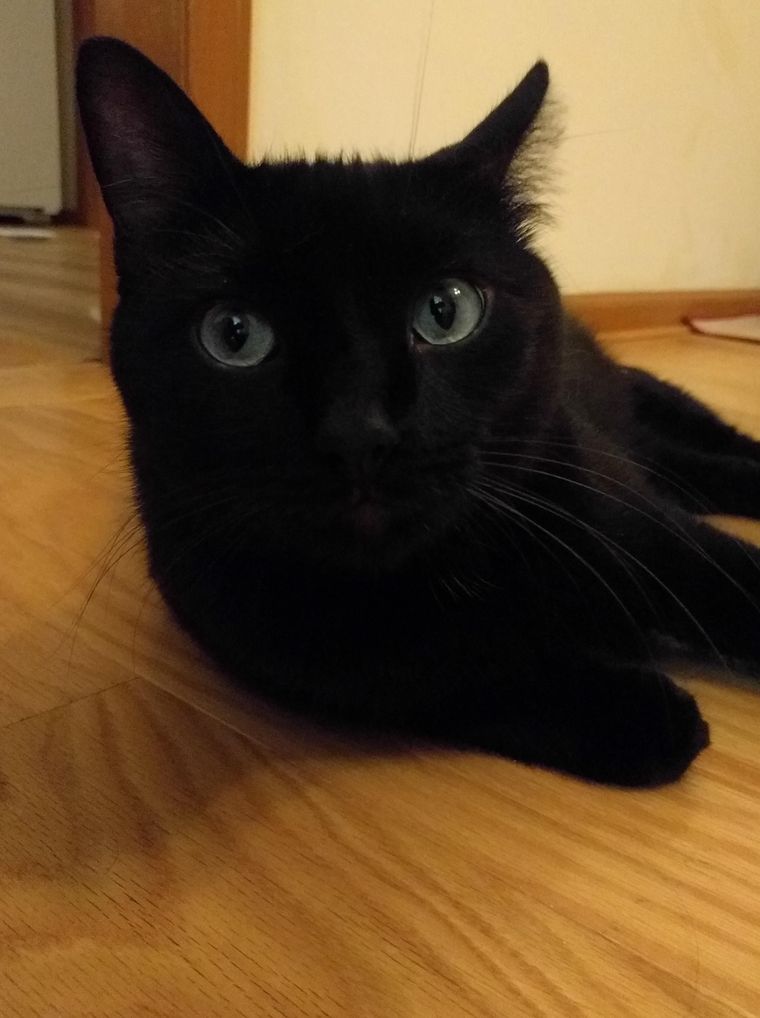
-
@rocket2nfinity
 A fine member of my global den. :orange_heart:


Hello! It looks like you're interested in this conversation, but you don't have an account yet.
Getting fed up of having to scroll through the same posts each visit? When you register for an account, you'll always come back to exactly where you were before, and choose to be notified of new replies (either via email, or push notification). You'll also be able to save bookmarks and upvote posts to show your appreciation to other community members.
With your input, this post could be even better 💗
Register Login