-
I have an own GUI app source code compiled and running OK when launched in LXTerminal (Windowed or Staged mode)
As seen, the GUI is "inside" the Terminal, not in its own window
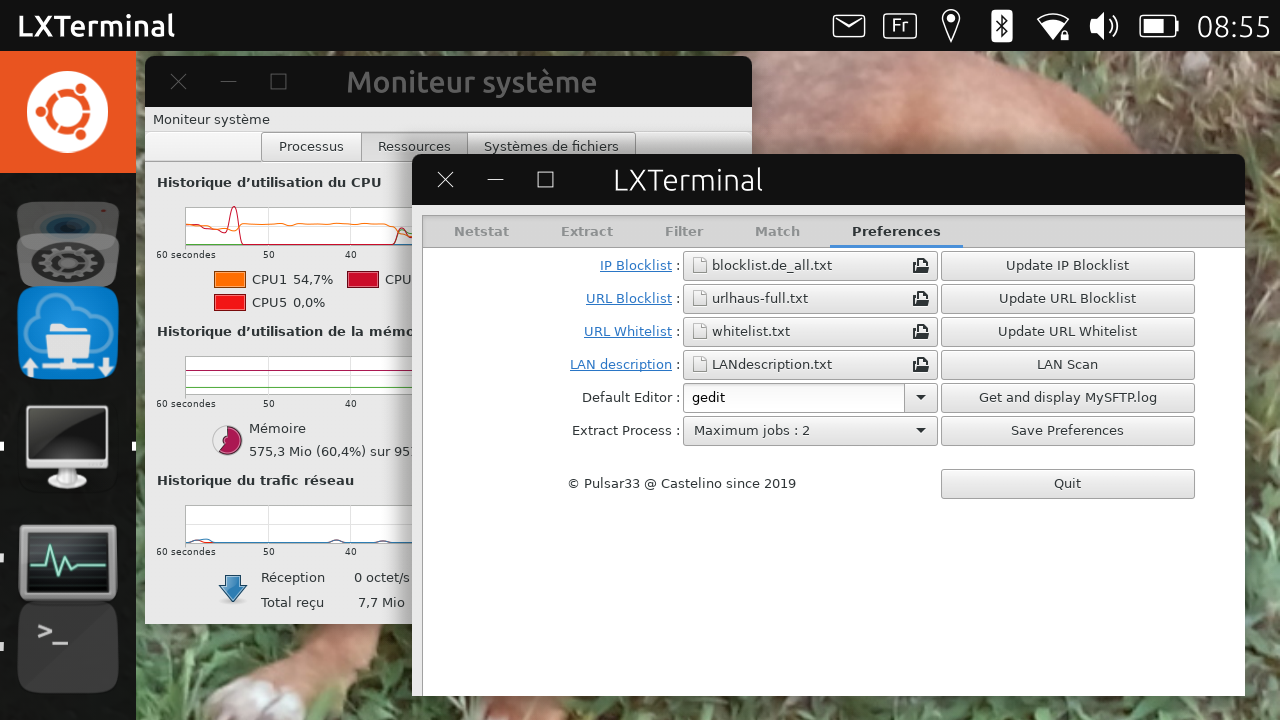
I wanted to create a launcher so I put a desktop file in /home/phablet/.local/share/applications/
The launcher icon appears in the drawer as should be and tries to launch the GUI App but fails
Here is the content of checklog.desktop:
[Desktop Entry]
Name=CheckLog
Exec=libertine-container-manager exec -i xenial -c /home/phablet/Documents/CheckLog/CheckLog
Comment=Analyse Ethernet
Terminal=false
Icon=/home/phablet/Documents/CheckLog/system-search.png
Type=Application
If I try to do it "by hand" in Terminal, I get the error /usr/sbin/chroot: failed to run command ... No such file or directory
However, the directories and files are there as you can see
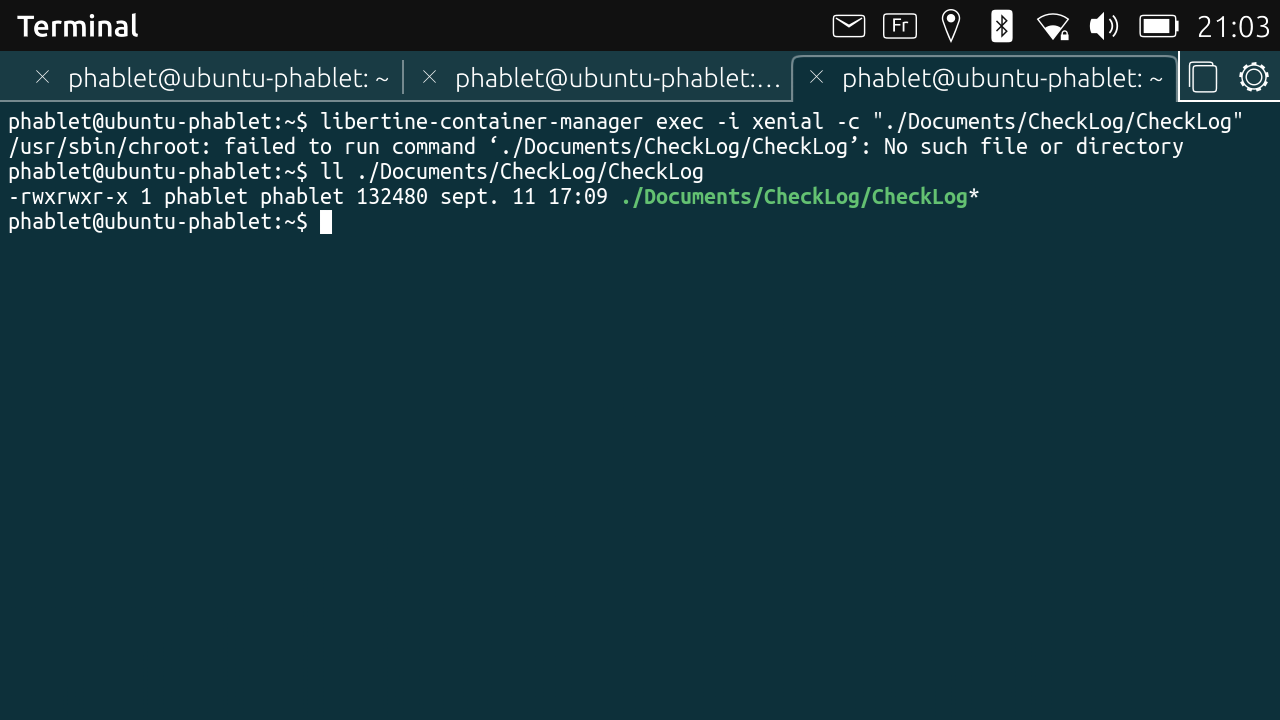
If try in Terminal with libertine-launch, I get DISPLAY not set. If I try to set the DISPLAY on the same command line, I get other errors ...I've found this issue but I don't understand it. When installing GUI Apps with Libertine Container Manager application, launchers are created and GUI Apps work fine (PCmanFM, Gedit, Gnome-System-Monitor, LXTerminal ...). How is it possible ?
Moreover, I don't understand why I can find so many (20) folders containing .desktop files with often the same name
/etc/xdg/autostart/
/home/phablet/.cache/ubuntu-app-launch/desktop/
/home/phablet/.cache/libertine-container/xenial/rootfs/usr/share/applications/
/home/phablet/.cache/libertine-container/xenial/rootfs/usr/share/upstart/xdg/autostart/
/home/phablet/.cache/libertine-container/xenial/rootfs/usr/share/apps/konsole/
/home/phablet/.cache/libertine-container/xenial/rootfs/etc/xdg/autostart/
/home/phablet/.local/share/click/hooks/desktop/
/home/phablet/.local/share/applications/
/opt/click.ubuntu.com/
/usr/lib/arm-linux-gnueabihf/
/usr/share/upstart/xdg/autostart/
/usr/share/click/preinstalled/
/usr/share/applications/
/usr/share/lightdm/sessions/
/usr/share/lightdm/guest-session/skel/.config/autostart/
/userdata/system-data/opt/click.ubuntu.com/
/userdata/user-data/phablet/.cache/ubuntu-app-launch/desktop/
/userdata/user-data/phablet/.cache/libertine-container/xenial/rootfs/usr/share/applications/
/userdata/user-data/phablet/.local/share/click/hooks/desktop/
/userdata/user-data/phablet/.local/share/applications/
Well, that's a lot of questions but it's to present the problem as a whole and explain the tests I did. Either there is a bug that is not clearly described by issue 194, or there is something I didn't understand.
BR
Pulsar33 -
Hello
Not so far to find the solution.
Will come back soon to explain ...
BR
Pulsar33 -
Well, I don't have the answer to all my questions and I've more questions :
- why libertine-container manager exec ... doesn't work, either in a .desktop file and in a Terminal ?
- why does the issue 194 says that GUI Apps cannot run ? They can !
- why is there so many .desktop files with the same name in so many folders ?
- and maybe some others ...
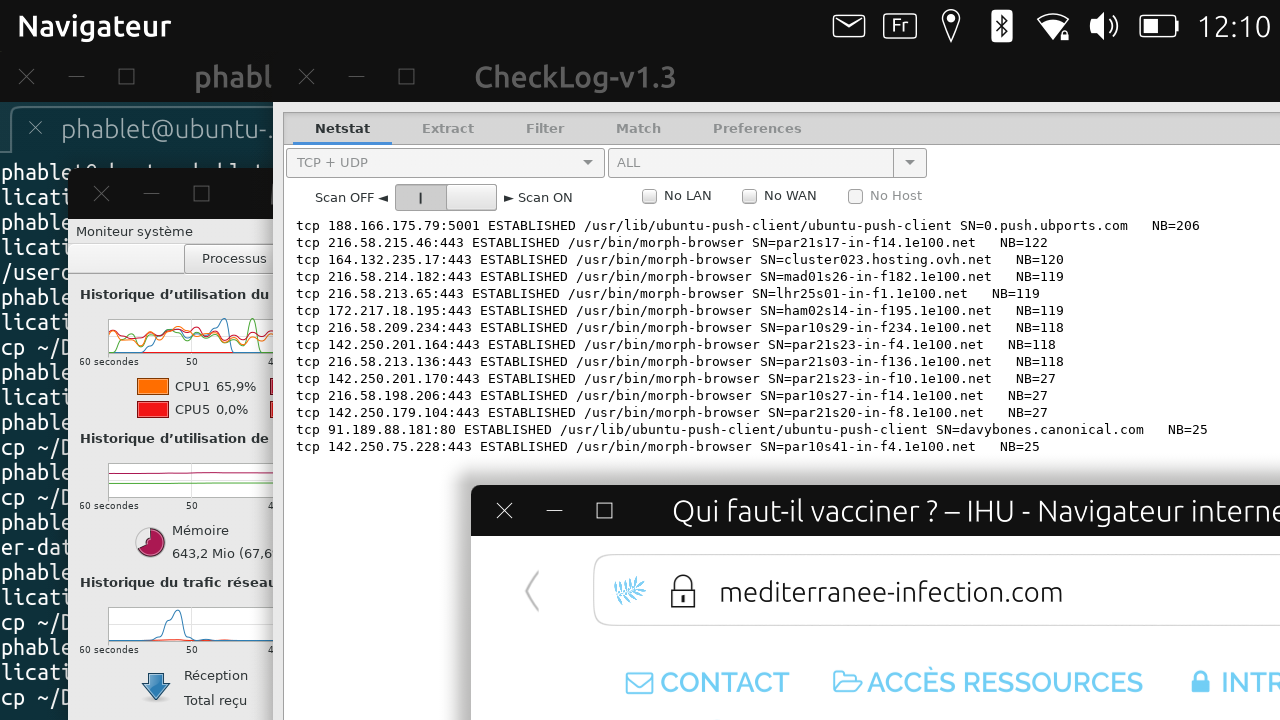
However, I succeeded to launch my GUI App in its own window with a .desktop file as you can see, and in Windowed mode, the title bar is updated with the version number as my program wants this to be :
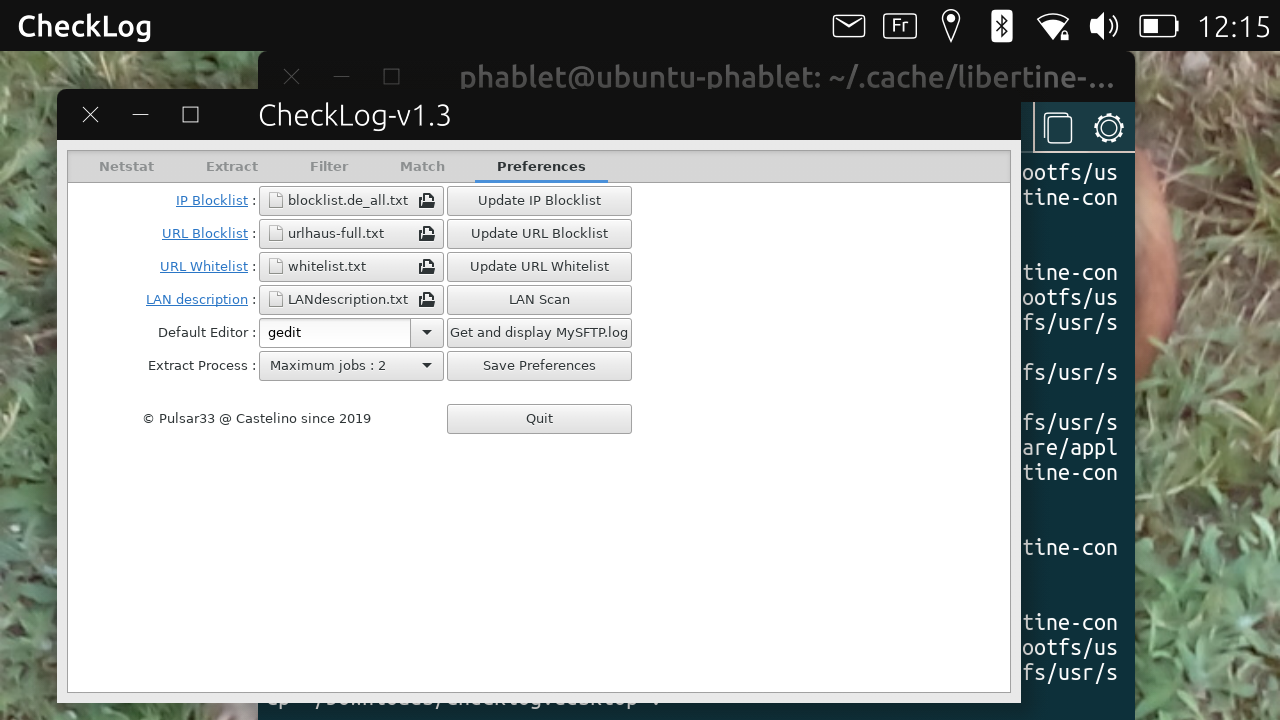
And moreover, the right and lower borders of my window are well displayed, which was not the case before.Here is the current .desktop file. This one must be in two folders :
/home/phablet/.cache/libertine-container/xenial/rootfs/usr/share/applications/ and
/userdata/user-data/phablet/.cache/libertine-container/xenial/rootfs/usr/share/applications/[Desktop Entry] Name=CheckLog Comment=Ethernet analysis TryExec=CheckLog Exec=/home/phablet/Documents/CheckLog/CheckLog Icon=/home/phablet/Documents/CheckLog/CheckLog.png Terminal=false Type=Application StartupNotify=true Name[fr_FR]=CheckLogSo, we don't use libertine commands and we launch the program directly if it is located in some Documents sub-folder. Fine !
But there's anyway a problem : the program icon is not found. It remains black in the drawer and in the graphical window while loading the code. This is very surprising as when I used libertine commands, the icon was visible (see the OP)
I've tried many modifications (name, permission, location ...) without success and don't understand why.
Any idea ?
BR
Pulsar33 -
CheckLog v1.3 real time analysis and Gnome System Monitor in Windowed mode :
Good evening
Pulsar33 -
Looking for the reason why libertine-container-manager exec ... and libertine-launch ... don't work, either in a .desktop file and in a Terminal, I found that parts of the UBports documentation :
The first option is based on libertine-container-manager exec. It lets you run your commands as root. The drawback is that the container is not completely set up. So far we know that the folders mentioned above (Documents, Music, …) are not mounted i.e., the /home/phablet/ directory is empty. Likewise the directory referenced in TMPDIR is not available, which may lead to problems with software trying to create temporary files or directories
The second option is based on libertine-launch. It will execute your commands as user phablet in a completely set up container. You may use this option to modify your files using installed packages.
However, in the second option, there are problems with the DISPLAY and it fails too.There's at least a third option : ubuntu-app-launch xenial_checklog_0.0 provided that the 2 .desktop files exist in the 2 folders
/home/phablet/.cache/libertine-container/xenial/rootfs/usr/share/applications/
/userdata/user-data/phablet/.cache/libertine-container/xenial/rootfs/usr/share/applications/
However, the icon is not found eitherI don't know what should be reported as an issue or not in all what I said since the beginning of this subject ...
Pulsar33 -
After many unsuccessful retries, I use this workaround :
[Desktop Entry]
Name=CheckLog
Comment=Ethernet analysis
TryExec=CheckLog
Exec=/home/phablet/Documents/CheckLog/CheckLog
Icon=/usr/share/icons/Humanity/apps@2/48/logviewer.svg
Terminal=false
Type=Application
StartupNotify=true
Name[fr_FR]=CheckLog
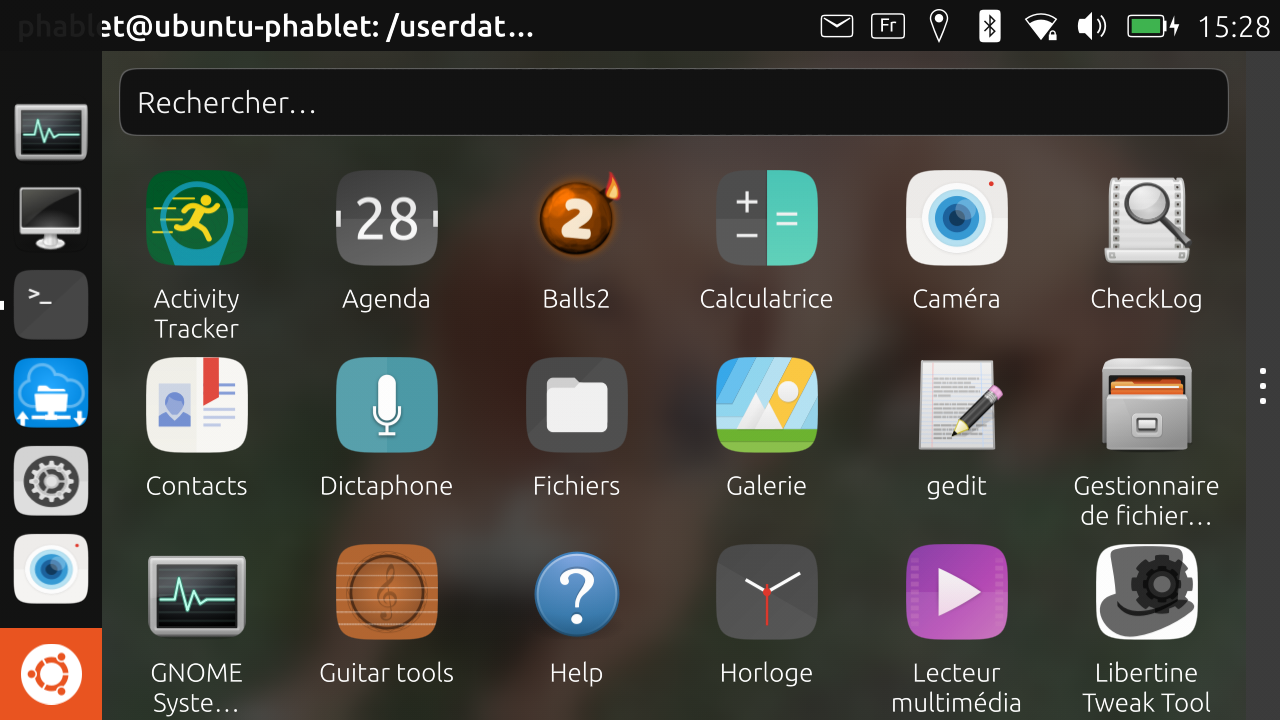
This is not my own icon but logviewer is quite closed to the concept of my CheckLog application, and the icon can be seen at last !
I don't understand why the launcher finds the executable in /home/phablet/Documents/CheckLog and doesn't find the icon png or svg in the same folder.
Who knows it is welcome to explain
BR
Pulsar33 -
@pulsar33 said in Launcher for Libertine GUI apps, chroot failed:
I don't understand why the launcher finds the executable in /home/phablet/Documents/CheckLog and doesn't find the icon png or svg in the same folder.
I'm not clear on what you mean by that, or what error you got, but why are you installing things under
/home/phablet/Documents/in this manner, rather than say, simply installing the app inside the libertine container as if you were installing any normal app built from source. Put the binary in/usr/bin/the icon in/usr/share/icons/and the.desktopfile in/usr/share/applications/inside the container, the same as if you were packaging a deb of it. -
@dobey Well, I'm currently discovering the Libertine usage and trying to compile, test, modify (if needed for convergence) some source code of my own. These source codes are on my Desktop PC running Linux MINT 19.3, in a Folder called Workbench and containing many sub-folders (one for each application that I developed and some for general functions reused by many of my applications). I use the Eclipse IDE to compile and debug all that since years ...
It was simplest for me to copy some folders needed for CheckLog in the Documents folder and compile in place, then test. I'm not in the process of developing published code and I'm not used to create deb files.That said, if Libertine is a Desktop-like environnement, I don't see why there should be specific location to install excutable, icons and data. A sub-folder anywhere should work as well, no ?
@dobey said : I'm not clear on what you mean by that, or what error you got,
Since the beginning of this thread, I successively tried to launch my own GUI App (already validated on MINT) in its own window (not in the LXTerminal) and then create a launcher to be able to launch it from outside Libertine as every normal application. This means with an icon displayed in the drawer, a temporary splash-view displaying the Icon and the name of the application, then the application itself in its own window (in Windowed mode or Staged mode).
I explained each step of what I discovered and list any unsolved questions, and fortunately any solution I found. At this time, there are some "strange" things for which I don't know if they are bugs or not. @dobey you suggested me to post an issue about the BT Keyboard for Libertine, so you are involved in this development. Maybe you can advise me about these points :
-
libertine-container-manager exec and libertine-launch can't be used in a .desktop file located on the UBports side to launch a GUI App in Libertine. In the same way, these commands can't be used in the UBPorts Terminal. There are "chroot" or "DISPLAY" errors. Is this a bug ?
-
On the opposite, the command "ubuntu-app-launch xenial_checklog_0.0" works but is not described in the Libertine Documentation (AFAIK).
-
The issue 194 still open says libertine gui apps cannot run. This is not true (anymore if it was). Should it be closed ?
-
When a desktop file is located in /home/phablet/.cache/libertine-container/xenial/rootfs/usr/share/applications/ and in /userdata/user-data/phablet/.cache/libertine-container/xenial/rootfs/usr/share/applications/ the launcher appearing in the drawer can start a GUI App located in some arbitrary sub-folder of ~/Documents but the icon located in the same sub-folder is not displayed, neither in the drawer, nor in the splash-view during the application loading time. Is this a bug ?
Thank you for your opinion and suggestions
BR
Pulsar33 -


Hello! It looks like you're interested in this conversation, but you don't have an account yet.
Getting fed up of having to scroll through the same posts each visit? When you register for an account, you'll always come back to exactly where you were before, and choose to be notified of new replies (either via email, or push notification). You'll also be able to save bookmarks and upvote posts to show your appreciation to other community members.
With your input, this post could be even better 💗
Register Login