File manager app guide for qml code
-
Ok I think its because its building for amd64 architecture.
I changes architecture in manifest.json.in from @CLICK_ARCH@ to "all" but then while building I got the error-- Installing: /home/nsyed/touch/fileman/FileManager/build/x86_64-linux-gnu/app/install/lib/x86_64-linux-gnu/bin/lomiri-filemanager-app
Clickable is building for architecture "amd64", but "all" is specified in the manifest. You can set the architecture field to @CLICK_ARCH@ to let Clickable set the architecture field automatically.
nsyed@nsyed-HP-Laptop-15-bs1xx:~/touch/fileman/FileManager$ -
@nibzy26 Please change the architecture in the manifest file back to @CLICK_ARCH@. Then take a look at the clickable documentation here
Consider that the FileManager is not a pure QML project, so cannot be build for "all" architectures, but must be built for each architecture you are interested in supporting. Not sure why your clickable is defaulting to amd64, maybe not the latest, maybe your device is not being detected correctly, but no matter. The solution is to provide to clickable the arch with the --arch (or -a) command line parameter.
I would urge you to spend some more time reading the documentation of the different components you are using, so as to understand better what it is that you are doing.
-
@arubislander Thanks
sorry I forgot about --arch=arm64 option.Another general question: I have replaced icons in /usr/share/icons/suru/places/128/ for Documents.Videos,Pictures folders etc and I can see my icons when i run the app on the phone.
Now I want to replace a music mp3 file icon with my own.At which location should i put my icon ? or whats the standard way to do it ?
and same goes for a text file .How do i use my own icons for various file types ?
any ideasThanks
-
@nibzy26 Sorry, this is not something that I have much knowledge about. I would suggest you look around in the other folders in /usr/share/icons/suru folder and see if you find the current ones.
-
@arubislander Thanks
By the way its not just on the phone itself but even when i run the filemanager app on my desktop PC with clickable desktop command and create a file with extension .mp3 it associates this mp3 icon with it .please see attached.
The question is where is this mp3 icon in the file manager app src on my PC.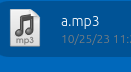
-
By the way I have used console.log in my filemanager app and want to see these msgs on the phone .where can i see these on the phone ?
-
@nibzy26 I either use the LogViewer app on the phone or use clickable logs on my laptop with the phone connected.
-
@arubislander Thanks
thats very useful
-
Finally some success
The mp3 file icons and some other file type icons that I was looking for are in icons/Humanity/mimes/48/ and not in icons/suru/ although my theme in filemanager app is set to Suru
Why the hell they are not in suru and inside Humanity ?
How the hell I or someone is supposed to know that.
OMG -
@nibzy26 Please tone down the language and contain your frustration. This is how it works in software in general and Open Source in particular. I am not saying it is ideal, but it is what it is.
Wanting to dive in and do something that no one else has done before, you cannot expect to have the way already paved and documented for you. You are pioneering.
As to why icons/Humanity/mimes/48? Possibly because this is a fallback if the icons/suru folder does not contain the relevant files.
If it is the case how I have described it, then that is how theming works in general on Linux, I have never looked for documentation on the matter, but I am sure the information is out there.

Hello! It looks like you're interested in this conversation, but you don't have an account yet.
Getting fed up of having to scroll through the same posts each visit? When you register for an account, you'll always come back to exactly where you were before, and choose to be notified of new replies (either via email, or push notification). You'll also be able to save bookmarks and upvote posts to show your appreciation to other community members.
With your input, this post could be even better 💗
Register Login