Xiaomi Poco F1 - how to return to Android ?
-
Hi all ! I installed Ubuntu touch on my Xiaomi Poco F1 phone. I don't like . Help me get back to Android! I can not .
-
@bogos Do not relock the bootloader. You have a high chance of bricking the device if you do. You need to find the ROM that was on the device when you installed Ubuntu Touch and use the MiFlash tool on Windows to reinstall Android I e. that ROM.
-
@MrT10001 Hello ! Thanks, I'll try through Miflash. Bootloader is unlocked. I tried to return Android through the XiaoMiTool V2 program, but it didn’t work.
-
@MrT10001 Mi flash does not see the firmware. I tried different versions of the program and firmware - nothing worked.
-
@bogos Download the fastboot version here
This is the Global version. Unzip it with 7-Zip as it is in a tgz file. You should then get a folder and in the folder there should be some .bat files
MiFlash will show your device in the first line if connected and in Fastboot mode. I have no device connected, but it shows what it will look like:
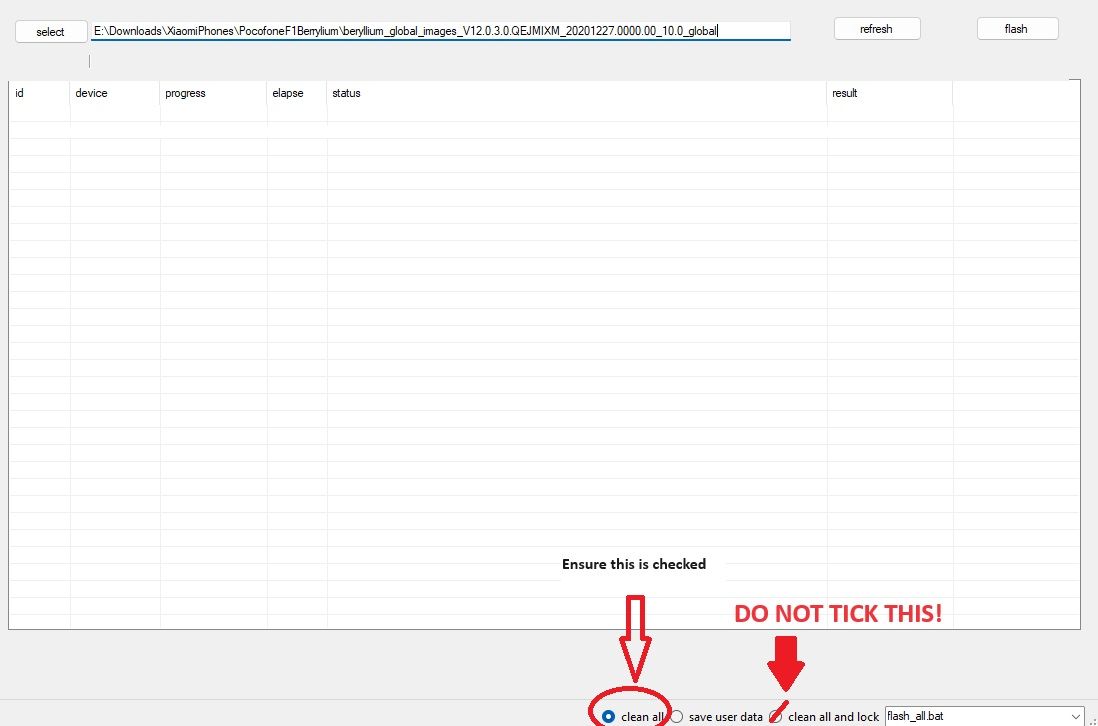
When you select the device you have to navigate to the folder with the flash bat files.
-
You can also flash through fastboot using the bat files (windows) or sh files (Linux) as below:
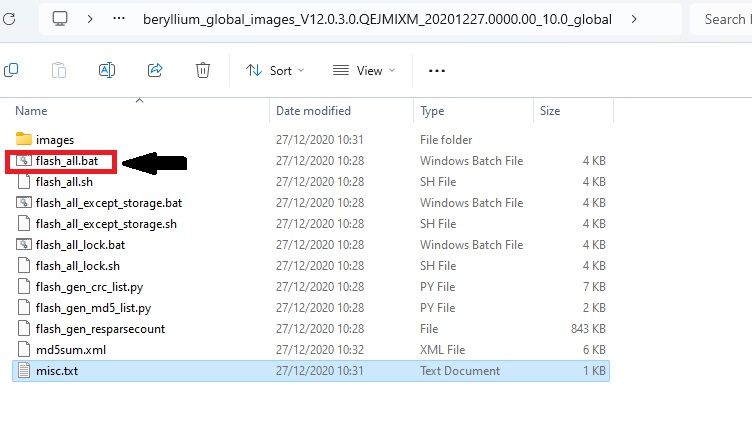
In this case unzip the zipped image to your folder containing ADB and Fastboot, open a command prompt and run it from there.

Hello! It looks like you're interested in this conversation, but you don't have an account yet.
Getting fed up of having to scroll through the same posts each visit? When you register for an account, you'll always come back to exactly where you were before, and choose to be notified of new replies (either via email, or push notification). You'll also be able to save bookmarks and upvote posts to show your appreciation to other community members.
With your input, this post could be even better 💗
Register Login