Cell phone has Android V 11 image Oxygen OS 11.0.16.BE89BA
-
@fischer.poco Are there any instructions on your phone's device page?
-
@Moem I think @fischer.poco has already downloaded the ZIP file, but he doesn't know what to do with it or how to install OxygenOS_10.5.7 on his OnePlus Nord N10 5G.
Unfortunately, the process leading up to the UBports installer isn't well documented and varies from device to device. You'll have to do some research.
-
I chose OnePlusNote Nord N10 5g from the list. Is there a step-by-step guide on how this works? So many different comments, help, cross-references.... Then what is LineageOS ?? do I need this ?? The most important question is how do I root this thing?? Downloading version 10 requires Windows, but I don't have the option because I have Linux. I had Windows decades ago... I have no idea how this will continue, please help me out. Otherwise I'll sell the thing again and it'll be a trip!
-
I downloaded the SDK Platform Tools and got it on my phone. The following command: In the terminal "adb reboot fastboot" and I am in the bootloader.
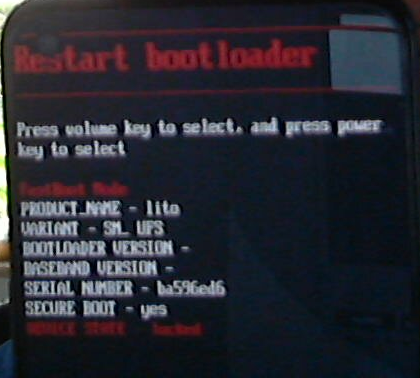
When I give the command "Fastboot OEM Unlock" the following message appears:

Who can help or has an idea
-
@fischer.poco To unlock OEM, you'll need a Wi-Fi connection for a moment. After that, the switch should no longer be disabled.
Pixel 3a, works with NextCloud, pihole, Wireguard VPN, Trilium, GhostCloud, Paperless ngx...and a lot of great apps from the Open Store.
Lenovo Tab M10 HD TB-X306X LTE -
I had Windows decades ago... I have no idea how this will continue, please help me out. Otherwise I'll sell the thing again and it'll be a trip!
@fischer.poco You post random topics here from time to time in different languages, but you never respond to users' replies. What do you expect? A TeamViewer session?
-
@Linus67 Thanks for the info. Here's what I did: Phone turned on, No connection to PC, Wi-Fi turned on. After about 2-3 minutes the slider was visible and I was able to turn on OEM Unlock. Very good tip Thank you
-
@fischer.poco Well then, since there aren't any more questions. What do you think of Ubuntu Touch?
-
@Linus67 Well, there are always questions, it's not in dry cloths yet!
The OS is on the phone, after an auto-boot after the installation was completed, Ubuntu ran a system update.
After completion, a reboot was executed.... Then / and since then the phone has stayed hanging at the point after every boat (picture)
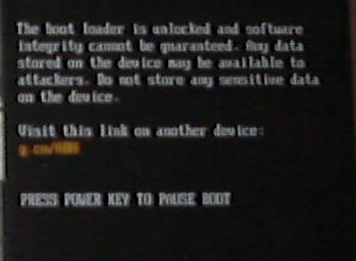
Text (It couldn't be better):
The Bootloader is unlocked and Software
integrity cannot be guaranted. Any data
stored on the Device may be available to
attackers. Do not store any sensitive data
on the deviceVisit this link on another device:
g.co/ABHPRESS POWER KEY TO PAUSE BOOT
No matter what I press, the quiet button and the start button or
just the start button... this picture always appears ??
I once had a screen with Ubuntu and various options when I plugged in the USB cable, but I couldn't replicate this event. Any idea? Event. Android back on and the whole thing from the beginning? Did I miss something?? -
@fischer.poco Does it boot after this notification, when you dont press any button? If yes, then everything is fine. This notification is shown on every device when no g***le-os is installed. See it as a sign of freedom.
If the device is not booting at all after this text, then something went wrong with the installation. -
I've now made it to the point: Reboot to Fastboot, and tried installing Zbuntu again with UPports Installer. The following error occurred:
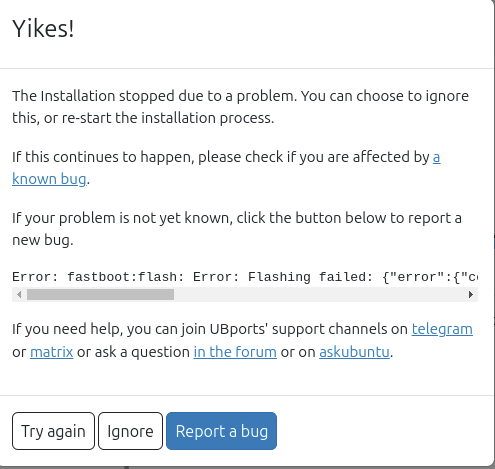
-
@messayisto Yes, I think the error was the same as during installation. The only strange thing is that Ubuntu started a system update after installation? There might have been an error there.
-
@fischer.poco Sorry, I cant help you in this case. I was assuming that UbuntuTouch successfully started after the unlock-notification.
If the installation failed, someone else has to help, please. -
@messayistoIt's OK, thanks for the help... It'll be okay, it's the first time.
-
@fischer.poco Switching to the Inactive Slot (A Common Cause of Boot Loops)
The OnePlus 10 uses a so-called A/B partition system. If the update or ROM was installed on the wrong slot, the phone will not boot.- Connect the phone to your PC via a USB cable (make sure the Android Platform Tools / ADB & Fastboot are installed).
- Open the Command Prompt (CMD) in the Platform-Tools folder on your PC. Type: fastboot devices (your device should be listed here with a serial number).
- Check the current slot with: fastboot getvar current-slot
Switch the slot. -
- If it says “a,” type: fastboot --set-active=b.
-
- If it says “b,” type: fastboot --set-active=a.
- Restart the device with: fastboot reboot
Give it a try. Of course, there's no guarantee.
-
@Linus67 Hello, thanks for the info. Since Ubuntu is already installed, I first have to reinstall Android 10. I think I need to create a WIN 11 partition under Linux and then.... An idea how this will continue??
-
@fischer.poco
You can also install ADB on Linux.
Don't you have internet access to look up this information quickly? -
@Linus67 Well, I had already loaded the platform tools yesterday to do the OEM unlock and prepare fastboot, and then continue with UBports. Question: where can I get an app.apk that is being asked for. That will be the Oxygen-10.... build?
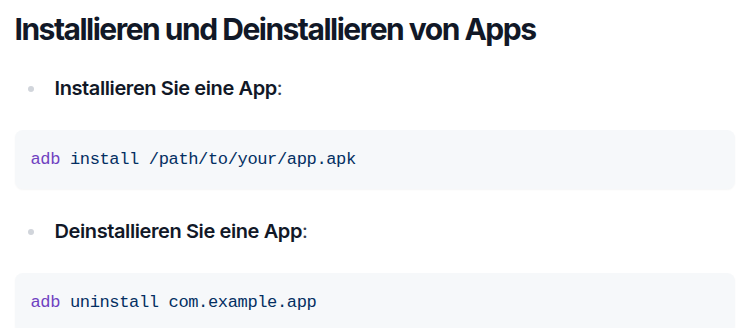
-
-
Danke , die Tools hab ich schon, da das Handy nicht mehr bootet und in diesem Startbild Hängen bleibt kann ich auch nichts mehr antippen oder eingeben. Ich kann nur einschalten und mit PC verbinden. Jetzt muss ich mir Oxygen 10.... (wie gefordert) herunterladen und auf das Handy (Schieben) ! Das ist meine Sorge 1. Androidversion, 2. Wie aufs Handy bringen. Na ja, erst mal Danke und es wird schon werden... mit der Zeit!




Hello! It looks like you're interested in this conversation, but you don't have an account yet.
Getting fed up of having to scroll through the same posts each visit? When you register for an account, you'll always come back to exactly where you were before, and choose to be notified of new replies (either via email, or push notification). You'll also be able to save bookmarks and upvote posts to show your appreciation to other community members.
With your input, this post could be even better 💗
Register Login