FP4 can install Android 11/12/13 and /e/OS 11/12/13 and PostMarkOS, except Ubuntu Touch
-
@Liam (and all others)
Problem here as well - with different result:
Tried to install UT on Fairphone 4 with Android 11.
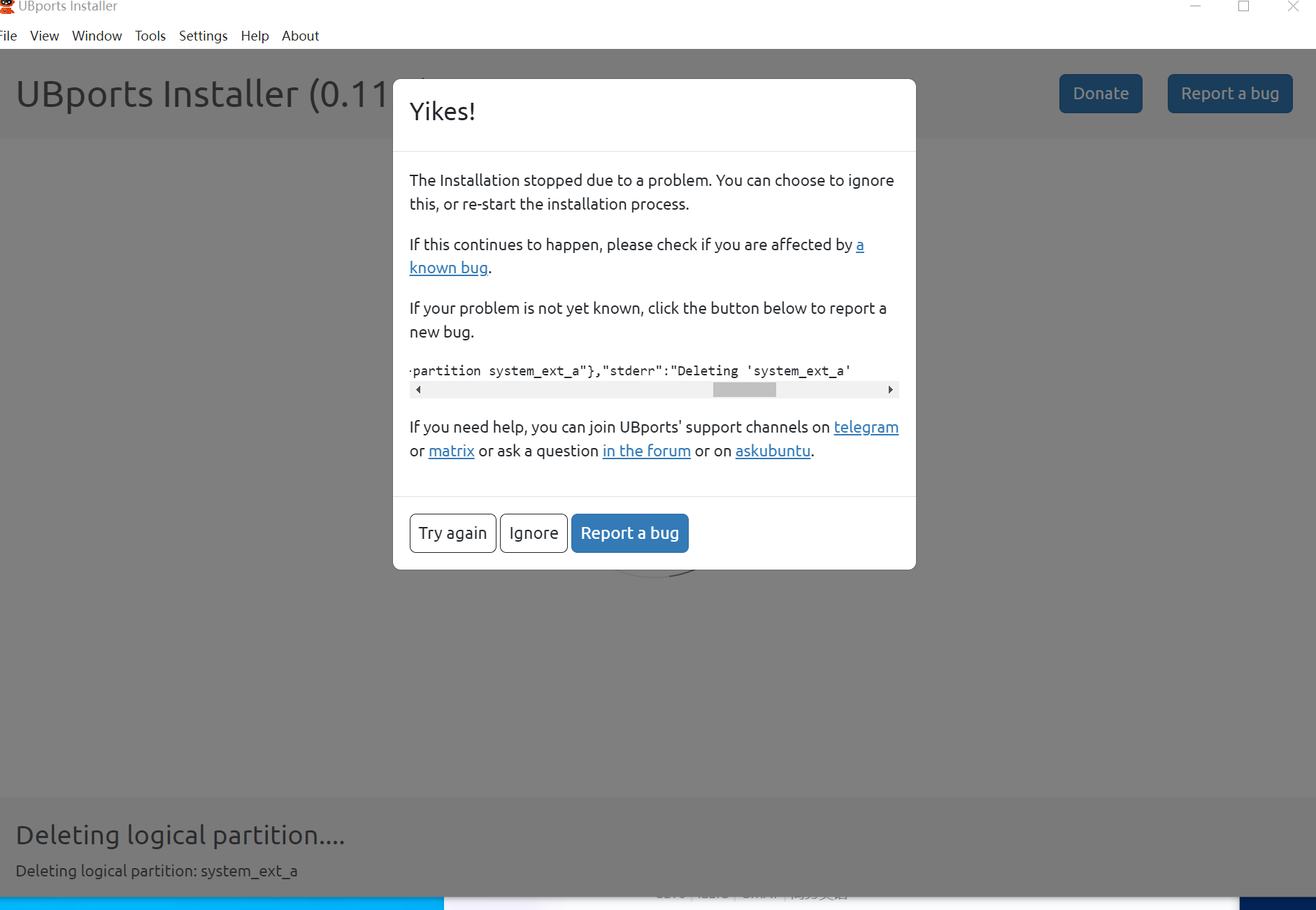
Got identical screen: Installation stopped due to a problem.
I clicked ‘Try again’.
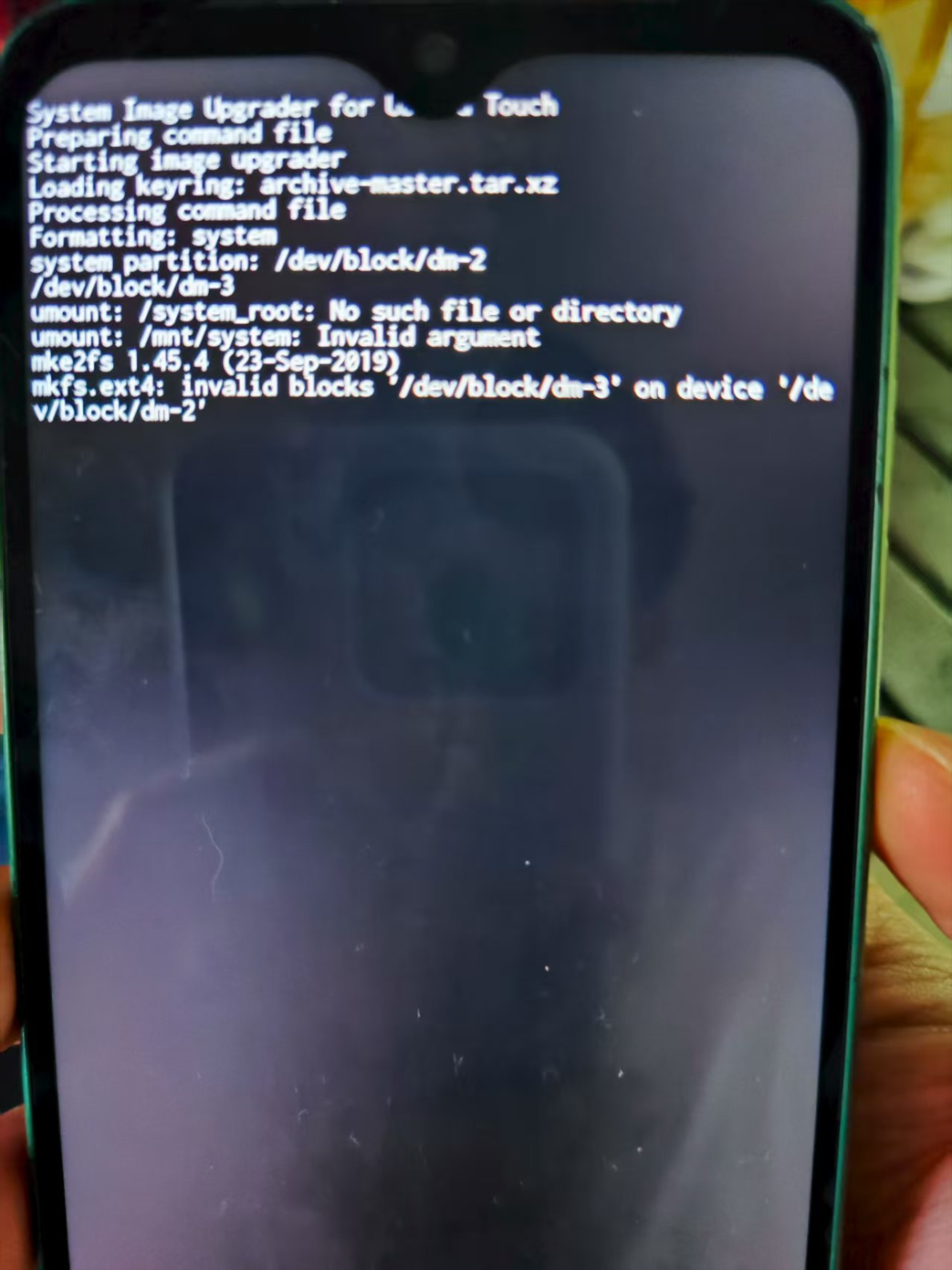
Installer then tried again, obviously trying to format (?)… which according to the installer didn’t go on. Still the installer didn’t crash. So I decided to wait. Took some time ...
Then suddenly everything seemed fine on the Fairphone. UT did actually boot – although the installer screen was still – unsuccessfully trying to move on – at work.
My problem is now that the installer somehow installed UT 24.04 (r411), although I thought I had instructed the installer to use 20.04 (stable).
And now I cannot use the phone for calls, and sms doesn’t work. There is only one network icon, the one with which I can connect to the internet.
Since I’d like to use a mobile to take sone calls, I am in trouble now.I tried to install UT again (to possibly get the opportunity of going back to 20.04) – fail.
I tried to somehow install Android 13 to then later on try for a second time with UT – fail. Fastboot dces not appear to be able to detect my phone any longer .So what to do?
Any idea how I can make fastboot work again?
Or might it be feasible to wait until there will be a new stable release of 24.04 … and hope that by then everything will work out?I am not used to being in forums and I can hardly be called someone with much knowledge and understanding what actually happens, if you do this or that. I only try to follow instructions.
And: Should I better post this one as a new topic?
Complicated ... -
Scary … but nice ...
As if somebody @ UBPorts had read my first entry here, decided to quickly write 45 mb of code and change things drastically.
Well, a few hours later, there was the message on my mobile that 24.04 (r412) was there to download and install … which I did.
And now calling and sending text do actually work.There are still some minor issues, but on the whole, I’d say I have a usable mobile now.
Things are obviously going to be better.
Thank you, UBPorts!The only thing that really annoys me at the moment is that I am informed each time when I power up the device that the boot loader was still unlocked .. and that I'd better not store any sensitive data on it.
-
@kari said in FP4 can install Android 11/12/13 and /e/OS 11/12/13 and PostMarkOS, except Ubuntu Touch:
The only thing that really annoys me at the moment is that I am informed each time when I power up the device that the boot loader was still unlocked .. and that I'd better not store any sensitive data on it.
And that is a badge of honour meaning Google is not scraping and selling your data.
-
@kari said in FP4 can install Android 11/12/13 and /e/OS 11/12/13 and PostMarkOS, except Ubuntu Touch:
the boot loader was still unlocked
This is perfectly fine. Do not change anything about it or you will maybe brick your device.
-
@kari congratulation! it is lucky of you. I have gave up for it, I changed to install postmaketOS instead of UT,at least I have a Linux server, but unfortunately, the battery is broken of postmaketOS for FP. It was difficult for me. crying...
-
@ MrT10001
I’ll wear that badge proudly.@ johndoe
Thanks for the advice. I’ll keep it in mind and won’t change anything.@ liam
Sorry to hear that.
I’m really not an expert. So I can’t understand the issue you experienced with the battery and Postmarket on your device.
Perhaps you should try again some time with UT? (Possibly a real expert should say something to that suggestion)
With me the installer showed some flaws. I was absolutely not sure about how successful the install would be since it didn’t show anything like “Congratulations! Ubuntu Touch is now installed.” The final screen just showed that formatting was still at work.
I could only see on the mobile itself that it was possible to start UT (since there was a reboot and I was asked to define a passkey) and that the amount of free space on the device was big enough to believe that everything was more or less OK.
Hope you can still use your device somehow. -
@ikoz Hi there, how did you 'convert' the step that says
systemimage:installinto pure fastboot/adb commands? I'm having a similar issue with FP5.I have also looked for files needed for the systemimage install process, and
boot.imgandvendor_boot.imgare easy enough to find (https://cdimage.ubports.com/devices/FP5/), but other things that must be flashed for a fully working OS are less easy to figure out... -
@GooglyBear That command essentially downloads and flashes the latest image from the system-image server, but I didn't find the exact url (it may be visible in the installer logs while attempting to flash).
Instead, you can download the development images from the GitLab repository and flashubuntu.imgwithfastboot flash system_a ubuntu.img, assuming you have ran the previous resize/delete operations.However, if you have made it past the delete (which failed on the other user) you shouldn't have any issue not to use the installer,
-
@ikoz Oh yeah, I was able to find something which looks like what I'm searching for by navigating through the JSON: https://system-image.ubports.com/ -> https://system-image.ubports.com/channels.json -> https://system-image.ubports.com/24.04-1.x/arm64/android9plus/stable/FP5/index.json
Not really sure which files to flash, whether they need to be unzipped, and in what order (which I need to formulate the exact procedure/commands), but it's definitely a good start in understanding how it all works under the hood.
Even if it's still rather mysterious for me at the moment, I'll keep the
ubports-installersource code at hand and may search it with this extra knowledge, so may the source be with us
-
Hopefully this way it is easy to get a variety of images such as
stableordailyrather than just thedevelchannel on GitLab.


Hello! It looks like you're interested in this conversation, but you don't have an account yet.
Getting fed up of having to scroll through the same posts each visit? When you register for an account, you'll always come back to exactly where you were before, and choose to be notified of new replies (either via email, or push notification). You'll also be able to save bookmarks and upvote posts to show your appreciation to other community members.
With your input, this post could be even better 💗
Register Login