UBports Robot Logo UBports Forum
    • Categories
    • Recent
    • Tags
    • Popular
    • Users
    • Groups
    • Search
    • Register
    • Login

    Waydroid Xiaomi redmi 7(Eclipse)
    Scheduled Pinned Locked Moved Waydroid
    12 Posts 3 Posters 2.2k Views 1 Watching
    Loading More Posts
    • Oldest to Newest
    • Newest to Oldest
    • Most Votes
      Reply
      • Reply as topic
      Log in to reply
      This topic has been deleted. Only users with topic management privileges can see it.
      • M Offline
        March @Vlad Nirky
        last edited by

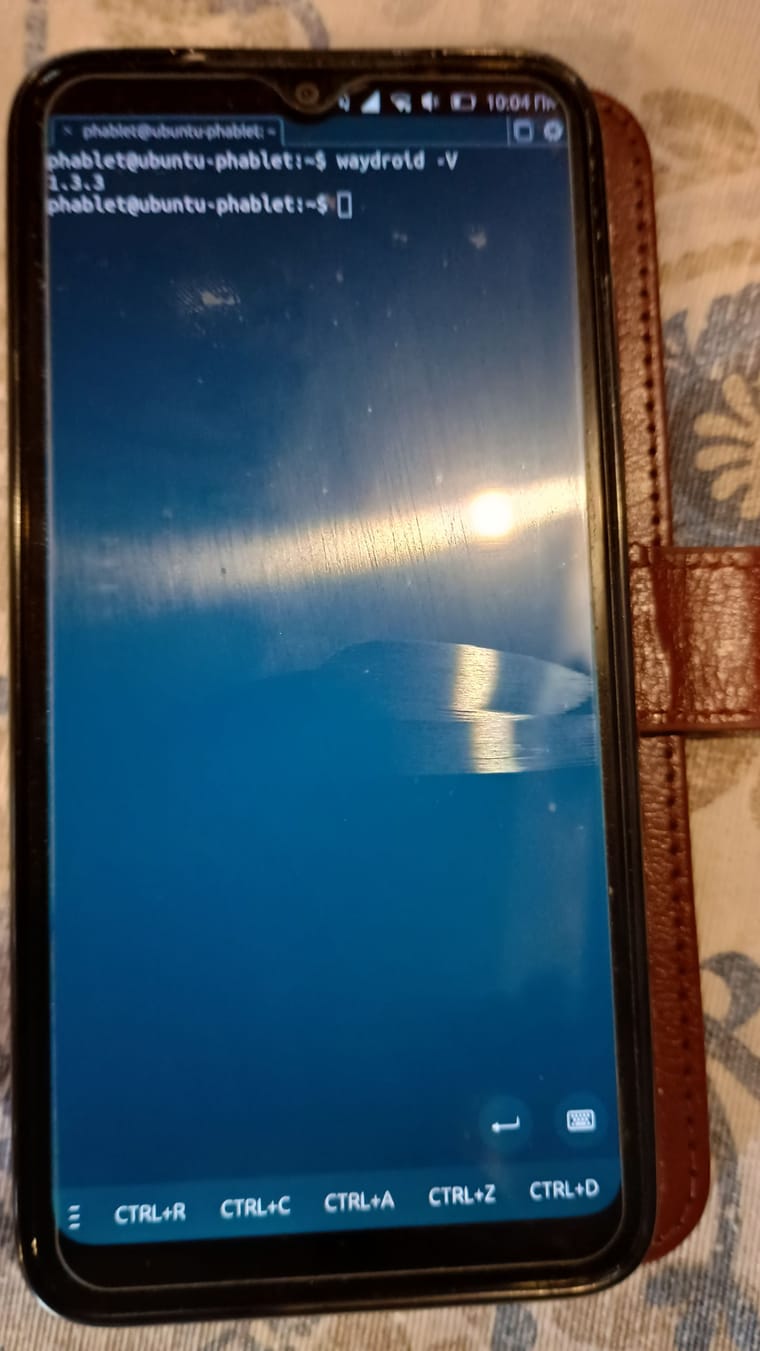
        @Vlad-Nirky thanks for the answer and help!!!
        1000004513.jpg

        Vlad NirkyV 1 Reply Last reply Reply Quote 0
        • Vlad NirkyV Offline
          Vlad Nirky @March
          last edited by

          @March
          pretty old (mine is 1.5.1)
          did you start waydroid through waydroid icon in Lomiri or by command line?

          M 1 Reply Last reply Reply Quote 0
          • M Offline
            March @Vlad Nirky
            last edited by

            @Vlad-Nirky this result is from Lomiri.
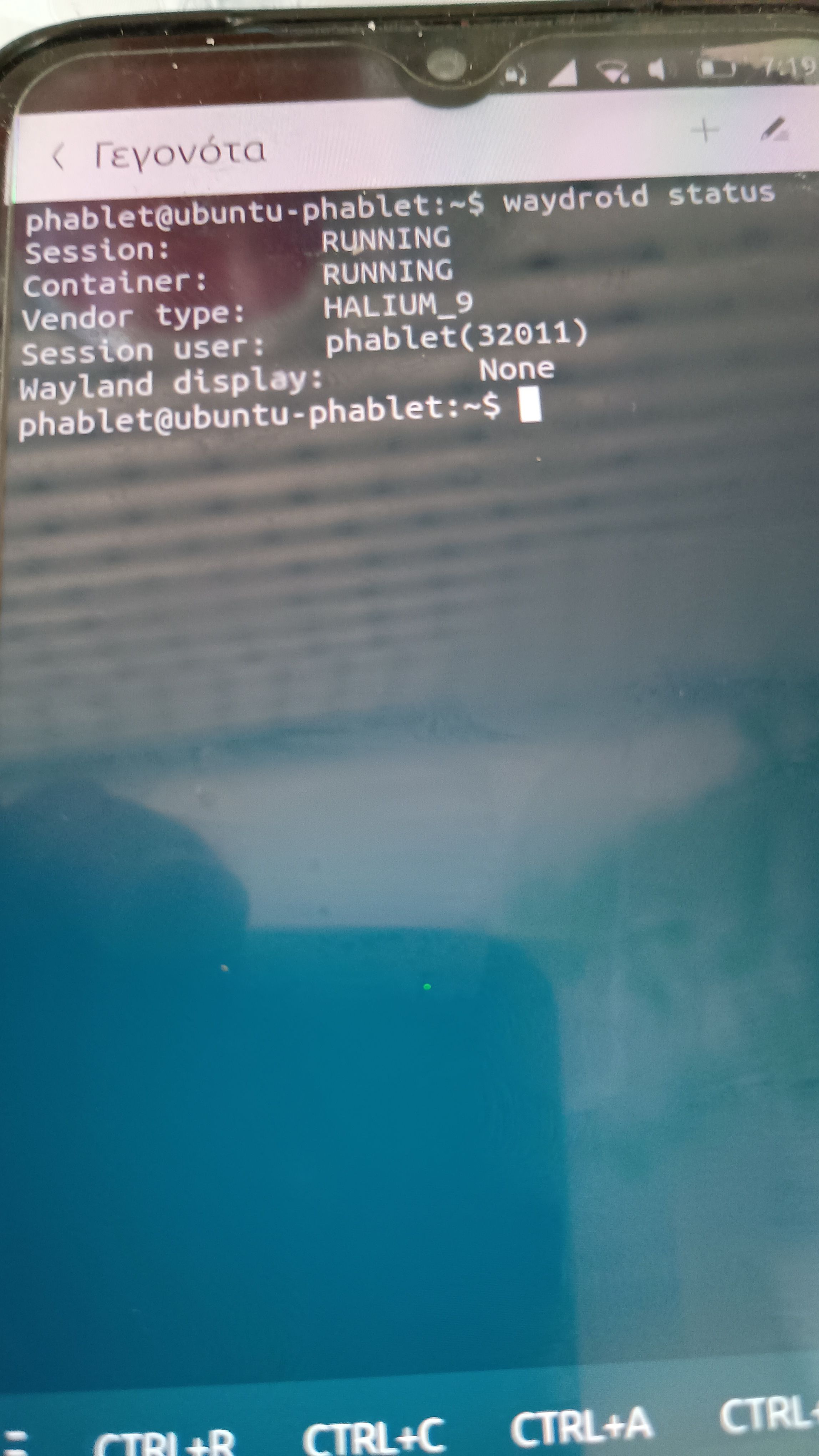
            I started it from Lomiri but I've also tried starting it from a terminal and it still doesn't work.

            Vlad NirkyV 1 Reply Last reply Reply Quote 0
            • Vlad NirkyV Offline
              Vlad Nirky @March
              last edited by

              @March
              Perhaps could you try
              export WAYLAND_DISPLAY=wayland-0

              M 1 Reply Last reply Reply Quote 0
              • MrT10001M Offline
                MrT10001
                last edited by

                If the device is the 2Gb version, running Waydroid will utilise a lot of resources so most likely would fail to open.

                Xiaomi Redmi Note 7.... And more...
                I have too many devices...

                1 Reply Last reply Reply Quote 0
                • M Offline
                  March @Vlad Nirky
                  last edited by

                  @Vlad-Nirky said in Waydroid Xiaomi redmi 7(Eclipse):

                  @March
                  Perhaps could you try
                  export WAYLAND_DISPLAY=wayland-0

                  I opened it from Lomiri I opened it from terminal no result.

                  @MrT10001 said in Waydroid Xiaomi redmi 7(Eclipse):

                  If the device is the 2Gb version, running Waydroid will utilise a lot of resources so most likely would fail to open.

                  The model is 3gb/32gb

                  MrT10001M 1 Reply Last reply Reply Quote 0
                  • MrT10001M Offline
                    MrT10001 @March
                    last edited by

                    @March I don't even know now if 3Gb will be enough as I hosed Waydroid on my old Redmi Note 7 4Gb/64Gb version. and haven't used it since. The newer devices now come with 4Gb plus RAM so would be more suited to run Waydroid.

                    Xiaomi Redmi Note 7.... And more...
                    I have too many devices...

                    M 1 Reply Last reply Reply Quote 0
                    • M Offline
                      March @MrT10001
                      last edited by March

                      @MrT10001 so there is no way to get waydroid to work on this device right? I have and one Xiaomi redmi note 4X the same on this device?

                      MrT10001M Vlad NirkyV 2 Replies Last reply Reply Quote 0
                      • MrT10001M Offline
                        MrT10001 @March
                        last edited by

                        @March I don't know, but with the amount of RAM it is unlikely. It would be better to ask the question here:

                        https://t.me/waydroidonut

                        Xiaomi Redmi Note 7.... And more...
                        I have too many devices...

                        1 Reply Last reply Reply Quote 0
                        • Vlad NirkyV Offline
                          Vlad Nirky @March
                          last edited by Vlad Nirky

                          @March
                          This phone is still running Xenial.
                          It looks like you won't be able to have a pleasant UT experience with it.
                          Your best bet is to go for a smartphone that is more up to date
                          https://devices.ubuntu-touch.io/

                          1 Reply Last reply Reply Quote 0

                          Hello! It looks like you're interested in this conversation, but you don't have an account yet.

                          Getting fed up of having to scroll through the same posts each visit? When you register for an account, you'll always come back to exactly where you were before, and choose to be notified of new replies (either via email, or push notification). You'll also be able to save bookmarks and upvote posts to show your appreciation to other community members.

                          With your input, this post could be even better 💗

                          Register Login
                          • First post
                            Last post
