-
I downloaded a daily build update and installed it, the update was successful.
Sim 2 wasn't being detected nonetheless. So I decided to switch the sim cards. Sim 1 wasn't being detected. Hmm..
I decided to test the problematic sim card on another phone - also a lancelot running stock android, it worked there.
I decided to use an old sim card on my lancelot to see if it would be detected. It was.
The problematic sim card was working just fine before switching to UT from Android.
Anyway, it seems like UT doesn't like this sim card. Has anyone encounter this issue before? Is there a reason why UT would fail to detect a working sim card?
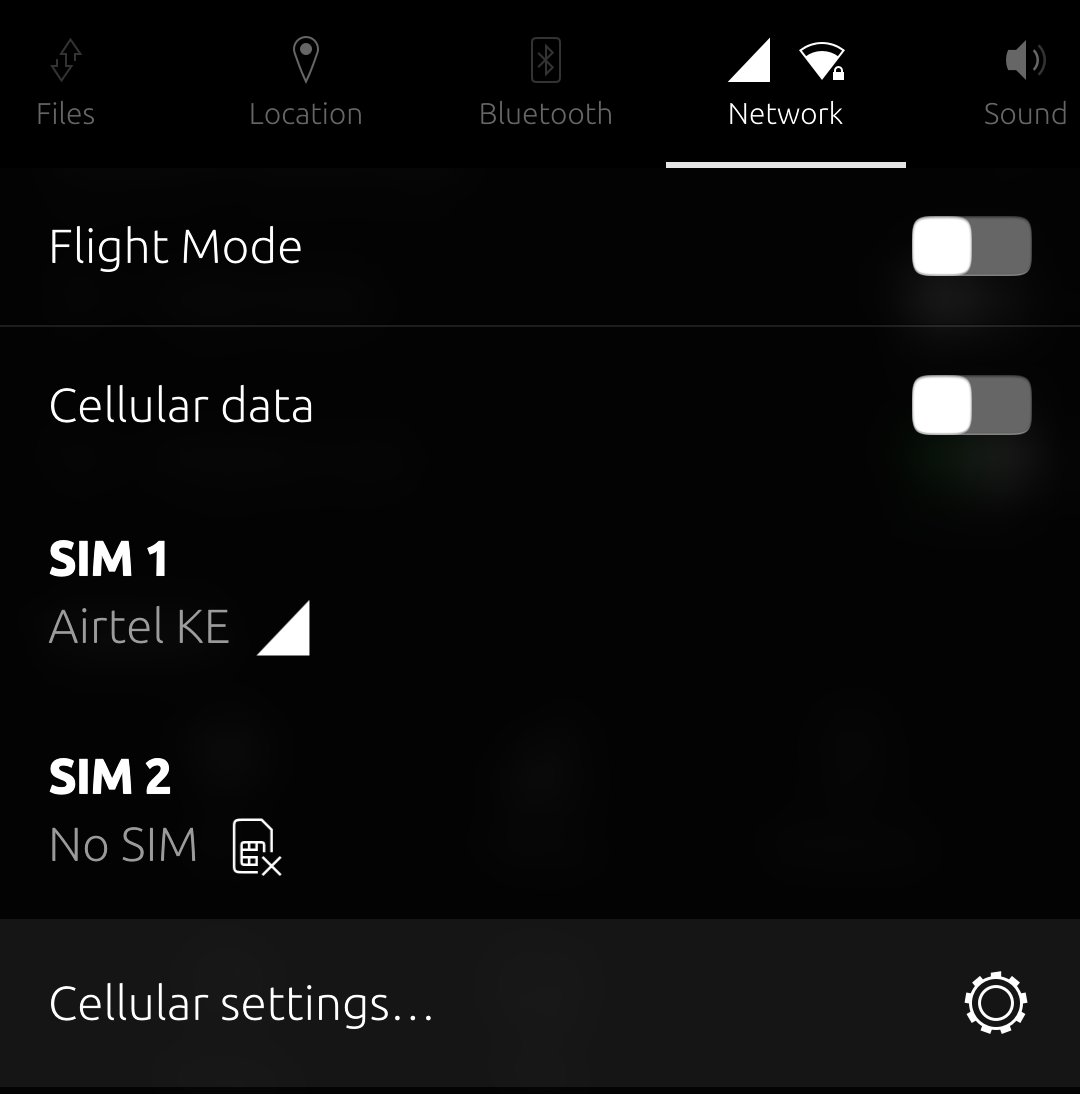
Below are some screen grabs highlighting the above issue.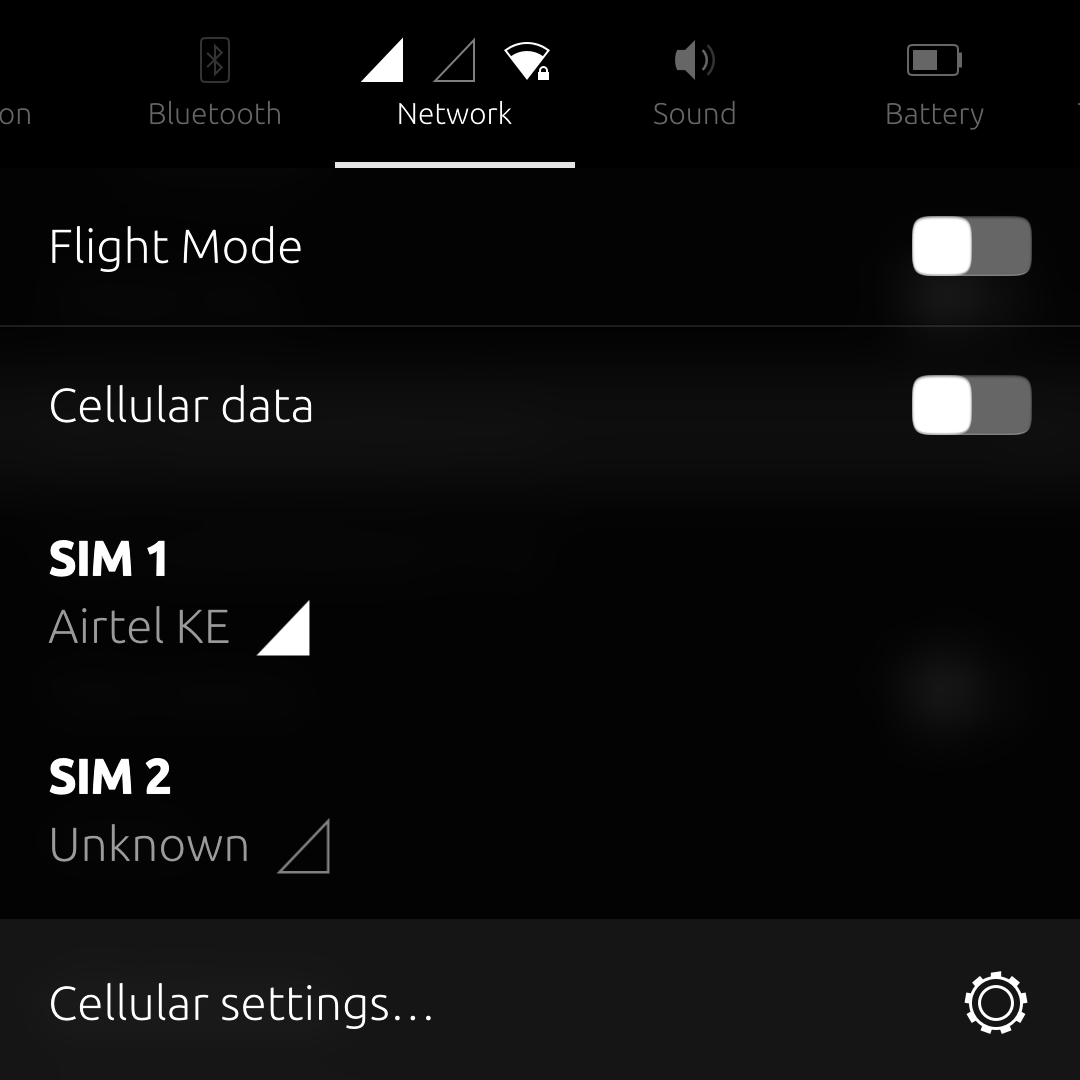
-
@Keli
To complete the test the non working SIM should be inserted in another phone running Android, to see if it is still OK. -
@Vlad-Nirky I did test the non working sim card (the one that can't be detected) on another phone, also a lancelot but running MIUI. It works there. The old sim card that was decommissioned doesn't work in the sense that it can't register to its network and that's why it says 'unknown' as you can see from the screen grab - but at least it can still be detected by the phone.
The working one that I would like to use fails to be detected on both slots hence the 'No Sim' error message. -
@Keli
Is there a mix regarding VoLTE?
One that has it and one that doesn't?
Can your other phone hold two SIM cards?
If so, it would be interesting to know if they can work together. -
@Vlad-Nirky No it isnt a VOLTE issue and yes both sims are VOLTE capable and both work well together. I haven't tested VOLTE under UT on either sims though. But VOLTE is problematic even on stock Android for lancelot in my country.
-
I had to reinstall Android unfortunately

Both Sims are working. Will give UT another go sometime in the near future.
Thanks everyone. -
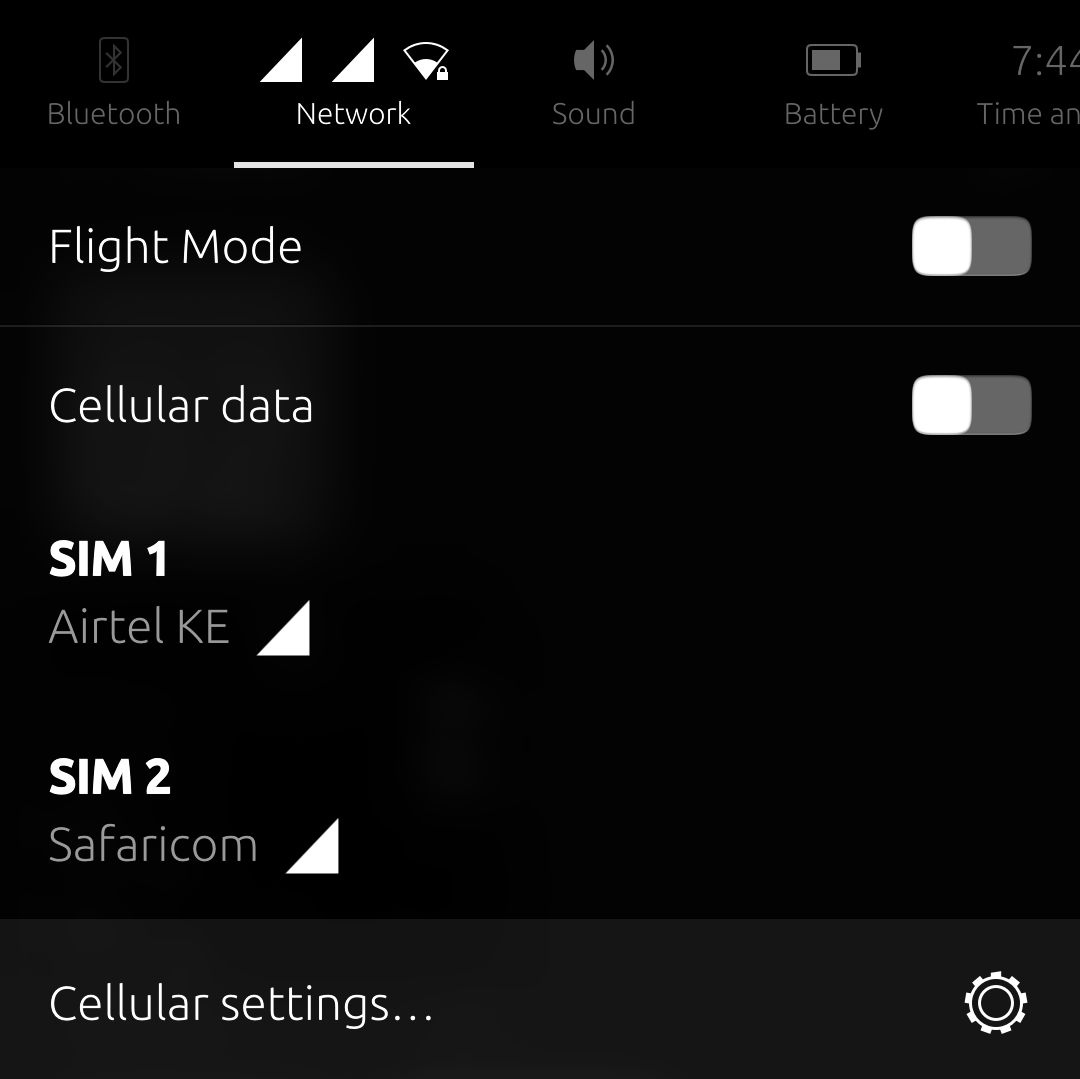
I gave it another try, it's all good now.
-
@Keli
Hello.
Right after reinstalling? -
@Vlad-Nirky Yes it worked after reinstalling.
-
When I say reinstalling, that's just putting it mildly.
Let me post this in the hope that someone might find it useful.
A couple of months ago I tested UT using the normal install procedure (Stock vendor, A11) vs an edge case procedure (OSS vendor, A13) and found out that UT worked roughly the same in both instances.
Since then, using OSS vendor has been my preferred method of getting UT on my lancelot -I'm the edge case, testing the untested.
With this method, I can easily test feature availability/issues between firmware versions (I cannot access the call waiting setting under firmware v12.5.6.0 but can with v12.5.4.0 for example), easily move between Android and UT etc.
So here's how I move from UT to OSS Android for example:- Reboot the device into fastboot (The one with an orange text)
- Run
fastboot flash recovery recovery.img - Run
fastboot flash boot boot.img - Run
fastboot flash dtbo dtbo.img - Run
fastboot flash vbmeta vbmeta.img - Run
fastboot wipe-super unsparse_super_empty.img - Run
fastboot reboot recovery - Run
adb sideload lineage.lancelot.ziponce the device reboots into lineage's recovery.
I run these commands under linux and this workflow has never failed me.
I use an unofficial lineage 20 zip for lancelot which has all these files inside the archive.
To go back to UT, I just put the device in fastboot mode and run the ubports installer.
-
@Keli
Thank you for sharing your knowledge.
Very interesting...
And what LineageOS ROM are you using exactly? -
@Vlad-Nirky Here it is:
https://pixeldrain.com/u/u4qB51S8 -
 K Keneda moved this topic from Devices on

Hello! It looks like you're interested in this conversation, but you don't have an account yet.
Getting fed up of having to scroll through the same posts each visit? When you register for an account, you'll always come back to exactly where you were before, and choose to be notified of new replies (either via email, or push notification). You'll also be able to save bookmarks and upvote posts to show your appreciation to other community members.
With your input, this post could be even better 💗
Register Login