UBports Robot Logo UBports Forum
    • Categories
    • Recent
    • Tags
    • Popular
    • Users
    • Groups
    • Search
    • Register
    • Login

    Issues

    Scheduled Pinned Locked Moved JingPad A1
    5 Posts 2 Posters 1.1k Views 1 Watching
    Loading More Posts
    • Oldest to Newest
    • Newest to Oldest
    • Most Votes
      Reply
      • Reply as topic
      Log in to reply
      This topic has been deleted. Only users with topic management privileges can see it.
      • M Offline
        marioqqq
        last edited by

        Hi, I'm new into UT. But while learning and using I ran into few problems.

        Major:
        ❌ Waydroid
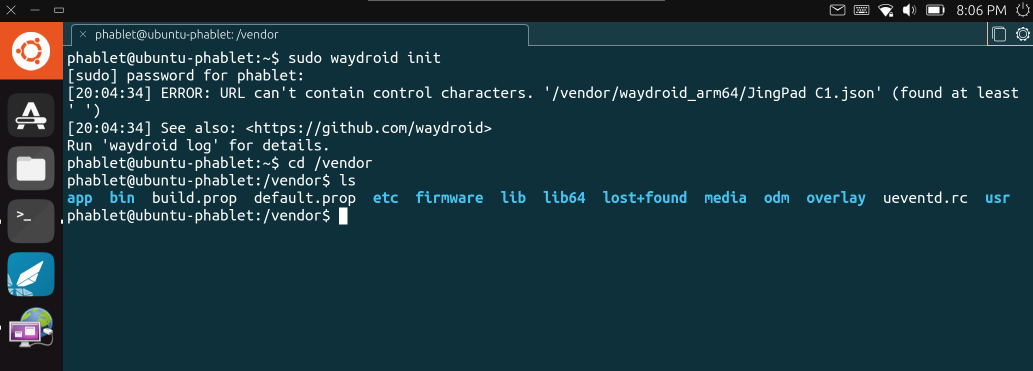
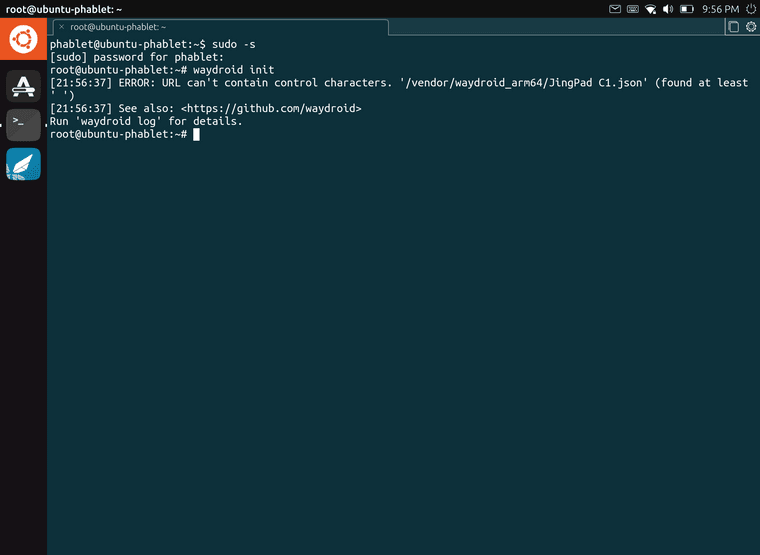
        I tried to install it from store and also from this link https://forum.jingos.com/t/guide-how-to-install-waydroid-on-the-jingpad-a1/2310/2 , but I always get this error b01562a4-4ec6-46eb-a0b3-feb7bf122a4f-image.png
        ❌ File manager > network
        I have 3 devices at home, that have samba share. But file manager detects only 2 and I can connect only to one of them. For some reason, the second one has instead of smb://ip this smb://server.

        Minor:
        ❌ Camera rotation
        This is not a really big deal, but it will be nice to have it properly rotated.

        ❌ Stylus
        I know that stylus doesn't work properly and it needs time, but it is one of the issues.

        Can anybody help me resolve my issues? Thanks
        If I find new issues or resolve some of these, I will update this post immediately.

        MoemM 1 Reply Last reply Reply Quote 1
        • MoemM Offline
          Moem @marioqqq
          last edited by

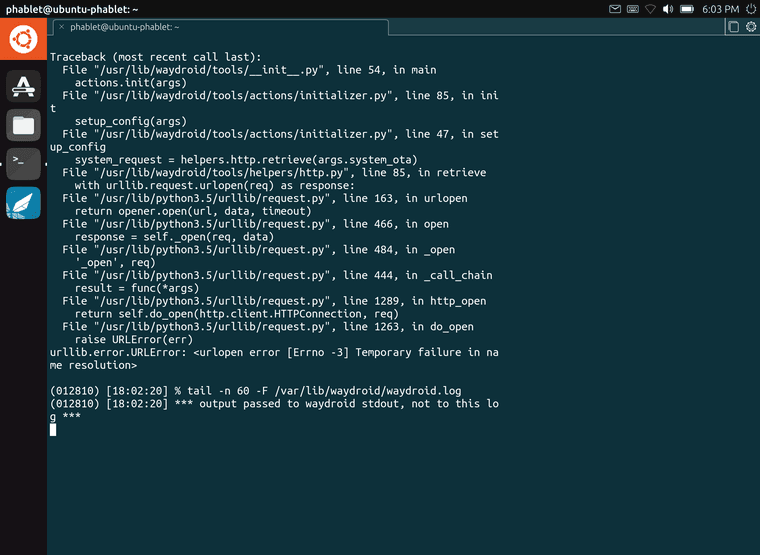
          And what was the output of 'waydroid log'?

          Is currently using an Op5t
          Also owns an Op1, a BQ E4.5 and an Xperia X, as well as a BQ tablet and a Pinetab2. Please, someone... make it stop.

          M 1 Reply Last reply Reply Quote 0
          • M Offline
            marioqqq @Moem
            last edited by marioqqq

            @moem
            b3f98043-43f6-4dd9-80a8-d995fb671afb-image.png
            78892797-7e17-41fb-9510-7d1ee30f96c6-image.png

            MoemM 1 Reply Last reply Reply Quote 1
            • MoemM Offline
              Moem @marioqqq
              last edited by

              That may very well improve your chances of getting help. :thumbs_up:

              Is currently using an Op5t
              Also owns an Op1, a BQ E4.5 and an Xperia X, as well as a BQ tablet and a Pinetab2. Please, someone... make it stop.

              1 Reply Last reply Reply Quote 0
              • M Offline
                marioqqq
                last edited by marioqqq

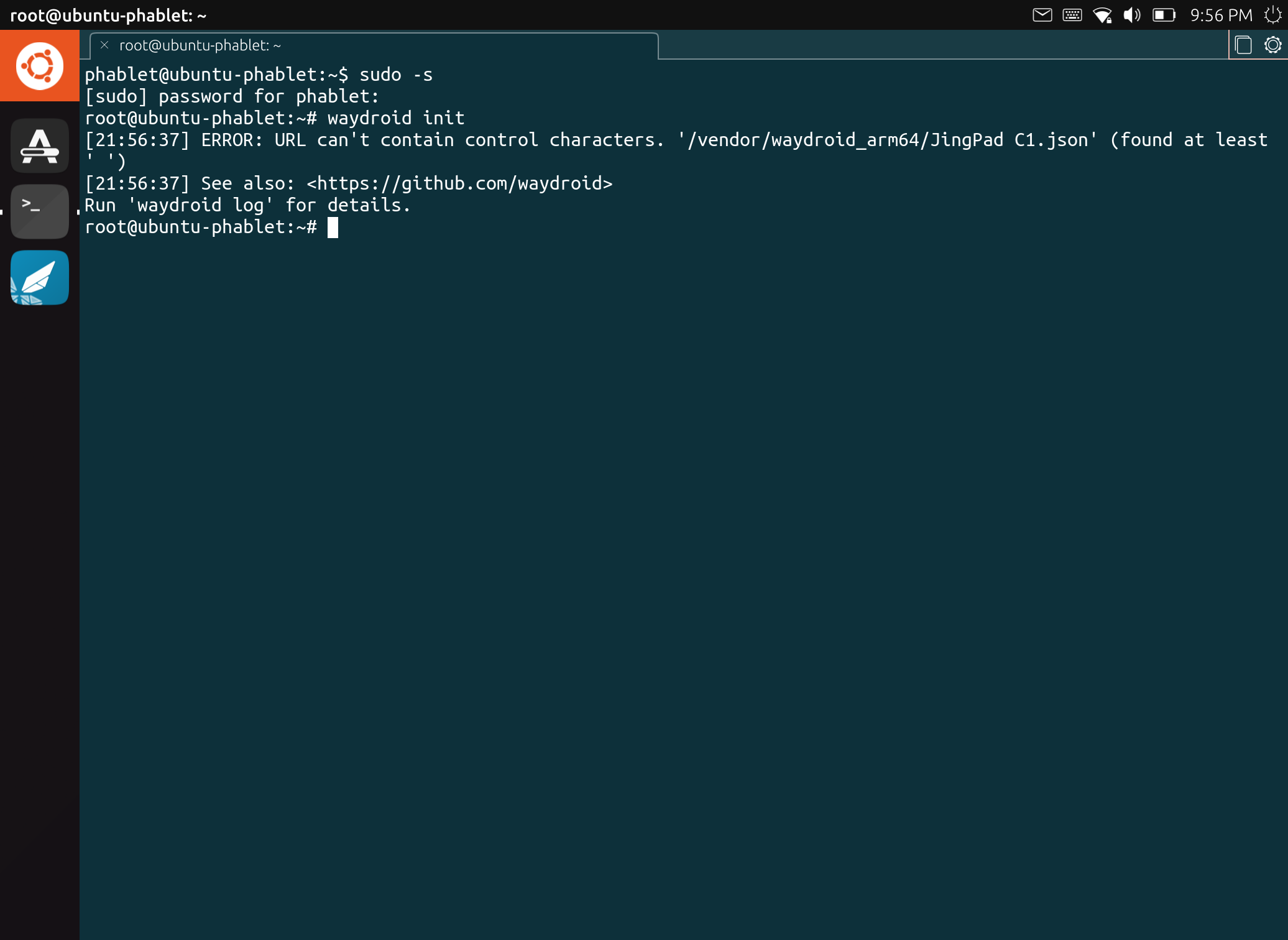
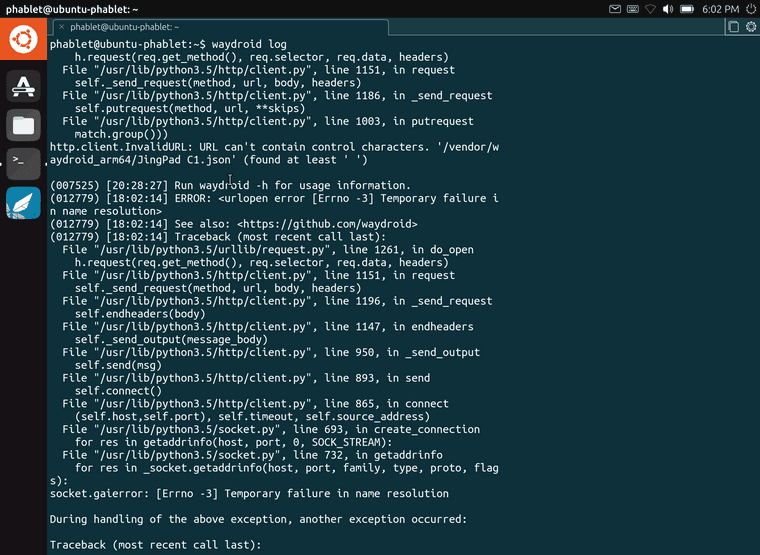
                I found a "bug"? I guess...
                d695db8d-0e4a-42f8-8923-2bd39eb23810-image.png
                I'm not sure why. I have A1 version and I installed A1. Here it shows C1 and also in settings. Also when I try to make that directory, it reports "Read-only file system" although I did the remount.

                1 Reply Last reply Reply Quote 0

                Hello! It looks like you're interested in this conversation, but you don't have an account yet.

                Getting fed up of having to scroll through the same posts each visit? When you register for an account, you'll always come back to exactly where you were before, and choose to be notified of new replies (either via email, or push notification). You'll also be able to save bookmarks and upvote posts to show your appreciation to other community members.

                With your input, this post could be even better 💗

                Register Login
                • First post
                  Last post