Flashing a oneplus 3 fails at 47%
-
I'm following instructions here on this video https://www.youtube.com/watch?v=b4WkjUkHUzw on installing ubuntu touch on a oneplus 3
however at the point of installing the andoird using below command
adb sideload OnePlus3Oxygen_16_OTA_086_all_1911042118_997006918a894202.zipIt then sideloads it to my phone but always fails at 47%
Then says installation failed on my phone :angry_face: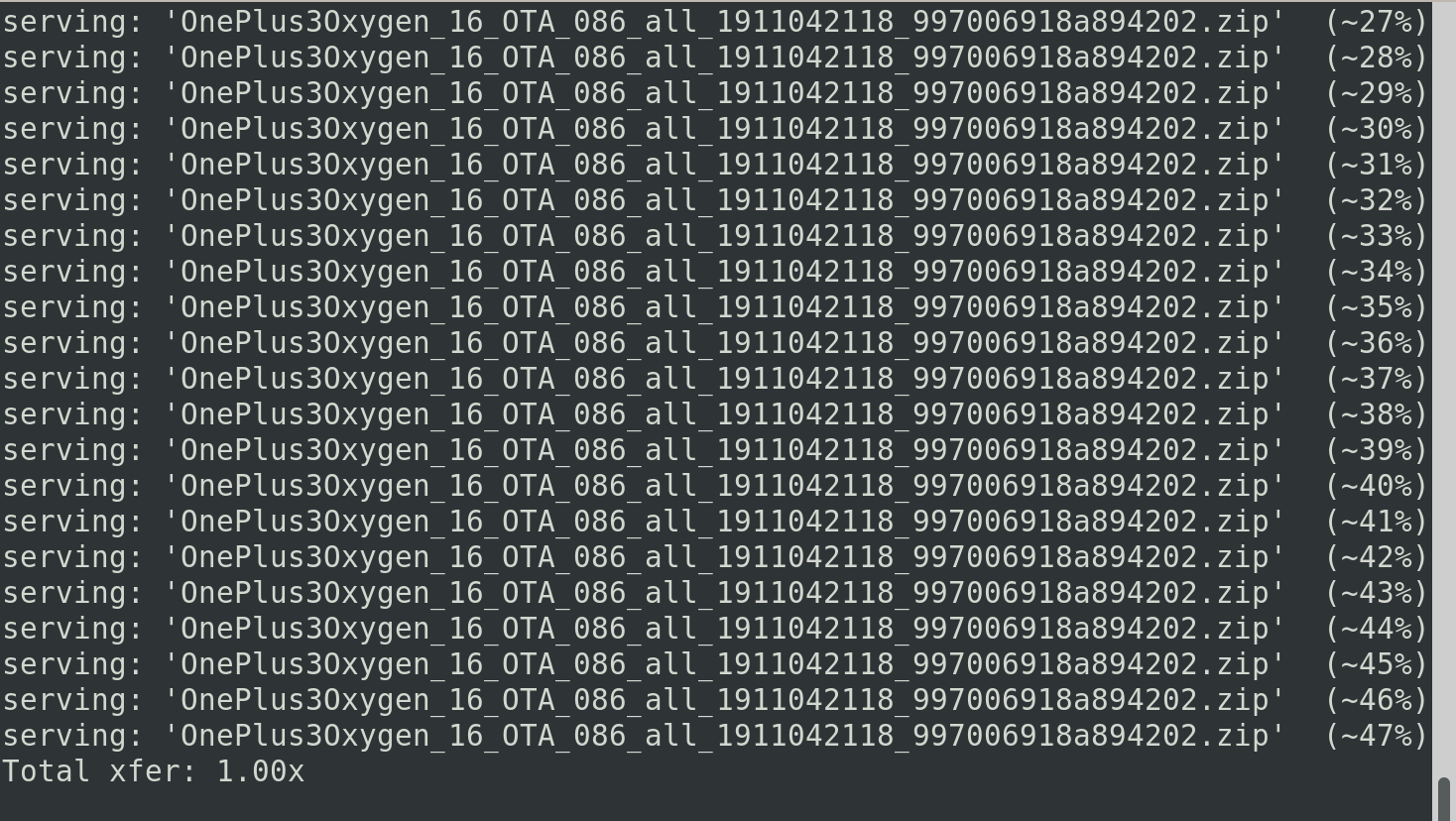
-
@LemmyMemy ADB sideloading a ROM to downgrade or upgrade does not always work on the OnePlus phones. I usually have to unzip the zipped ROM and flash manually through fastboot.
-
@LemmyMemy Uhm, when I flashed my One Plus 3 some years ago I had to reformat some of the partitions in TWRP (into ext3?) before it would install. Can't remember exactly which ones, but maybe it can give you a hint what to do.
However please be aware that the One Plus 3 port is abandoned for quite some time now and I think is unlikely to get a 20.04 upgrade because of that. I have sadly since then flashed back to Linage OS as that is still actively maintained on this device.
-
@poVoq It is the data partition that needs to be EXT4....
Edit to my previous post, apologies for not noticing, but you have sideloaded it successfully. 47% is usually correct for a sideload and it states the transfer is successful with the last line stating "Totala xfer: 1.00x"


Hello! It looks like you're interested in this conversation, but you don't have an account yet.
Getting fed up of having to scroll through the same posts each visit? When you register for an account, you'll always come back to exactly where you were before, and choose to be notified of new replies (either via email, or push notification). You'll also be able to save bookmarks and upvote posts to show your appreciation to other community members.
With your input, this post could be even better 💗
Register Login