new design of login pin screens
-
Hi,
I want to change some screen backgrounds and colors for pinpromt screen.I have found pinPromt.qml file but how do i go about changing background image and colors etc
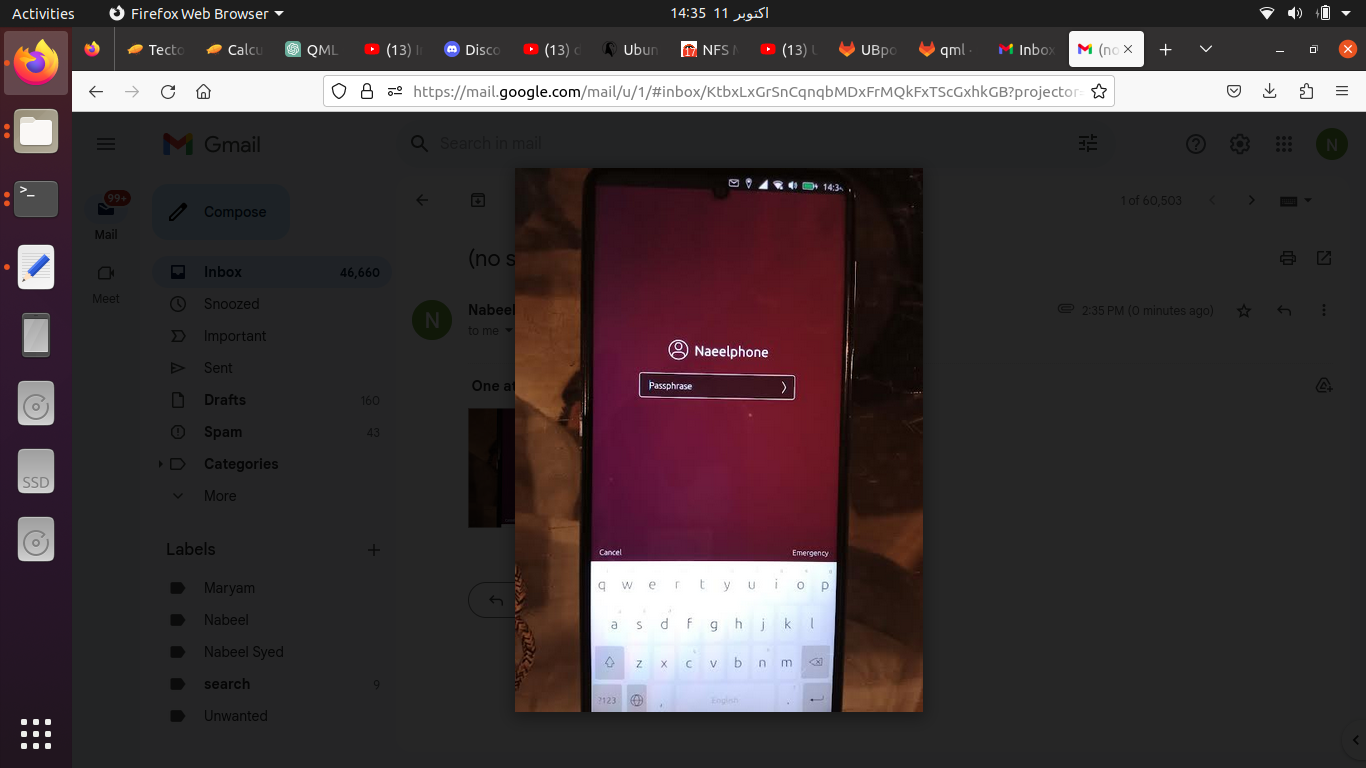
I am talking about this screen.thanks
I have cloned lomiri repo from gitlab and was hoping that I would change few files in the Greeter section and that will do the job ?
Please adviseThanks
-
You simple have to change your wallpaper from the settings. You'll have to change the code somewhere if you want to change it separately.
I'm not sure what exactly you're trying to do.
-
@kugiigi Thanks
I have changed the background image
Next I want to hide the keyboard and replace it with keypad containing numbers only .
I believe I have to change Greeter code .There are many files in it which files to change .It seems connected to lightDm.loginprompt as well
Please adviseThanks
-
This post is deleted! -
@nibzy26 You'll have to change your lock security option to
Passcodefrom the settings too
Hello! It looks like you're interested in this conversation, but you don't have an account yet.
Getting fed up of having to scroll through the same posts each visit? When you register for an account, you'll always come back to exactly where you were before, and choose to be notified of new replies (either via email, or push notification). You'll also be able to save bookmarks and upvote posts to show your appreciation to other community members.
With your input, this post could be even better 💗
Register Login