how to install qmlDesigner in qtcreator from clickable 8.2.0 ?
-
Hi,
have Ubuntu 20.04 installed (x86_64)
There is qtcreator Version: 13.0.0-beta-1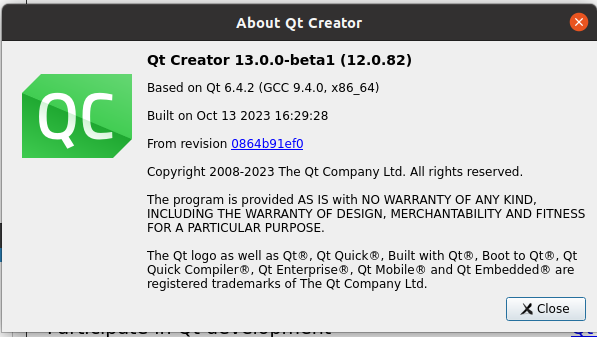
come with clickable Version 8.2.0 (installed by PPA)
But I miss the qmlDesigner at plugins.
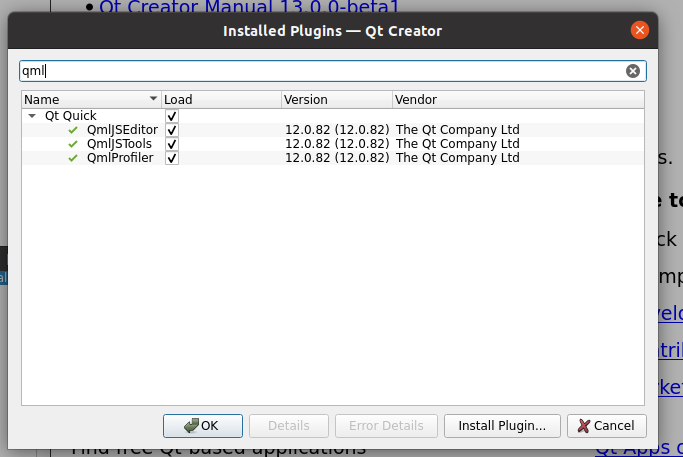
What do I need to install that I can
enable qmlDesigner ?Thanks
-
@ds2k5 Not sure if it is possible since the QtCreator from clickable is not from the 20.04 official ppa. I doubt that by explicitely install it via clickable will work ( by using
dependencies_hostproperty inclickable.yml)
And AFAIK we can't use QtDesigner for Lomiri UI Toolkit components. -
thanks
And AFAIK we can't use QtDesigner for Lomiri UI Toolkit >components.
Which tool can I use instead?
To Build GUI like with qtdesigner / Qt Design Studio. -
@ds2k5 said in how to install qmlDesigner in qtcreator from clickable 8.2.0 ?:
thanks
And AFAIK we can't use QtDesigner for Lomiri UI Toolkit >components.
Which tool can I use instead?
To Build GUI like with qtdesigner / Qt Design Studio.I don't know any tool. We all create apps by hand
-
maybe the flatpak works https://flathub.org/apps/io.qt.qtdesignstudio
-
@ds2k5
I have used QT Design Studio to create the base UI for GisForecast (was a little bit complicated (for me)) and than i have modified it in Visual Studio Code by hand.


Hello! It looks like you're interested in this conversation, but you don't have an account yet.
Getting fed up of having to scroll through the same posts each visit? When you register for an account, you'll always come back to exactly where you were before, and choose to be notified of new replies (either via email, or push notification). You'll also be able to save bookmarks and upvote posts to show your appreciation to other community members.
With your input, this post could be even better 💗
Register Login