Whatsnew: Whatsapp Web with Electron.
-
@pparent said in Whatslectron: Whatsapp Web with Electron.:
Can you go back to your previous keyboard configuration that did not work well before, then update the app to see if it works better?
Now it is perfect! It auto-adjusted itself to the full height of the keyboard! Wow and thank you!
-
I have KDE Connect on my UT and UB Connect on my UT phone. When I receive a notifcation in Whatsnew on the phone, my linux desktop displays it as well but as comming from "pparent" instead of coming from "Whatsnew".
-
Probably a bug in Kdeconnect. Cos the notifications are for the app "whatslectron.pparent", if it uses "pparent" as the app name, then its not normal, its the publisher name. If you take Teleports the app name is "teleports.ubports", what name does it display for the notifications in your kdeconnect?
-
@pparent I dont have teleports...
-
Hi,
i notice that I have a display issue : probably beaucause I have a little screen (sony xperia X).
on the welcom page, i can't choose to reject definitively the microphone...
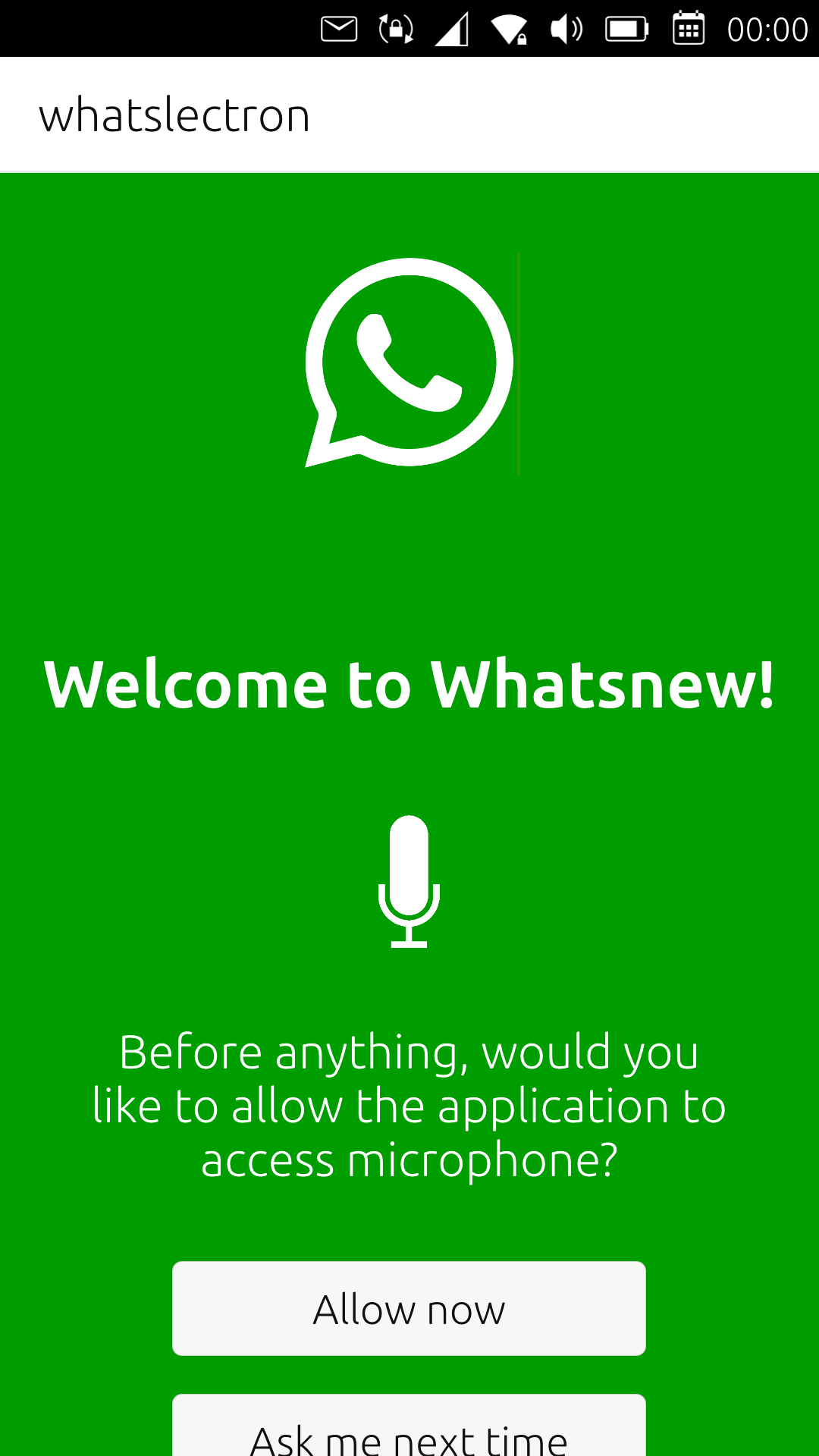
I have the same probleme on SignalUT
thanks for the work already accomplished. -
Hi,
i notice that I have a display issue : probably beaucause I have a little screen (sony xperia X).
on the welcom page, i can't choose to reject definitively the microphone...
I have the same probleme on SignalUT
thanks for the work already accomplished.Thank's for reporting I will look into it. I will probably publish a new version soon, with few fixes.
Ps: note thought that it will always come back after erasing your datas, and sometimes when updating the app (if the update requires it).
-
hello,
I notice that the keyboard already return to 'letters' after juste one 'number' is tape. not realy practical.
It is specificaly on whatsnews and signal.
Is it juste for me ? or a parameter for the keyboard.
It seems to me that the keyboard is specific in these apps ? -
I cannot reproduce your issue with the microphone page. If I click on disallow forever the page does not appear anymore without doing any mic permission request. Do you have a different result? Can you explain more what you are doing? Thank's!Ha ok I understand It's a layout issue, I will slightly squeeze the size of the elements, so the problem should be solved for you in next release.
-
Thank you ! for all the apps

-
Just a humble request: the textbox for entering the text has check spelling enabled but I guess that is for English and, since I use a different language, all the words have a red underline - could the spellcheck be disabled? Again, no hurry, thank you for everything! Your app allows me to use UT as a daily driver!
-
I've released version 0.1.5
Here are the improvements:
-Fix small bugs when using "Enter" to send message
-Fix Search contact in new conversation
-Fix possibility to input password with keyboard
-Adapt Lockscreen layout to mobile screen
-Make the app work again after Unlocking it
-Adapt layout of call panel allowing to select between voice call and video call
-Fix layout of microphone permission dialog to fit with small screens.Don't hesitate to report if everything works for you!
-
Just a humble request: the textbox for entering the text has check spelling enabled but I guess that is for English and, since I use a different language, all the words have a red underline - could the spellcheck be disabled? Again, no hurry, thank you for everything! Your app allows me to use UT as a daily driver!
I can't reproduce for me spellcheck is in the language of my phone (French), can you check if all the language parameters of your phone are correct?
I'm not sure if is possible to disable spellcheck easily.
-
good job. the display probleme is solved !
-
@mihael
By the way I just noticed that spell check can be removed in the app settings, in conversation settings. -
Next version of the app will focus on:
-Allowing to customize scaling/zoom factor of the app.
-Adjusting layout of the in-call panel ( harder cos I need to make calls while working to test it ). -
@pparent I can't believe it was so easy and I'm sorry to have bothered you and that I didn't figure it out by myself... Thank you!
-
I wanted to confirm that audio calls work very well

-
Nice did the quality improve since the first tests?
-
By the way I should mention that Whatsnew and Signal UT, currently do not work anymore on 24.04-1.x daily, i.e the daily builds of the development version of UT.
I've posted a bug report here:
https://gitlab.com/ubports/development/core/lomiri/-/work_items/177I hope we can find a fix before next UT release, even if it's not guarantied.
-
@pparent Definitely. In the first releses of beta, sound quality was awfull both on desktop and UT. Now the sound quality is good on both. So I think that it was not something related to UT.



Hello! It looks like you're interested in this conversation, but you don't have an account yet.
Getting fed up of having to scroll through the same posts each visit? When you register for an account, you'll always come back to exactly where you were before, and choose to be notified of new replies (either via email, or push notification). You'll also be able to save bookmarks and upvote posts to show your appreciation to other community members.
With your input, this post could be even better 💗
Register Login