tedit development and design discussion
-
@danfro Hello. Little discovery.
If files are located in a share tedit.danfro folder, they are not discoverable. by the tedit app. Only direct files from tedit danfro are discoverable.
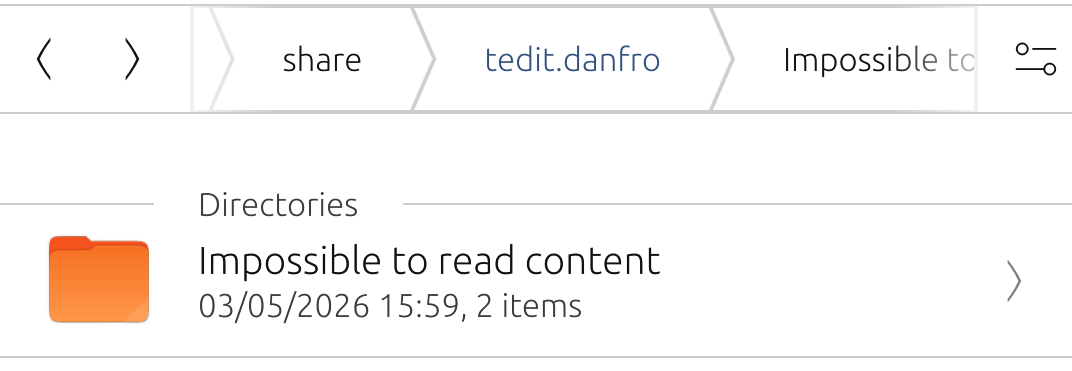
For example the two items aren't in the list of files when opening tedit. -
@domubpkm I understand it this way, that subfolders are not readable. I did add this functionality and also allow saving including subfolders right now. You can try a build from the lastest pipeline: https://gitlab.com/Danfro/tedit/-/jobs/14208121476/artifacts/file/build/aarch64-linux-gnu/app/tedit.danfro_3.6.1_arm64.click
It would be great if you could give that a good test. I am not sure if I found all places where the file name needs to be adjusted to allow subfolders.
-
@danfro Thanks ! A very quick test allowed me to see that the files are located in a first sub-folder, but that it would be necessary to highlight the sub-folders and allow scrolling of the line of the location of a file because a long line may appear cut. I will test better later.
-
@domubpkm Please try the latest build: https://gitlab.com/Danfro/tedit/-/jobs/14223553449/artifacts/file/build/aarch64-linux-gnu/app/tedit.danfro_3.6.1_arm64.click
Not nice, but as a quick solution, I add a linebreak after the last slash. So subfolders are now shown on a separate line, the file name on another line. This allows to display longer names/more than one subfolder.
But I do admit, this is not a fully perfect solution yet. So better not overuse it.If you wish to filter for all files in subfolders, you can put the "/" in the search box.
-
@danfro Already the files in the top level subfolders are seen and that's good. Afterwards it's a cosmetic story that isn't necessarily obvious.
-
@danfro Saving a NEW file no longer seems to work!
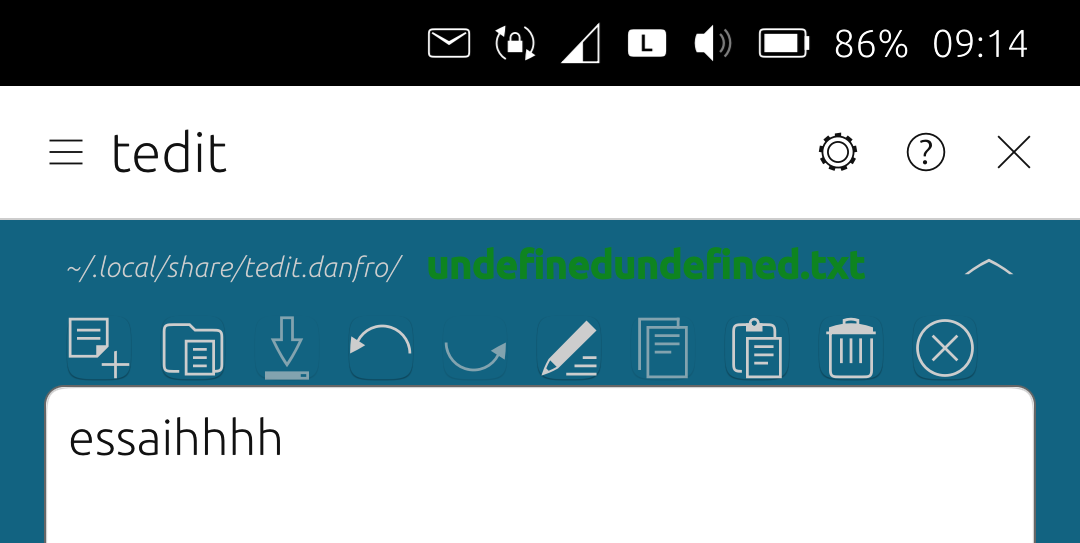
But edit a file seems ok. -
@domubpkm that must be the last change I did. It worked with the first change. But I can confirm that, need to look into that. Thanks for reporting.
-
@danfro In fact, seems works if we want to save a file in tedit.danfro but we must put a slash first in the windows when recording name of the file.
-
@domubpkm Yeah, I found the bug, thanks for testing. Forgot an "else" branch when no slash is used. The latest build should fix that: https://gitlab.com/Danfro/tedit/-/jobs/14248945062/artifacts/file/build/aarch64-linux-gnu/app/tedit.danfro_3.6.1_arm64.click.
-
@danfro ok, works great. All tested, it creats folders. Great. Passphrase ok too
-
@domubpkm And I got something else for testing. I added an option to share notes from tedit to other apps. Can be tested from this pipeline (is including the subfolder additions): https://gitlab.com/Danfro/tedit/-/jobs/14249888806/artifacts/file/build/aarch64-linux-gnu/app/tedit.danfro_3.6.1_arm64.click
And now when importing a file via content hub into tedit, the file list page is not show (if that setting is enabled to start with that view). That doesn't make sense, when importing we want to see our imported file.
-
@danfro great . Too bad it can't directly share the content of a file with a contact in the 'messaging app', that would have saved me from having to select - copy - paste sometimes. Could the 'share with' mode also apply when using the 'read only' mode?
-
@domubpkm to handle imported files differently in messaging app, would be a task to solve there. tedit can only hand over a file to messaging app. What that does with the file is defined there. tedit has no control over that.
I added the share option to read only mode page too. I simply didn't think of that yet.

(Build here: https://gitlab.com/Danfro/tedit/-/jobs/14268879889/artifacts/file/build/aarch64-linux-gnu/app/tedit.danfro_3.6.1_arm64.click) -
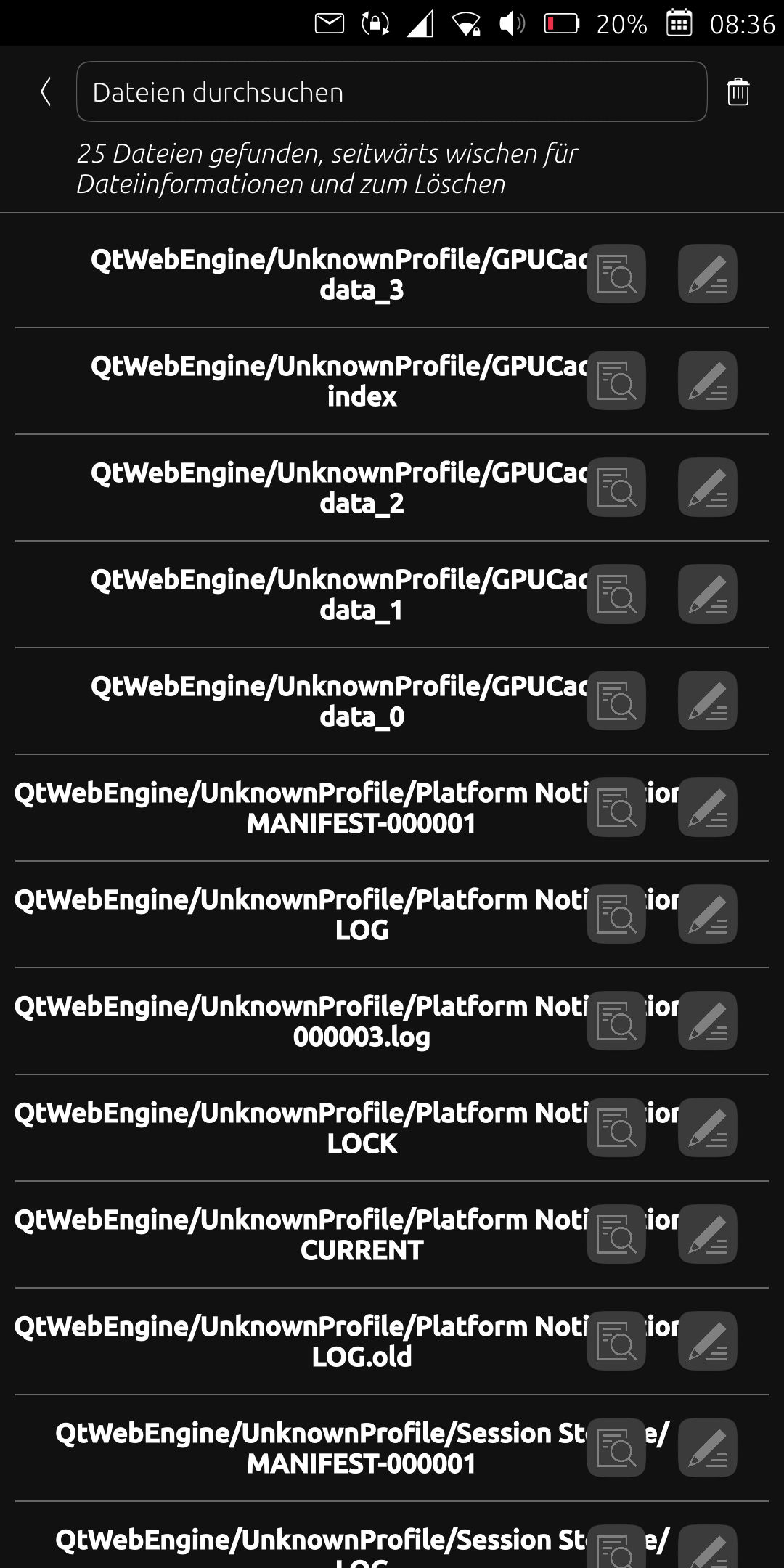
After I updated the app today, many files are listed under the "QtWebEngineUnknownProfile/..." path. Unfortunately, this is very confusing and I only want to see the files I created. What can I do about it? Simply delete the relevant files? Thanks
-
@ma Could you please share a screenshot? I don't have that here. Also some logs might help from logviewer app.
-
-
Also the files are not sorted by name anymore.
-
@ma not being sorted alphabetically I can confirm. I overlooked that when testing.
-
@ma I am not sure how this can happen. Since this is not the default saved folder.
That looks like a cache folder. Are the file names duplicates of your actual files? Then maybe clearing the cache could help (available in tedit settings). -
Hmm. I have an idea. The first version of read only mode used a file cache. That might have used the same folder for caching as the notes folder.
Now read only mode uses an in-memory cache and doesn't creaty any files.
If my guess is true, there should be a folder under "/home/phablet/.local/share/tedit.danfro" with qtwebengine in it. After deleting that e.g. in file manager you shoukd be fine. Just be careful not to delete your notes, only that subfolder.

Hello! It looks like you're interested in this conversation, but you don't have an account yet.
Getting fed up of having to scroll through the same posts each visit? When you register for an account, you'll always come back to exactly where you were before, and choose to be notified of new replies (either via email, or push notification). You'll also be able to save bookmarks and upvote posts to show your appreciation to other community members.
With your input, this post could be even better 💗
Register Login