Custom builder for a library
-
@pparent 24.04-1 I think (the stable branch)
-
Yes but what version precisely? Because there was an important change about that between 24.04-1.2 and 24.04-1.3 .
Can you re-upload the screenshot we cannot see it!
-
my UT version is 24.04-1.3
here again the screenshot:
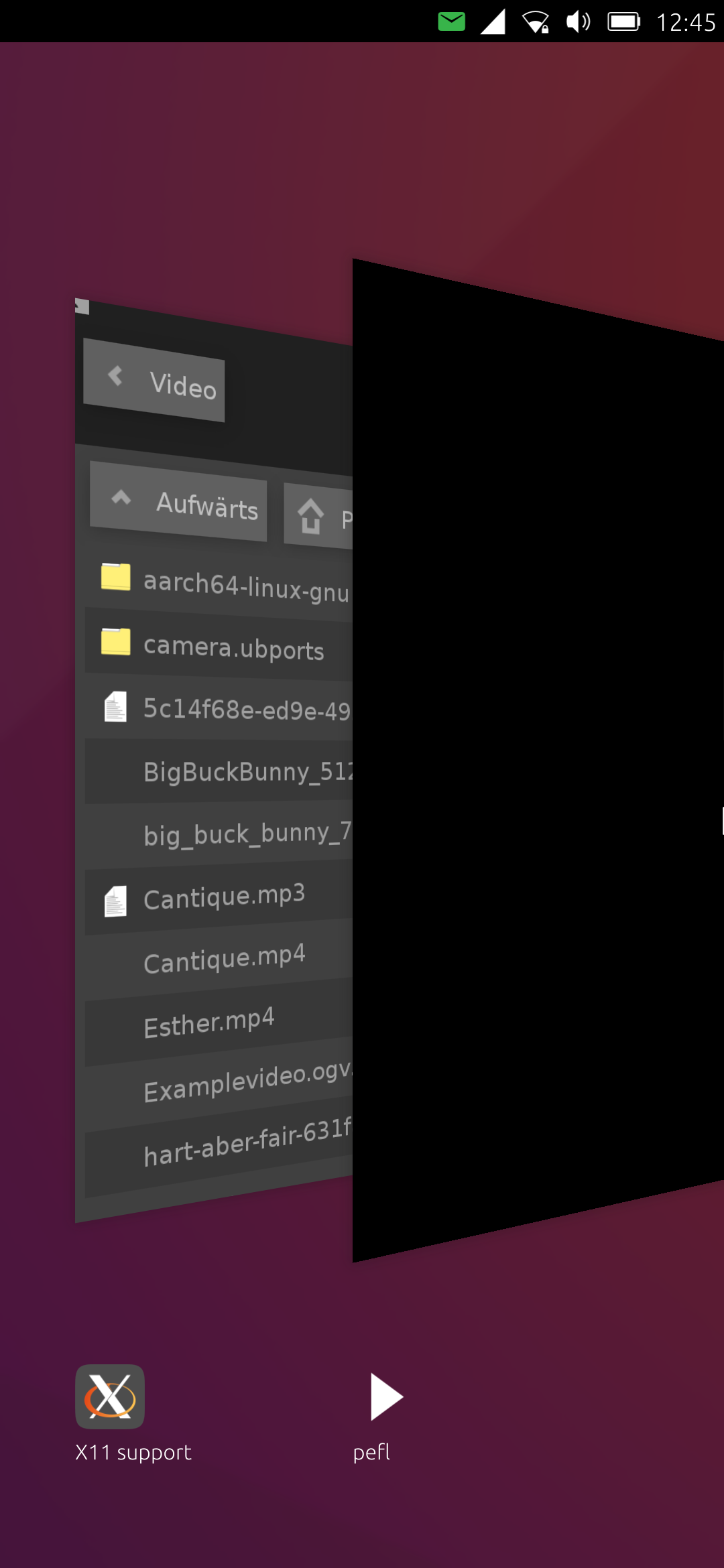
Can you see it now?
-
Yes, Well I guess your application is firing 2 windows, no?
You can install xdotool to list the existing xWayland windows.
My guess is, that this bug is not related to UT, but that your application is starting 2 windows.
-
@pparent mmh, I don't think so (because on my desktop there is only one window and the problem is with uWolf the same). I really do only some standard code with efl
 But I will do further diagnostics with xdotool..
 -
Well I don't know, I've not done anything in particular, with 24.04-1.3 there should be only one window by default for a Xwayland program.
Make sure to do
export GDK_BACKEND=x11
export DISABLE_WAYLAND=1
before you start your app
-
Also maybe make sure your window title and name are similar or equal to your application name, as Lomiri does a fuzzy compare to detect the application corresponding to a window.
-
@pparent : Thank you so much!!! This was the solution
 Important for me in efl was not only to change the title, but also the name of the window, that means
instead of only
$win = pEFL::Elm::Win->util_standard_add("main", "pefl.maxperl");also
$win = pEFL::Elm::Win->util_standard_add("pefl.maxperl", "pefl.maxperl"); -
Hello again,
This week, I was able to upload the first pEFL app to the OpenStore. You can find everything at https://github.com/MaxPerl/emedia.maxperl/ and in the OpenStore at https://open-store.io/app/emedia.maxperl
In the end, it was a bit of a challenge dealing with hard-coded paths and full ContentHub integration for importing files (Open and Open With actions). Fortunately, the ContentHub also works with plain DBus. But since that isn’t documented anywhere, I want to write a few lines about it (maybe it’ll be helpful to others, too):
The necessary changes to the $appid.apparmor file (+policygroup -> content_exchange), the manifest.json.in file (+hook for content_hub), and the creation of a $appid_content_hub.json file (+destination for the respective formats) are well documented, so I’ll skip those details here.
My approach is to use a FileMonitor for the "$appcache/HubIncomings" directory (actually, I use two FileMonitors because, I first have to check whether the HubIncomings directory already exists. AppArmor prevents me from creating it and from making any changes to it). If a change occurs, I copy ( (!) really copy (!) because moving files is also prohibited by AppArmor) the import to a directory that belongs to my app (e.g., $appcache/imported_files)
At first, I ran into a problem where, when I launched the app via FileManager, I could only open one file. The app crashed when I tried to open a second file.
This was because the Content_Hub interface strictly requires that transfers be properly terminated (in many apps—and, to be honest, even in the instructions I found—this important intermediate step is missing). The procedure appears to be as follows:
-
The source sends "Charged" once the file has been copied to the HubIncoming directory (irrelevant for me because I use a FileMonitor).
-
Our app must send “Collected” and then copy the files to the import path.
-
After copying, we must send “Finalize.” This causes Content Hub to clean up the Hubincoming directory, which is of course helpful because it ensures that there is only one import in the Hubincoming directory after each finalize (so you don't have to search for the latest import).
I’ll quickly show you how my Perl function does this, and then you might be able to figure out the relevant DBus settings from there. It’s important to send the full App_ID in the path (i.e., including the version, etc.) and to escape it in a DBus-compliant manner. This means that special characters such as periods, hyphens, or spaces must be escaped. A proven standard is underscore hex escaping: Each invalid character is replaced by an underscore (_) followed by its two-digit hexadecimal value (in lowercase).
sub import_path {
	my ($self, $path) = @_;

	my ($transfer_id) = $path =~ /(\d+)$/;
	my $app_id = $self->app_id();

	# Mask special characters
	my $encoded_app_id = $app_id;
	$encoded_app_id =~ s/([^a-zA-Z0-9])/sprintf("_%02x", ord($1))/eg;
	my $service   = "com.lomiri.content.dbus.Service";
	my $dbus_path = "/transfers/$encoded_app_id/import";
	my $interface = "com.lomiri.content.dbus.Transfer";

	my $dbus = Protocol::DBus::Client::login_session();
	$dbus->initialize();

	# Send collect an das DBus Interface
	$dbus->send_call(
    	path => "$dbus_path/$transfer_id",
    	interface => $interface,
    	member => 'Collect',
    	destination => $service,
	);

	# Obviously there is no answer to collect send!
	#my $msg = $dbus->get_message();

	[... Copying files ...]

	my $got_response;
	$dbus->send_call(
    	path => "$dbus_path/$transfer_id",
    	interface => $interface,
    	member => 'Finalize',
    	destination => $service
	)->then( sub {
       	$got_response = 1;
    });
	$dbus->get_message() while !$got_response;

	return "$new_path/$transfer_id/$file";
}
Sorry for the long post. It took me quite a while to implement this. And as I said, maybe this explanation of DBus will be helpful to others as well. The next step, at some point, will be figuring out how to set up an export using DBus alone. If anyone here already knows the steps, please feel free to post some tips here. But for now, I’m going to take a little break

Warm regards,
Max -
-
aaarg, sorry, one point again: For the Open Action you need a upload_helper qml, that you open with qmlscene in a new process when the user clicks "Open file". The work by @pparent was a huge help here (or rather, I shamelessly copied it). It’s important to set the full app ID in the startup script using environment variables (i.e., including the version, etc.). Here’s what it looks like for me:
export APP_ID="emedia.maxperl_emedia_1.0.1"
export UBUNTU_APP_LAUNCH_ID="emedia.maxperl_emedia_1.0.1"
Since Perl handles all the copying and so on for me, the upload helper can be very simple (it just has to initiate the transfer and then close once the source sends “Charged”
). Here’s the code:import QtQuick 2.9 import Ubuntu.Components 1.3 import Ubuntu.Content 1.3 import Ubuntu.Components.Themes.SuruDark 1.1 MainView { id: root Timer { id: timerquit interval: 1000 // 2 secondes running: false repeat: false onTriggered: Qt.quit() } Page { id: picker theme.name: "Ubuntu.Components.Themes.SuruDark" property var activeTransfer property var url property var handler: ContentHandler.Source property var contentType: ContentType.All signal cancel() signal imported(string fileUrl) header: PageHeader { title: i18n.tr("Choose") } ContentPeerPicker { anchors { fill: parent; topMargin: picker.header.height } visible: parent.visible showTitle: false contentType: picker.contentType handler: picker.handler //ContentHandler.Source onPeerSelected: { peer.selectionType = ContentTransfer.Single picker.activeTransfer = peer.request() picker.activeTransfer.stateChanged.connect(function() { // Upload is done in Perl // we only need to close the Import Page Window and wait // for file changes in HubIncoming directory if (picker.activeTransfer.state === ContentTransfer.Charged) { // All we need to do here is close the window, because the import // is handled entirely in Perl (see import_path() in ContentHub.pm) timerquit.running=true; // picker.activeTransfer = null; } }) } onCancelPressed: { console.log("Cancelled") //TODO handle cancel } } ContentTransferHint { id: transferHint anchors.fill: parent activeTransfer: picker.activeTransfer } Component { id: resultComponent ContentItem {} } } }

Hello! It looks like you're interested in this conversation, but you don't have an account yet.
Getting fed up of having to scroll through the same posts each visit? When you register for an account, you'll always come back to exactly where you were before, and choose to be notified of new replies (either via email, or push notification). You'll also be able to save bookmarks and upvote posts to show your appreciation to other community members.
With your input, this post could be even better 💗
Register Login