Signal-Desktop - Setup for Devices without waydroid using Libertine (More or less fully functional. Better than nothing)
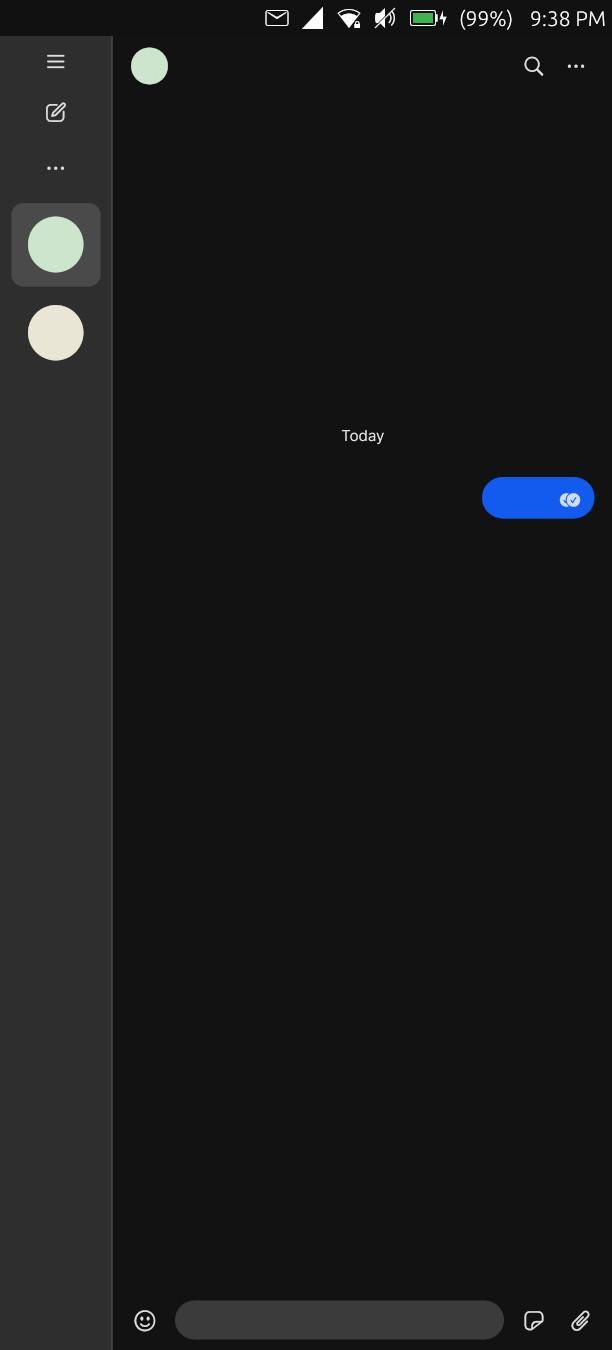
-
There are issues with loading images. Currently scaning the logs and found it's the fs-extra modul in signal that is not supported on arm64. There is an "unoffical"version of signal out there but the code is not directly build from the og source. I'm looking into how to apply patches in the github pipline for the used signal "fork". It is only one if else condition that trys to write anyways and then returns instad of failing because "it probably wrote the file". Signal did indeed write the media file but dose not use it / drops the loading because of the "false" error.
-
Also: Currently no progress with the Keyboard issue. It must either have to do with something in the X11 stack it runs in (missing package?) or the Keyboard layout. The keycodes send by a real keyboard seem diffrent and signal can use them and uses enter or backspace correctly. If anyone knows how to change the Keyboard layout or what X11 thingy is missing pls tell me. I would love to see a seeme good working signal app running
 . I know its janky but it works so well.... Waydroid is nice (as soon as its supoorted) but it think X11 Signal-Deskop could be better with battery usage and usability.
 -
New Update: I tested a little and build from source with the patches for fs-extra works and media loads then. The Signal-Unoffical fork works too but Keybaord enter and backspace still dose not work.
I also updated the entry on my website on how to create the conainter. I added a other cursed install path
this time making a container into a debian install (more or less).A asked in a diiffrent topic about the terminal bar but it is part of the terminal app. Meaning: Still no solution for the Keyboard issue.
I also noticed after an reboot resets to the lower speaker. executing pacucontrol and chaning it or using a script fixes it.
-
I found a "workaround" for now:
You can get "somewhat" around the sending issue. Type enough so the "Expand Text Box Arrow" is usable (or move you finger around the text box a little (up works very often), for some reason the arrow shows up then too), press it and now you can press the blue send button to the right. It is far FAR from working / good but it works for now. That also allows selecting and then "overwriting" the current text. That can be considered as a "backspace" workaround.
ALSO: Signal-Desktop uses more battery then it should. It uses a far less if you close it and reopen it and don't open any chats. IDK. why.
-
@CatWithUT
Thank you for your work it seems very interesting to me!
Just a quick question: do you think it would be feasible to create a .click package and have it in the Openstore? In a similar fashion that uWolf and uFirefox does? Can we avoid libertine containers? Do you think upcoming Mir2.0 will change anything in this regard as it supports Wayland?
Do you use Mobian build scripts for ARM, for signal-desktop? https://github.com/0mniteck/Signal-Desktop-Mobian/releases
And also note: if we can get an initial version to build and make an UT package I'm willing to work on making patches to make the interface responsive as I have done with whatsapp web. I think this is the easy part.
But we should first make a set of scripts to build automatically a binary, and then a click package that can run on UT.
-
 M Moem referenced this topic on
-
-
@pparent Hi. Sorry for the extremely late responses. I’m not on here much and the forum dose not notify me with emails if I get messaged. I checked out your SignalUT project, great what you created.
I had a thought: Do you think it is possible to make the hole setup more dynamic so any user can just make clicks of binary’s they want to test. Like: You put a arm64 program into a lets say “work” folder. Many Linux programs can be compiled to be lose binary’s or can be downloaded like it (firefox and supersonic e.g.) Then a script that asks for pkg name, icon and what the name of the binary in the work folder is and then takes the binary in a folder and creates a clicks with it with the bindings and framework you use for signal? This would help a lot for some specific use-cases similar to signal. Defiantly nothing for the store or any causal user but for user who want to force Linux programs to work that can not work in Libertine or snap.
-
@CatWithUT
In my experience porting these kind of application currently requires a lot of tweaking. It's not only the binary but in what environment you execute it. To my mind it's really not a good candidate for a completely automated process if we want to build applications that are really usable. Especially as long as we have to work with Mir1.x, and Xwayland, it might improve a bit with Mir2.x
-
@CatWithUT
In my experience porting these kind of application currently requires a lot of tweaking. It's not only the binary but in what environment you execute it. To my mind it's really not a good candidate for a completely automated process if we want to build applications that are really usable. Especially as long as we have to work with Mir1.x, and Xwayland, it might improve a bit with Mir2.x
Out of curiosity, since it's running on Electron, have you tried using the Ozone patches and forcing Wayland? Dunno if it'd work with Mir 1.x's half-baked Wayland support. But maybe it's better than the current situation?
-
The main problem that currently prevents using Wayland for electron apps, is that the On-Screen-Keyboard cannot work with GTK+Wayland+Mir1.x . By the way the Merezhyvo Browser ( popriatary app ! ) is an electron app using Wayland, but it has found it's way around this problem by coding it's own OSK inside the app itself, which is not really a way I want to go. (Especially for Signal because I want to modify the code only as strictly necessary, and also because for Signal there are other problems when it comes to using it in Wayland mode with Mir1.x).
Anyway I've already tried it (see in the Signal UT topic), and reallu the best is to wait for Mir2.x, I hope it won't be in too long.


Hello! It looks like you're interested in this conversation, but you don't have an account yet.
Getting fed up of having to scroll through the same posts each visit? When you register for an account, you'll always come back to exactly where you were before, and choose to be notified of new replies (either via email, or push notification). You'll also be able to save bookmarks and upvote posts to show your appreciation to other community members.
With your input, this post could be even better 💗
Register Login