changing camera - not recognized
-
hello
I recently change the camera of my Sony xperia X (he fall, so the camera was broken).
the model seems good (sell for xperia X & xperia X performance).
but the new camera is not detected : the photo app give only the front camera.
I reinstall the OS, but it change nothing.
what can I do ? Is it a probleme from somewhere else ? -
There are many possibilities.
- the hardware you got is defective
- the hardware you got is functional, but there may be several submodels of the phone and the new camera is not 100% compatible with the previous one.
- something else was damaged when the phone did fall.
- there are problems with the repair.
Maybe try the logs and dmesg to see if the hardware is seen at all.
Note that dmesg is filling rapidly, dropping out the old messages so to get the most of it it should be copied right after the phone start. To get the most of the hardware initialisation messages on my phone, I had to reboot it in repair mode (there is an option to display the log in UT recovery).
-
@DJac
Like @gpatel-fr said it can be related with new camera module hardware being different from old one.Problem occured with Fairphone 3+ when released.
See here : https://forums.ubports.com/topic/7845/not-see-my-camera-in-ub/2?_=1768844357934
This is for example only, solution for you could be completely different.
-
@Keneda I already tried to back android 8... nothing more : the camera app crashed every time. (this is not the case in UT)
@gpatel-fr I will try the logs... I come back. -
journalctl -F _SYSTEMD_UNIT give me :
NetworkManager-dispatcher.service
bluetooth-touch.service
bluetooth.service
rtkit-daemon.service
user@32011.service
usb-rescue-mode-off.service
lightdm.service
upower.service
usb-moded.service
accounts-daemon.service
sensorfwd.service
systemd-logind.service
lomiri-location-service.service
ofono.service
polkit.service
NetworkManager.service
wpa_supplicant.service
workaround-session-migration-mtime.service
urfkill.service
udisks2.service
hfd-service.service
biometryd.service
dbus.service
repowerd.service
nfcd.service
systemd-udev-settle.service
systemd-udev-trigger.service
systemd-udevd.service
systemd-resolved.service
mount-halium-overlay.service
init.scope
systemd-timesyncd.service
click-apparmor.service
systemd-tmpfiles-setup.service
mount-android-partitions.service
apparmor.service
systemd-sysctl.service
systemd-journald.service
enable-timesyncd-by-default.service
usb-moded-ssh.service
systemd-timedated.service
usb-moded-udhcpd.service
lxc-android-config-disable-ssh-socket.service
boot-hooks-new-version.service
ssh-property-migration.service
systemd-hostnamed.service
boot-hooks-new-release.service
var-lib-lxc-android-rootfs-persist.mount
var-lib-lxc-android-rootfs-dsp.mount
var-lib-lxc-android-rootfs-firmware.mount
android-system.mount
android-odm.mount
android-data.mount
aethercast.service
systemd-pstore.service
var-lib-lxc-android-rootfs-odm.mount
var-lib-lxc-android-rootfs-system.mount
session-c1.scope
var-lib-usermetrics.mount -
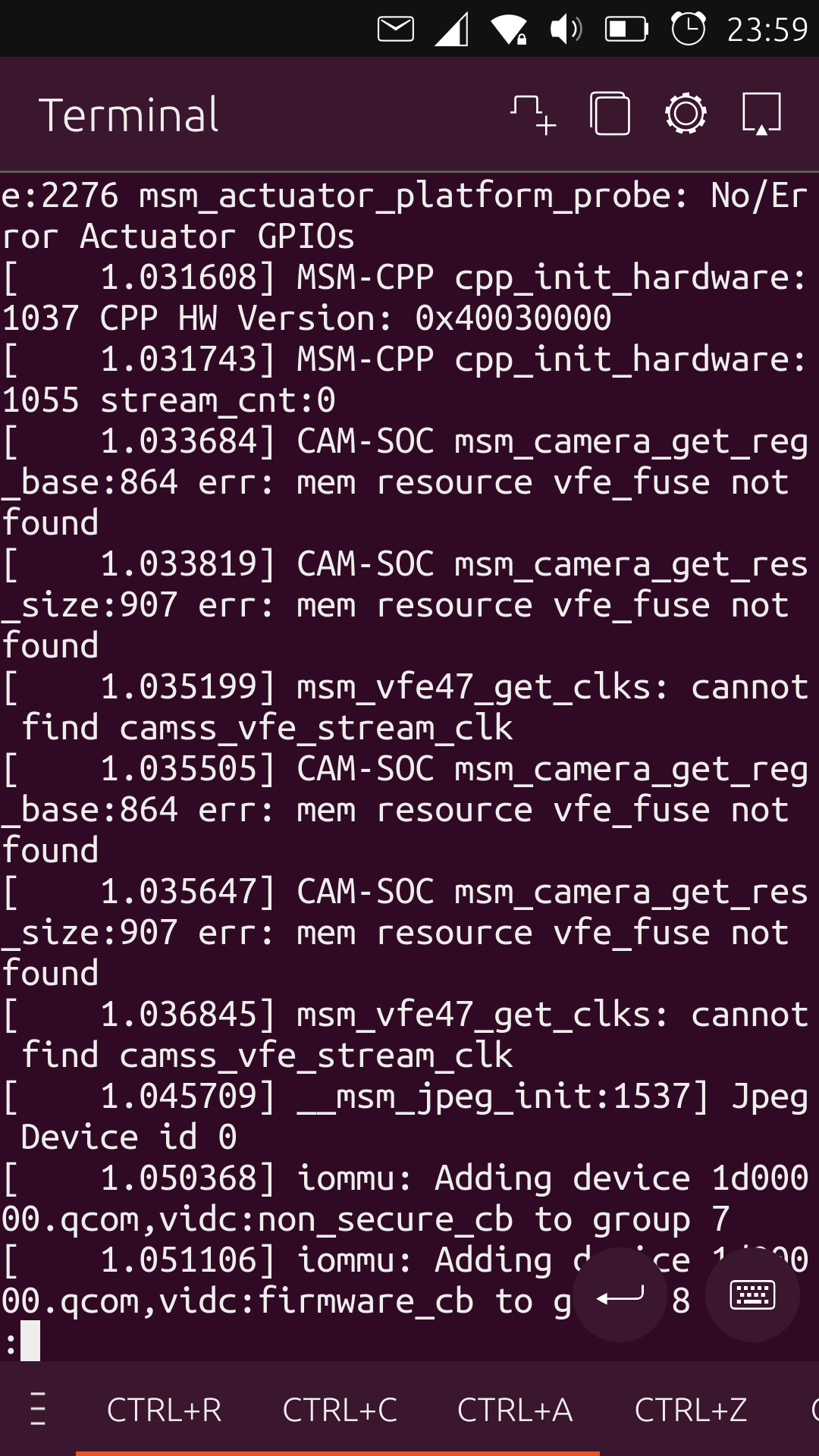
is it this part ? -
this is an extract of dmesg yes ? not looking good at first sight.
However, should I understand from your previous post that you reinstalled Android (8) and that the camera app crashed ? If the cam don't work under Android, there is little hope that it will work under UT since UT use Android drivers. -
@gpatel-fr yes, extract, from dmesg.
it indicate errors on 'CAM-SOC' but i can't understand what that mean... is it a physical probleme, or a software one ? I don't know...It is the fist time that i change piece in a phone. Is there any special software thing to do, to validate the change ?
i tried to reinstall android 8. yes.
but it is worst (the camera app won't start). So i come back UT.
if it is not better i will try lineageOS (juste to compare... but without hope). -
@DJac said in changing camera - not recognized:
i will try lineageOS
If the problem is my point 2 (different hardware working but not 100% compatible) it could work since it may use a different driver version, since as far as I know this OS use native drivers (not Android) to access hardware. If it's another of the 4 possible problems I enumerated, nothing you can do at the software level will change anything.
-
it seems that the camera is detected as dummy video device 0x0000 (app 'camera test'). is that true ?
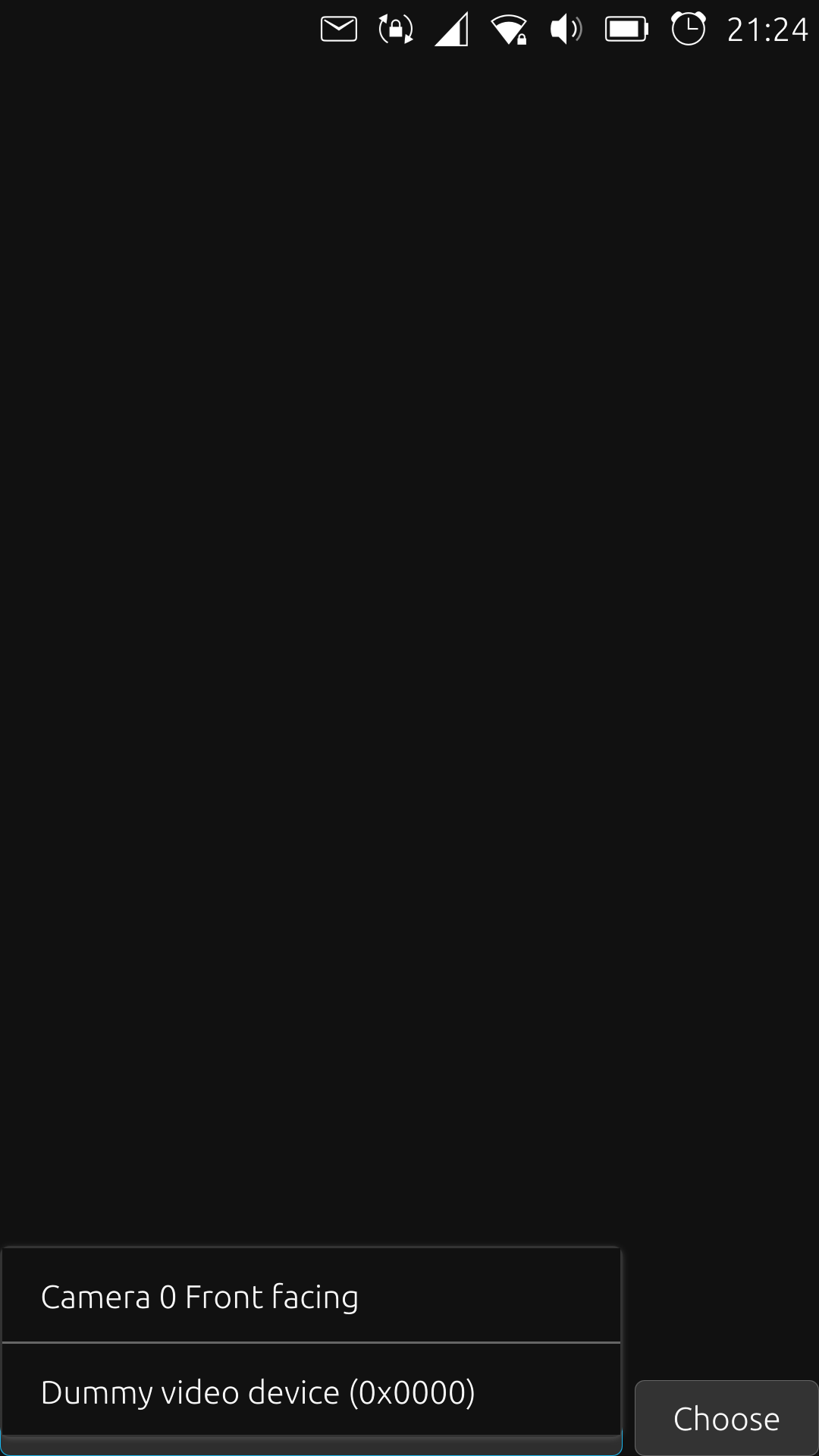
but i can't choose it... -
@gpatel-fr said in changing camera - not recognized:
this is an extract of dmesg yes ? not looking good at first sight.
it is extract from 'dmesg | less' commande.
what do you mean? I personnaly don't understand (except 'error' )
) -
Sorry but getting back to my 4 points, the only one were this is not working because of a hardware problem is 2): the new hardware is not compatible with the driver.
Android is (probably) not like Windows where when you pull a device from your computer and plug another in its place the system downloads another driver from the Internet: phones are not devices where you can plug and use new hardware.
So if the 2) point is correct, the driver installed with Android matches exactly the old camera, and not the new one. Since UT uses the Android drivers, I don't see a way forward with this camera.
-
okay... so the vendor give me wrong material ?
-
I don't know what you ordered and what you received so I can't have any opinion on that.
Well, I'll post again the possibilities I see:1) the hardware you got is defective 2) the hardware you got is functional, but there may be several submodels of the phone and the new camera is not 100% compatible with the previous one. 3) something else was damaged when the phone did fall. 4) there are problems with the repair.Whatever the reason, if you asked for the exact same model that was included in your hardware and you got another variant, the vendor has made a mistake and you can ask for a return.


Hello! It looks like you're interested in this conversation, but you don't have an account yet.
Getting fed up of having to scroll through the same posts each visit? When you register for an account, you'll always come back to exactly where you were before, and choose to be notified of new replies (either via email, or push notification). You'll also be able to save bookmarks and upvote posts to show your appreciation to other community members.
With your input, this post could be even better 💗
Register Login