nvidia container issue using clickable
-
@Abuabdellah
I'm not a docker expert, I barely can use it
What I meant was you can try launching a docker container manually, keeping clickable out of the equation.For example:
docker run -it clickable/ubuntu-sdk:16.04-armhf /bin/bash -
Do you have the package "nvidia-docker" installed?
And are all requirements met, which are mentioned here: https://clickable-ut.dev/en/latest/commands.html#clickable-desktop-nvidia ?Edit: So as you have a docker version > 19.03, the nvidia-docker package no longer seems to be needed.
But the nvidia-container-toolkit. -
abd@abd-pc:~/Projects/UT/html5$ nvidia-container-toolkit Usage of nvidia-container-toolkit: -config string configuration file -debug enable debug output Commands: prestart run the prestart hook poststart no-op poststop no-op -
Hm ok.
So if you are on a laptop (I assume this, because of the "9300m" chip), theoretically it has to be possible to run clickable with the cpu's internal gpu, and not with the dedicated nvidia one.So please try AppLee's suggestion.
And you could run clickable in verbose modeclickable --verbose desktop, that we can see the docker command, which is used by clickable. -
@Luksus said in nvidia container issue using clickable:
clickable --verbose desktop
abd@abd-pc:~/Projects/UT/html5$ sudo clickable --verbose desktop Clickable v6.14.0 Architecture set to "all" because builder "pure" is architecture agnostic Nvidia driver detected, turning on nvidia mode. App config value clickable_minimum_required: 6.12.2 App config value arch: all App config value restrict_arch_env: None App config value restrict_arch: None App config value arch_triplet: all App config value template: None App config value builder: pure App config value postmake: None App config value prebuild: None App config value build: None App config value postbuild: None App config value launch: None App config value build_dir: /home/abd/Projects/UT/html5/build/all/app App config value build_home: /home/abd/Projects/UT/html5/build/all/app/.clickable/home App config value src_dir: /home/abd/Projects/UT/html5 App config value root_dir: /home/abd/Projects/UT/html5 App config value kill: webapp-container* App config value scripts: {} App config value default: clean build install launch App config value log: None App config value dependencies_build: [] App config value dependencies_host: [] App config value dependencies_target: [] App config value dependencies_ppa: [] App config value install_lib: [] App config value install_bin: [] App config value install_qml: [] App config value install_data: {} App config value app_lib_dir: /home/abd/Projects/UT/html5/build/all/app/install/lib App config value app_bin_dir: /home/abd/Projects/UT/html5/build/all/app/install App config value app_qml_dir: /home/abd/Projects/UT/html5/build/all/app/install/qml App config value ignore: ['.git', '.bzr', '.clickable'] App config value make_jobs: 0 App config value gopath: None App config value cargo_home: /root/.clickable/cargo App config value docker_image: clickable/ubuntu-sdk:16.04-amd64-nvidia App config value build_args: [] App config value env_vars: {} App config value make_args: ['-j2'] App config value dirty: False App config value libraries: {} App config value test: qmltestrunner App config value install_dir: /home/abd/Projects/UT/html5/build/all/app/install App config value image_setup: {} Running the "desktop" command Using docker container "clickable/ubuntu-sdk:16.04-amd64-nvidia" Copied files to install directory for click building Successfully built package in './html5.yourname_1.0.0_all.click'. Click outputted to /home/abd/Projects/UT/html5/build/all/app/html5.yourname_1.0.0_all.click non-network local connections being added to access control list Mounting device home to /root/.clickable/home Too many arguments. docker run --privileged --net=host -v /home/abd/Projects/UT/html5:/home/abd/Projects/UT/html5:Z -v /tmp/.X11-unix:/tmp/.X11-unix:Z -v /tmp/.docker.xauth:/tmp/.docker.xauth:Z -v /root/.clickable/home:/home/phablet:Z -v /etc/passwd:/etc/passwd:Z -v /dev/snd/pcmC2D0c:/dev/snd/pcmC2D0c:Z -v /dev/snd/controlC2:/dev/snd/controlC2:Z -v /dev/shm:/dev/shm:Z -v /etc/machine-id:/etc/machine-id:Z -v /run/0/pulse:/run/user/1000/pulse:Z -v /var/lib/dbus:/var/lib/dbus:Z -v /home/root/.pulse:/home/phablet/.pulse:Z -v /dev/snd:/dev/snd:Z -e APP_ID=html5.yourname -e LANG=ar_MA.UTF-8 -e LANGUAGE=ar_MA.UTF-8 -e LC_CTYPE=ar_MA.UTF-8 -e LC_NUMERIC=ar_MA.UTF-8 -e LC_TIME=ar_MA.UTF-8 -e LC_COLLATE=ar_MA.UTF-8 -e LC_MONETARY=ar_MA.UTF-8 -e LC_MESSAGES=ar_MA.UTF-8 -e LC_PAPER=ar_MA.UTF-8 -e LC_NAME=ar_MA.UTF-8 -e LC_ADDRESS=ar_MA.UTF-8 -e LC_TELEPHONE=ar_MA.UTF-8 -e LC_MEASUREMENT=ar_MA.UTF-8 -e LC_IDENTIFICATION=ar_MA.UTF-8 -e LC_ALL=ar_MA.UTF-8 -e TZ=Africa/Casablanca -e APP_DIR=/home/abd/Projects/UT/html5/build/all/app/install -e TEXTDOMAINDIR= -e XAUTHORITY=/tmp/.docker.xauth -e DISPLAY=:0 -e QML2_IMPORT_PATH=/home/abd/Projects/UT/html5/build/all/app/install/lib/x86_64-linux-gnu:/home/abd/Projects/UT/html5/build/all/app/install/lib:/usr/local/nvidia/lib:/usr/local/nvidia/lib64 -e LD_LIBRARY_PATH=/home/abd/Projects/UT/html5/build/all/app/install/lib/x86_64-linux-gnu:/home/abd/Projects/UT/html5/build/all/app/install/lib:/usr/local/nvidia/lib:/usr/local/nvidia/lib64 -e PATH=/home/abd/Projects/UT/html5/build/all/app/install/bin:/home/abd/Projects/UT/html5/build/all/app/install/lib/x86_64-linux-gnu/bin:/home/abd/Projects/UT/html5/build/all/app/install:/usr/local/nvidia/bin:/bin:/usr/bin -e HOME=/home/phablet -e OXIDE_NO_SANDBOX=1 -e UBUNTU_APP_LAUNCH_ARCH=x86_64-linux-gnu --device=/dev/snd --gpus=all -w /home/abd/Projects/UT/html5/build/all/app/install --user=0 --rm -it clickable/ubuntu-sdk:16.04-amd64-nvidia bash -c "webapp-container --app-id="html5.yourname" $@ www/index.html" docker: Error response from daemon: OCI runtime create failed: container_linux.go:349: starting container process caused "process_linux.go:449: container init caused \"process_linux.go:432: running prestart hook 0 caused \\\"error running hook: exit status 1, stdout: , stderr: nvidia-container-cli: detection error: nvml error: function not found\\\\n\\\"\"": unknown. Command exited with an error:['docker', 'run', '--privileged', '--net=host', '-v', '/home/abd/Projects/UT/html5:/home/abd/Projects/UT/html5:Z', '-v', '/tmp/.X11-unix:/tmp/.X11-unix:Z', '-v', '/tmp/.docker.xauth:/tmp/.docker.xauth:Z', '-v', '/root/.clickable/home:/home/phablet:Z', '-v', '/etc/passwd:/etc/passwd:Z', '-v', '/dev/snd/pcmC2D0c:/dev/snd/pcmC2D0c:Z', '-v', '/dev/snd/controlC2:/dev/snd/controlC2:Z', '-v', '/dev/shm:/dev/shm:Z', '-v', '/etc/machine-id:/etc/machine-id:Z', '-v', '/run/0/pulse:/run/user/1000/pulse:Z', '-v', '/var/lib/dbus:/var/lib/dbus:Z', '-v', '/home/root/.pulse:/home/phablet/.pulse:Z', '-v', '/dev/snd:/dev/snd:Z', '-e', 'APP_ID=html5.yourname', '-e', 'LANG=ar_MA.UTF-8', '-e', 'LANGUAGE=ar_MA.UTF-8', '-e', 'LC_CTYPE=ar_MA.UTF-8', '-e', 'LC_NUMERIC=ar_MA.UTF-8', '-e', 'LC_TIME=ar_MA.UTF-8', '-e', 'LC_COLLATE=ar_MA.UTF-8', '-e', 'LC_MONETARY=ar_MA.UTF-8', '-e', 'LC_MESSAGES=ar_MA.UTF-8', '-e', 'LC_PAPER=ar_MA.UTF-8', '-e', 'LC_NAME=ar_MA.UTF-8', '-e', 'LC_ADDRESS=ar_MA.UTF-8', '-e', 'LC_TELEPHONE=ar_MA.UTF-8', '-e', 'LC_MEASUREMENT=ar_MA.UTF-8', '-e', 'LC_IDENTIFICATION=ar_MA.UTF-8', '-e', 'LC_ALL=ar_MA.UTF-8', '-e', 'TZ=Africa/Casablanca', '-e', 'APP_DIR=/home/abd/Projects/UT/html5/build/all/app/install', '-e', 'TEXTDOMAINDIR=', '-e', 'XAUTHORITY=/tmp/.docker.xauth', '-e', 'DISPLAY=:0', '-e', 'QML2_IMPORT_PATH=/home/abd/Projects/UT/html5/build/all/app/install/lib/x86_64-linux-gnu:/home/abd/Projects/UT/html5/build/all/app/install/lib:/usr/local/nvidia/lib:/usr/local/nvidia/lib64', '-e', 'LD_LIBRARY_PATH=/home/abd/Projects/UT/html5/build/all/app/install/lib/x86_64-linux-gnu:/home/abd/Projects/UT/html5/build/all/app/install/lib:/usr/local/nvidia/lib:/usr/local/nvidia/lib64', '-e', 'PATH=/home/abd/Projects/UT/html5/build/all/app/install/bin:/home/abd/Projects/UT/html5/build/all/app/install/lib/x86_64-linux-gnu/bin:/home/abd/Projects/UT/html5/build/all/app/install:/usr/local/nvidia/bin:/bin:/usr/bin', '-e', 'HOME=/home/phablet', '-e', 'OXIDE_NO_SANDBOX=1', '-e', 'UBUNTU_APP_LAUNCH_ARCH=x86_64-linux-gnu', '--device=/dev/snd', '--gpus=all', '-w', '/home/abd/Projects/UT/html5/build/all/app/install', '--user=0', '--rm', '-it', 'clickable/ubuntu-sdk:16.04-amd64-nvidia', 'bash', '-c', 'webapp-container --app-id=html5.yourname $@ www/index.html'] Traceback (most recent call last): File "/usr/lib/python3/dist-packages/clickable/__init__.py", line 263, in main clickable.run(args.commands, args) File "/usr/lib/python3/dist-packages/clickable/__init__.py", line 247, in run cmd.run(command_arg) File "/usr/lib/python3/dist-packages/clickable/commands/desktop.py", line 41, in run self.run_app() File "/usr/lib/python3/dist-packages/clickable/commands/desktop.py", line 242, in run_app subprocess.check_call(shlex.split(command), cwd=docker_config.working_directory) File "/usr/lib/python3.7/subprocess.py", line 363, in check_call raise CalledProcessError(retcode, cmd) subprocess.CalledProcessError: Command '['docker', 'run', '--privileged', '--net=host', '-v', '/home/abd/Projects/UT/html5:/home/abd/Projects/UT/html5:Z', '-v', '/tmp/.X11-unix:/tmp/.X11-unix:Z', '-v', '/tmp/.docker.xauth:/tmp/.docker.xauth:Z', '-v', '/root/.clickable/home:/home/phablet:Z', '-v', '/etc/passwd:/etc/passwd:Z', '-v', '/dev/snd/pcmC2D0c:/dev/snd/pcmC2D0c:Z', '-v', '/dev/snd/controlC2:/dev/snd/controlC2:Z', '-v', '/dev/shm:/dev/shm:Z', '-v', '/etc/machine-id:/etc/machine-id:Z', '-v', '/run/0/pulse:/run/user/1000/pulse:Z', '-v', '/var/lib/dbus:/var/lib/dbus:Z', '-v', '/home/root/.pulse:/home/phablet/.pulse:Z', '-v', '/dev/snd:/dev/snd:Z', '-e', 'APP_ID=html5.yourname', '-e', 'LANG=ar_MA.UTF-8', '-e', 'LANGUAGE=ar_MA.UTF-8', '-e', 'LC_CTYPE=ar_MA.UTF-8', '-e', 'LC_NUMERIC=ar_MA.UTF-8', '-e', 'LC_TIME=ar_MA.UTF-8', '-e', 'LC_COLLATE=ar_MA.UTF-8', '-e', 'LC_MONETARY=ar_MA.UTF-8', '-e', 'LC_MESSAGES=ar_MA.UTF-8', '-e', 'LC_PAPER=ar_MA.UTF-8', '-e', 'LC_NAME=ar_MA.UTF-8', '-e', 'LC_ADDRESS=ar_MA.UTF-8', '-e', 'LC_TELEPHONE=ar_MA.UTF-8', '-e', 'LC_MEASUREMENT=ar_MA.UTF-8', '-e', 'LC_IDENTIFICATION=ar_MA.UTF-8', '-e', 'LC_ALL=ar_MA.UTF-8', '-e', 'TZ=Africa/Casablanca', '-e', 'APP_DIR=/home/abd/Projects/UT/html5/build/all/app/install', '-e', 'TEXTDOMAINDIR=', '-e', 'XAUTHORITY=/tmp/.docker.xauth', '-e', 'DISPLAY=:0', '-e', 'QML2_IMPORT_PATH=/home/abd/Projects/UT/html5/build/all/app/install/lib/x86_64-linux-gnu:/home/abd/Projects/UT/html5/build/all/app/install/lib:/usr/local/nvidia/lib:/usr/local/nvidia/lib64', '-e', 'LD_LIBRARY_PATH=/home/abd/Projects/UT/html5/build/all/app/install/lib/x86_64-linux-gnu:/home/abd/Projects/UT/html5/build/all/app/install/lib:/usr/local/nvidia/lib:/usr/local/nvidia/lib64', '-e', 'PATH=/home/abd/Projects/UT/html5/build/all/app/install/bin:/home/abd/Projects/UT/html5/build/all/app/install/lib/x86_64-linux-gnu/bin:/home/abd/Projects/UT/html5/build/all/app/install:/usr/local/nvidia/bin:/bin:/usr/bin', '-e', 'HOME=/home/phablet', '-e', 'OXIDE_NO_SANDBOX=1', '-e', 'UBUNTU_APP_LAUNCH_ARCH=x86_64-linux-gnu', '--device=/dev/snd', '--gpus=all', '-w', '/home/abd/Projects/UT/html5/build/all/app/install', '--user=0', '--rm', '-it', 'clickable/ubuntu-sdk:16.04-amd64-nvidia', 'bash', '-c', 'webapp-container --app-id=html5.yourname $@ www/index.html']' returned non-zero exit status 125. Command exited with non-zero exit status 125, see above for details. This is most likely not a problem with Clickable. -
@Abuabdellah so it is automatically starting in nvidia mode.
Are you on a laptop?
If so, can you try to run the laptop in "internal gpu only"-mode, and run clickable again? -
@Luksus said in nvidia container issue using clickable:
run the laptop in "internal gpu only"-mode,
is that possible via the following?
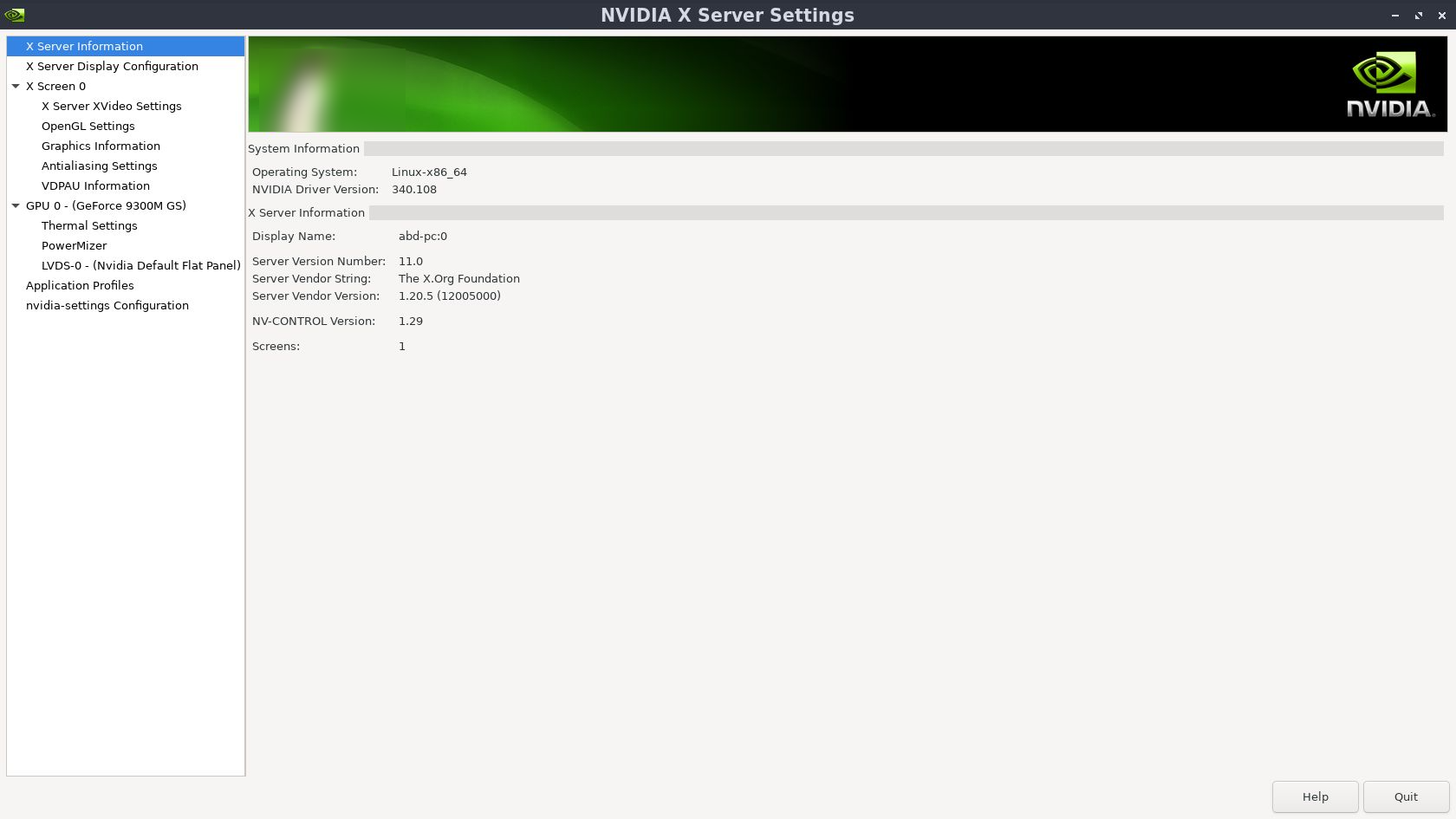
-
@Abuabdellah No.
You would need something like "optimus-switch" or "optimus-manager" or "bumblebee", etc.
That depends a bit on which distribution you are using. On Ubuntu there is a similar tool, called "mate-optimus". -
clickable seems working now except desktop no yet!
clickable
-- The C compiler identification is GNU 5.4.0
-- The CXX compiler identification is GNU 5.4.0
-- Check for working C compiler: /usr/bin/cc
-- Check for working C compiler: /usr/bin/cc -- works
-- Detecting C compiler ABI info
-- Detecting C compiler ABI info - done
-- Detecting C compile features
-- Detecting C compile features - done
-- Check for working CXX compiler: /usr/bin/c++
-- Check for working CXX compiler: /usr/bin/c++ -- works
-- Detecting CXX compiler ABI info
-- Detecting CXX compiler ABI info - done
-- Detecting CXX compile features
-- Detecting CXX compile features - done
-- Found Gettext: /usr/bin/msgmerge (found version "0.19.7")
-- Configuring done
-- Generating done
-- Build files have been written to: /home/abd/Projects/UT/clickable/kassbee/build/all/app
Scanning dependencies of target kassbee.desktop
Scanning dependencies of target kassbee_FILES
[ 50%] Merging translations into kassbee.desktop...
[ 50%] Built target kassbee_FILES
Scanning dependencies of target kassbee.kassbee.pot
[100%] Generating translation template
Merging translations into kassbee.desktop.
Wrote kassbee.desktop.in.h
[100%] Built target kassbee.desktop
[100%] Built target kassbee.kassbee.pot
[ 50%] Merging translations into kassbee.desktop...
Merging translations into kassbee.desktop.
[ 50%] Built target kassbee.desktop
[ 50%] Built target kassbee_FILES
[100%] Generating translation template
Wrote kassbee.desktop.in.h
[100%] Built target kassbee.kassbee.pot
Install the project...
-- Install configuration: "Release"
-- Installing: /home/abd/Projects/UT/clickable/kassbee/build/all/app/install//manifest.json
-- Installing: /home/abd/Projects/UT/clickable/kassbee/build/all/app/install//kassbee.apparmor
-- Installing: /home/abd/Projects/UT/clickable/kassbee/build/all/app/install//assets
-- Installing: /home/abd/Projects/UT/clickable/kassbee/build/all/app/install//assets/logo.svg
-- Installing: /home/abd/Projects/UT/clickable/kassbee/build/all/app/install//qml
-- Installing: /home/abd/Projects/UT/clickable/kassbee/build/all/app/install//qml/Main.qml
-- Installing: /home/abd/Projects/UT/clickable/kassbee/build/all/app/install//kassbee.desktop
Successfully built package in './kassbee.kassbee_1.0.0_all.click'.
/home/abd/Projects/UT/clickable/kassbee/build/all/app/kassbee.....0.0_all.click: 1 file pushed. 0.9 MB/s (3850 bytes in 0.004s)
Installing files              [=========================]
Finished                      [=========================]
Installing files              [=========================]
Waiting for authentication    [=========================]
Starting                      [=========================]
Finished                      [=========================]
Installed       kassbee.kassbee-1.0.0.all (installed:click,removable=1,app_name=kassbee)        summary goes here
clickable desktop .... Too many arguments. docker: Error response from daemon: OCI runtime create failed: container_linux.go:349: starting container process caused "process_linux.go:449: container init caused \"process_linux.go:432: running prestart hook 0 caused \\\"error running hook: exit status 1, stdout: , stderr: nvidia-container-cli: initialization error: nvml error: driver/library version mismatch\\\\n\\\"\"": unknown. ERRO[0003] error waiting for container: context canceled -
praise be to allah,
after a purge for invidia package I got the following:
apt -qq list nvidia-340
nvidia-340/eoan 340.107-0ubuntu7 amd64
lspci | grep VGA 01:00.0 VGA compatible controller: NVIDIA Corporation G98M [GeForce 9300M GS] (rev a1)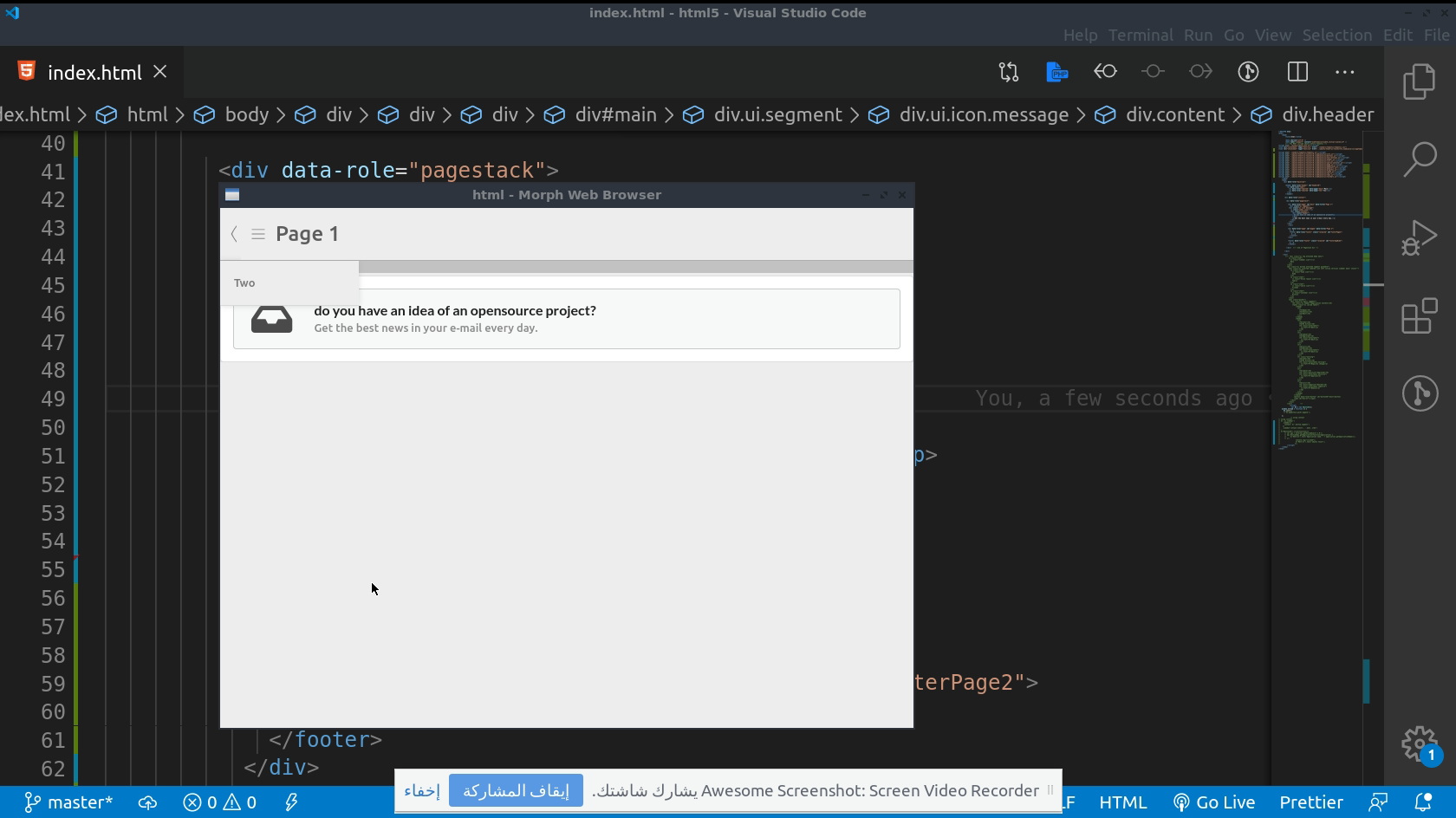



Hello! It looks like you're interested in this conversation, but you don't have an account yet.
Getting fed up of having to scroll through the same posts each visit? When you register for an account, you'll always come back to exactly where you were before, and choose to be notified of new replies (either via email, or push notification). You'll also be able to save bookmarks and upvote posts to show your appreciation to other community members.
With your input, this post could be even better 💗
Register Login