Cannot install UT on OP6T
-
I can't install Ubuntu Touch on my OP6T. The installer is stuck at
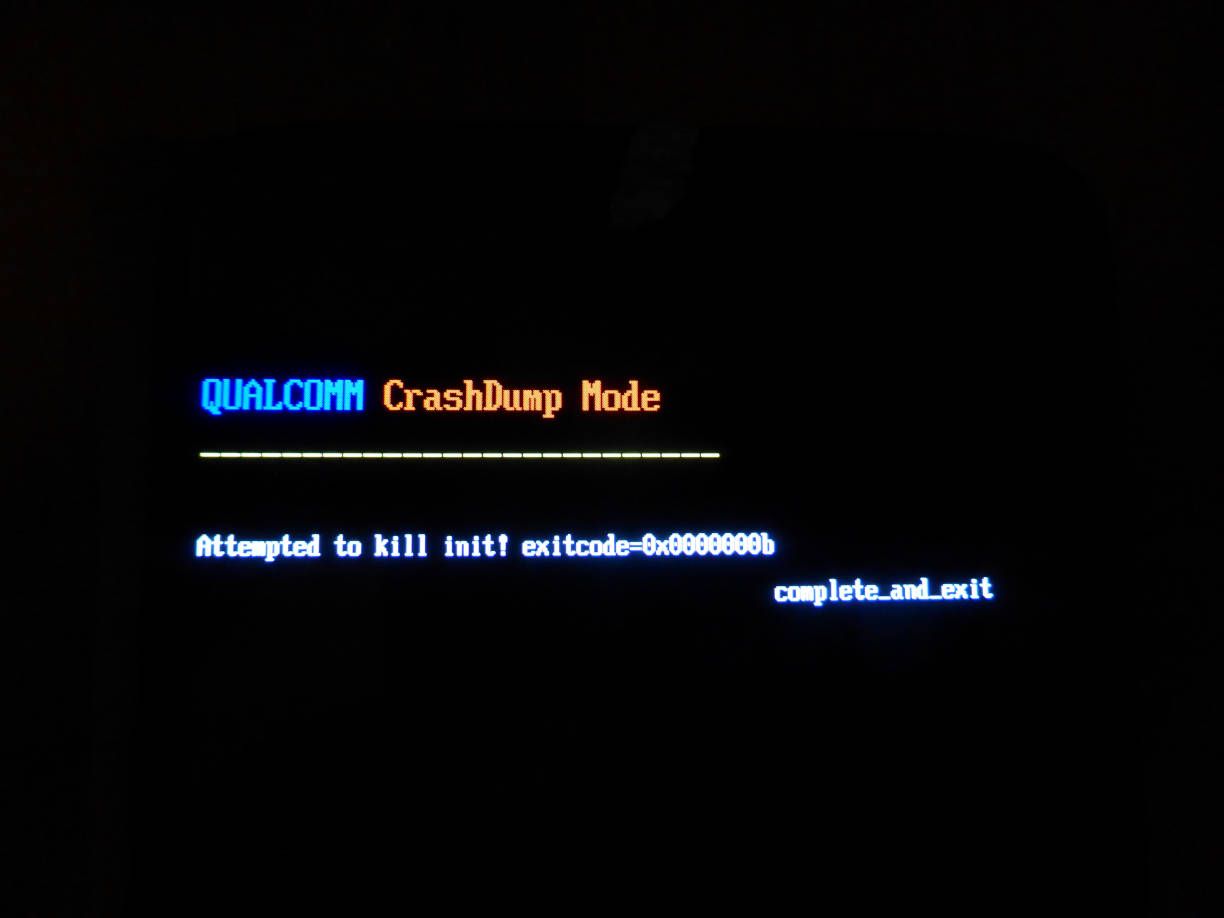
"Waiting for device... Fastboot is scanning for devices".This happened after the phone became bricked as it booted and still boots with the following message:
QUALCOM CrashDump Mode
Attempted to kill init! exitcode=0x0000000b
complete_and_exit
I bricked the device after running into difficulty trying to install TWRP first:
fastboot flash recovery twrp.img
Writing 'recovery' FAILED (remote: '(recovery_b) No such partition')
Then I read https://android.stackexchange.com/questions/209673/why-cant-i-write-to-recovery-using-fastboot-on-a-b-device which advised to run instead
fastboot boot twrp.imgThat is when the phone became bricked...
Hello! It looks like you're interested in this conversation, but you don't have an account yet.
Getting fed up of having to scroll through the same posts each visit? When you register for an account, you'll always come back to exactly where you were before, and choose to be notified of new replies (either via email, or push notification). You'll also be able to save bookmarks and upvote posts to show your appreciation to other community members.
With your input, this post could be even better 💗
Register Login