Closing nano
-
Hi,
I've had a very simple problem that I don't seem to be able to find a solution to. I've opened nano and typed in:
print("hello")
Then I wanted to close the file. I can see at the bottom of the screen ^X to exit, which I've found out means control-X. I've tried typing that (didn't work), then clicking on the corresponding area on the screen, then scrolling to Nano on the menu and clicking on CTRL+X but still can't seem to get it to close. How do I do that? I'm sure there must be a simple answer, but I can't find it!
Thanks,
Naomi -
Hi Naomi,
you're correct, the answer is quite simple! You see the three little dots above the keyboard, on th left side? Touch them and slide to 'nano'. Then, in the bar above the keyboard, you will find many ctrl key combination, just like ctrl+x. If you touch them, the terminal app will do the keypresses for you.
Here are two screenshots: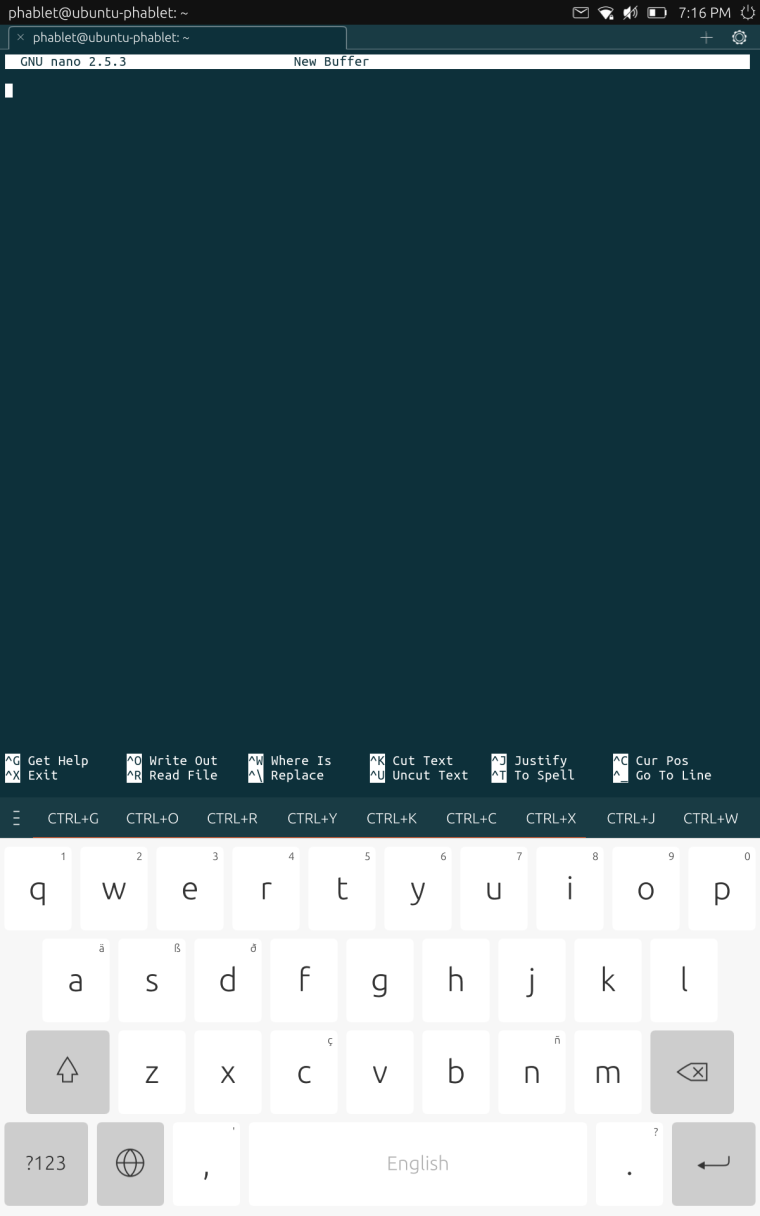
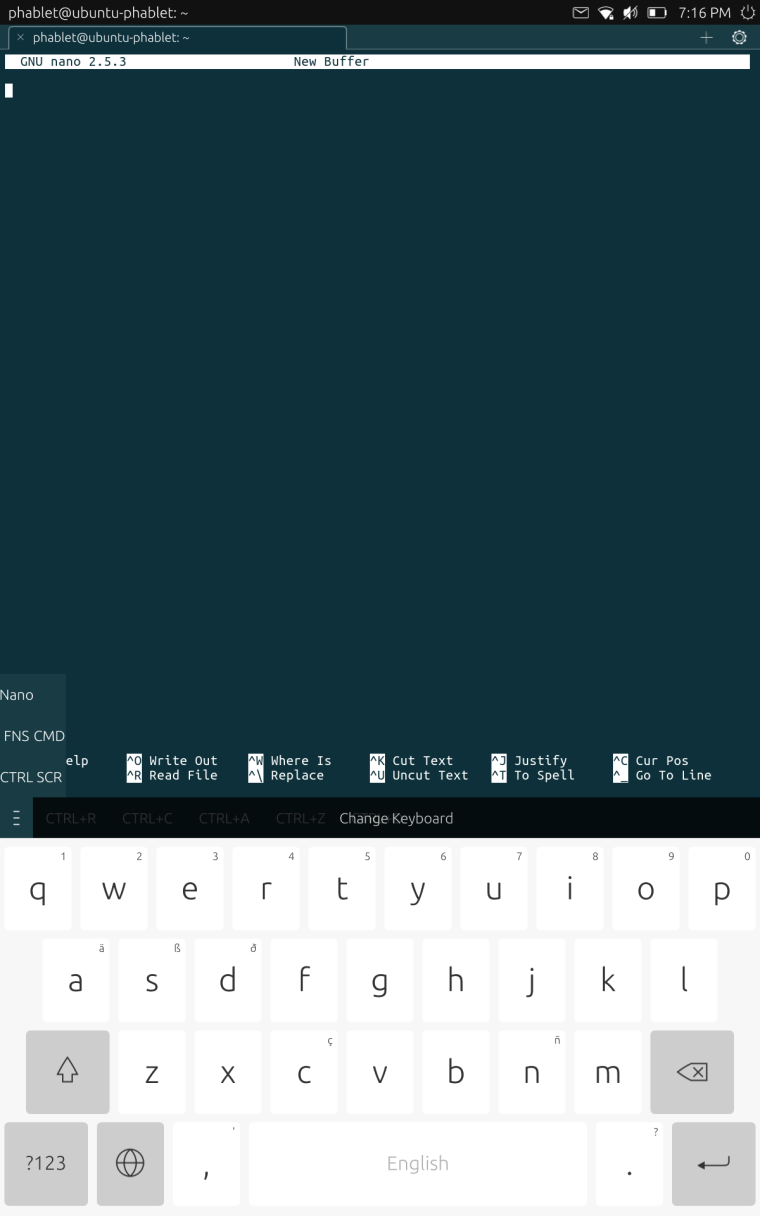
-
-
@happyzenith as @haveaniceday already said, there's a terminal keyboard layout for nano.
If you want to learn some more tricks about the terminal, please see:
https://ubports.com/blog/ubports-blog-1/post/terminal-chapter-1-113
https://ubports.com/blog/ubports-blog-1/post/terminal-chapter-2-117
https://ubports.com/blog/ubports-blog-1/post/terminal-chapter-3-124
https://ubports.com/blog/ubports-blog-1/post/terminal-chapter-4-125 -
Thanks!
Naomi


Hello! It looks like you're interested in this conversation, but you don't have an account yet.
Getting fed up of having to scroll through the same posts each visit? When you register for an account, you'll always come back to exactly where you were before, and choose to be notified of new replies (either via email, or push notification). You'll also be able to save bookmarks and upvote posts to show your appreciation to other community members.
With your input, this post could be even better 💗
Register Login