[Guide] Code completion on Qt Creator for Ubuntu.Components
-
@boky oh i was wrong, not that line, but the one that try to install Morph.Web ( qmlplugin... )
I've updated the branch so you can rebuild the image
After re-read your post it seems that you're not trying the add_module branch.
So here i've no idea.What OS are you working on ?.
Is your clickable up to date ? -
This post is deleted! -
@lduboeuf said in [Guide] Code completion on Qt Creator for Ubuntu.Components:
- A more generic solution using clickable image:
I'm trying this approach. The path variable should include the
qmldircd ~/docs/devel mkdir qml-module-ubuntu-components cd qml-module-ubuntu-components/ docker cp silly_bose:/usr/lib/x86_64-linux-gnu/qt5/qml . export QML_IMPORT_PATH=~/docs/devel/qml-module-ubuntu-components/ qtcreator # -> doesn't work export QML_IMPORT_PATH=~/docs/devel/qml-module-ubuntu-components/qml qtcreator # -> this worksSo, you should set the variable such that you find this one:
ls -dl $QML_IMPORT_PATH/Ubuntu -
mhm, so while this works now to resolve
import Ubuntu.Components 1.3in a.qmlfile, but it still does not find#include <QtQml>or#include <QDebug>in a.cppfile. any idea? -
@doniks are you working with a clickable template? I guess QtCreator does not find Qt libs, you should check in settings Qt paths
-
@lduboeuf yes. the whatsitcalled qml with c++ plugin template
-
have you installed locally QtQuickControl 2 ?
sudo apt install qtquickcontrols2-5-devyou can see if any issue with paths in kits
-
Video showing the WIP of having qtcreator running above clickable image :
full code completion for all UT components and qml modules , and can launch directly the app, you can debug the c++ part also.
The demo covers python and c++ clickable template, and address-book-app -
is there a wiki to get code completion on ubuntu 19.10?
-
@Abuabdellah i don't know if Ubuntu.Components are installable on 19.10 but you can wait for the clickable ide qtcreator feature or try the 1st post Guide solutions
-
thank you @lduboeuf
I didn't see html5 components on the image! isn't there or it is included in other image?
root@ea8e2a8bedfb:/# ls usr/lib/x86_64-linux-gnu/qt5/ bin libexec mkspecs plugins qml qt.conf -
@Abuabdellah Well html5 components is peobably elsewhere, here you are looking to qt qml one
-
@Abuabdellah look here /usr/share/ubuntu-html5...
dpkg -L ubuntu-html5-ui-toolkit -
thank you @lduboeuf
-
@lduboeuf said in [Guide] Code completion on Qt Creator for Ubuntu.Components:
have you installed locally QtQuickControl 2 ?
sudo apt install qtquickcontrols2-5-devyou can see if any issue with paths in kits
Taking a new stab at this ... So, again resolving Ubuntu.Components in qml files works fine, but resolving Qt includes in cpp files does not. I have
qtquickcontrols2-5-devinstalled and I don't see anything screaming at me in the Kits section ... but maybe it's still wrong?! See attached. Qt version = None might be wrong?! But I can't select anything else.
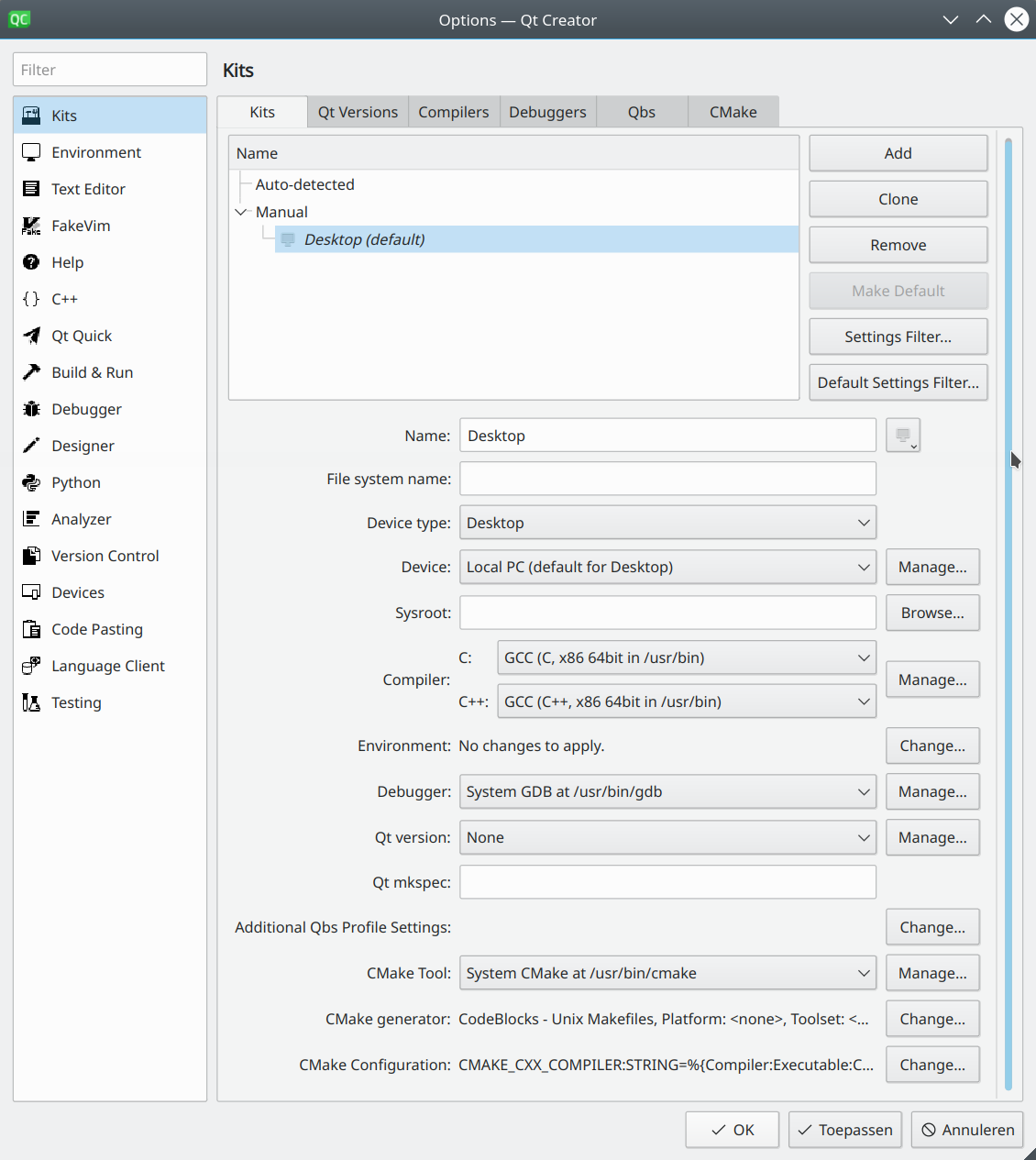
Update: In Kits -> Qt Versions there is nothing there. I guess that is the problem, but I can't figure out how to get anything in there ... I found some reports online that
sudo apt install qt5-defaultmight help, but it doesn't help me
Update2: Now I manually added
/usr/lib/x86_64-linux-gnu/qt5/bin/qmakein Qt Versions, and selected that in the Kit, closed and reopened, but still doesn't find any QtStuff
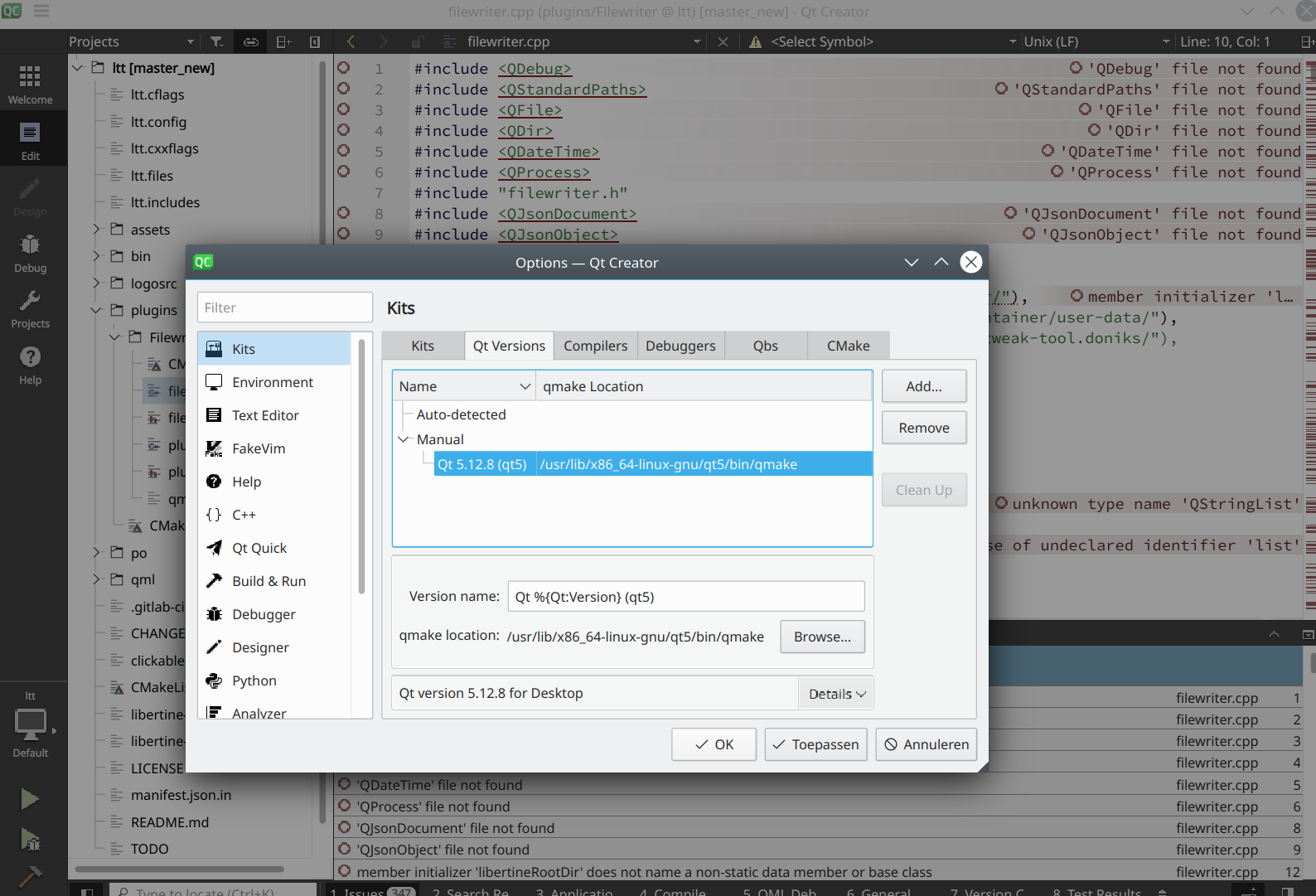
-
@doniks well it seems there is definitly an issue with Qt5 path. probably you may found resources around about that
-
Just to share my experience for developping Apps with QtCreator:
Should I use QtCreator from 16.04, ubuntu-sdk or can I use latest QtCreator form Qt online installer?
-
@Talkless You can use whatever QtCreator version, the only limit is to use the right Qt Version ( 5.9.5 currently and soon 5.12 )
Have you checked also the
clickable ide qtcreatorfeature ? -
@lduboeuf said in [Guide] Code completion on Qt Creator for Ubuntu.Components:
Have you checked also theclickable ide qtcreator feature ?
Yes, it did the trick! Very convenient.
EDIT: well, OK, it would be much more convenient if that qtcreator had "clickable" integration to avoid terminal, but that's not that bad.


Hello! It looks like you're interested in this conversation, but you don't have an account yet.
Getting fed up of having to scroll through the same posts each visit? When you register for an account, you'll always come back to exactly where you were before, and choose to be notified of new replies (either via email, or push notification). You'll also be able to save bookmarks and upvote posts to show your appreciation to other community members.
With your input, this post could be even better 💗
Register Login