TELEports menu bar missing on Pixel 3a, no forward/delete etc. options in messages
-
Hi all,
just set up the Pixel 3a, all apps seem to work as usual (like on my former Xperia), except TELEports. As soon as one person/group is chosen, there's no way back to the overview as the "header bar" is missing. Messages may be "moved" left or right, but there's no menu (for deletion/forwarding). Is there possibly a library missing or similar ? Where could I probably check this ?The phone had been downgraded to Android 9 (factory image PQ3B.190801.002) prior to the installation, as described https://devices.ubuntu-touch.io/device/sargo
-
@smithe Here is a post from the telegram group
Danfro:
So to sum it up, everyone who has no header in Teleports (should be only with fresh install and current version of Teleports) do this:- close Teleports
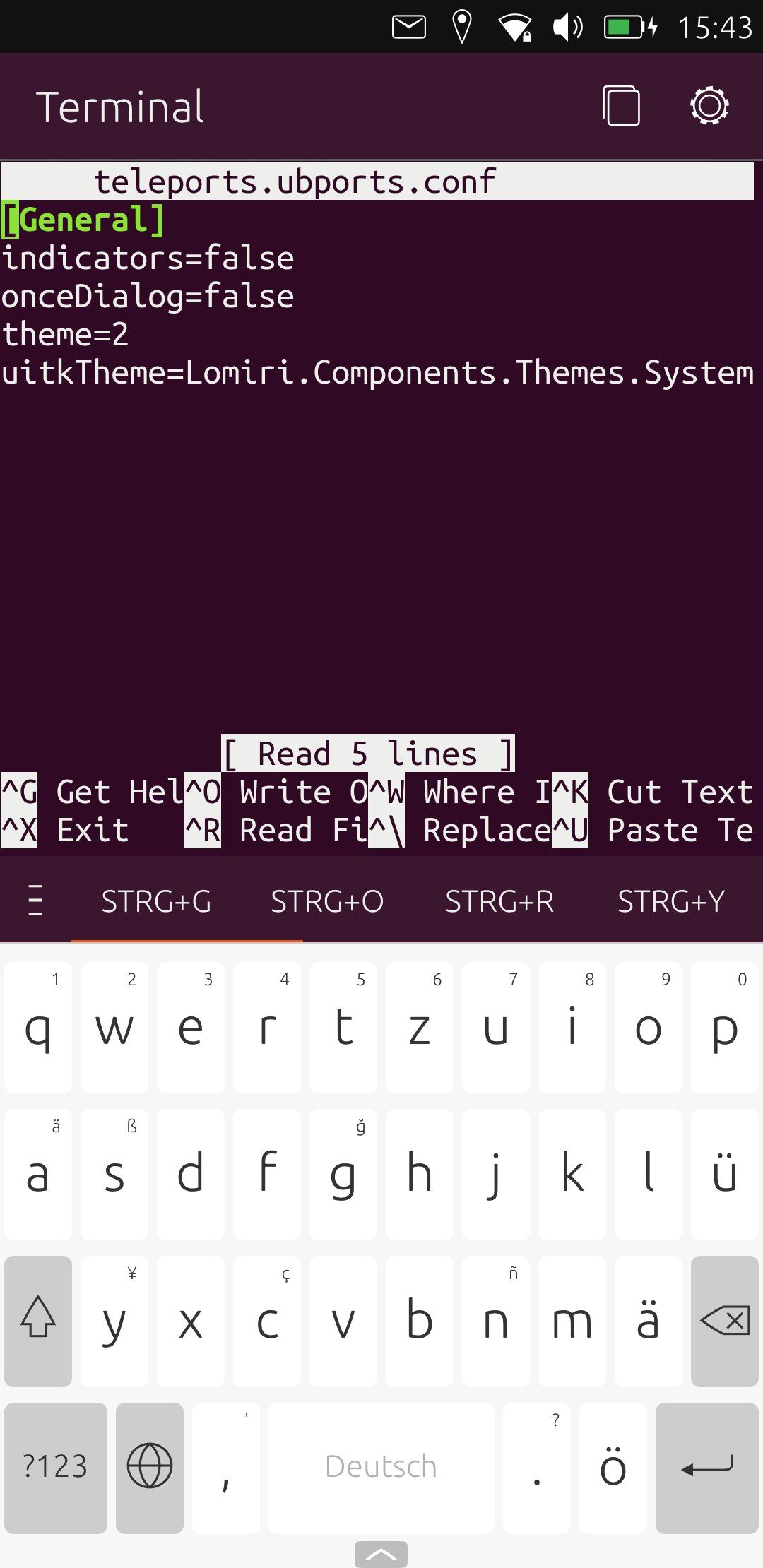
- find Teleports config file home/phablet/.config/teleports.ubports/teleports.ubports.conf
- open in an editor (on device could be Seabass2) or in terminal use nano
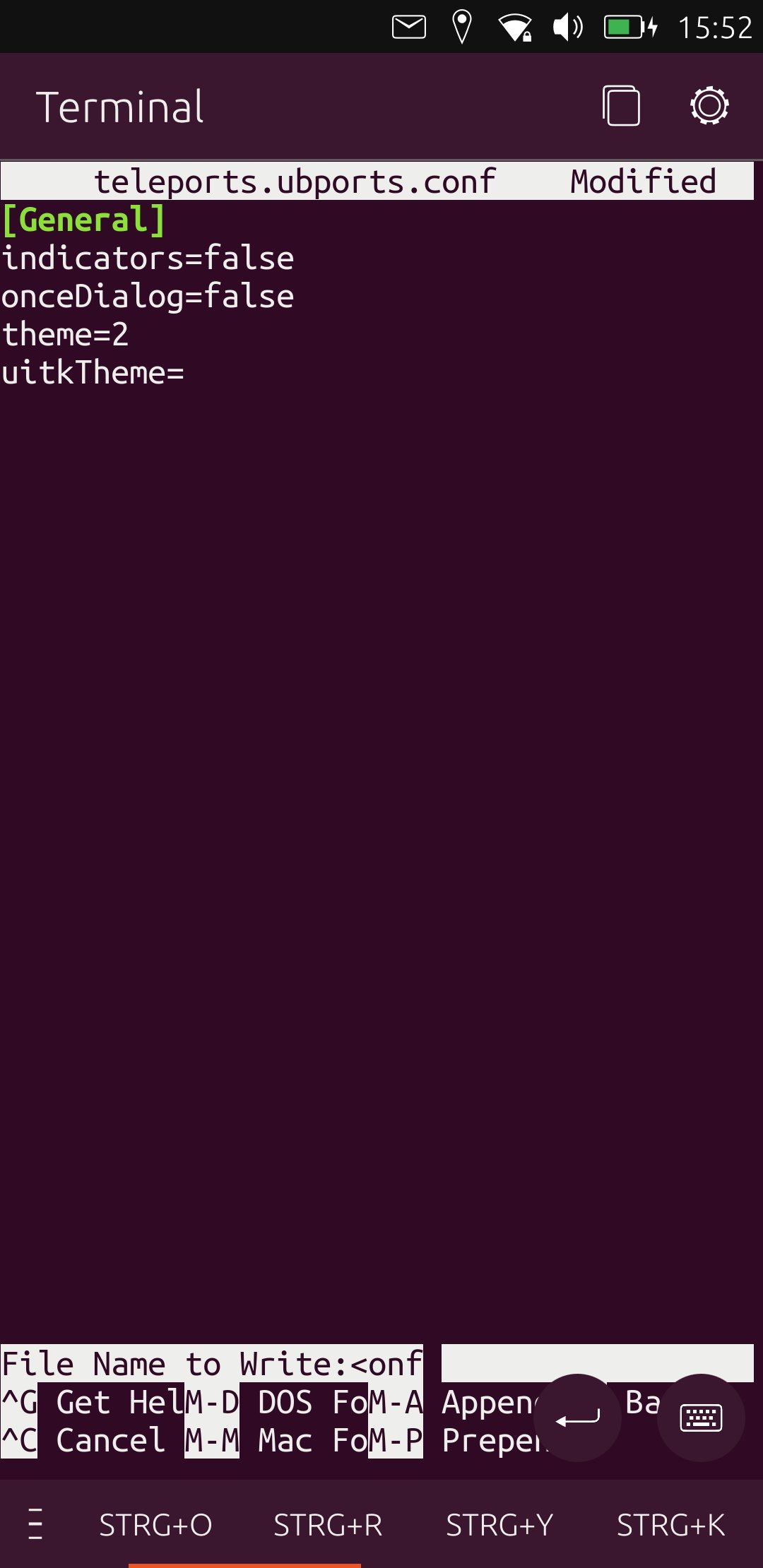
- edit the uitkTheme setting so the entry is uitkTheme=
- restart Teleports
Worked for me
Cheers
-
@DenMoore wow,thanks for the immediate help, also worked for me. A little more help for the next one : https://linuxize.com/post/how-to-use-nano-text-editor/
Navigate
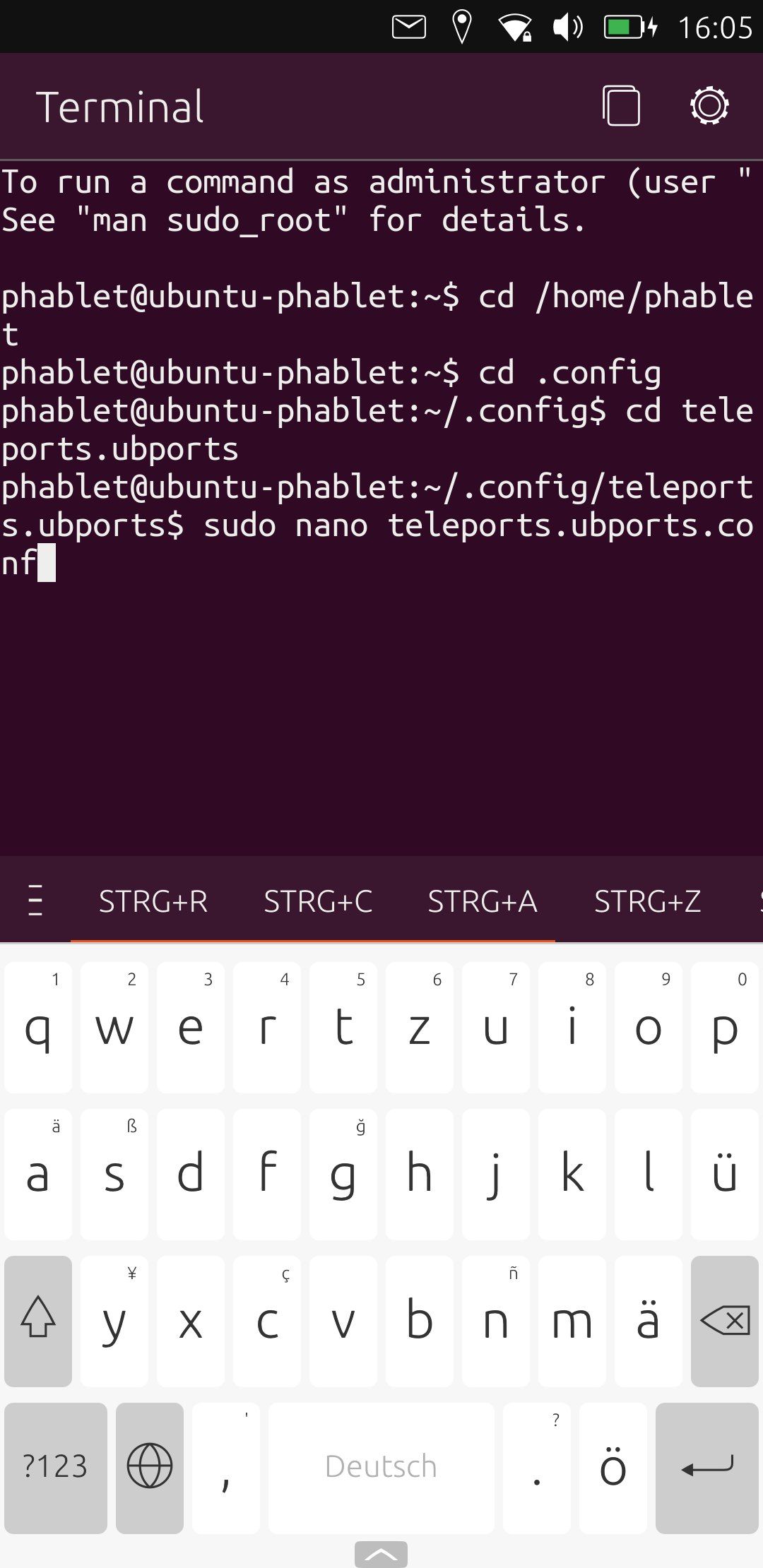
Before
After

Hello! It looks like you're interested in this conversation, but you don't have an account yet.
Getting fed up of having to scroll through the same posts each visit? When you register for an account, you'll always come back to exactly where you were before, and choose to be notified of new replies (either via email, or push notification). You'll also be able to save bookmarks and upvote posts to show your appreciation to other community members.
With your input, this post could be even better 💗
Register Login