How to manage "Places"
-
Hello,
device and OS first: Volla Phone X on UT 24.04-1.3 stable.
I probably have a simple little problem (I had this before upgrading the OS so it's not due to the OS version):
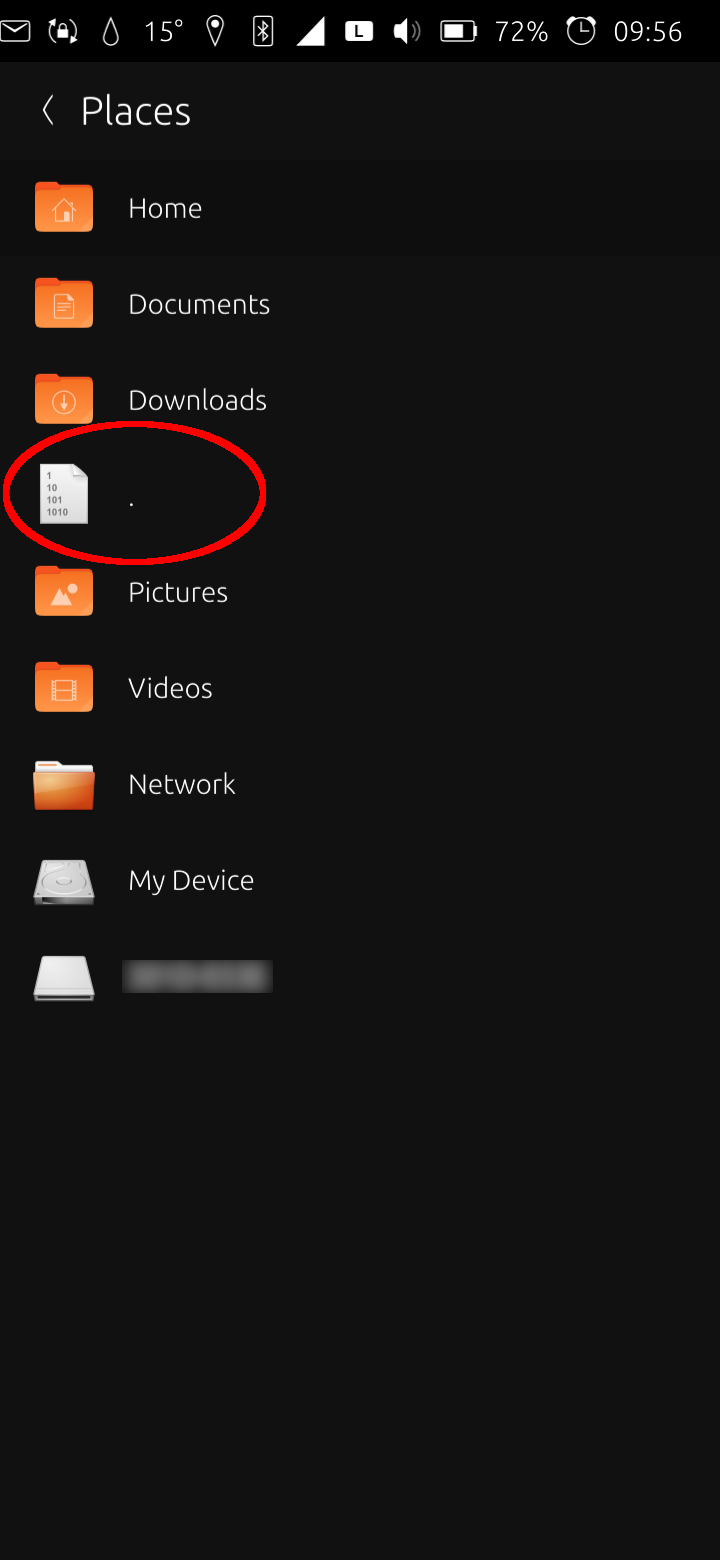
When tapping on the menu in the upper left in the file manager you get to "Places". I've got a file there (instead of the "Music"-folder) I want to remove since it doesn't belong there. How do I get rid of that file that is unfortunately named "."? I can't see any sub-menu or similar to do so.Earlier, after e.g. a folder has been selected, there was a button to add it to "Places" to get faster access. I still see this on my other device. This button also has gone on my Volla X. Therefore, I can't add "Music" to "Places" again. How could I correct this? Should I reinstall the file manager? How to do so, since it's a pre-installed app?
Thank you!
-
about your first question, how about the standard way of deleting stuff in UT, swipe to the right and (normally) a red trash icon is displayed) ?
about your second question, here is a screenshot on my device: add to places works fo me!
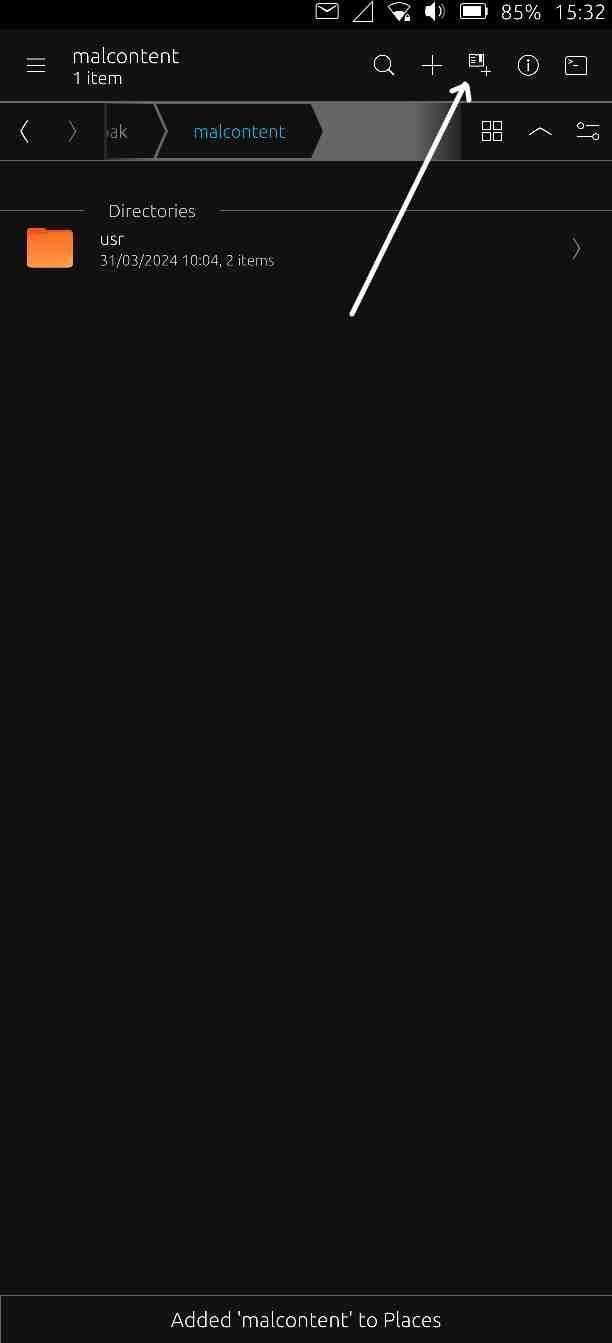
AFAIK you have to be IN the folder you want to add.
-
@gpatel-fr both not available.
Swiping right is possible, but the trash can symbol does not appear. Just nothing happens.
Honestly the Add-button you screenshotted just was not there...
Apparently I had deleted the Music-folder by accident which left a "." in Places.
In the meanwhile the Add-Button reappeared (I have no idea why) and I was able to re-create and re-add the Music folder to Places. But it's at the bottom and the "." is still there.
I just need to tidy that up, now...
-
"Places" case solved. What I obeserved in short:
At startup, "Places" is created and provides shortcuts to standard folders (immutable): Home, Documents, Downloads, Music, Pictures, Video, Network and Root folder. These folders can't be deleted from there (no trash can symbol).
This list is expandable with any folder. These are removable, too (trash can symbol on swipe right)."Music" folder was deleted (accidently, I didn't realize at first). "Places" tried to provide a link to this non-existent folder which ended up with a ".".
"Music" folder was recreated and appeared at the bottom of the "Places" list while "." still existed.
After a reboot, "Places" got organized again (or rebuild by scratch). "Music" folder could be referenced again and "Places" was rebuilt as intensioned and looks normal again.
No "." for a folder that could not be found.Sorry for causing this confusion and any inconvenience. It happens, when you're chronically overworked.
-
J jojumaxx has marked this topic as solved on
Hello! It looks like you're interested in this conversation, but you don't have an account yet.
Getting fed up of having to scroll through the same posts each visit? When you register for an account, you'll always come back to exactly where you were before, and choose to be notified of new replies (either via email, or push notification). You'll also be able to save bookmarks and upvote posts to show your appreciation to other community members.
With your input, this post could be even better 💗
Register Login