Hour display bug in Calendar app when system language is not English (e.g., French)
-
Hi everyone,
I've encountered a strange issue with the Calendar application when my system language is set to something other than English — for example, French.
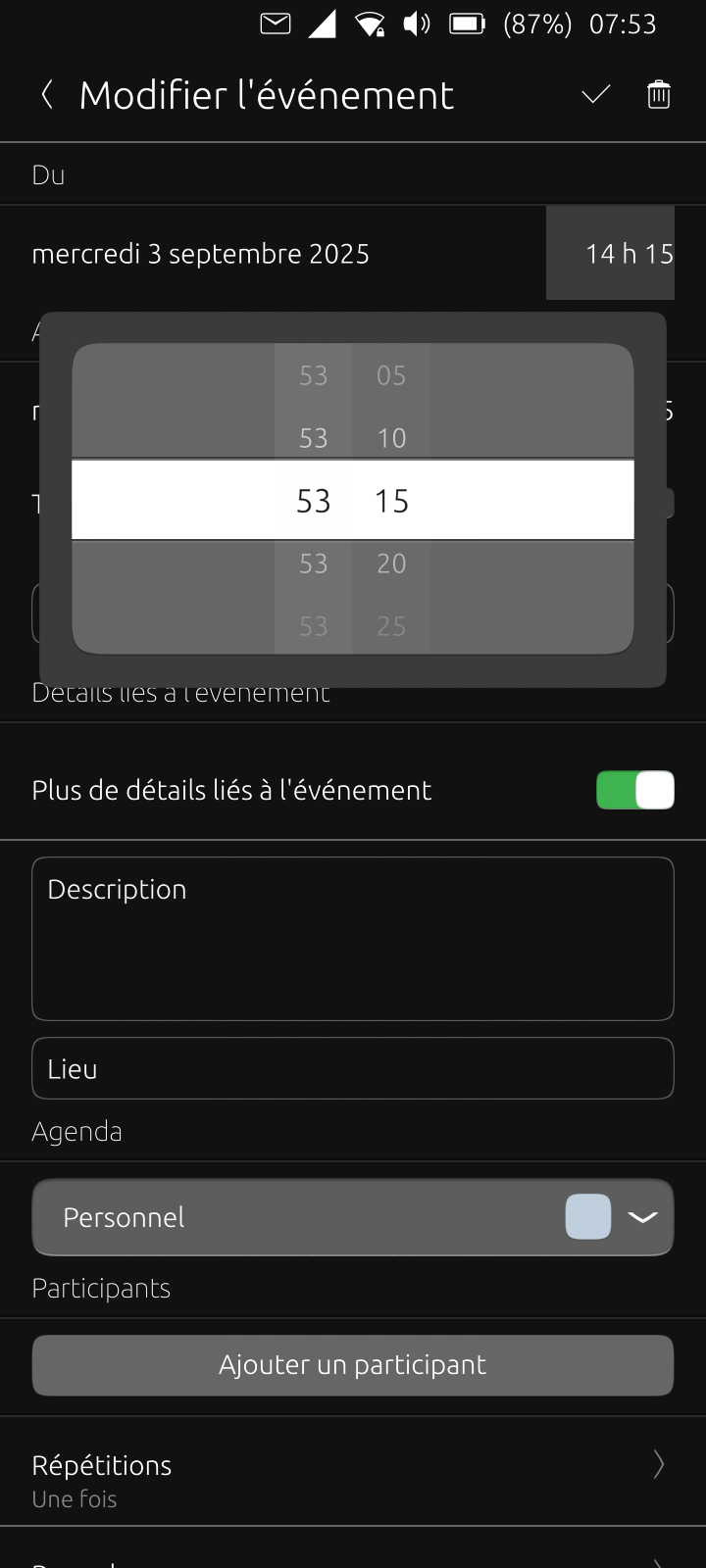
When I try to create a new event, the hour selection behaves incorrectly. Instead of showing the expected hour numbers (e.g., 00 to 23 in 24-hour format), it displays the same incorrect number for every hour slot. For example:
All hour entries show “53”
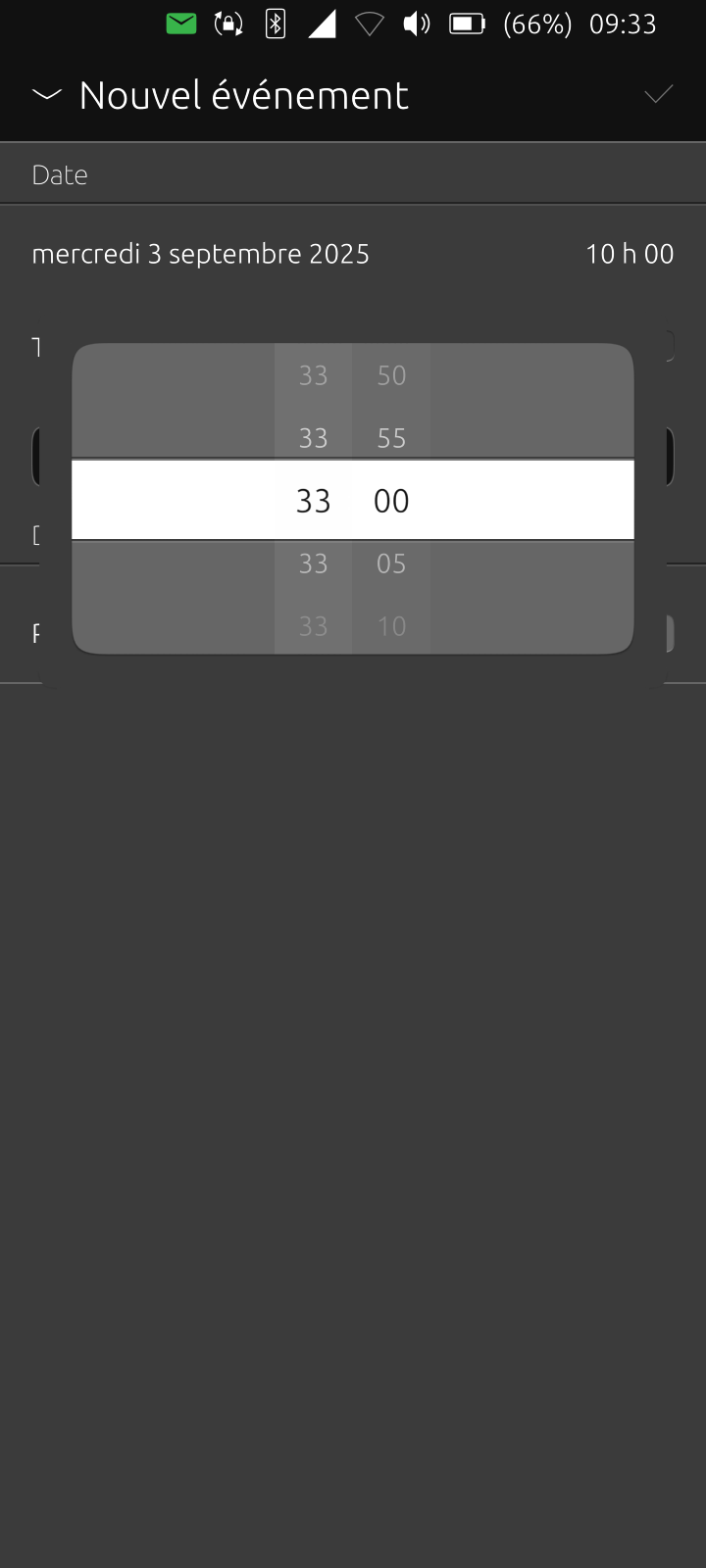
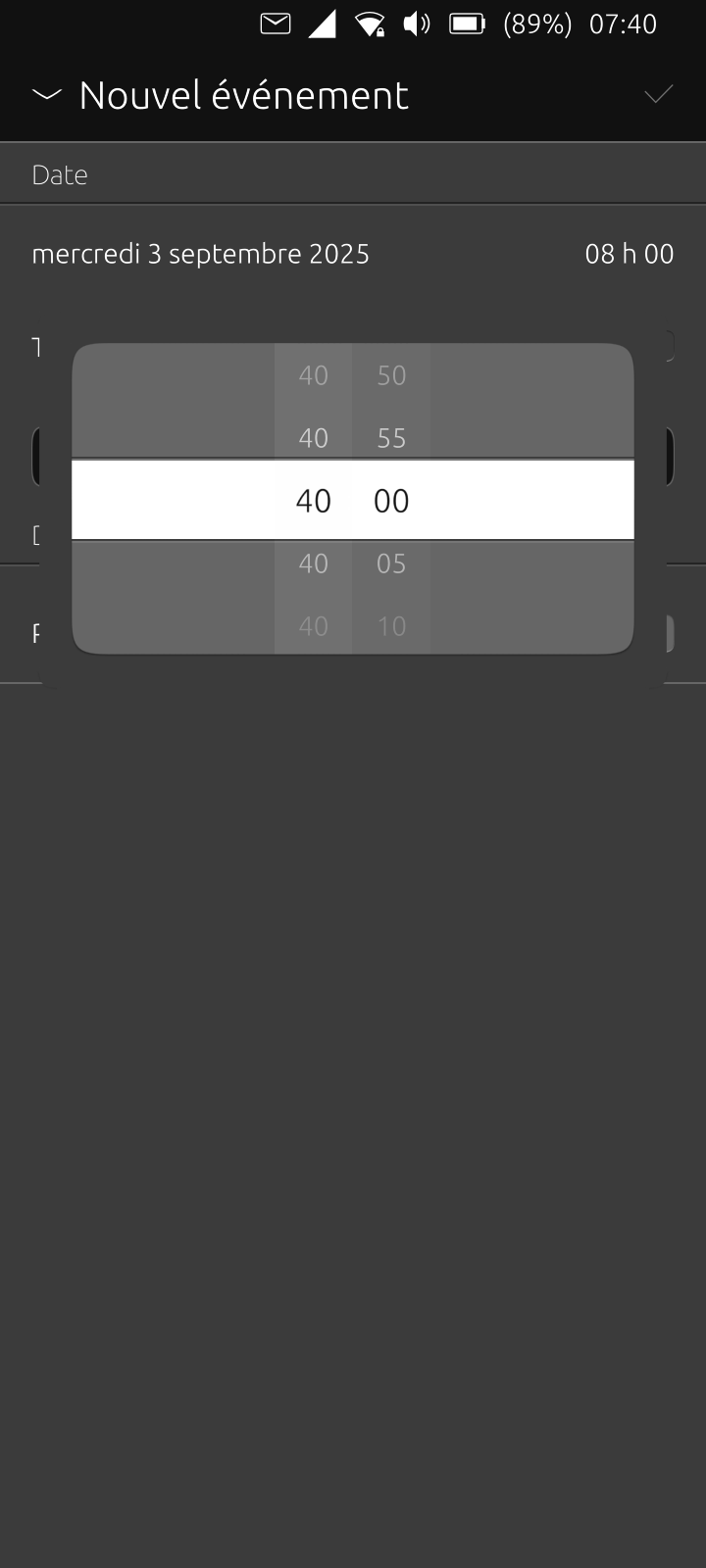
After restarting the app, they all show other numbers, such as “40” or “33”.
This makes it almost impossible to set the correct time for an event.
I've attached three screenshots that show this behavior clearly, with different incorrect numbers appearing after reopening the app.
Just to clarify:
This issue only occurs when the system language is set to a non-English language.
I’ve tested with French, which also changes the time format to 24-hour by default (which I actually prefer), but there’s no visible option to toggle between 12h and 24h formats. That’s not a problem for me, just something I noticed and thought worth mentioning.
Has anyone else experienced this? Is there a known workaround or fix?
Thanks!
-
Could you fill a bug report at https://gitlab.com/ubports/development/apps/lomiri-calendar-app/-/issues ?
It's the easier way for dev to manage those kind of problems. -
@bdomecq I wonder if that's a calendar bug or a Toolkit bug. Can you try installing Lomiri toolkit app from the OpenStore and check the Pickers page?
-
@kugiigi done. No difference. The issue still occurs.
-
@Vlad-Nirky Thank you. Done.

Hello! It looks like you're interested in this conversation, but you don't have an account yet.
Getting fed up of having to scroll through the same posts each visit? When you register for an account, you'll always come back to exactly where you were before, and choose to be notified of new replies (either via email, or push notification). You'll also be able to save bookmarks and upvote posts to show your appreciation to other community members.
With your input, this post could be even better 💗
Register Login