Broken WiFi icon after screen lock
-
I've noticed the "Network" tray icon gets broken after screen lock:
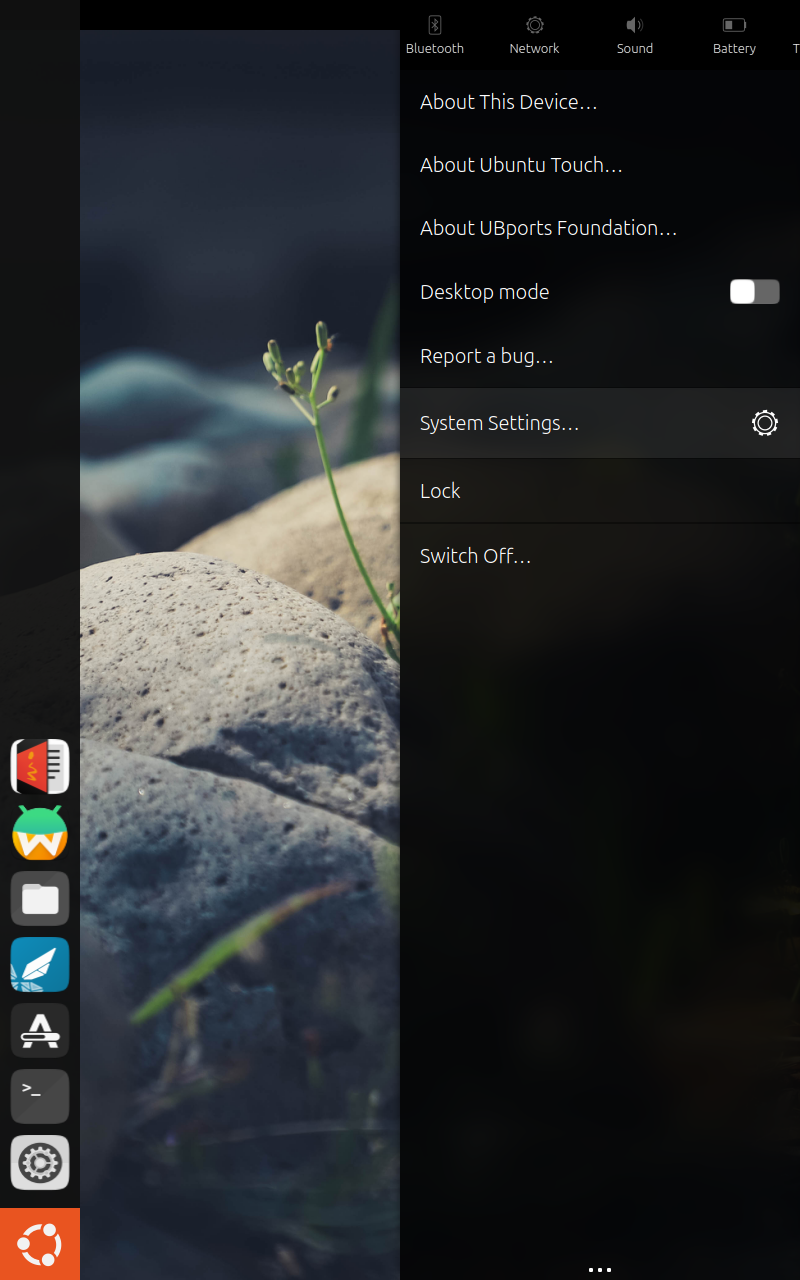
What could be causing this?
(using UT 24.04)
-
What is the device?
-
@MrT10001 The Lenovo M10 Tablet
-
@hlbkv Is it the TB-X306F or X? I haven't experienced this on Focal or Noble and I am running on Stable. I have seen this on other devices running development and it usually happens after sleep. Have you tried resetting it using network manager?
sudo systemctl restart NetworkManager -
@MrT10001 TB-306F.
To be honest I don't believe this happened on a fresh install, I just noticed it yesterday and yeah it happens after sleep; on a fresh reboot the correct icon is showing.
The channel is 24.04 stable, I haven't even updated it once since I made a clean install 2 weeks ago.
At most I have played around with Libertine and the NixManager app from the store, don't see how the system could have been changed.Restarting NetworkManager does not seem to work, the 'not connected' icon appears to be found, but on connection it gets back to the generic gear icon.
-
@hlbkv Have you tried a reinstall?
-
@MrT10001 I have not, and IMO that's too much work for such a minor issue. I'll wait for the next OTA and check if it solves it.
-
but on connection it gets back to the generic gear icon.
That's normal restarting the Network Manager.
You can reinstall through the installer leaving the "wipe data" unticked which will retain all your data and take about 10 minutes or in updates change the channel to development and then back again.
-
You can reinstall through the installer leaving the "wipe data" unticked which will retain all your data and take about 10 minutes or in updates change the channel to development and then back again.
Good to know (never tried it) but that still would clear all Libertine containers right (IIRC packages get installed outside user data?)
-
 K Keneda moved this topic from Support on

Hello! It looks like you're interested in this conversation, but you don't have an account yet.
Getting fed up of having to scroll through the same posts each visit? When you register for an account, you'll always come back to exactly where you were before, and choose to be notified of new replies (either via email, or push notification). You'll also be able to save bookmarks and upvote posts to show your appreciation to other community members.
With your input, this post could be even better 💗
Register Login