Erasing of background images of system-settings
-
Where are the personal custom background images supposed to be located ?
Is it here ?
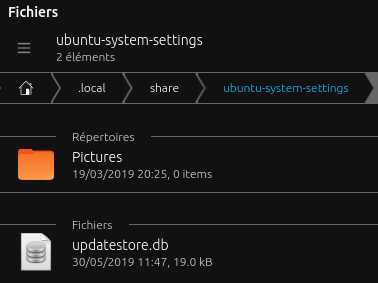
Because i have two background images.. and it is said zero.For a try wanting to delete images, it is possible to select the images but it is said that no image is selected : so impossible to delete images :
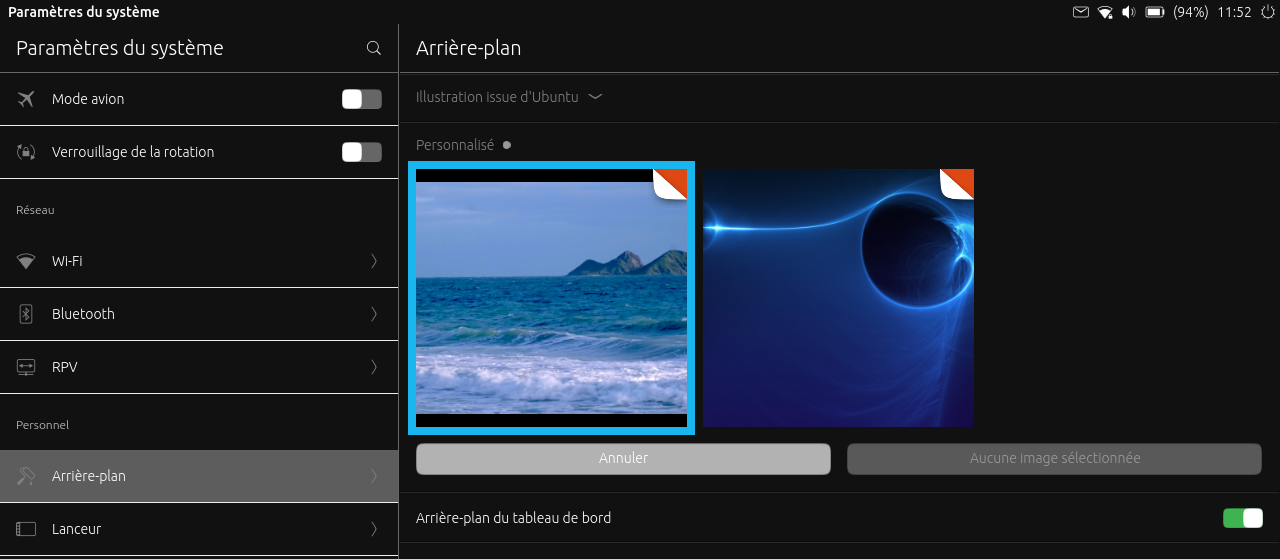
Seen on BQ E5HD and BQ M10 and OTA 9
Did i miss something ?
Is it something confirmed ? -
@advocatux Hi. Where is the right place to report this possible bug ?
Is it
https://github.com/ubports/ubuntu-touch/issues or
https://github.com/ubports/system-settings/issues -
@domubpkm you can manage your custom background images going to System Settings > Background > Customized
You can have your custom background in the Gallery, or any folder in the "home" directory for that matter.

Hello! It looks like you're interested in this conversation, but you don't have an account yet.
Getting fed up of having to scroll through the same posts each visit? When you register for an account, you'll always come back to exactly where you were before, and choose to be notified of new replies (either via email, or push notification). You'll also be able to save bookmarks and upvote posts to show your appreciation to other community members.
With your input, this post could be even better 💗
Register Login