UBports Robot Logo UBports Forum
    • Categories
    • Recent
    • Tags
    • Popular
    • Users
    • Groups
    • Search
    • Register
    • Login

    Xiaomi Redmi 4X (santoni)

    Scheduled Pinned Locked Moved Xiaomi Redmi 4/4X
    xiaomiredmi
    111 Posts 41 Posters 76.2k Views 11 Watching
    Loading More Posts
    • Oldest to Newest
    • Newest to Oldest
    • Most Votes
      Reply
      • Reply as topic
      Log in to reply
      This topic has been deleted. Only users with topic management privileges can see it.
      • A Offline
        aceclan @4htet
        last edited by

        @4htet , I also had many problems with halium-install, I've spent a lot of time to figuring out , using manjaro linux ...

        I've installed the : qemu-arm-static , binfmt-qemu-static, simg2img from simg-tools package

        and changed a line in function setup_passwd() ,from "halium-install/functions/distributions.sh"

           do_until_success sudo chroot "$ROOTFS_DIR" passwd $user
                to
           sudo chroot "$ROOTFS_DIR" passwd $user
        

        on the halium install script are described the dependencies:


        "
        Halium installer script
        Copyright (C) 2017 JBBgameich
        Copyright (C) 2017 TheWiseNerd

        License: GPLv3

        dependencies: qemu binfmt-support qemu-user-static e2fsprogs sudo simg2img
        "

        --
        best regards,
        Alex

        1 Reply Last reply Reply Quote 0
        • A Offline
          aceclan
          last edited by

          Hello @Danct12 ,

          Flashing again Your last build, Mon 09 MAR, without any wipe -> all my settings were kept, this is normal? This is a feature? ... because of user data is stored in santoni:/data/user-data/phablet ?

          Another problem network interface from computer disappearing during the UB boot.
          Appearing for a short time then disappear. ๐Ÿ˜ž

          A D 2 Replies Last reply Reply Quote 0
          • A Offline
            aceclan @aceclan
            last edited by

            @aceclan
            Resolved, flashed the anterior.

            1 Reply Last reply Reply Quote 0
            • D Offline
              danqo6 @aceclan
              last edited by

              @aceclan Your home directory should stay intact, I flashed my nexus 5 on legacy build with halium 7.1 build and everything worked fine.

              1 Reply Last reply Reply Quote 0
              • 4 Offline
                4htet
                last edited by

                I tried to log in to google account to sync my contacts. But at the log in page, keyboard is not popping up( not showing) . And one more thing, my language BURMESE letters are not showing in sms. Showing only square characters. I tried to install fonts and it is saying read only file system. Any IDEA?

                Danct12D 1 Reply Last reply Reply Quote 0
                • B Offline
                  bisaalz
                  last edited by bisaalz

                  Please help me i tried everything always stuck at mi logo, i formated the data and flashed it and still stuck at mi logo never booted to ubuntu. please someone provide step by step process

                  Danct12D D A 3 Replies Last reply Reply Quote 0
                  • Danct12D Offline
                    Danct12 @4htet
                    last edited by

                    @4htet Keyboard not popping up at Google page is probably a UBports error, the same issue is on Oneplus 3.

                    And read-only file system, you can try sudo mount -o rw,remount / to remount the rootfs as root.

                    But your language issue is weird, it could be a UBports issue unless someone tested it on official supported device.

                    1 Reply Last reply Reply Quote 0
                    • Danct12D Offline
                      Danct12 @bisaalz
                      last edited by

                      @bisaalz Format your /data partition as ext4.

                      1 Reply Last reply Reply Quote 0
                      • D Offline
                        danqo6 @bisaalz
                        last edited by danqo6

                        Same for me, format data as ext4 does not help. I am unable get any logs, dmesg -w on PC does not show anything, /sys/fs/pstore/console-ramoops file does not exist. I am unable to boot your recovery, sudo fastboot boot recovery.img show only mi logo. I tried to downgrade firmware, compile system by my own, many recovery images. But I am unable to boot this (and recovery from that post too). Some people on XDA have similar problem. I was using lastest MIUI 11.2 before.

                        D Danct12D A 3 Replies Last reply Reply Quote 0
                        • D Offline
                          danqo6 @danqo6
                          last edited by

                          @Danct12 maybe we should update blobs, I am not sure what else to do.

                          1 Reply Last reply Reply Quote 0
                          • Danct12D Offline
                            Danct12 @danqo6
                            last edited by

                            @danqo6 Perhaps you could try to flash a LOS 14.1 rom first and see if LOS loads.

                            D 1 Reply Last reply Reply Quote 0
                            • A Offline
                              aceclan @danqo6
                              last edited by

                              @danqo6 , from the fastboot mode, check first:
                              $ fastboot devices
                              330915847d15 fastboot

                              then download and use: Latest TWRP

                              $ fastboot boot twrp-3.3.1-0-santoni.img
                              Sending 'boot.img' (24844 KB) OKAY [ 0.783s]
                              Booting OKAY [ 0.715s]
                              Finished. Total time: 1.615s

                              After Backup ALL and copy TWRP folder to Your PC,
                              full format: Wipe/Format Data is needed to remove encryption
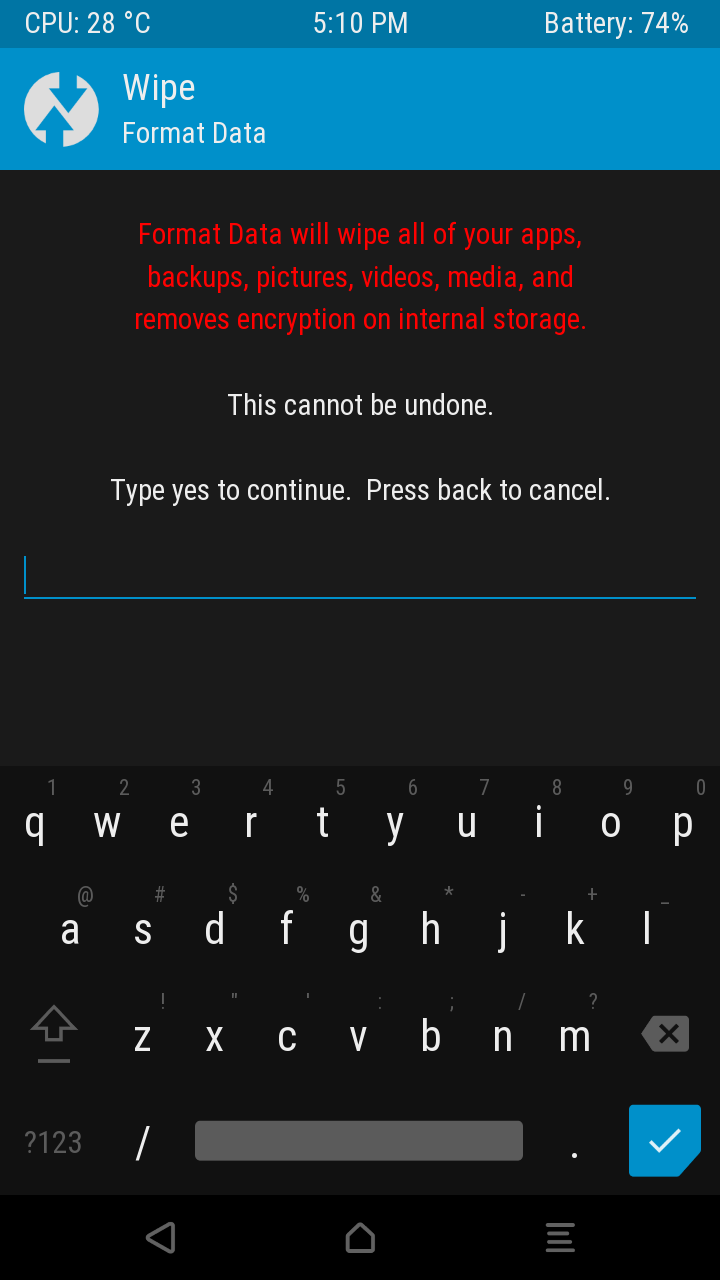
                              Screenshot_2020-03-18-17-10-59.png

                              After flash system.img and rootfs.tar.gz don't forget to boot again to fastboot and flash hallium-boot.img:
                              fastboot flash boot halium-boot.img

                              1 Reply Last reply Reply Quote 0
                              • A Offline
                                aceclan @bisaalz
                                last edited by

                                @bisaalz , I think You forgot:

                                fastboot flash boot halium-boot.img

                                B 1 Reply Last reply Reply Quote 0
                                • B Offline
                                  bisaalz @aceclan
                                  last edited by

                                  @aceclan I did everything you said flash every thing still stuck at mi logo but other android custom boots but ubuntu never boots

                                  Danct12D 1 Reply Last reply Reply Quote 0
                                  • A Offline
                                    alex000090
                                    last edited by

                                    Is it possible to build the boot image with anbox support?

                                    1 Reply Last reply Reply Quote 0
                                    • Danct12D Offline
                                      Danct12 @bisaalz
                                      last edited by

                                      @bisaalz Please try to flash LineageOS 14.1 (just that, don't install Ubuntu), and reboot.

                                      If LineageOS 14 boots, can you try to install Ubuntu again? Perhaps this is needed first, I have not updated my device firmware for months now.

                                      B 1 Reply Last reply Reply Quote 0
                                      • U Offline
                                        ub_santoni
                                        last edited by

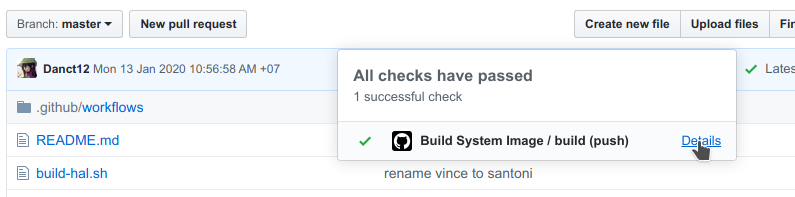
                                        I don't know how to open the download page, where should I click to get this pagealt text
                                        How can i get to the download link๏ผŸ

                                        A 1 Reply Last reply Reply Quote 0
                                        • A Offline
                                          alex000090 @ub_santoni
                                          last edited by

                                          @ub_santoni You should tap on green tick.

                                          U 1 Reply Last reply Reply Quote 0
                                          • U Offline
                                            ub_santoni @alex000090
                                            last edited by

                                            @alex000090 It's amazing, thank you

                                            1 Reply Last reply Reply Quote 0
                                            • B Offline
                                              bisaalz @Danct12
                                              last edited by

                                              @Danct12 Can u give me lineage os 14.1 link

                                              R Danct12D 2 Replies Last reply Reply Quote 0

                                              Hello! It looks like you're interested in this conversation, but you don't have an account yet.

                                              Getting fed up of having to scroll through the same posts each visit? When you register for an account, you'll always come back to exactly where you were before, and choose to be notified of new replies (either via email, or push notification). You'll also be able to save bookmarks and upvote posts to show your appreciation to other community members.

                                              With your input, this post could be even better ๐Ÿ’—

                                              Register Login
                                              • First post
                                                Last post