Difficulty with exporting pictures from Ubuntu Touch to ext. Ubuntu
-
Excuse me for maybe asking a stupid question but having taken pictures on Ubuntu Touch phone now need to export to my Ubuntu PC. When I access the phones memory on Ubuntu Touch I have limited access - only Pictures. How do I move the camera pictures taken to 'Pictures' so that I can export please. There doesn't seem to be any way to access the pictures taken either through external Ubuntu or using file manager within Ubuntu Touch.
Your help would be appreciated and although I am familiar with Ubuntu, not so with Ubuntu Touch.
Peter
-
@wilkinsonp
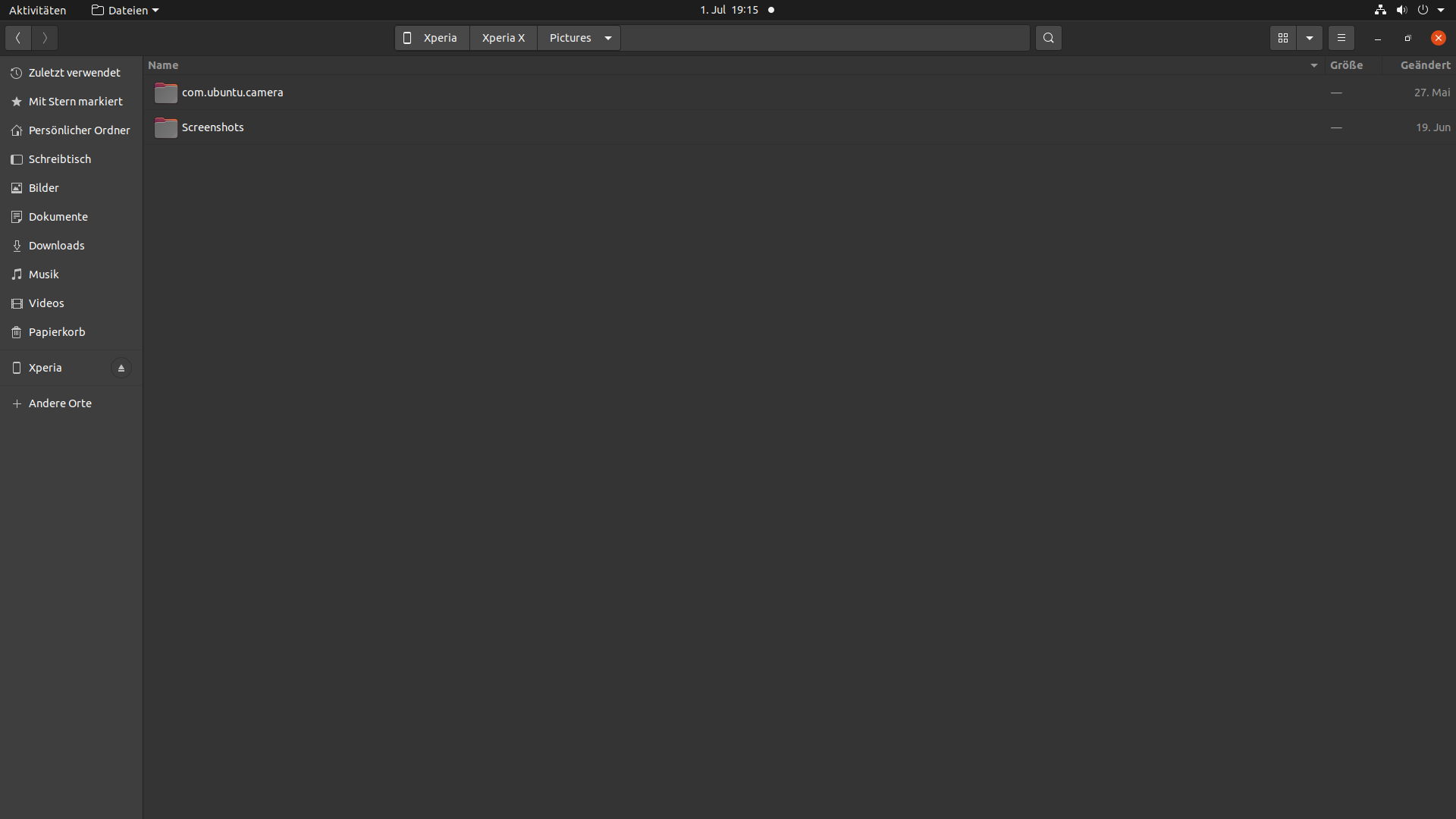
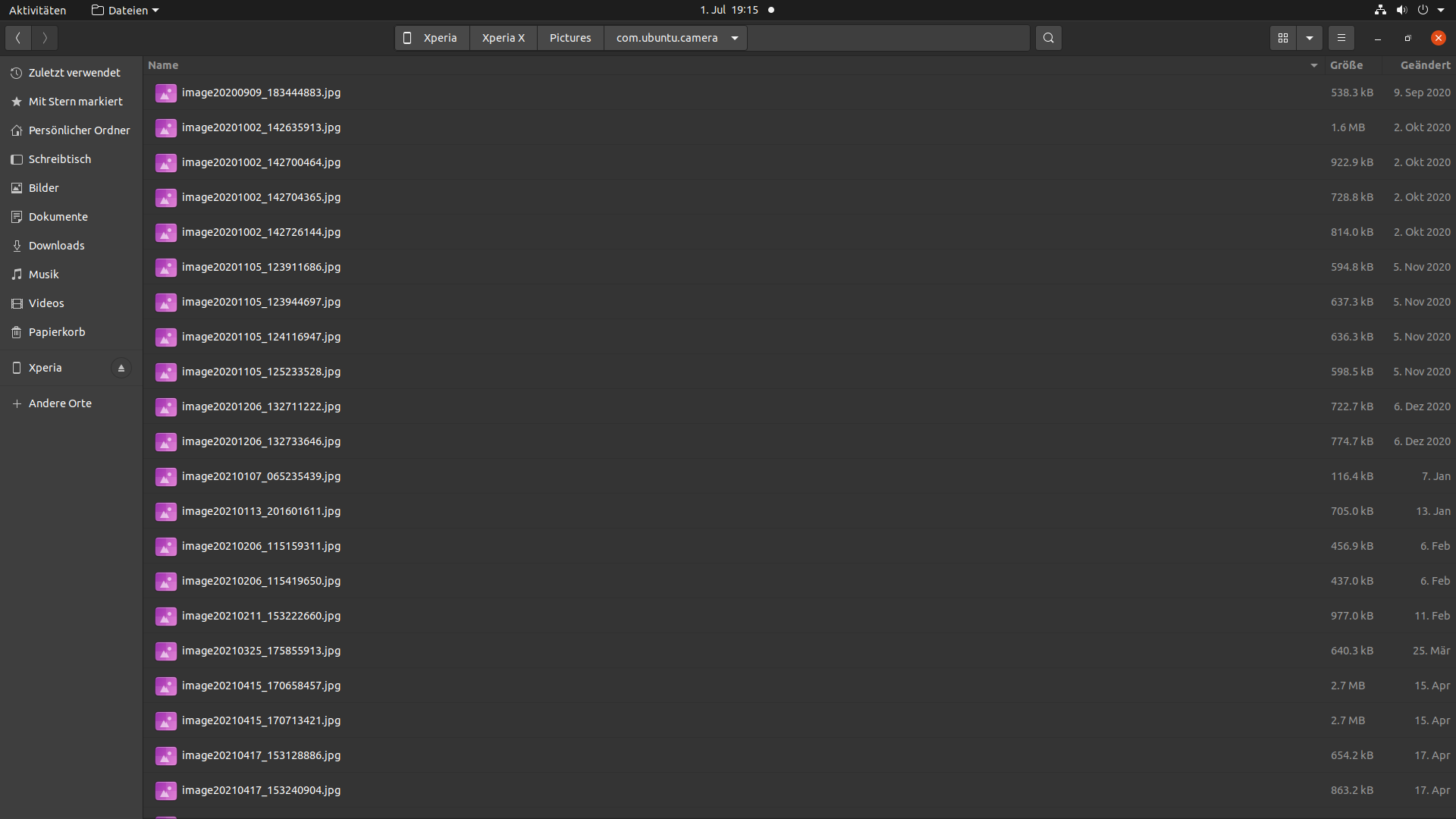
When you access phone from your PC, whatever OS you run on it, you should see Pictures folder, and in it, com.ubuntu.camera folder where are stored pictures taken with phone camera.
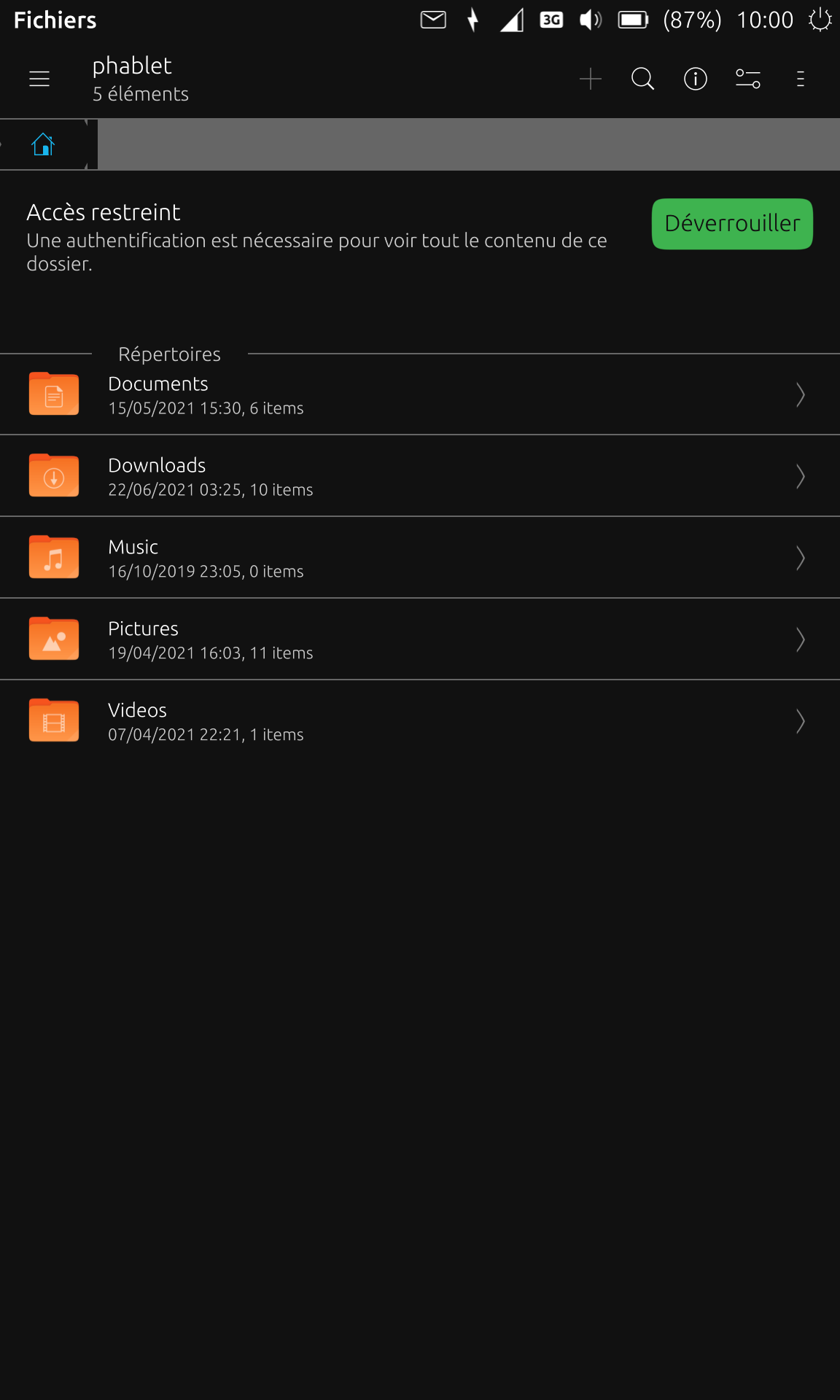
Also, Pictures should not be the only folder you see from your PC, the 5 following should appear :
-
@wilkinsonp How are you accessing the phone's memory? I connect my Nexus 5 to the computer via a USB cable, which gives me access to the phone's File Manager and all the folders within it.
-
@cliffcoggin hi,
use the following work list:-
connect the phone to the computer with USB cable.
-
unlock the touch screen on the phone
-
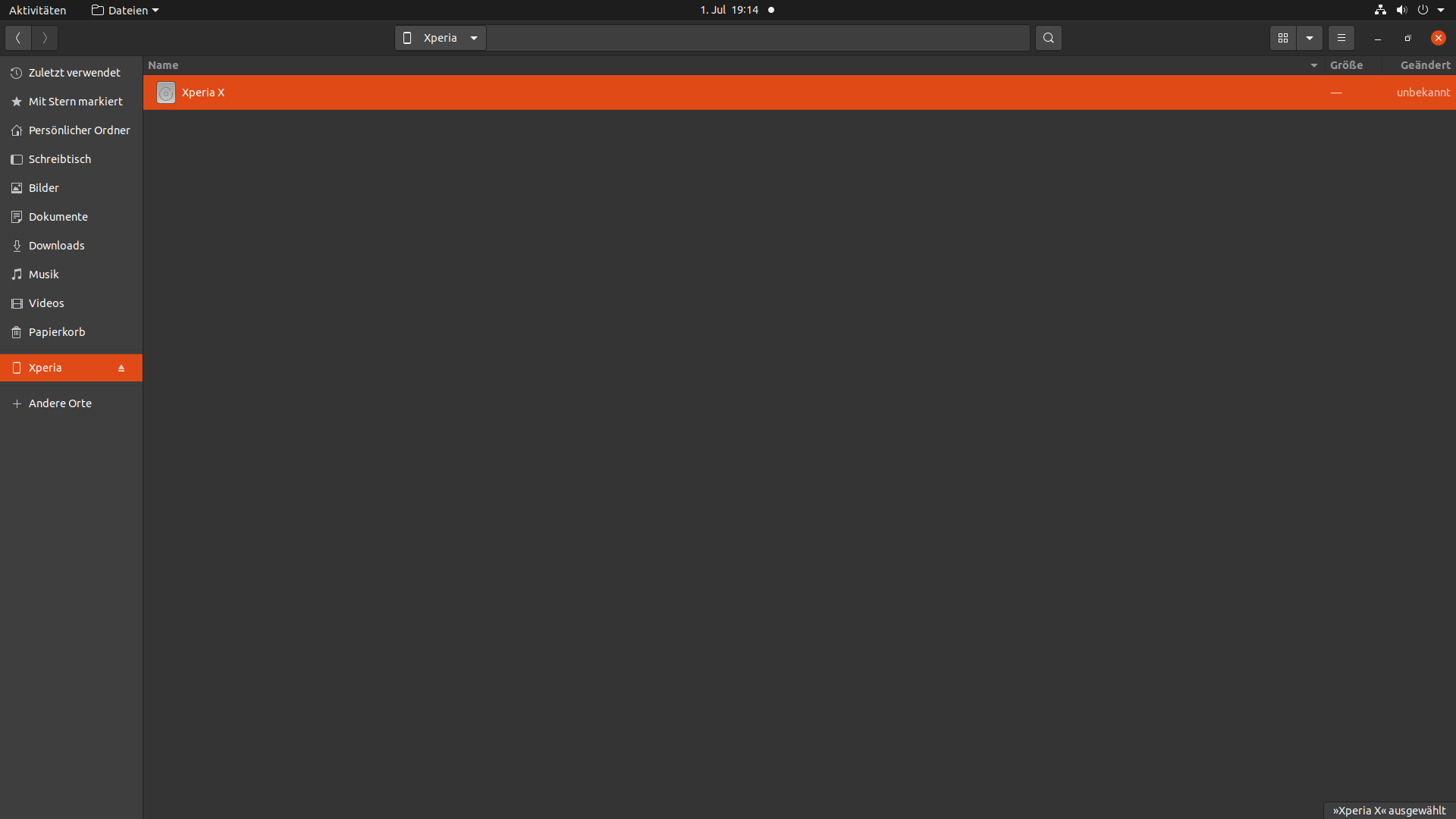
open phone folder (on computer)
-
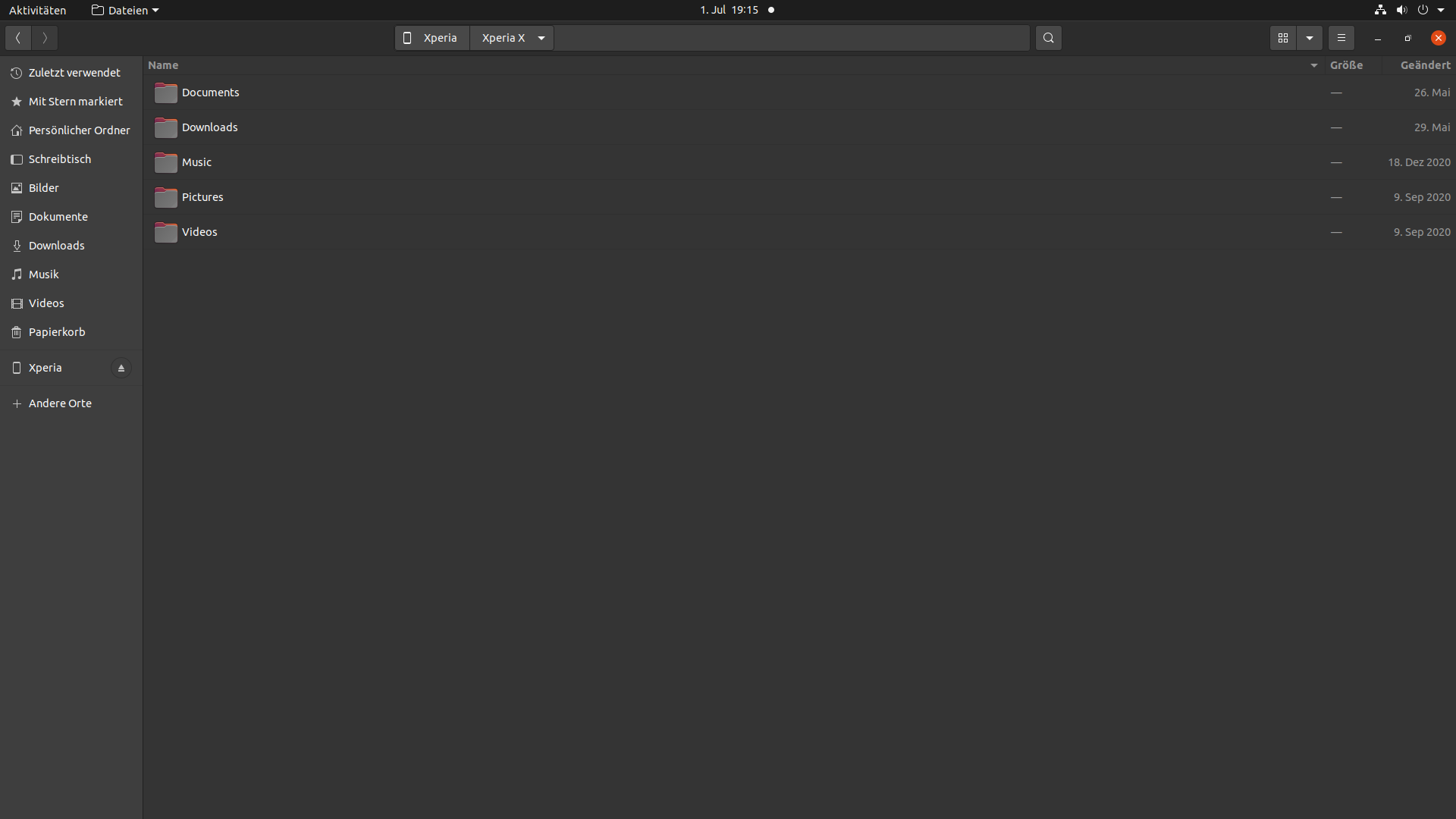
open Pictures folder
-
open folder com.ubuntu.camera
-
select picture
-
-
@cliffcoggin hi, um sorry.
 :folded_hands:
I accidentally replied to you. The how to do list should be for wilkinsonp should be intended. :winking_face:
Greetings mario📱 Oneplus Nord N100 UT24.04-1.2 stable; then Xperia X (since 2020) at last UT 24.04-1.2 RC, now out of service due to defective camera
🐎 When you realize you are riding a dead horse, get off!
My languages skill: 🇨🇭🇦🇹 🇩🇪, and only orally: 🇬🇧 🇹🇭 -
@wilkinsonp
This is probably what you need from Mario's post :unlock the touch screen on the phone -
@mario-ch Don't worry about it. I did exactly the same thing a few hours ago. The delineation between posts is unclear.



Hello! It looks like you're interested in this conversation, but you don't have an account yet.
Getting fed up of having to scroll through the same posts each visit? When you register for an account, you'll always come back to exactly where you were before, and choose to be notified of new replies (either via email, or push notification). You'll also be able to save bookmarks and upvote posts to show your appreciation to other community members.
With your input, this post could be even better 💗
Register Login