UBports Robot Logo UBports Forum
    • Categories
    • Recent
    • Tags
    • Popular
    • Users
    • Groups
    • Search
    • Register
    • Login

    [How-To] Record Calls

    Scheduled Pinned Locked Moved Support
    73 Posts 12 Posters 30.9k Views 12 Watching
    Loading More Posts
    • Oldest to Newest
    • Newest to Oldest
    • Most Votes
    Reply
    • Reply as topic
    Log in to reply
    This topic has been deleted. Only users with topic management privileges can see it.
    • Br1B Offline
      Br1 @domubpkm
      last edited by Br1

      --------- update ---------

      @domubpkm said in [How-To] Record Calls:

      As it stands, this will only be of interest to qualified users

      I've made it as easy as possible, only three steps :

      • first, use morph browser to download( just click) callrecorder.tar.gz from here (in addition to above scripts contains callrec-install script)

      • second, open file manager, go to Downloads click callrecorder.tar.gz and select extract archive

      • third, to run callrec-install open terminal and type :

      sudo Downloads/callrecorder/callrec-install
      

      callrec-install script will ask you to choose :

      type 1 to install callrecorder (reboot required)
      type 2 to uninstall it
      type 3 to exit from script

      you don't have to do anything else.

      Recorded calls are in MyRec directory, at device startup prepare.sh script will delete any that are older than 30 days.

      I recommend running callrec-install to uninstall callrecorder before proceeding to ota update.

      This is callrec-install script :

      #!/bin/bash
      
      CRSERV=/etc/init.d/callrecorder ;
      
      # Make sure only root can run this script
      if [ "$(id -u)" != "0" ]; then
         echo "    Must be run as root, you must prepend sudo !" 1>&2
         exit 1
      fi
      
      echo -e '\n - You can install / uninstall CallRecorder -\n' ;
      
      PS3='Please enter your choice : '
      options=("Install" "Uninstall" "Quit")
      select opt in "${options[@]}"
      do
      	case $opt in
      	"Install")
      
       			echo -e '\n Installation in progress ...\n' ;
      
      			# creates 3 directories
      			su phablet -s /bin/mkdir /home/phablet/{.callrec,aRam,MyRec} ;
      			
      			cp /home/phablet/Downloads/callrecorder/* /home/phablet/.callrec/ ;
      
      			# change the working directory
      			cd /home/phablet/.callrec ;
      
      			# mount root in read/write mode
      			mount -o remount,rw / ;
      
      			# copy callrecorder service and enable autostart
      			cp callrecorder /etc/init.d/ ; update-rc.d callrecorder defaults ;
      
      			# roll back root in read only mode
      			mount -o remount,ro / ;
      
      			echo -e ' Installed, reboot your device !\n' ;
      			
      			exit 0
      
      		;;
      
      	"Uninstall")
      
      			# check status
      			if [ ! -f "$CRSERV" ]; then
      
      			echo -e '\n CallRecorder is not installed !\n' ; break
      
      			else
      
      			# mount root in read/write mode
      			mount -o remount,rw / ;
      
      			# stop callrecorder, disable autostart and remove service file
      			service callrecorder stop ; update-rc.d -f callrecorder remove ; rm /etc/init.d/callrecorder ;
      
      			# roll back root in read only mode
      			mount -o remount,ro / ;
      
      			# delete scripts and remove directories
      			rm -rf /home/phablet/.callrec/* ; rmdir /home/phablet/.callrec ;
      			rm -rf /home/phablet/MyRec/* ; rmdir /home/phablet/MyRec ;
      			rm -rf /home/phablet/aRam/* ;
      
      			echo -e '\n Done, CallRecorder uninstalled !\n'
      
      			exit 0
      
      			fi
      
      		;;
      
              "Quit")
      			break
      		;;
      			*) echo "invalid option $REPLY"
      		;;
          esac
      done
      

      ^

      • Google Pixel 3a XL
      • Xiaomi MI A2
      D BollyB 3 Replies Last reply Reply Quote 3
      • D Offline
        domubpkm @Br1
        last edited by

        @br1 Anything that makes it user friendly is welcome, so thank you. To clarify, your recorder automatically records all conversations, correct? In what sound format?

        Br1B 1 Reply Last reply Reply Quote 0
        • Br1B Offline
          Br1 @domubpkm
          last edited by

          @domubpkm said in [How-To] Record Calls:

          To clarify, your recorder automatically records all conversations, correct? In what sound format?

          Yes, that is correct, in wav format.

          ^

          • Google Pixel 3a XL
          • Xiaomi MI A2
          1 Reply Last reply Reply Quote -1
          • D Offline
            domubpkm @Br1
            last edited by

            @br1 said in [How-To] Record Calls:

            script will delete any that are older than 30 days.

            Perhaps the option should be provided:

            • automatically erase recordings after ... days (between 0 and 30 days) ? 0 = never
            Br1B 1 Reply Last reply Reply Quote 0
            • Br1B Offline
              Br1 @domubpkm
              last edited by

              @domubpkm said in [How-To] Record Calls:

              Perhaps the option should be provided:

              I'll work on it ...

              automatically erase recordings after ... days (between 0 and 30 days) ? 0 = never

              You can use uText app " Edit and save every file on your Phone" ... open filemanager and go to .callrec directory then click prepare.sh , open with uText app and find this line :

              find /home/phablet/MyRec/* -mtime +30 -exec rm {} \; 2> /dev/null ;
              

              replace "30" with days you want

              or if you want to disable automatically erase you have to prepend the line with hash sign '#'

              # find /home/phablet/MyRec/* -mtime +30 -exec rm {} \; 2> /dev/null ;รน
              

              and save file, anyway wav is an uncompressed format, a rough estimate, 1-hour call about 30 megabytes ...

              ^

              • Google Pixel 3a XL
              • Xiaomi MI A2
              D 1 Reply Last reply Reply Quote 1
              • D Offline
                domubpkm @Br1
                last edited by

                @br1 Thanks again. I used the archive manager in ubuntu 20.04 to edit the line.

                One more clarification: what do you mean by 'at de device startup' in the line 'at device startup prepare.sh script will delete any that are older than 30 days'. Does this mean every time we restart or reboot the smartphone ? So, for example, if there is no reboot for 3 months, all the records for the 3 months will be on the smartphone ?
                And if we restart the smartphone after 25 days, how does the script understand this? The 30 day period is not reset?

                Br1B 1 Reply Last reply Reply Quote 0
                • Br1B Offline
                  Br1 @domubpkm
                  last edited by

                  @domubpkm said in [How-To] Record Calls:

                  Does this mean every time we restart or reboot the smartphone ? So, for example, if there is no reboot for 3 months, all the records for the 3 months will be on the smartphone ?

                  Yes ๐Ÿ˜ž the Linux-style solution is very simple ... a small script :

                  #!/bin/sh
                  find /home/phablet/MyRec/* -mtime +30 -exec rm {} \; 2> /dev/null 
                  

                  to be run daily via crontab ... but crontab requires (again) to mount root in read write mode, the easiest solution to avoid it is add the line to manager.sh, check would be carried out after each recording.

                  I'll be away for a week, but then I'll work on it.

                  ^

                  • Google Pixel 3a XL
                  • Xiaomi MI A2
                  D 1 Reply Last reply Reply Quote 0
                  • D Offline
                    domubpkm @Br1
                    last edited by

                    @br1 These are just improvements. I test on my ultra custom rc channel ๐Ÿ˜ and it works fine. ๐Ÿ‘
                    The wav format doesn't take up that much space because it's the lowest quality i think here.

                    1 Reply Last reply Reply Quote 0
                    • B Offline
                      Bocephus
                      last edited by

                      Sailfish has call recording built into the phone app with the push of a button. Just sayin'...

                      D 1 Reply Last reply Reply Quote -1
                      • D Offline
                        domubpkm @Bocephus
                        last edited by

                        @bocephus Sailfish is not UT. If you have the knowledge, you can implement the mechanism you say. This will be greatly appreciated by the community. Personally, I thank all those who bring a positive point of contribution to UT on this forum.

                        1 Reply Last reply Reply Quote 3
                        • D Offline
                          domubpkm
                          last edited by

                          As far as I'm concerned, .wav records from MyRec are not directly readable from this directory. If I copy this directory to the Music directory or to my SD card, I can.

                          BollyB 1 Reply Last reply Reply Quote 0
                          • BollyB Offline
                            Bolly @domubpkm
                            last edited by

                            @domubpkm I can read them.

                            15-25: BQ Aquaris E4.5 Ubuntu edition โ˜ ๏ธ?
                            23-25: BQ Aquaris E5 HD โ˜ ๏ธ?
                            16-Now (Daily use) : BQ Aquaris M10 FHD Betatester
                            20-Now: PinePhone Braveheart & CE UBports

                            (Family/Daily use)

                            20-Now: Vollaphone Noble
                            22-Now: Vollaphone22 Noble

                            D 1 Reply Last reply Reply Quote 0
                            • D Offline
                              domubpkm @Bolly
                              last edited by

                              @bolly said in [How-To] Record Calls:

                              I can read them

                              Hello.
                              What do you mean more specifically? What phone /channel ?

                              BollyB 1 Reply Last reply Reply Quote 0
                              • BollyB Offline
                                Bolly @domubpkm
                                last edited by Bolly

                                Hello @domubpkm ,

                                • E4.5 stable channel.
                                • Installation with the script: https://forums.ubports.com/topic/8144/how-to-record-calls/4?_=1665911281738
                                • Open file with file explorer and preview.

                                15-25: BQ Aquaris E4.5 Ubuntu edition โ˜ ๏ธ?
                                23-25: BQ Aquaris E5 HD โ˜ ๏ธ?
                                16-Now (Daily use) : BQ Aquaris M10 FHD Betatester
                                20-Now: PinePhone Braveheart & CE UBports

                                (Family/Daily use)

                                20-Now: Vollaphone Noble
                                22-Now: Vollaphone22 Noble

                                D 1 Reply Last reply Reply Quote 0
                                • BollyB Bolly referenced this topic on
                                • D Offline
                                  domubpkm @Bolly
                                  last edited by

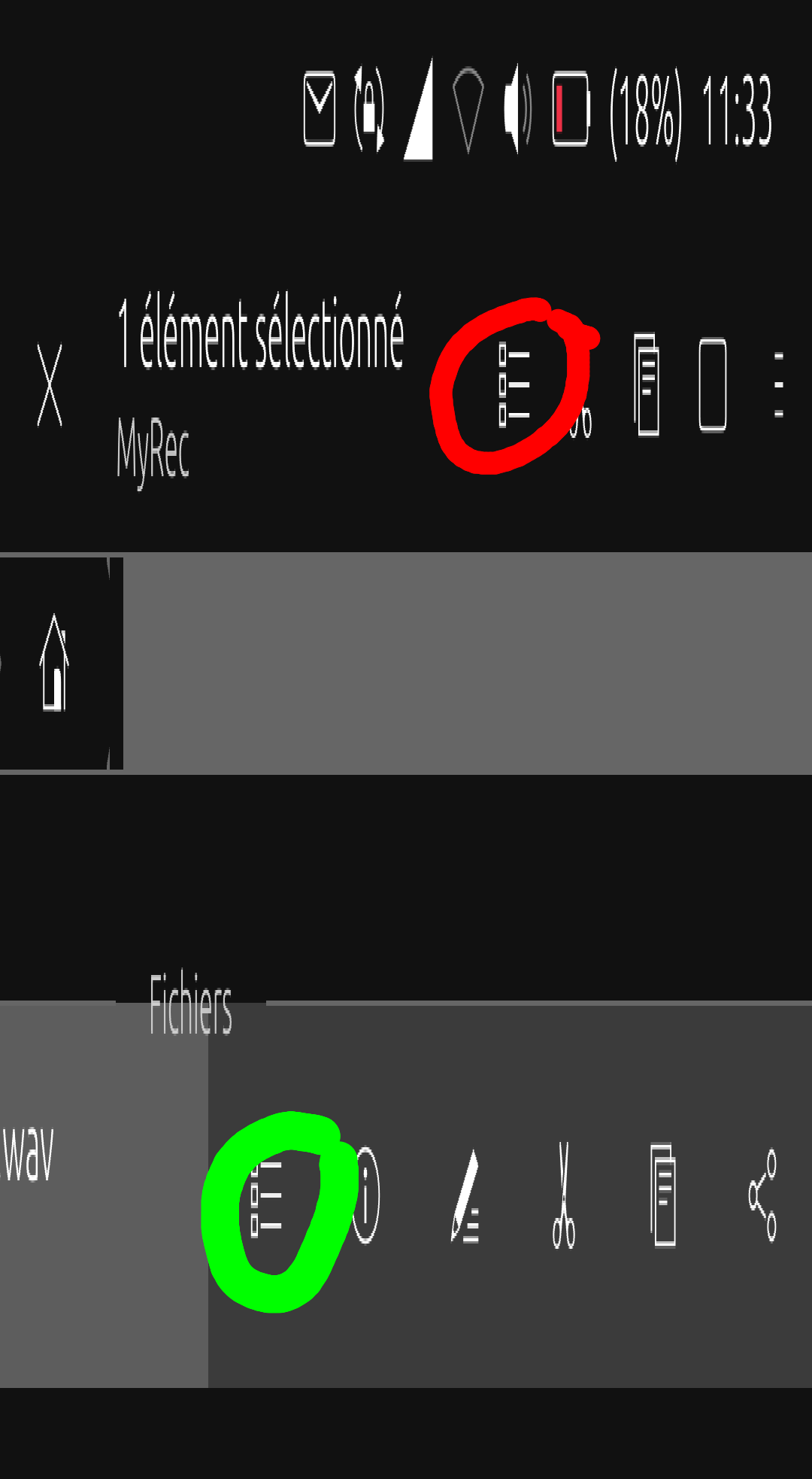
                                  @bolly Exact. Preview on the line of selected wav file works but not preview on top.
                                  2022-10-16T09:37:16.255Z.png

                                  1 Reply Last reply Reply Quote 0
                                  • D Offline
                                    domubpkm
                                    last edited by domubpkm

                                    Hello @Br1 . I just noticed today, as it is my first try,
                                    that the sound reproduced from the recording in loudspeaker mode is not of good quality. Do you confirm it? If so, can you make the recording speakerphone compatible?

                                    Edit 10/30 : I note that recordings are named with their recording end time. Personally, it seems more logical to me that this is the start time of a recording: that's why I rename each recording with the times contained in the call log.

                                    1 Reply Last reply Reply Quote 0
                                    • J Offline
                                      Josuรฉ
                                      last edited by

                                      @BR1 thank you for this jewell!

                                      1 Reply Last reply Reply Quote 0
                                      • BollyB Offline
                                        Bolly @Br1
                                        last edited by Bolly

                                        @br1 Very thanks.

                                        I have dedicated an entry in my blog in Spanish of your great work, it is mostly a translation.

                                        https://elcondonrotodegnu.wordpress.com/2022/12/31/como-grabar-todas-las-llamadas-en-ubuntu-touch-automaticamente/

                                        The link to your installation script is down, I had to create another one.

                                        https://t.me/ElCondonRotoDeGNU/3

                                        Thanks you again and good year โ˜บ

                                        15-25: BQ Aquaris E4.5 Ubuntu edition โ˜ ๏ธ?
                                        23-25: BQ Aquaris E5 HD โ˜ ๏ธ?
                                        16-Now (Daily use) : BQ Aquaris M10 FHD Betatester
                                        20-Now: PinePhone Braveheart & CE UBports

                                        (Family/Daily use)

                                        20-Now: Vollaphone Noble
                                        22-Now: Vollaphone22 Noble

                                        1 Reply Last reply Reply Quote 0
                                        • D Offline
                                          domubpkm
                                          last edited by

                                          It's the feature that has done me the greatest service since it's been around. Should be by default on each smartphone and can be activated as desired. Will absolutely have to be adapted for focal if necessary.

                                          1 Reply Last reply Reply Quote 0
                                          • F Offline
                                            FP3plusRT
                                            last edited by

                                            Great.
                                            Works under OTA-24 on FairPhone 3+.
                                            Saves me from taking notes during a call.

                                            1 Reply Last reply Reply Quote 0
                                            • Br1B Br1 referenced this topic on

                                            Hello! It looks like you're interested in this conversation, but you don't have an account yet.

                                            Getting fed up of having to scroll through the same posts each visit? When you register for an account, you'll always come back to exactly where you were before, and choose to be notified of new replies (either via email, or push notification). You'll also be able to save bookmarks and upvote posts to show your appreciation to other community members.

                                            With your input, this post could be even better ๐Ÿ’—

                                            Register Login
                                            • First post
                                              Last post