No internet connection since update to 24.04-1.1 on FP4
-
Can you access http://95.216.1.254/
The ip of postmarketos.org , but replies in http without redirection . You should get "Welcome to nginx!"
If so it's a problem of DNS
Do you have an adblocker installed?
-
@pparent Thanks for the reply.
I tryed the IP http://95.216.1.254/ but I get the same error:
Error: net::ERR_ADDRESS_UNREACHABLEI changed the DNS-Server-Settings in my router back to default instead of using PiHole. That does not change anything. Other devices in the network still work fine while my phone has no connection.
I just noticed that TELEports only works when I am on my my wifi. With a connection via SIM Telegram is not able to connect to the web.
I barely remember that I tried installing an adblocker on my phone but I can't find anything. Are there any settings in the menu or in UT Tweak Tool that could be related?
-
In this cas it is not a DNS problem.
Can you give the result of those commands in the terminal?
wget http://95.216.1.254/ping 95.216.1.254Could you possibly have configured a VPN or a Proxy at some point?
-
Here you can find the results of the commands. I executed both commands on wifi and on SIM-connection.
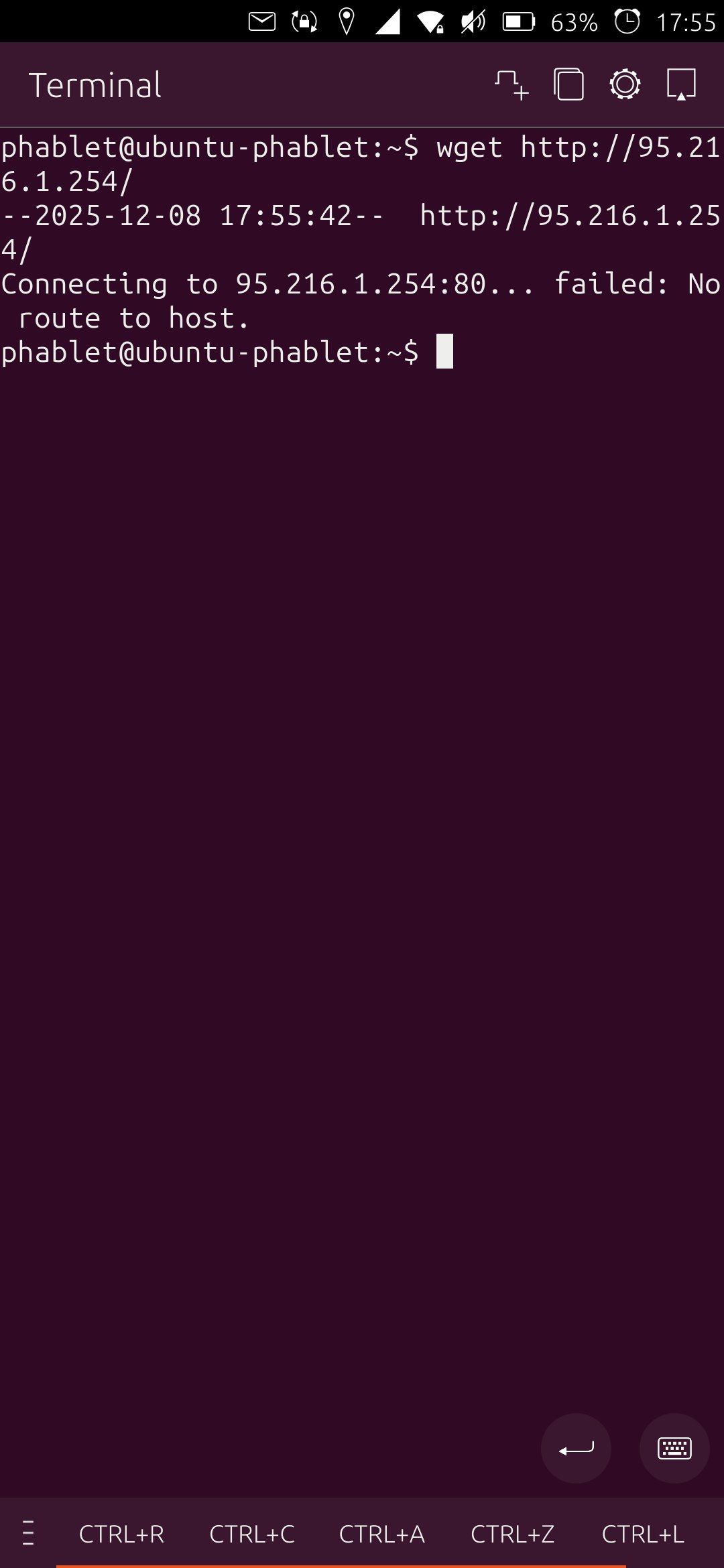
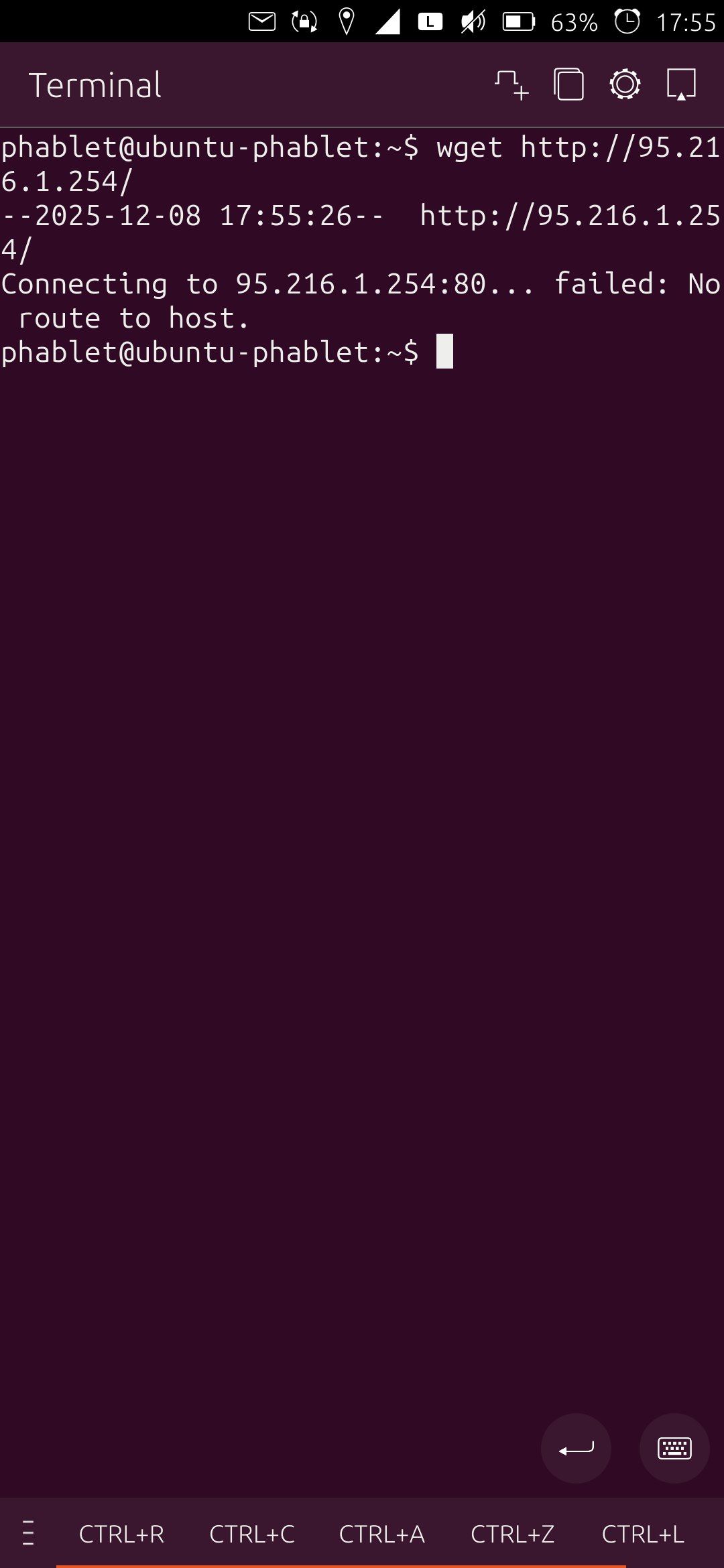
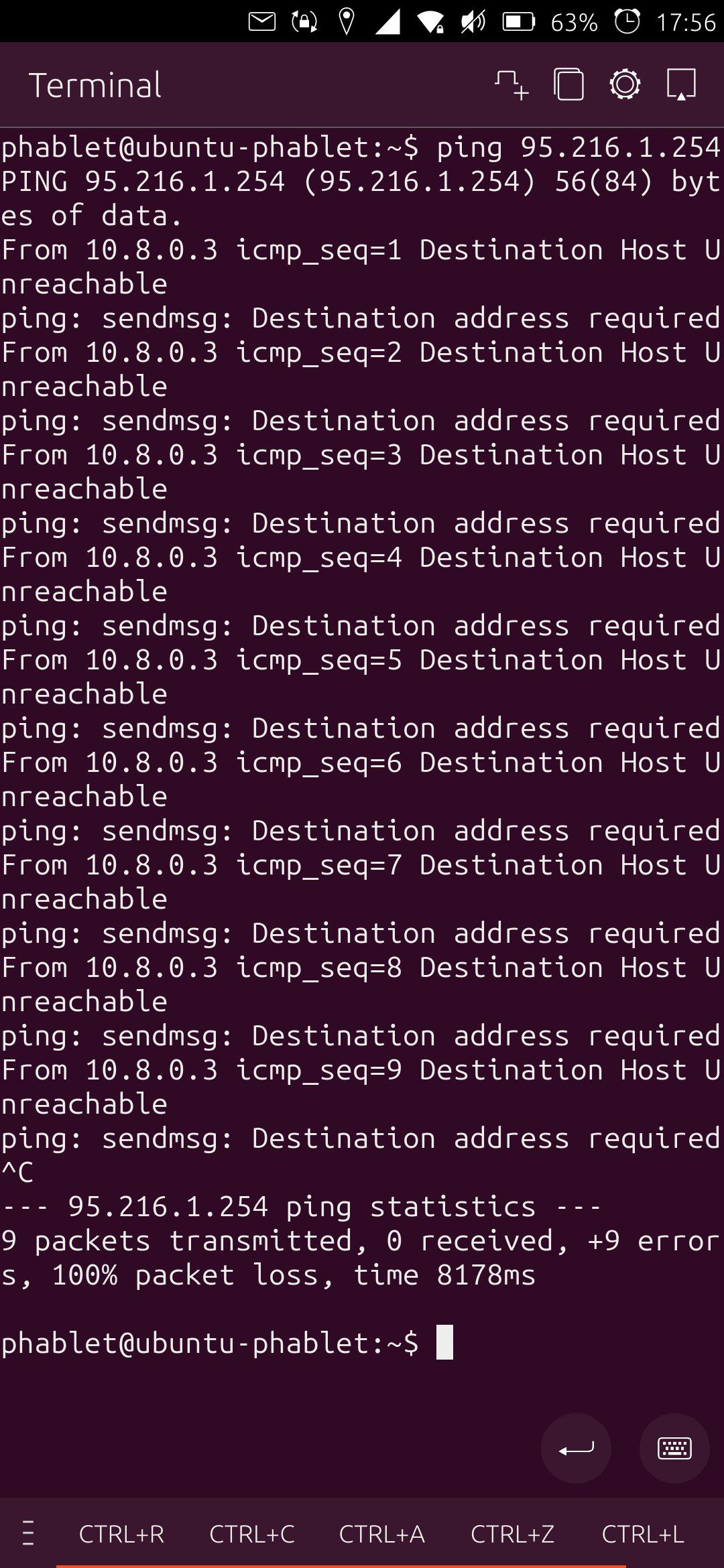
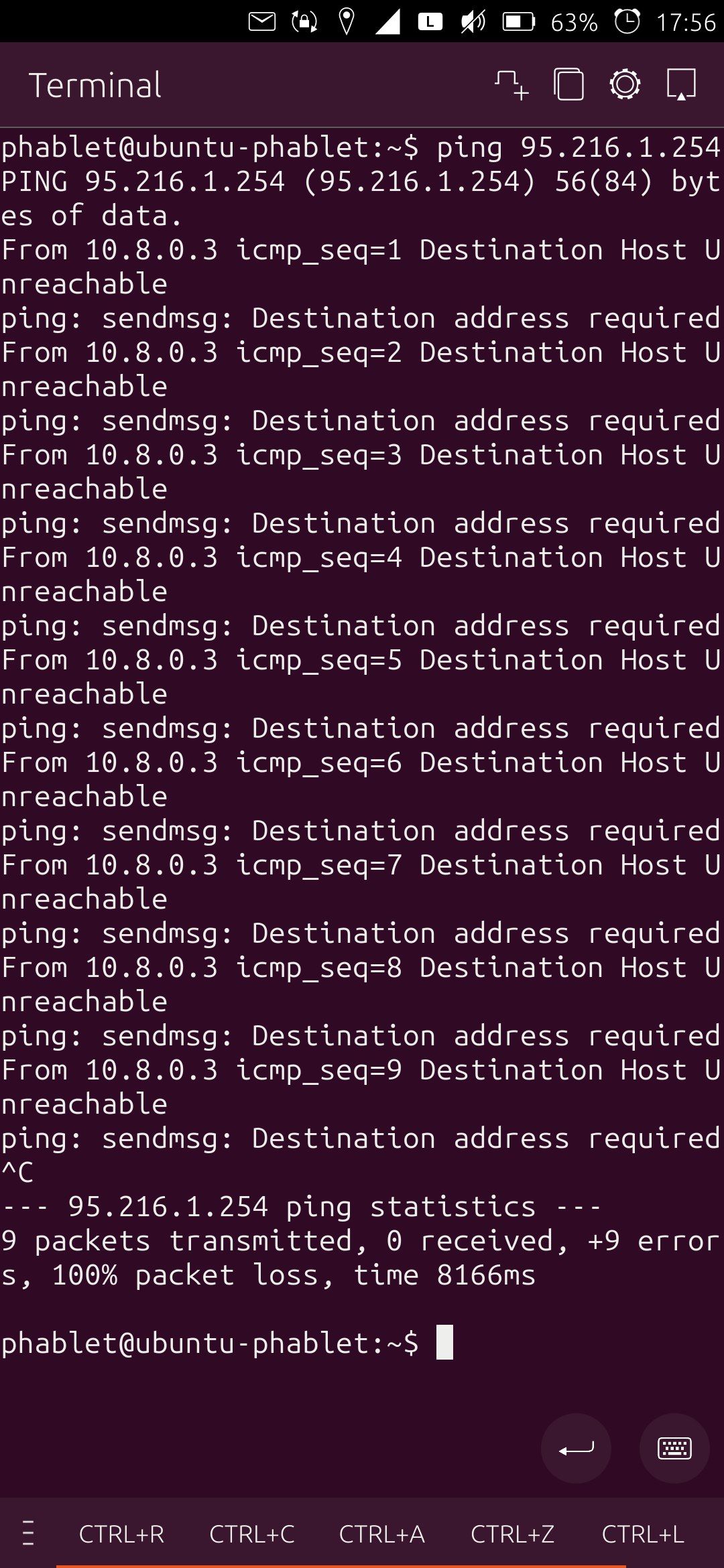
I think at some point I had a VPN set up. But that was a long time ago. My Settings-page for VPN looks like that:
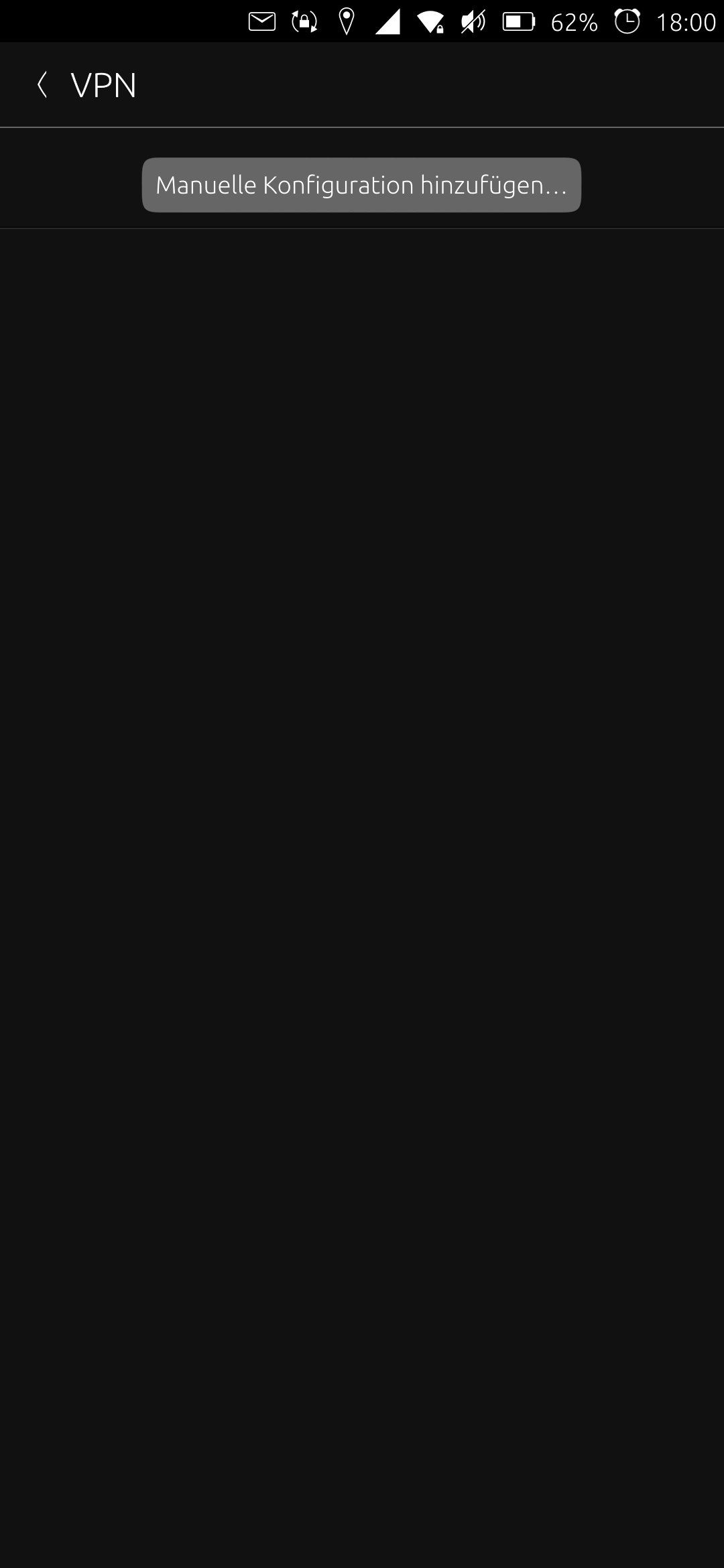
Does this information help?
-
If I may presume of your debugging enthusiasm, what's the output of
ip routenormally when wifi is enabled you should have as first default route your wifi access point (with something like 'dev wlan0'), and then as second default route the gateway of your telephony provider (for me it's 'dev rmnet_data1').
In your screen copies error messages, the gateway (10.8.0.3) is the same whatever the configuration (wifi or lte).
I find this difficult to understand.
If I switch wifi off on my phone, in the output of 'ip route', the wifi gateway disappears and I see only the telephony provider gateway. Can you repro this behaviour ? or not ?
Btw, you did check that the upgrade did not disable cellular data in the phone config (accessed from the top bar) ?
-
@pparent I'm also having problems with internet connection, but I'm on mobile data on Fairphone 5. I was actually able to connect to http://95.216.1.254, although it did take quite a while to load. Any other site gives "Error: net::ERR_NAME_NOT_RESOLVED. funny how I seem to be having the opposite behaviour of the either phone or internet problem described above: my query to ecosia.org actually loaded the instant I received an SMS message from Vodafone for password reset - before and after then nothing!

-
ip route givees me (on sim and wifi):
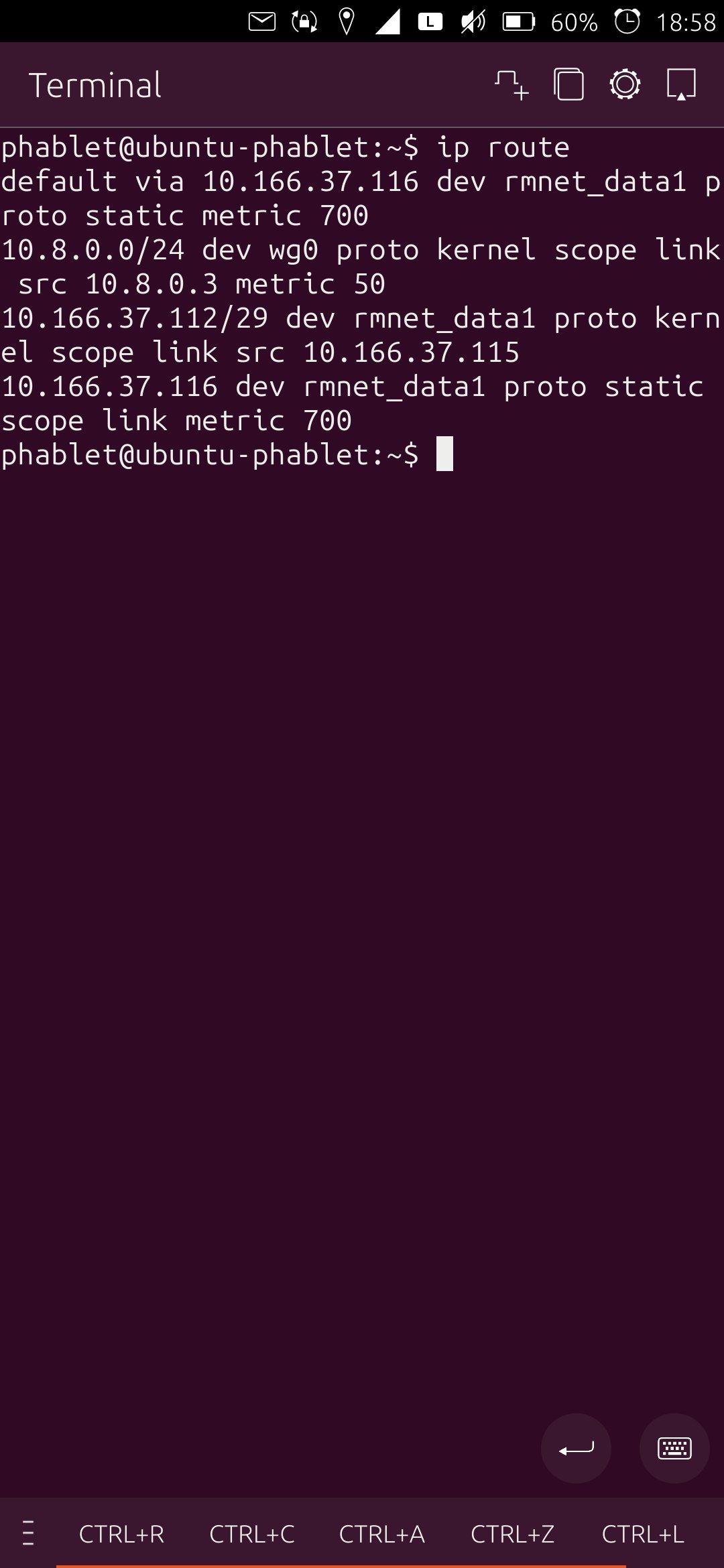
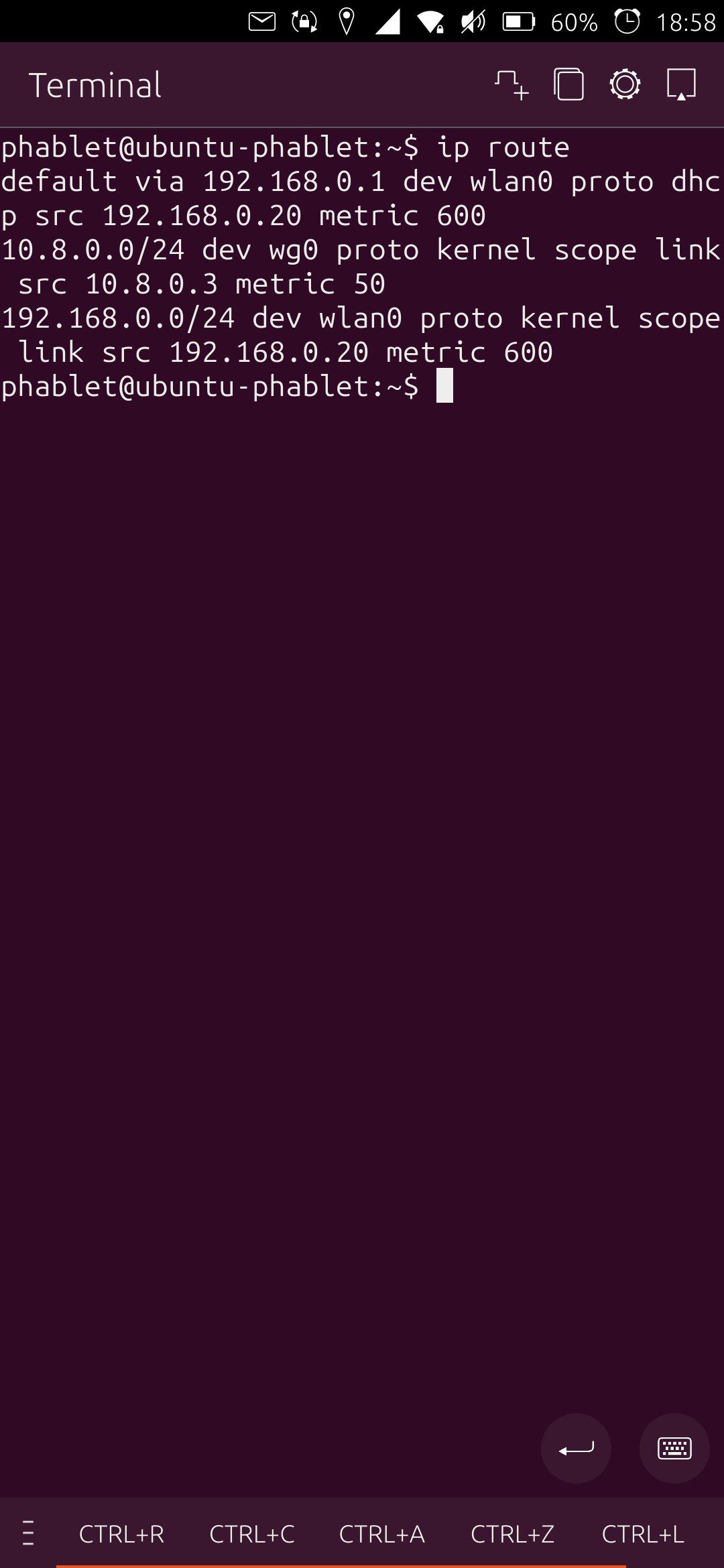
So on wifi I have something with "dev wlan0" on my wifi. But that disapperas when I switch to the sim.
I am changing between cellular data and wifi over the top menu, so that ist not the problem.
-
@GooglyBear said in No internet connection since update to 24.04-1.1 on FP4:
Error: net::ERR_NAME_NOT_RESOLVED
This is not the same problem, here clearly it's DNS.
The following piece should output your Dns servers:gdbus introspect --system --dest org.freedesktop.NetworkManager --object-path /org/freedesktop/NetworkManager --recurse --only-properties | grep name | grep -v Filenamewithout outputting tons of irrelevant info. At least it works on my phone

-
dev wg0 means wireguard right ? so you do have a vpn installed and it's this piece of software that is returning error messages when you are trying to access the network (10.8.0.3 is on the wg network).
I'd suggest to uninstall wireguard and test the internet access. First you must have basic internet access, then a vpn if the basic internet access works. -
You have wg0, it means you have a wireguard configuration (VPN). And when pining the public ip it tries to use the wireguard gateway ( 10.8.0.3 ).
Did you ever configure manually a wireguard vpn?
-
Haha we commented the same at the same time!

-
@gpatel-fr I see, I just did a fresh install (haven't installed any apps), is there something I should try for fixing DNS before I reflash the phone with
dailyinstead ofstablerelease? -
Thank you for all the answers.
Yes, I think I had wireguard installed at some point. But I didn't edit the configuration in a long time. Now I am not realy sure how/where I did the edits. I don't have any VPN or wireguard-specific app installed. And as meantined above the VPN-menu in the setings is empty. I am not sure if the wireguard-VPN was in use or even working before the update.
Where could I remove/deactivate the wireguard-config and go back to direct internet connection?
-
@GooglyBear said in No internet connection since update to 24.04-1.1 on FP4:
is there something I should try for fixing DNS
should you try to fix it or install daily ? I'd say that it's up to you; if the problem is generic to your install you may have it with daily too.
Dns servers are normally setup automatically by your configuration, for cellular network by the phone provider. If cellular data is not working normally, you won't have any dns server; however as you can access a site by IP address that should not be the case.
I did not check in your previous posts if you have wifi, a badly configured wifi network will precede the cellular configuration and may be the reason for your problems.
In the case of wifi, it's the wifi access point that usually gives an IP address and the connections details such as the Dns servers, but sometimes on local configurations things are more complex and conflicts can happen. If for example you have 2 dhcp servers on the same network, often bad things happen. -
@fairose said in No internet connection since update to 24.04-1.1 on FP4:
Where could I remove/deactivate the wireguard-config and go back to direct internet connection?
I have no experience at all with wireguard, on UT or elsewhere so an immediate reply on this will have to wait a bit until I reload my battery
-
Did you possibly at some point make your filesystem rewritable to do "apt install wireguard"?
If so the best might be to reinstall the system with the installer to make sure to have a fresh start.
(A durty version might be to make your filesystem writable and remove wireguard, not the most recommended solution )
-
I can't realy remember what I did to end up here but the following command solved the problem:
sudo nmcli c dwn wg0With that command I was able to disable wireguard. I don't know why but for some reason that old wireguard profile got activated by the update. Now websites, emails and apps work again.
Thank you all very much.
-
F fairose has marked this topic as solved on
-
@fairose said in No internet connection since update to 24.04-1.1 on FP4:
sudo nmcli c dwn wg0
nmcli man page says that this is not preventing the connection to come back later to haunt you

it says further:
In most cases you may want to use device down command instead. -
@gpatel-fr I am glad to say the SIM started working again: I rebooted without the SIM, and then with it again. I also recall the SIM was working the second time I booted UT for the first time ever on the phone (the first time I booted I'd forgotten to insert it). Hopefully it was just a temporary glitch and Fairphone 5 users running
24.04stableare 'SIM-safe'. -
Still working fine
More info here: https://forums.ubports.com/post/91464

Hello! It looks like you're interested in this conversation, but you don't have an account yet.
Getting fed up of having to scroll through the same posts each visit? When you register for an account, you'll always come back to exactly where you were before, and choose to be notified of new replies (either via email, or push notification). You'll also be able to save bookmarks and upvote posts to show your appreciation to other community members.
With your input, this post could be even better 💗
Register Login