Call for testing - Kaidan 0.6.0 for Focal/Noble.
-
Hey all, as you know I went through (with lots of help) and updated tons of apps from Xenial to Focal, and then moved most of those on to Noble.
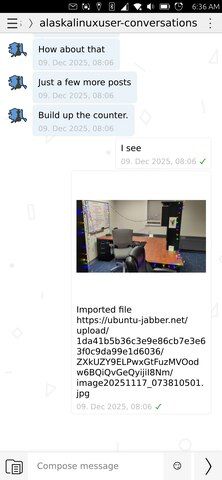
One of the apps that I really wanted to update was Kaidan, the xmpp messaging click. It was too big of a project for me when I started, and maybe still is now, but I have a fully working click now, and was wondering if some folks would like to test it.
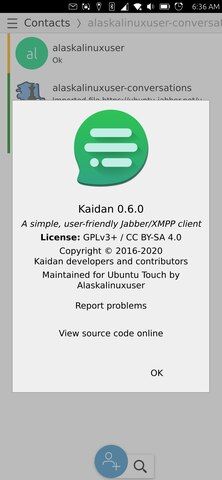
This app is built for Focal, but I have been using it on Noble daily. Need focal testers and noble testers. The original app stopped at Kaidan 0.4.2, and I have upgraded it to Kaidan 0.6.0, which is the last version to support QT5.12.
All functions work for me, I added content hub, some lomiri things, and got some great keyboard help as well. I hope to start work now on a Noble version with the higher QT and Kaidan with Omemo, because Kaidan 0.6.0 does not support Omemo encryption.
Hope to do a thourough test for a week, please pm/dm me or respond here. Screenshots or logs welcome. Please scrub private information if desired.
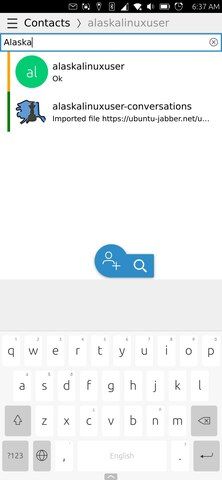
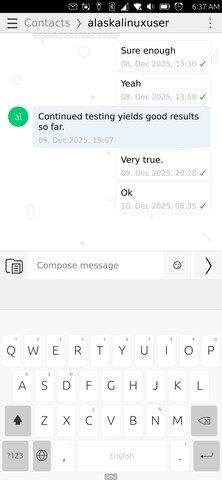
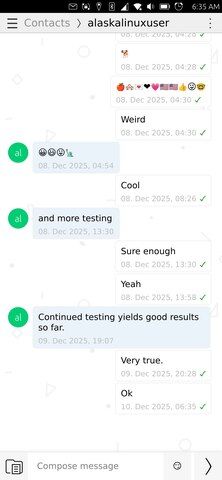
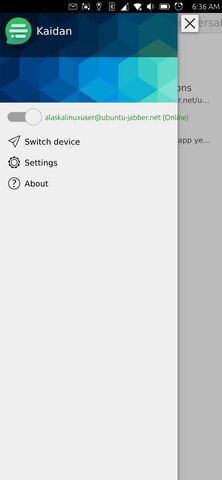

-
@alaskalinuxuser very nice, thanks a lot. xmpp is still an interesting alternative. works on FP4 noble, just did send you a test message.
-
I've just tried your click on 24.04-1.2 on a Fairphone4 and it works well thanks!
The content hub is a great feature and I was able to send and receive pictures.
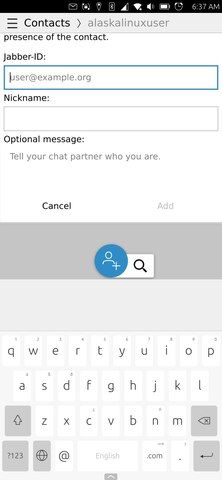
I've installed the Malakiboard with the Ambot Installer and reduced the height of my keyboard and it seems there's some space wasted when keyboard is shown on Kaidan (see screenshot below). I don't know if there's a way with Lomiri to know the current keyboard height to adapt the UI correctly. Anyway this is a minor bug.

-
@alaskalinuxuser on Focal, in a chat, there's a space between the send and the keyboard (I thought why don't use anchorToKeyboard, and remembered it's using Plasma, an old version? Or it is supposed to be like that?).
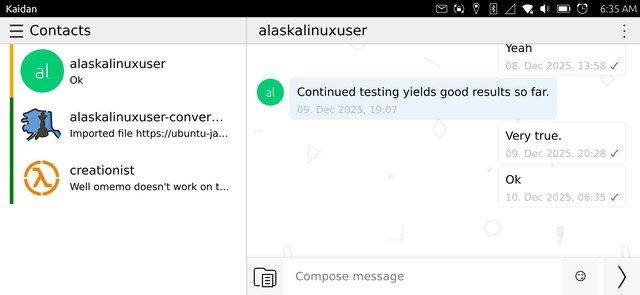
- Also, turn to landscape. If you have a long list of users, the left ListView will not show the bottom accounts.
- Notification won't work but listed under System/Notifications/Kaidan
- I can't seem to find how to send an attachment
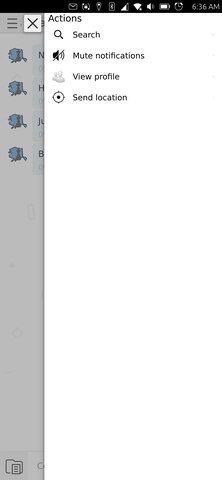
- Open a chat and search (from the right menu). The chat is overlapping over the search field, which also is too small
-
Excellent! Thanks both of you for testing.
As for the keyboard and spacing, I am not a very good programmer, but unfortunately, anchoring the message field to the keyboard did not work properly, perhaps because it was written in QT creator for use on KDE environments, I added lomiri components and the code I saw in other apps for anchoring, but it doesn't follow the standard rules for anchoring to the keyboard like I have seen in other apps (by my trying their code in the Kaidan app). For better or worse, I went with the "wasted space" because I think on smaller screen phones this wasted space is less, and I wanted to make sure that it was not covered by the keyboard when it was displayed.
But, I'd happily accept any input if someone could try some other keyboard code that would work.

As for landscape mode, you are right, it does scroll the list of contacts, but springs back making it hard to choose contacts that are at the bottom of the list. I'll look at that for sure.
For all looking to send messages with pictures or files (audio files are good too), you can send any file if your server/account supports it. For instance, jabber.sdf.org does not support sending files, but ubuntu-jabber.net and conversations.im both do, and the icon to open folder/document doesn't appear in the compose message bar unless you have an account/server that supports it.
Ah, yes, the search field is wayyyyy to small!
Thanks for some great feedback! I'll take a look at this, perhaps early next week.
-
Good news! I had some free time this morning and looked at these issues. I think I fixed them all, but would like you to test them:
In landscape mode the list of contacts scrolls and you can select ones from the bottom.
In landscape or portrait mode, the search bar is now wider and usable.
The keyboard height is now figured mathmatically, so it should scale for everyone and work/look proper.
If you have time and can test this out, that would be great! Working good for me on Noble 1.1, with FP4, but would love to hear feedback from you all. Thanks for helping me make this better by pointing out issues that needed addressed!
-
@alaskalinuxuser said in Call for testing - Kaidan 0.6.0 for Focal/Noble.:
Good news!
Awesome! ^__^
In landscape mode the list of contacts scrolls and you can select ones from the bottom.
It works!
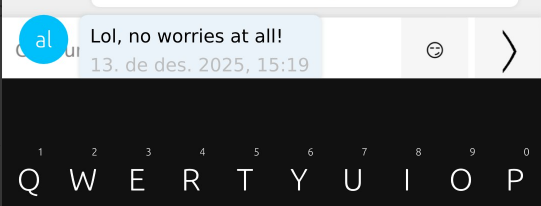
The keyboard height is now figured mathmatically, so it should scale for everyone and work/look proper.
Well done!
In landscape or portrait mode, the search bar is now wider and usable.
It is wider, indeed. It has some overlap though
 Nothing terrible
If you swipe up or down a conversation, the ListView will go over the top Search or the bottom TextArea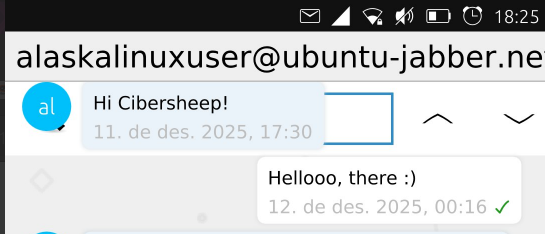
-
@alaskalinuxuser Do you know that you can calculate keyboard size with the formula in this file?
height: fullScreenItem.height * (fullScreenItem.landscape ? fullScreenItem.tablet ? UI.tabletKeyboardHeightLandscape : UI.phoneKeyboardHeightLandscape : fullScreenItem.tablet ? UI.tabletKeyboardHeightPortrait : UI.phoneKeyboardHeightPortrait) + wordRibbon.height + borderTop.height -
@pparent I always used a different (and simpler) formula taken from Morph: https://gitlab.com/ubports/development/core/morph-browser/-/blob/main/src/app/qml-qt5/KeyboardRectangle.qml
height: Qt.inputMethod.visible ?
            Qt.inputMethod.keyboardRectangle.height / (units.gridUnit / 8) : 0
It is just a helper rectangle as a module that takes the same space as the keyboard and can be used for anchoring since it has an id (see the whole KeyboardRectangle file).
-
Nice but only works in QML, for example I can't use that in Signal UT. It might be ok for Kaidan though! Is it possible to fetch the keyboard normal height for the device in terminal?





Hello! It looks like you're interested in this conversation, but you don't have an account yet.
Getting fed up of having to scroll through the same posts each visit? When you register for an account, you'll always come back to exactly where you were before, and choose to be notified of new replies (either via email, or push notification). You'll also be able to save bookmarks and upvote posts to show your appreciation to other community members.
With your input, this post could be even better 💗
Register Login