Merezhyvo browser
-
@naz.R In this case, bugs with screenshots are still reported on the forum while waiting for this to be fixed. Just seen your update

-
Very Very difficult to try to attach a file in github. Tiny windows to choose a folder. Can't make bigger. Moreover, Download : permission denied ? Should be possible ?
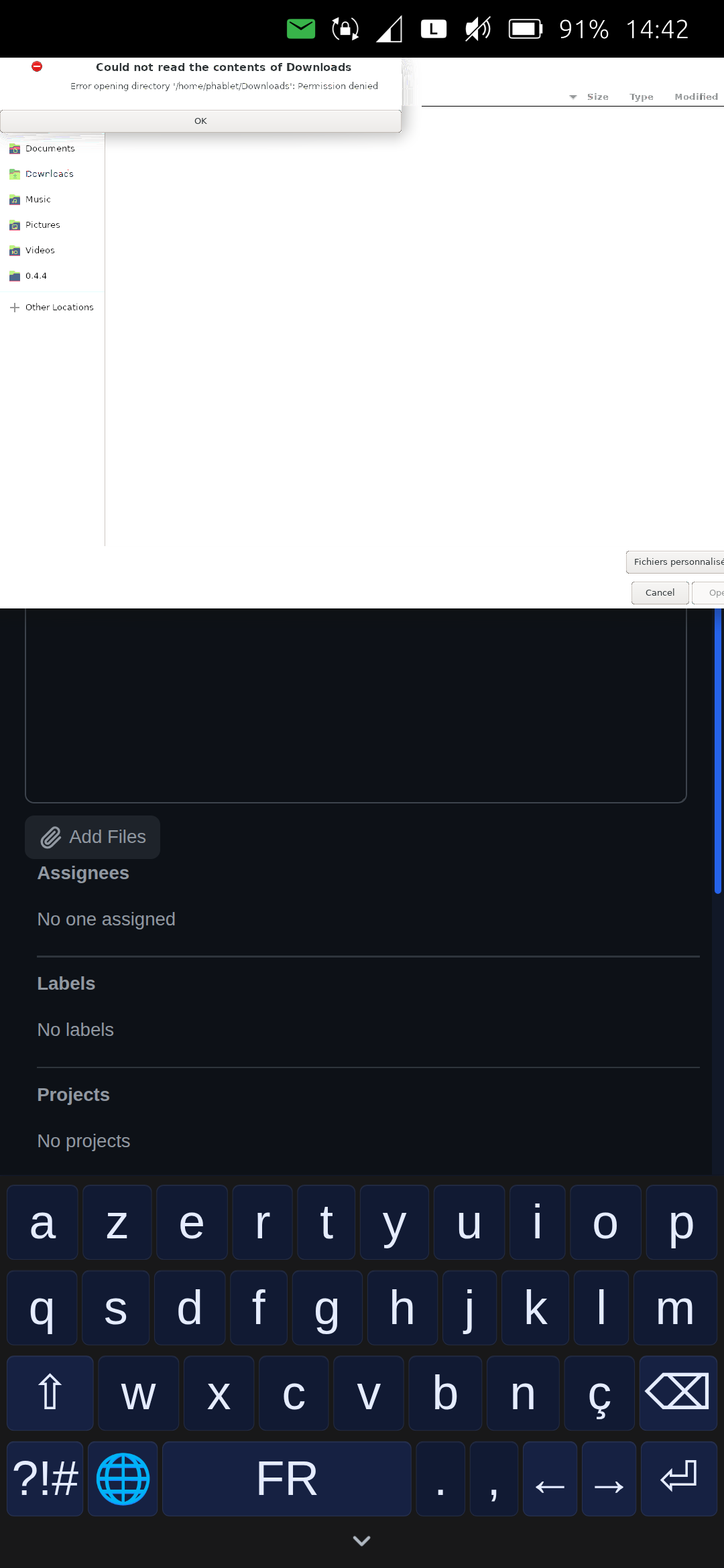 .
.Noticed too that the cursor where the character should be located when typing a message is invisible
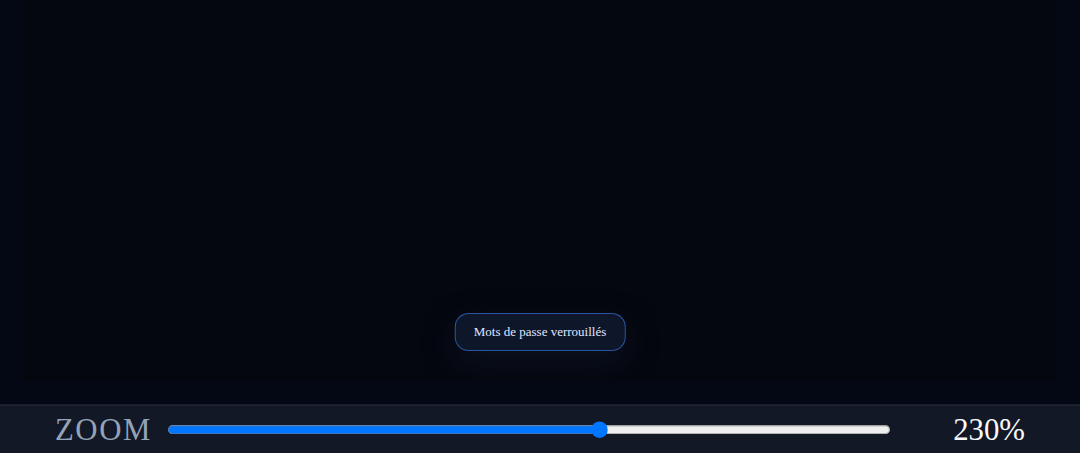
At the bottom of the screen, in passwords, the message that appears (for example 'passwords locked') is much too small. Can't make it bigger. I've tried what possible.
-
@domubpkm said in Merezhyvo browser:
Tiny windows to choose a folder. Can't make bigger.
that's a bug. It should show another file picker.
I'll fix it.@domubpkm said in Merezhyvo browser:
Download : permission denied ? Should be possible ?
right, that's the platform limitation I was talking about in my previous message. The platform doesn't allow the browser to have access out of its own sandbox. And that's a bit tricky to avoid it. So for now Merezhyvo has access only to ~/.local/share/merezhyvo.naz.r/
Check my message above, please.@domubpkm said in Merezhyvo browser:
Noticed too that the cursor where the character should be located when typing a message is invisible
At the bottom of the screen, in passwords, the message that appears (for example 'passwords locked') is much too small. Can't make it bigger. I've tried what possible.
I'll fix those issues
Thanks again for testing and reporting -
@naz.R said in Merezhyvo browser:
Download : permission denied ? Should be possible ?
right, that's the platform limitation I was talking about in my previous message. The platform doesn't allow the browser to have access out of its own sandbox. And that's a bit tricky to avoid it. So for now Merezhyvo has access only to ~/.local/share/merezhyvo.naz.r/
Check my message above, pleaseYes, i understood You !! But i didn't understand well how to try to join a screenshot currently in github ! Copy / Paste ? What is the procedure ?
-
@domubpkm said in Merezhyvo browser:
@naz.R said in Merezhyvo browser:
Download : permission denied ? Should be possible ?
right, that's the platform limitation I was talking about in my previous message. The platform doesn't allow the browser to have access out of its own sandbox. And that's a bit tricky to avoid it. So for now Merezhyvo has access only to ~/.local/share/merezhyvo.naz.r/
Check my message above, pleaseYes, i understood You !! But i didn't understand well how to try to join a screenshot currently in github ! Copy / Paste ? What is the procedure ?
generally if you have to upload any files on any page, you have to place them into one of those two folders. By saying "place them" I mean copy from the place where they are and past into ~/.local/share/merezhyvo.naz.r/mDocuments (or mDownloads)
Then when you tap on a "choose file" button on a page you have to see the file picker like this
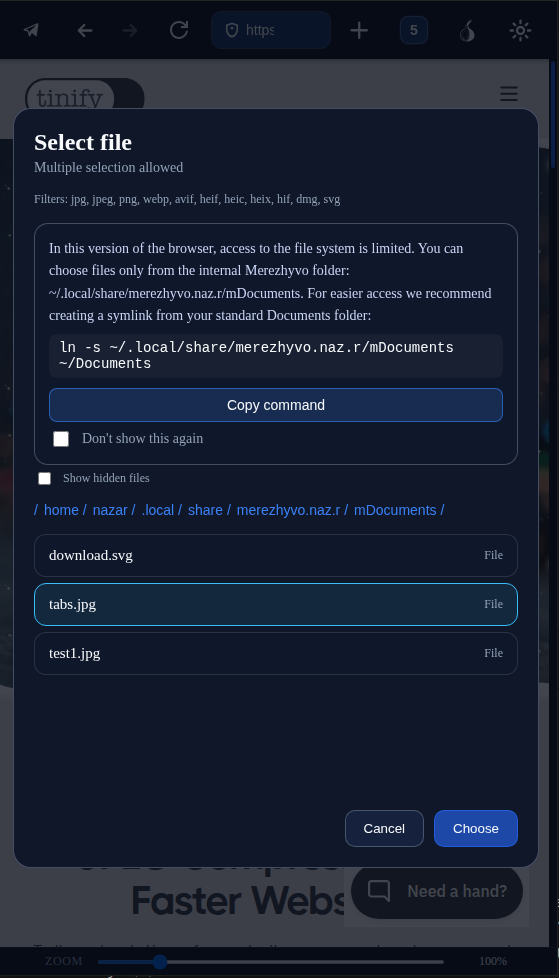
and you should be able to choose a file here.
But, for some reason, as you just found, the file-picker doesn't work on GitHub page. So, I have to investigate and fix it.
And until the fix is released, it looks like you can't upload files on GitHub, unfortunately. -
@naz.R said in Merezhyvo browser:
But, for some reason, as you just found, the file-picker doesn't work on GitHub page
So it's normal i can't do it !!

-
Merezhyvo v.0.4.5 has been released.
Added:
Tracker & ads blocking (domain-based), with per-site exceptions and counters in the security popover.
Norwegian UI translation and Norwegian keyboard layout.Changed:
Page zoom is now persisted per-tab across sessions, separately for mobile and desktop modes.
Updated and improved UI translations for multiple languages.
Various UI polish and small layout tweaks.
Updated Electron/Chromium engine (Chromium 142.0.7444.235)Fixed:
File downloads and uploads: fixed several issues with saving downloads and uploading files on websites.
Fixed text input on some sites where typing did not work.
Fixed a disappearing caret issue in certain cases.
Fixed context menu positioning.
Fixed an issue where the Passwords internal page could remain open / not close correctly when the password manager was locked.
@ida_ please check the keyboard and translations. Please let me know if there are any issues with them
-
@naz.r Constantly improving! THANKS.
 Just bothered by one basic thing: carriage return key doesn't work. So newline impossible. Very blocking, for example when writting an email.
 -
@domubpkm said in Merezhyvo browser:
@naz.r Constantly improving! THANKS.
Just bothered by one basic thing: carriage return key doesn't work. So newline impossible. Very blocking, for example when writting an email.thanks for the feedback and for the issue reporting. Added this task for the next release scope.
-
just released a small update to the previous release. It fixes the bug when trackers blocker wrongly was blocking all requests to duckduckgo.com. Now it blocks only requests to improve.duckduckgo.com as it should be.
-
@naz.R Wow, it works great! Both the interface language and the keyboard. Thank you for adding both, the UI translation was a very nice surprise. This browser is so pleasant to use.
-
I'm sorry but I think I don't understand this browser. Where are the settings? Why is there a paper airplane to the left of the URL bar that leads to WhatsApp which I don't use?
Is currently using an Op5t
Also owns an Op1, a BQ E4.5, an Xperia X, a Nothing Phone 1, and a Rabbit R1 as well as a BQ tablet and a Pinetab2. Please, someone... make it stop. -
@Ida_ said in Merezhyvo browser:
@naz.R Wow, it works great! Both the interface language and the keyboard. Thank you for adding both, the UI translation was a very nice surprise. This browser is so pleasant to use.
thank you for your kind words and feedback, I am really happy that you like it
-
@Moem
The settings are on the right-hand side (the cogwheel).
The paper airplane is a shortcut to WhatsApp and Telegram Messenger.
Perhaps this feature could be hidden in the settings... -
@Moem said in Merezhyvo browser:
I'm sorry but I think I don't understand this browser. Where are the settings? Why is there a paper airplane to the left of the URL bar that leads to WhatsApp which I don't use?
sure, I am happy to help you to figure it out
You can find settings under the very last top button, this one
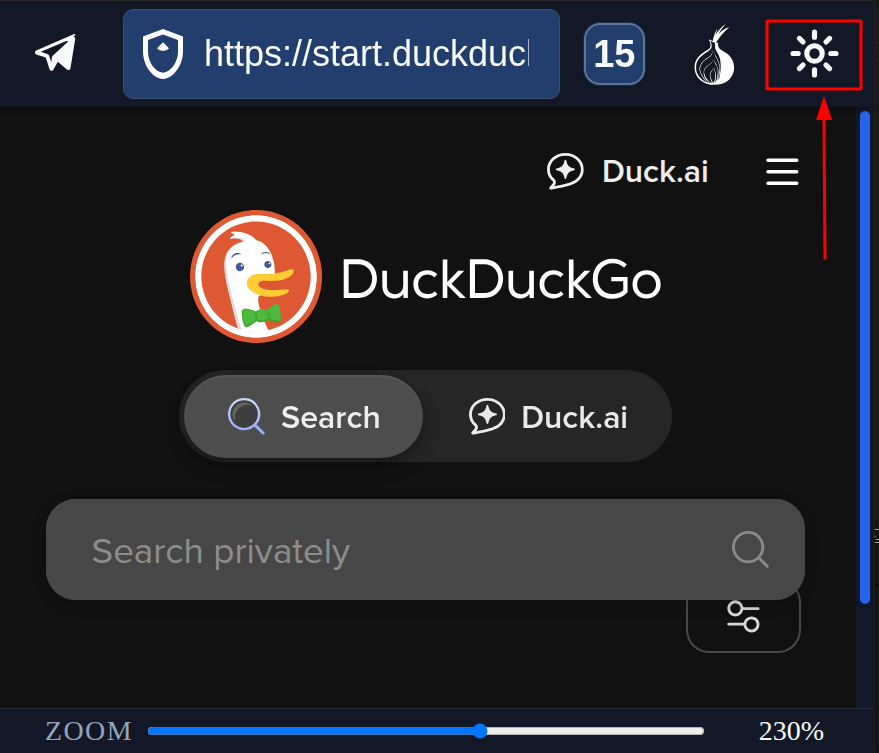
the airplane button opens a messenger panel with web versions of WhatsApp, Messenger, Telegram.
In Settings you can re-order them. If you use Telegram and don't use WhatsUp, you can set up Telegram to be on the first tab.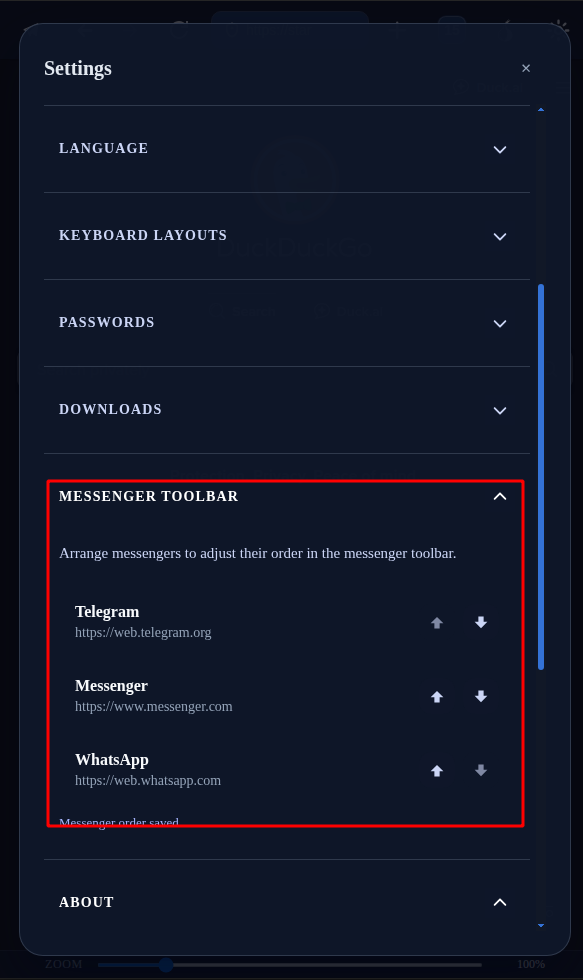
-
@naz.R Thank you, that does help! I never tapped on the sun because I thought it meant day mode / night mode. Now that I can find the settings, they seem quite sensible.
(Except for the messengers icon, which I'm never going to use, so I would probably switch that off if possible. But that's just me. Apparently other people use it.)That said, I'm very happy that UT is getting some up to date browsers, which was long overdue... and so I'm grateful for this new option too.
-
@Moem said in Merezhyvo browser:
I'm very happy that UT is getting some up to date browsers, which was long overdue... and so I'm grateful for this new option too
Exactly !
-
@Moem said in Merezhyvo browser:
@naz.R Thank you, that does help! I never tapped on the sun because I thought it meant day mode / night mode. Now that I can find the settings, they seem quite sensible.
(Except for the messengers icon, which I'm never going to use, so I would probably switch that off if possible. But that's just me. Apparently other people use it.)That said, I'm very happy that UT is getting some up to date browsers, which was long overdue... and so I'm grateful for this new option too.
and you just gave me an idea to add a new option into messengers settings to hide this messengers button in case if someone don't use it.
Will add it in the next release.
I am happy again that you like the browser now -
@naz.R said in Merezhyvo browser:
you just gave me an idea to add a new option into messengers settings to hide this messengers button in case if someone don't use it.
Will add it in the next release.Oh wow, that's great, thank you so much for your efforts!
-
created a simple site for Merezhyvo.
https://merezhyvo.site/Later I am going to add /help page there with instructions and explanations what is where and what it does do.


Hello! It looks like you're interested in this conversation, but you don't have an account yet.
Getting fed up of having to scroll through the same posts each visit? When you register for an account, you'll always come back to exactly where you were before, and choose to be notified of new replies (either via email, or push notification). You'll also be able to save bookmarks and upvote posts to show your appreciation to other community members.
With your input, this post could be even better 💗
Register Login