Signal UT: Signal-Desktop for Ubuntu Touch
-
Honestly not sure to understand, a screenshot might explain more. The top menu do not work (but are not useful anyway the best is to hide them). Normally the scaling should be good by default but if it isn't please mention what device you are using and the result in the terminal of:
getprop ro.sf.lcd_densityAnd
echo $GRID_UNIT_PX -
phablet@ubuntu-phablet:~$ getprop ro.sf.lcd_density
400
phablet@ubuntu-phablet:~$ echo $GRID_UNIT_PX
21
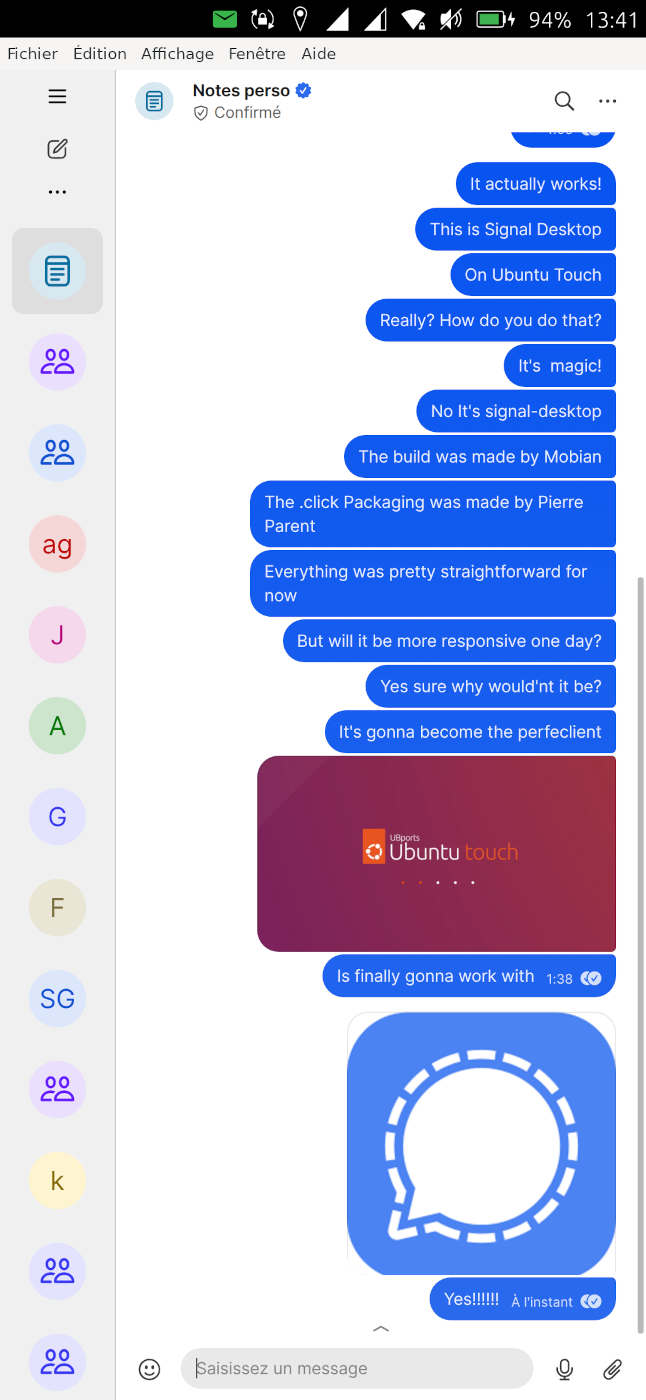
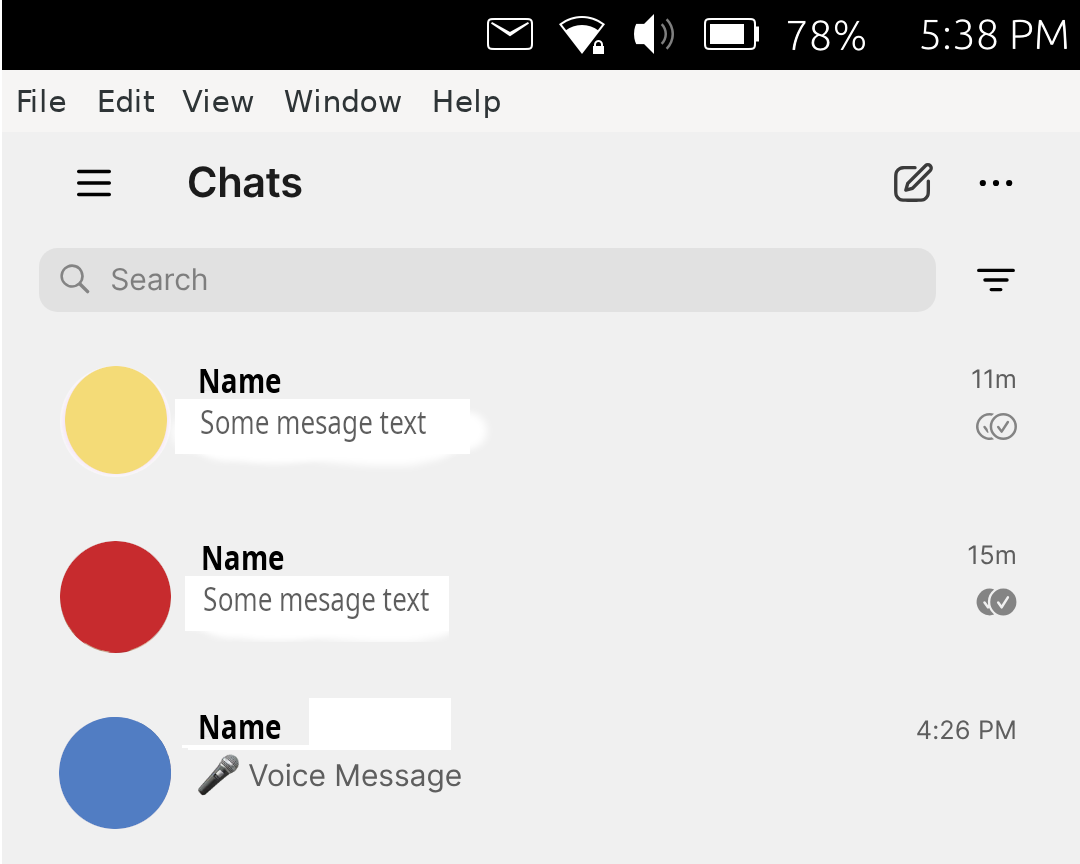
Screenshot to illustrate how small the text is on the Fairphone 4 screen. The image may give the impression that it is bigger when in reality it is very small. Maybe something to do with the PPI of the screen.
-
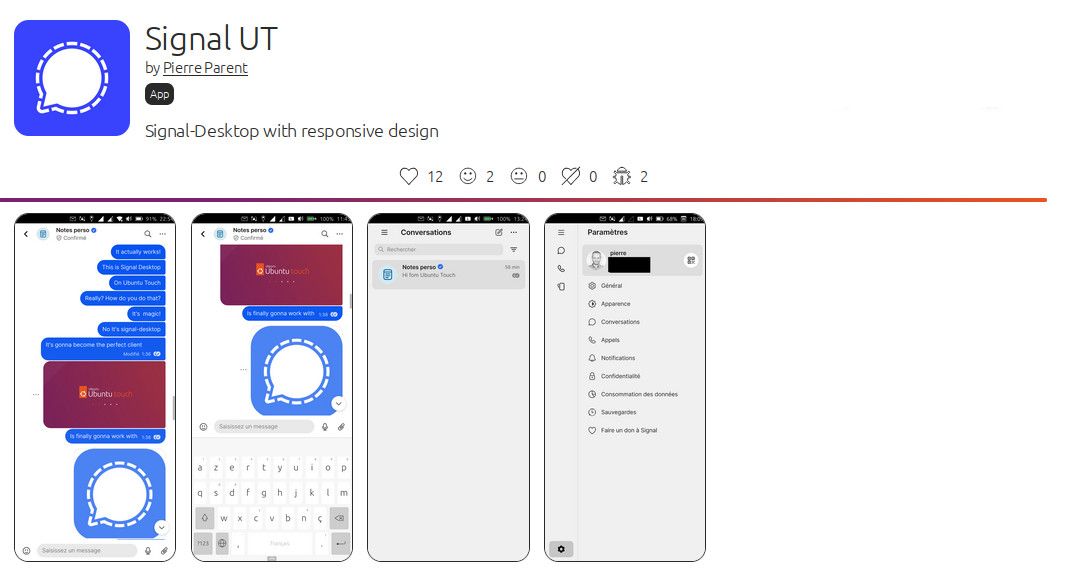
Well it does not seem that small to me... Seems kind of similar on my phone (see the screenshot of the app in the openstore: https://open-store.io/screenshots/signalut.pparent-screenshot-80b19203-83e8-473f-a5a8-b79b6ef48e04.png )
It's true that scaling is a bit smaller than whatsweb currently, I might increase it a bit. Maybe other people can share their thought on that.
-
@pparent
It seems to me that your screenshot shows that the text is bigger on your screenshot. Compared with the clock size font, your screenshot show font size approximate to the size of the clock font or even slightly bigger for the menu text. In my screenshot, the clock font is much bigger than the text font. Typing messages is almost impossible to see if not enlarged. The text is already small as it is, and it becomes tough to see when the font is half the size of the already small font.Looking forward to working menus as well.
By the way, I tried to attach a photo from the camera, but the app crashed after creating the photo. Voice message works well.
-
Ok but I don't understand why you have icons that are that big on your phone in the top panel, in comparaison to my phone.
@mango said in Signal UT: Signal-Desktop for Ubuntu Touch:
By the way, I tried to attach a photo from the camera, but the app crashed after creating the photo. Voice message works well.
Try it again, as mentioned in the description of the app it may happen some times. It's always better to take the photo the normal way, and then load it from the gallery. I think the process of taking a picture diirectly through the camera app in contentHub is slightly buggy.
Looking forward to working menus as well.
If you're talking about the top menu, this will probably not happen soon. But I'm not sure why you would need them.
-
-
@gpatel-fr Hm, thanks for the tip! I'll try it out on my day off
-
@pparent The current text size on my Fairphone 4 is actually perfect in my opinion. Thanks for your great work!
-
-
@pparent When you install Ubuntu Touch on the Fairphone 4, everything is default setting. UT Tweak Tool shows scaling 21. The text size is about 0.8mm for characters like aceimnosruvwxz. It is small. Heading size is about 1.8-2mm, which starts to be easier to read.
Not everyone has super sharp eyes to read the back of a mobile charger print or the ingredient list on the back of a small product. If Ubuntu Touch should be usable by those who use reading glasses, it has to, by force be able to scale all the different text sizes and icon sizes individually. Android phones have this global adjustable font setting with biggest size around 6-7mm. Doro phones even bigger sizes, and big icons for clumsy fingers. Children tend to like bigger buttons as well. Look at the Gameboy Emulator. It has big buttons even on Fairphone 4.
The default scaling 21 allows for 4 app columns in the drawer portrait mode. This should be good for most people, but it is too small. Medium size on Android is bigger.
On Android you usually have 3 steps from medium to the extreme, which is where Ubuntu Touch is default. So, medium size is 3 steps up from where it is now, at 21 scaling, and HUGE is 6 steps up from now.
Scaling 24 allows for 3 app columns in the drawer. But the text is still too small.
Scaling 27-30 allows 2 columns in app drawer portrait mode. But headings in Ubuntu Touch start to fall outside screen to the right for scaling above 25. The PPI of a screen (400) correlates with the scaling I guess and the result is a font height in pt or mm. Most text in LibreOffice documents is 10-14pt big. Firefox text has to almost always be scaled 1.2-1.33 on 1920x1080 monitors 15 inch big. An older laptop with lower screen resolution does not always need to scale the text in Firefox. The text is automatically bigger if the resolution is smaller. Ubuntu GNOME out of the box on a 4K display has small text. Usually everything has to be scaled 2x on 4K monitors.
The worse eyes need a bigger text, sometimes a medium font thickness (600). Bookerly font versus Times illustrates this need. Thin font with small size is difficult for worse eyes. We want our grandmas to use Ubuntu Touch, so... we have to re-program Ubuntu Touch to allow global font settings => qt font settings. I am afraid it is absolutely necessary to adress the font size adjustment need.
I managed to click on a cog wheel and on the right side, there is a box zoom: 100%. It does not work and it is difficult to even see the settings. Pulling out a PS2 keyboard and connecting it via USB, Ctrl ++ twice usually make the text a bit bigger. One should not have to connect a keyboard to zoom. So the scaling is already there, its just difficult to do it via the cog wheel in Signal (Settings).
I purposely use everything default on Ubuntu Touch to see how things scale. Terminal allows to have a big font for instance. But many apps just stick to default set by the system, which is too small. I use Fairphone 4 because it has USB3 for external wired monitor. It has a great screen PPI of 400. I cannot change that. But I wish to be able to read the text in Ubuntu Touch and be able to scale it up when needed.
-
@mango readability is for sure a very personal thing and depending on your eyesight. I am using UT for ten years now and never saw the need to touch scaling, although I am wearing glasses.
The thing is, as always someone(tm) needs to do the work to allow UT to adjust text size. There needs to be made a setting, all app codes need to be adapted to use that setting. Larger text sizes will break lots of layouts in apps. App and system UI need to be changed to cover for that. This is a HUGE task. We are a small team of mostly volunteers (often non professionals like me) doing the coding in our free time. We don't have a multimillion budget with lots of professional developers.
There have been talks about text size adjustment years ago. And we do understand the need for it. But we simply haven't got the means to do it. So we provide UT for those who can use it, maybe with UT Tweak Tool overall scaling adjusting a bit. But unless you provide code or donate a significant sum of money, sadly I don't think this will change anytime soon.
-
@danfro said in Signal UT: Signal-Desktop for Ubuntu Touch:
never saw the need to touch scaling, although I am wearing glasses.
err, huh, there is wearing glasses and, well, wearing glasses.
Most people wearing glasses have 10/10 after correction.
Some people are wearing glasses that are near the limit of what can be done realistically (2 cm thick glasses are not realist) and/or have specific problems (such as having one eye seing things a lot bigger than the other, so while both eyes look fine separately, the binocular vision is not so useful) that can't be fully corrected without risky surgery, so they don't have good vision despite glasses.
-
@gpatel-fr Sure, that's why I said its a personal thing. I am well aware that some people really need larger text. We had other users asking for that feature before. I gladly can still do without. But it doesn't change the situation, that we wish do help them, but haven't got the menpower to do so.
Although signal app might be different being a desktop app, if that allows scaling. So it could be done per app.
I actually compared the text size of teleports with signal app right now. Text in Signal app is a bit smaller than in teleports. This is on OP5T with default scaling at 21.
-
@danfro Thank you for your comment. It is good to know what one can expect when it comes to the graphic user interface. No text adjustment to be expected anytime soon. I am glad to know that this text resizing functionality has been brought up before (not visible in this forum by search). I understand that the Ubuntu Touch design did not permit for text adjustment. Maybe in version 26.04-1.0, 28.04-1.0, 30.04-1.0 it is a good time to consider text adjustment when everything needs to be adjusted anyway.
Thank you! Now we know what to expect in this part. That was really good information.
-
@mango I remember discussions from TG groups every now and then. And @pparent I am sorry if my comment about glasses was misleading. I didn't wanted to be disrespectful for people with reduced sight.
The qml code does in theory allow to use relative text sizes. See: https://ubports.gitlab.io/docs/api-docs/index.html?p=lomiriuserinterfacetoolkit%2Fqml-lomiri-components-label.html
I think this might even be a Lomiri adjustment, because I don't see textSize property in normal Qt Label.
Maybe we should bring up this topic into develompent groups again.But for instance buttons generally don't have word wrapping available by design. So increasing a label by using a larger text (not mentioning longer translations, German is bad in that regard
 ) may make the button label being cut off. Just as one example on how complex this is.
I guess I should start by using this setting in my apps and try to rework them at least step by step. -
Long text in short, size defined buttons is a classic... The buttons need to resize according to the text on a new line if there is little space. Sometimes landscape mode reveals more text in buttons. This is especially notable when using a translations file to set the labels based on locale setting.
-
@danfro said in Signal UT: Signal-Desktop for Ubuntu Touch:
There needs to be made a setting, all app codes need to be adapted to use that setting.
By the way question: does anyone know any way to get the GRID_UNIT_PX configured in Ubuntu tweaks?
Because the following command seems to allways give the default value for the device:
echo $GRID_UNIT_PX -
I'm not sure that @danfro's answer is painting a full picture.
In fact, I'd say that the main current development effort may bring accessibility improvements.Most of the work around accessibility is not done by individual unpaid developers, but by professionnal devs working to develop the framework that the individual developers are widely using to help them. In the case of native UT applications, the framework is QT.
The bulk of the work done currently with UT is to upgrade the framework from QT5 to QT6.
Although this is done because QT5 is now obsolete and unsupported, this will bring the general improvements done in QT6 to support better accessibility. In your case, this means the flexbox layout that allows developers to design redimensioning interfaces more easily.
What you could do to help is reading about the works of people more advanced in accessibility with QT6 than UT, I mean KDE, and look at the things they have already done, because that's where the easier part to do is, and as such can be a beginning. Most enormous work has been done not in a mammoth project with big resources, but slowly over years. The important part is to actually begin. If the settings do not exist in the UI, it's not so important. What the UI does is mostly calling an interface to change the settings, gsettings, that can be also called from the command line. As UT relies on an existing distro, the APIs to set accessibility features may already exist. That don't mean that all will work automatically, but identifying what should work and don't is called bug searching. Once it's a bug, it can be added to the big TODO list (gitlab issues).
After all that, it's sure that devs will not work automatically on bugs that don't inspire them.
But something more meaty than a forum post could trigger some progress. -
@pparent Looks like its somehow working with a config file: https://gitlab.com/myii/ut-tweak-tool/-/blob/master/src/app/qml/behaviourTab/LomiriScaling.qml?ref_type=heads#L32
-
@gpatel-fr I do admit, I didn't look into Qt6 yet. Maybe that will bring us ways to improve. And you are right, since we use components like Qt or Ubuntu, there are professionals working on that. But it still needs people to make use of it in UT.


Hello! It looks like you're interested in this conversation, but you don't have an account yet.
Getting fed up of having to scroll through the same posts each visit? When you register for an account, you'll always come back to exactly where you were before, and choose to be notified of new replies (either via email, or push notification). You'll also be able to save bookmarks and upvote posts to show your appreciation to other community members.
With your input, this post could be even better 💗
Register Login