Signal UT: Signal-Desktop for Ubuntu Touch
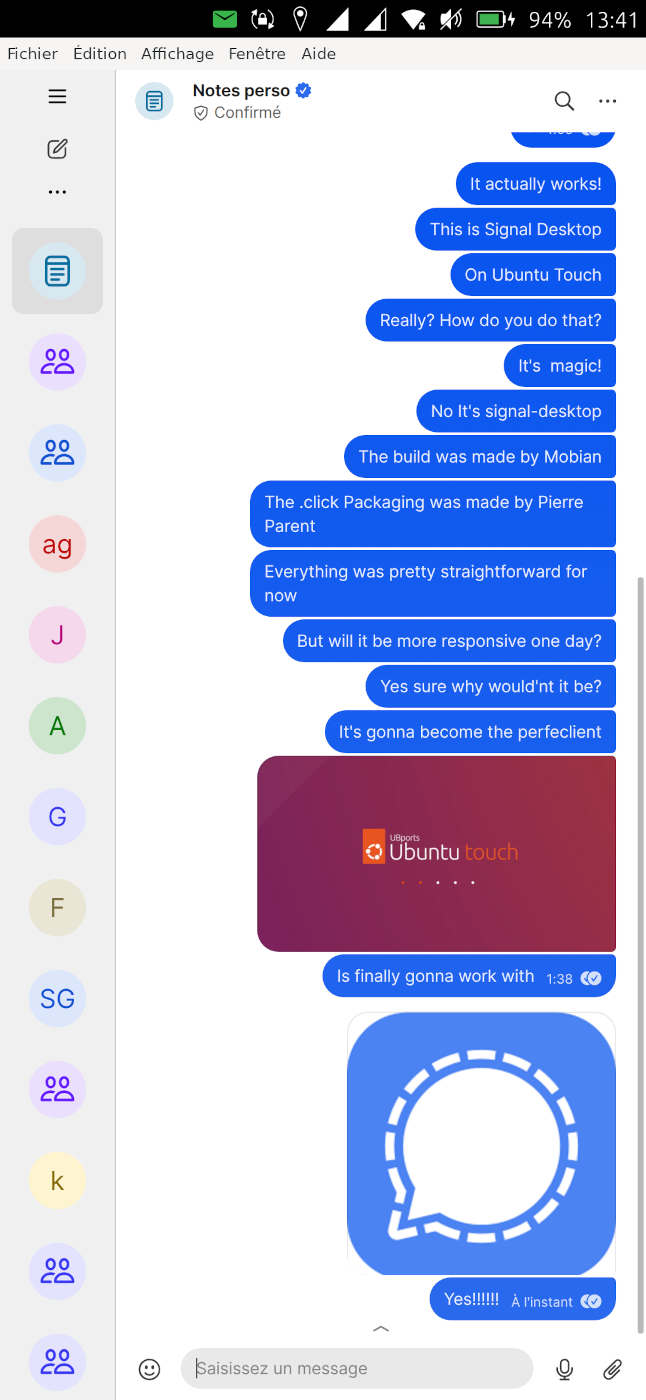
-
Here would be my current starting script for wayland is there a way to do better to solve some of the problems?
@fredldotme @klh#!/bin/sh # Input method (probably does nothing as it is for X11 normaly) export GTK_IM_MODULE=Maliit export GTK_IM_MODULE_FILE=lib/aarch64-linux-gnu/gtk-3.0/3.0.0/immodules/immodules.cache # Prefer Wayland export GDK_BACKEND=wayland export DISABLE_WAYLAND=0 export OZONE_PLATFORM=wayland export QT_QPA_PLATFORM=wayland export XDG_SESSION_TYPE=wayland export WAYLAND_DISPLAY=${WAYLAND_DISPLAY:-wayland-0} export GTK_USE_PORTAL=1 export DCONF_PROFILE=/nonexistent export XDG_CONFIG_HOME=/home/phablet/.config/signalut.pparent/ export PATH=$PWD/bin:$PATH dpioptions="--high-dpi-support=1 --force-device-scale-factor=2.75" gpuoptions="--use-gl=egl --enable-gpu-rasterization --enable-zero-copy --ignore-gpu-blocklist --enable-features=UseSkiaRenderer,VaapiVideoDecoder,ThreadedAnimation --disable-frame-rate-limit --disable-gpu-vsync --enable-oop-rasterization --enable-threaded-compositing" sandboxoptions="--no-sandbox --disable-features=WaylandWindowDecorations " waylandoptions="--ozone-platform=wayland --enable-features=UseOzonePlatform" exec ./opt/Signal/Signal $dpioptions $gpuoptions $sandboxoptions $waylandoptionsThe main thing for any hope of a usable option with wayland, would be to enable the keyboard for gtk over wayland. (And this I'm a bit afraid of the feasibility in Mir1.2). The other thing is to have a decent scaling factor while keeping the window of the right size, but if it is the only thing it can always be patched within Signal code, which is certainly not ideal but most probably doable.
-
@pparent iirc my immodules hack won't work for Wayland, and you won't get an onscreen keyboard in Mir 1.8 because it's missing all the IME protocols.
I haven't looked at what electron-only features the signal-desktop app uses, but you could look into packaging Node.js and running the back-end parts there with a shim in WebEngine to communicate with that. Not trivial, but would give you near-perfect integration with the OS.
-
@klh said in Signal UT: Signal-Desktop for Ubuntu Touch:
@pparent iirc my immodules hack won't work for Wayland, and you won't get an onscreen keyboard in Mir 1.8 because it's missing all the IME protocols.
I haven't looked at what electron-only features the signal-desktop app uses, but you could look into packaging Node.js and running the back-end parts there with a shim in WebEngine to communicate with that. Not trivial, but would give you near-perfect integration with the OS.
Yes I had thought about this option, but in reality I want to remain as close as possible from original client, and keep a small set of patches. For these reasons:
-
1°) Because Signal-Desktop needs regular updates, as old versions get outdated fast and are not anymore compatible with the protocol. A version of Signal-Desktop is valid for 3 months. So I don't want heavy hacks that will not port easily from one version to another. I need to be able to recompile newer versions without headaches.
-
2°) Because I want to minimize the risk of security breach coming from Signal-Desktop customization.
-
3°) I want to avoid that Signal project may not be happy about our client because of messing too much with their protocol/client.
So If nothing is possible while keeping the binaries as is, I will stay with X until Mir2.x release.
Can you confirm, that the keyboard with Wayland should be better with Mir2.x?
Ps: I'm currently debuging and trying to patch the code of maliit-inputcontext-gtk, to try and solve the bugs we currently have with the keyboard with X.
-
-
Ok I've found a way to solve keyboard bugs (in X, in a very hacky way)
 . I will make a new release soon, Alongside optimizations to make the app less sluggish.
With those, it will reach the stage of good client for text-only notification-less chat!
(Other features will come later)
-
Hello!
First of all, a big thank you for the great work: Signal works well on my Volla tablet (UT).
However, I have a problem—on my Volla phone X23, the QR code is displayed so large after startup that I cannot scan it, or rather, it is not recognized.
What can I do? I have already tried to make it smaller with the UT tweak tool, but without success. -
I see, I did not think of that.
I should find a way to adapt to different phone displays. in the mean time a hack would be to do from terminal:
sudo nano /opt/click.ubuntu.com/signalut.pparent/current/launcher.shand replace the follwing line by a smaller value:
dpioptions="--high-dpi-support=1 --force-device-scale-factor=2.75"You can replace "2.75" by "2" or "1.5" , try what's best for you.
-
Joining in to report my findings. The app is working quite well on my OP5T. I can't use the very top menu entries (Files, Edit, View, ...). But most other things seem to work fine so far. I don't need to lock/unlock to send, just as described above the action with the small arrow is needed.
I could receive a call, but only one way voice and no video. Calling out didn't work, after a while the other end got a timeout message, but it didn't ring there. Only on my phone it was ringing. Not sure if that is already supposed to work better. Just pointing that out.
The search doesn't seem to work in chats, it works in chat list. Reactions work, reply works. So all in all not bad at all. Thanks a lot for your work.

-
Ah, for search we need to go back to the chat list page.
So press search in a chat, the go back to chat list page. Then the chat is selected as search filter. When entering a string now, the search is performed within that chat.
-
@rund_europa
Would you be willing to test a dev version, suposed to auto-detect the screen resolution, to see if the scaling works better on your phone? -
Thank you for your feedback!
Yes all features are not working currently or in a hacky way. So as long as I've not worked on them (like calls or search messages) I suppose they are not working. Now I'm focusing on core features about chat and keyboard.
-
@pparent I am fine with that. I am actually quite impressed with everything that does work. The app is good and usable.
-
Hacking my way through it... ;-).
If you wish to use dark mode, close the app and edit this file:
~/.config/signalut.pparent/Signal/ephemeral.json
You can do that with seabass2 for instance.
Or use terminal withnano ~/.config/signalut.pparent/Signal/ephemeral.json. (no sudo needed)Replace
"theme-setting": "system",with"theme-setting": "dark",, save changes and start the app. -
@pparent I would be happy to test a dev version.
With the above change to the factor, how do I save the change? -
Do you have a github acount? Can you open an issue here so that we may talk about it?
-
@pparent I just created one and opened an issue. Thank you for your great work/Support
-
I have released to openstore the new version v7.79.0-1 !
It includes the following improvements:
-Solve keyboard problems.
-Improve performance ( interface more fluid ).
-Improve scaling on some devices.
-Upgrade Signal-Desktop to version 7.79.0Don't hesitate to report any unexpected bug.
For the next release I will focus on:
- Unleashing the microphone ( for audio messages, calls )
- Download medias with Contenthub
I hope both will be possible without any major obstacle.
-
Also I add some information in regard of the remarks that were made on the latets Ubports Q&A show:
Signal-Destkop can only be used as a secondary client, but you can have your primary client inside Waydroid (with official Signal app or Molly Foss ) on the same phone. Then to link the account do the following with the help of another camera-enabled device ( computer, other smartphone, reflex camera,...) : Open at the same time Signal UT and Signal/Molly on Waydroid on the main device, then take a picture of the Qr-Code of Signal UT with the other device, then switch immediately to Signal or Molly on Waydroid where you have your main account, and scan the picture of the Qr-code on the screen of the other device. Try to do it quite fast as the Qr-Code validity expires after a time that can be quite short, but you still have largely enough time. You only need to do this once.
-
@pparent I've plugged my phone on a monitor and leverage the Ubuntu Touch desktop mode (convergence) to have Signal UT and Waydroid side by side. Then you can take picture directly with your phone.
The only thing a bit hard with this setup were that Waydroid scale with a big zoom. I had to update the LineageOS display setting to reduce UI to the smallest possible value.
-
@pparent have you experimented with integrating native notifications similar to WhatsWeb?
-
@projectmoon said in Signal UT: Signal-Desktop for Ubuntu Touch:
@pparent have you experimented with integrating native notifications similar to WhatsWeb?
I will, but I can't do everything at once.
This will require to cross-compile a patched version of libnotify to send notification to Lomiri postal service instead of standard freedesktop.org notifications. This is pretty much of a hack, but it should work since signal-desktop uses libnotify.
Please be patient, the client will improve progressively.