Save and restore Dekko 2 configuration
-
I did not find any backup and restore function in Dekko 2. But I suppose it is only a question of copying a few files away and back after a fresh install? If I look at the file .config/dekko2.dekkoproject/dekkod.conf where I would save the program configuration, it does not contain any account settings.
Is it possible to backup and restore the account settings in an easy way?
-
Currently i think there is no automated function for this in dekko. Everything has to be done "manually” by copying and restoring if necessary the 3 following directories:
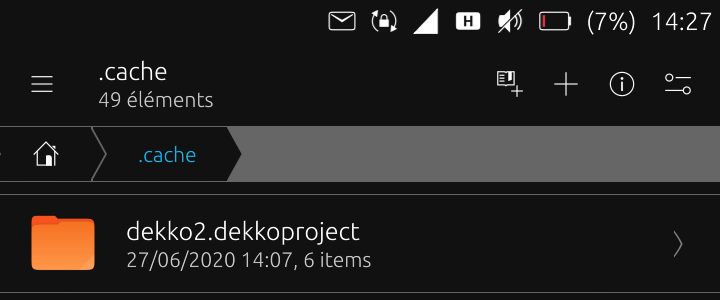
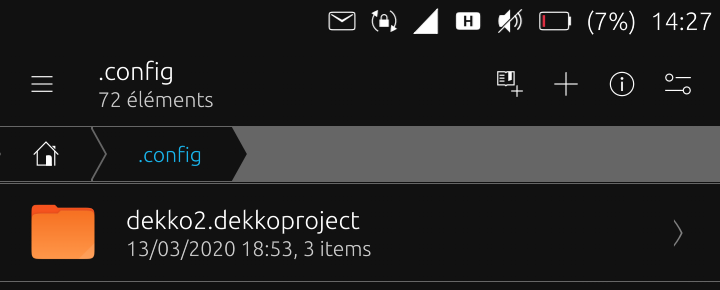
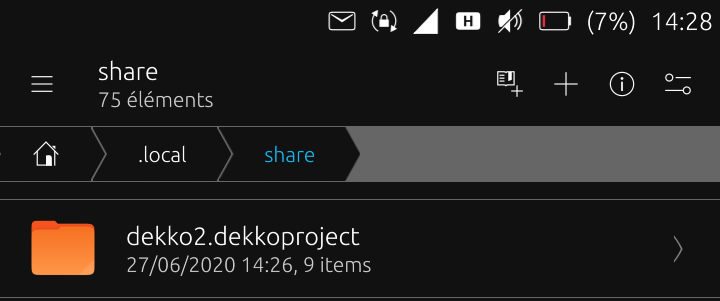
-
I was once in th same hassle and had to purge and recreate my 4 SMTP/IMAP accounts from scratch. After this, as first action, I created a tar archive of the mentioned dirs and from time to time I use this for reset.
It's clearly a bug no to store the configuration in one single or a few config files, apart of all the cached mail headers.
matthias
-
Thanks for the hints! Yes this worked for me.
After configuring all my email accounts I created a backup folder on the external SD card and went to this folder and created the backup files:
tar -czf cache.tar /home/phablet/.cache/dekko2.dekkoproject/
tar -czf config.tar /home/phablet/.config/dekko2.dekkoproject/
tar -czf local.tar /home/phablet/.local/share/dekko2.dekkoproject/
I copied these files to the backup folder on the external SD card of the new device, navigated to it and restored the configuration:
tar -xzf cache.tar -C /
tar -xzf config.tar -C /
tar -xzf local.tar -C /
And dekko 2 is working with the restored configuration!
(just copying the folders did not work, because I got an error message)
Hello! It looks like you're interested in this conversation, but you don't have an account yet.
Getting fed up of having to scroll through the same posts each visit? When you register for an account, you'll always come back to exactly where you were before, and choose to be notified of new replies (either via email, or push notification). You'll also be able to save bookmarks and upvote posts to show your appreciation to other community members.
With your input, this post could be even better 💗
Register Login