Bug with transparent apps and possible workarounds
-
Hello,
I think, it would be really nice to have transparent apps. At least for a terminal or for a messenger it would be a nice feature, if you could see the Lomiri background you selected.
Unfortunately this does not seem to work on my device (Pixel 3a with 20.04 OTA-2) with following code:import QtQuick 2.6 import QtQuick.Window 2.2 import QtQuick.Layouts 1.3 import QtQuick.Controls 2.2 import Lomiri.Components 1.3 import Qt.labs.settings 1.0 ApplicationWindow { flags: Qt.FramelessWindowHint | Qt.WA_TranslucentBackground title: "Test-App" color: "#00000000" }

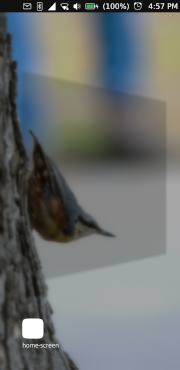
The black image is how the app actually looks like and the next picture right of it is the screenshot that probably appears white, because it is a picture with transparent colors. The app only gets actually transparent, when I go to the app overview.This problem also seems to exist with the terminal app for some time now:
https://gitlab.com/ubports/development/apps/lomiri-terminal-app/-/issues/57Is it for everyone like this or is this only on some devices the case?
As a workaround, it would be nice, if app developers could easily get the selected Lomiri background from somewhere and place it in their app as a background.
I tried:
gsettings get org.gnome.desktop.background picture-uriBut this only gave me the default background ('file:///usr/share/backgrounds/lomiri-default-background.png') and not the one, that was selected by me.
Does someone know where to find for the current background or does someone have a better solution?
-
@johndoe Honestly, I'm not sure why Canonical decided to put an opaque background behind apps but disables it on tablets or when the side-stage is enabled. So at the moment, there's no way to do it via the app. You have to hack Lomiri to disable it or configure your device as a tablet.
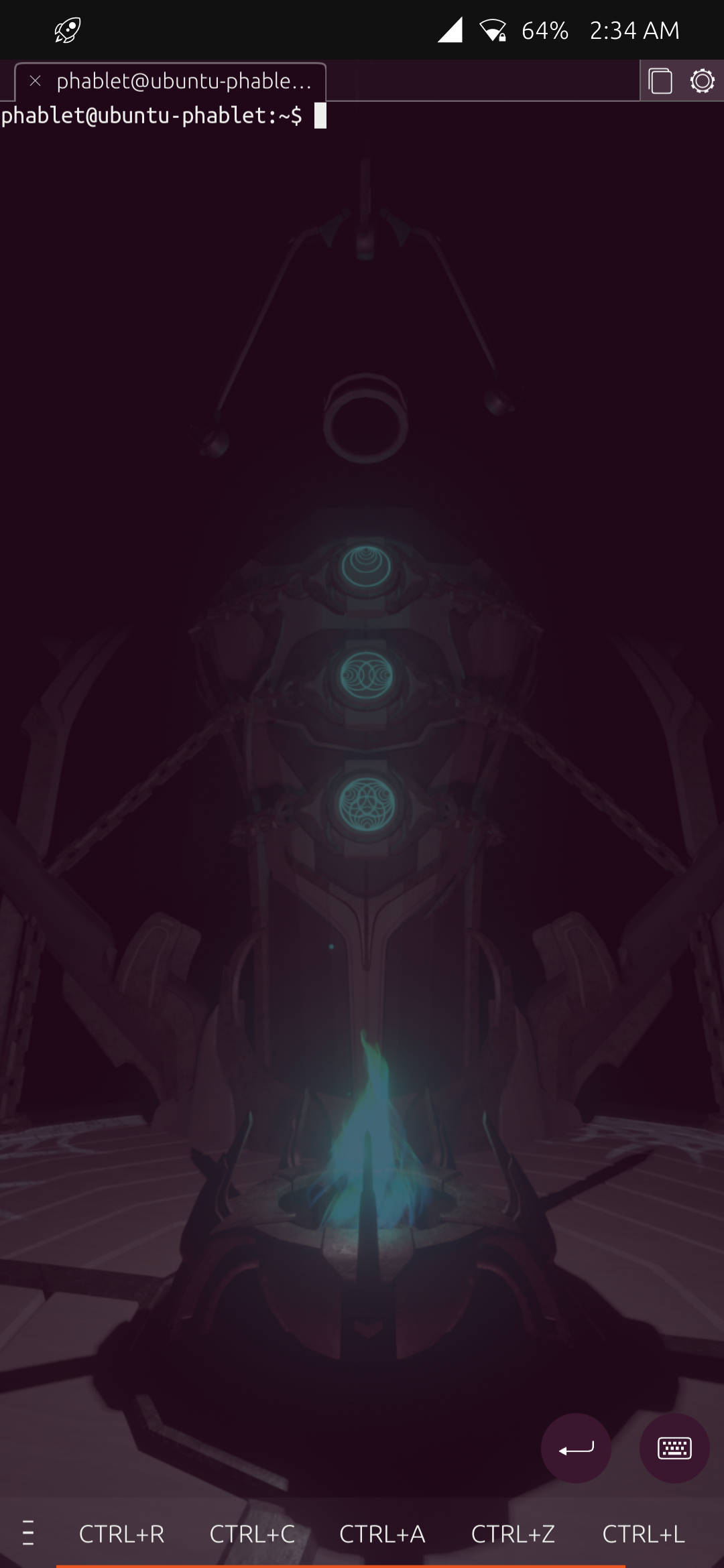
I enabled side-stage on my phone so transparent app does work

-
@kugiigi Oh wow, so it is actually possible. I thought it would be a some complicated problem with Lomiri.
What is "side-stage" and how do I enable it? How would you need to hack Lomiri? -
@johndoe You can configure your device as a
tablet. Try checking here/etc/device-infoor/etc/ubuntu-touch-session.d/. However, it also has other effects such as a different lockscreen layout.Side-stage is the split screen-like feature in Lomiri. It's currently tied with the
tabletconfiguration so it's only enabled if your device is detected as atablet. You can try hacking Lomiri's code if you're fine with that. The files are at/usr/share/lomiriand the relevant codes are here https://github.com/kugiigi/jerk-packages/blob/673d73e7e9cbeaaa39dc99aa9148318da6530619/Lomiri/Lomiri_Plus/focal/MOD/Shell.qml#L3903This however is out of scope of the app development
-
@kugiigi
You can force tablet mode with UTTT also. -
@Keneda No, that's only for stage or windowed mode which is different from being configured as a tablet.

Hello! It looks like you're interested in this conversation, but you don't have an account yet.
Getting fed up of having to scroll through the same posts each visit? When you register for an account, you'll always come back to exactly where you were before, and choose to be notified of new replies (either via email, or push notification). You'll also be able to save bookmarks and upvote posts to show your appreciation to other community members.
With your input, this post could be even better 💗
Register Login