I use less then 100 files.
M
Offline
Posts
-
RE: tedit development and design discussion
@danfro Is there a way to sort the files by name again? And how are the sorted by now?
-
RE: tedit development and design discussion
@danfro Yes it works. Thanks for the quick response.
-
RE: tedit development and design discussion
Also the files are not sorted by name anymore.
-
RE: tedit development and design discussion
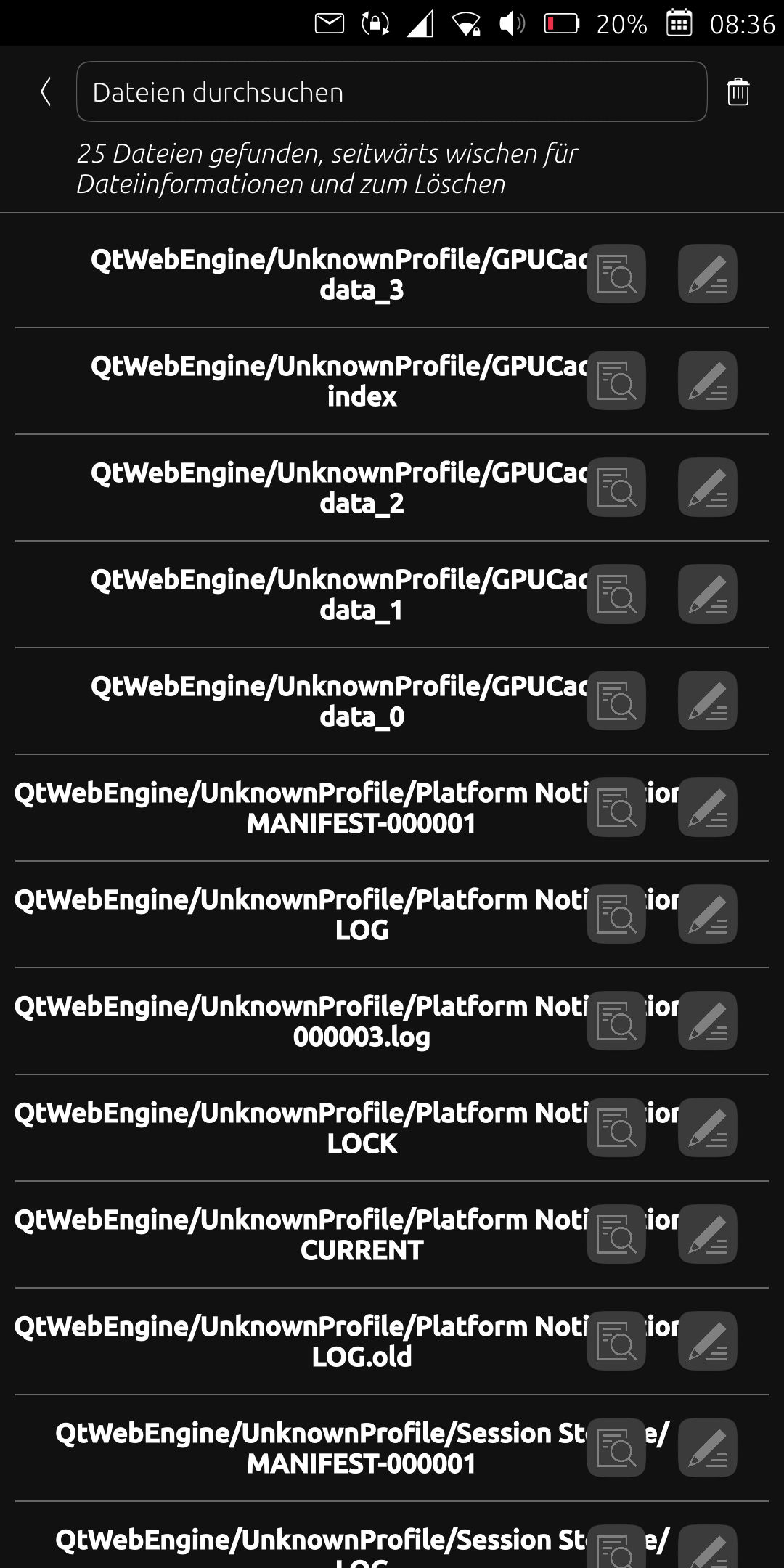
After I updated the app today, many files are listed under the "QtWebEngineUnknownProfile/..." path. Unfortunately, this is very confusing and I only want to see the files I created. What can I do about it? Simply delete the relevant files? Thanks
-
RE: No internet connection in Waydroid (OnePlus 5T)
@Moem Unfortunately, the situation is very frustrating for me because I haven't found a way to establish a reliable internet connection. I've tried a lot, a possible solution works once or twice and it happens that it doesn't work for several days. It's very annoying that I can only access my emails here because Dekko doesn't work for me.
Currently it sometimes works in the following way:
- Flight mode under UT
- Start Waydroid
- Kill all apps in Waydroid that want to establish an internet connection in the background (e.g. F-Droid, Signal)
- Start an internet connection in UT (e.g. use the browser)
- After a while a connection will be established in Waydroid.
-
RE: Waydroid won't start, says waydroid init requires root access...
Have you tried "sudo waydroid init -f"?
An internet connection is required.
-
RE: Mobile internet connection broken
The takeaway is that you should not change the DNS server for the mobile internet connection using nmcli.
-
RE: Mobile internet connection broken
@gpatel-fr Yes, there are two connections with the same name (web.vodafone.de).
-
RE: Mobile internet connection broken
@gpatel-fr I assume so too. But I'm unsure if it's a good idea to delete the faulty connection. I'm afraid that this will affect the functioning connection.
-
RE: Mobile internet connection broken
@gpatel-fr Yes, I did, but that doesn't help.
The problem may be because the "TYPE" has changed from "gsm" to "cdma" and the network setting is no longer recognized as a mobile internet connection.
As a test, I inserted the SIM card into the second slot and there was an internet connection with the same name. The TYPE is gsm.
I can't change the TYPE of the broken connection to gsm. And I don't know if it makes sense to delete the broken connection.
-
RE: Mobile internet connection broken
Yes, I've tried this several times without success.
Obviously the cellular connection settings (TYPE cdma) are not allowed to be changed using nmcli. The commands " nmcli c modify ... ipv4.dns "" " and " ipv4.ignore-auto-dns no " do not restore the default settings maybe because they have been deleted.
Does anyone know where these settings are stored? Maybe I have a backup.
-
Mobile internet connection broken
I generally change the DNS server for the wifi connection using the nmcli command. I have now also tried this for the mobile internet connection. Unfortunately, the result is that I can no longer establish a mobile internet connection at all. Even a supposed reset with nmcli doesn't work. In the settings, an "L" for cellular data is displayed under "SIM 1", but this "L" is missing in the taskbar.
I reinstalled the operating system with the Ubports installer, but unfortunately without success.
Does anyone have any idea how to reset mobile internet settings? Thanks!
-
RE: Dekko 0.5.0 under focal
@gpatel-fr Unfortunately that didn't work for me.
- Was the app open or closed?
- Was background suspension disabled?
- Did you have an internet connection (wifi or mobile)?
- Reboot?
Thanks
-
RE: Dekko 0.5.0 under focal
@gpatel-fr Thank you for your effort! Unfortunately I don't have a gitlab account to report the issue.
-
RE: Dekko 0.5.0 under focal
@gpatel-fr Yes, I meant TLS encryption. I'm still looking for the reason why dekko isn't working (I've already tried all the settings ...).
-
RE: Dekko 0.5.0 under focal
My email provider requires TSL encryption. Is this possible with dekko? Has anyone been able to set up dekko with Vodafone?