• Mismatch firmware issue

    2
    0 Votes
    2 Posts
    756 Views
    K
    @linhmieu2 You need to determine the VNDK level of your Android firmware, e.g. with adb shell getprop | grep vndk or using the Treble info app. Use that number to look up the corresponding Android version, e.g. at API levels. For example, if the VNDK version is 34, then you need to put deviceinfo_halium_version="14" in your deviceinfo file. The VNDK level is the API version level, and this it what counts for halium. Note that the version derived in this way may not correspond the Android version your device displays. E.g. I have a OnePlus 11 running Android 15, but the VNDK version is still 33, which corresponds to Android 13. For this device, I need to use 13 as the halium version. You may also want to put the number as ApiLevel into the /etc/gbinder.conf file in your system overlay. There is no "Android 12 kernel". I think it would be better if you post the concrete problems you encounter. The telegram group for porters is also a good place to ask or search for answers. Kai

  • Boot From Encrypted Userdata Partition?

    2
    0 Votes
    2 Posts
    435 Views
    fredldotmeF
    @glowingscrwdrvr if encryption has been set up (presumably by Android?) for subdirectories only, then this should work. File-based encryption (ext4 & f2fs) works on a per-directory basis. But I would first confirm that this is the case.
  • Black screen issue

    Unsolved
    5
    0 Votes
    5 Posts
    875 Views
    L
    @faveoled it disconnecting by me (because the charging cable is about to broken)
  • Bootloops after flashing.

    2
    0 Votes
    2 Posts
    380 Views
    F
    @a20sporter can we take a look at your deviceinfo file?
  • Enable CONFIG_DEVTMPFS error

    Solved
    7
    0 Votes
    7 Posts
    801 Views
    L
    (SOLVED)i forgoted to flash vbmeta and now config works
  • This topic is deleted!

    1
    0 Votes
    1 Posts
    149 Views
    No one has replied
  • Need help porting to Xiaomi Mi A1 (tissot)

    28
    1 Votes
    28 Posts
    10k Views
    J
    @maahymot Not that I know of, but I also do not own the Mi A1.
  • Build Ubuntu Touch error : Halium initrd Failed to boot

    Solved
    15
    0 Votes
    15 Posts
    2k Views
    L
    @MrT10001 okay , i formated userdata partion to ext4 and flash again but this problem continues...
  • How to build a Ubuntu touch rom for my tablet

    2
    -1 Votes
    2 Posts
    856 Views
    MoemM
    @linhmieu Here is the Port Development Guide. Read through that first, and ask specific questions as they come up.
  • LG V60 ThinQ 5G

    Moved
    3
    1 Votes
    3 Posts
    3k Views
    dieharddanD
    @tigerpro have you made any progress on this port? Id be very interested in using this if volte was worked out
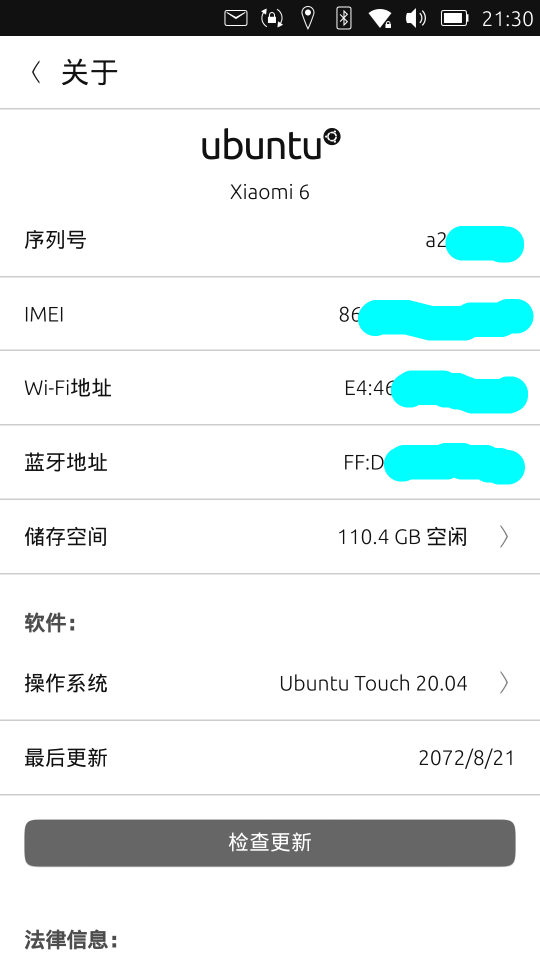
  • Update port for Ubuntu Touch 20.04 on Xiaomi Mi 6

    26
    1
    1 Votes
    26 Posts
    7k Views
    kuailexsK
    On the Xiaomi 6, the ofono-binder-Plugin software package must be in a lower version (1.1.15). The latest version will cause the ofono process to crash。 The specific reason for the crash of the ofono process has not been found yet
  • Looking to revive Samsung Galaxy S5 Port

    Moved
    20
    0 Votes
    20 Posts
    3k Views
    V
    @tenbucket It might just be the fact I have no experience porting devices but I personally find this to be really impressive, keep up the good work man and keep us all posted.
  • Poco X3 Pro

    Moved
    8
    -1 Votes
    8 Posts
    2k Views
    D
    Up to date tutorial for installing UBT on X3 Pro : https://forums.ubports.com/topic/11334/ubuntu-touch-ubt-tutorial-installation-guide-for-poco-x3-pro-vayu-and-help-channel
  • Kernel panic on Galaxy S10

    1
    1 Votes
    1 Posts
    7k Views
    No one has replied
  • halium-boot.img from precompiled kernel

    3
    0 Votes
    3 Posts
    2k Views
    ikozI
    @faveoled If you need custom tooling use this configuration option as shown in the sample deviceinfo file.
  • 0 Votes
    4 Posts
    4k Views
    F
    @BaShMu it's an old way of porting devices. Use the tutorial I linked
  • Porting Ubuntu Touch to Motorola Moto E 2020 (ginna).

    12
    0 Votes
    12 Posts
    4k Views
    ikozI
    Was /data mounted correctly when you pushed the rootfs? Did you format userdata? Also, you seem to have overlaystore enabled but overlayfs in kernel is not enabled (unless I missed something). Anyway, it is better for you to ask in t.me/ubports_porting, there are more knowledgeable than me people there that can help you, and real-time communication is preferred because porting can take a long time to succeed.
  • Porting to Motorola moto g stylus 2022 [milan] (4g variant)

    motorola porting
    3
    2 Votes
    3 Posts
    3k Views
    E
    Ok so I have some bad news. My computer fried and I lost everything, Happened around the time I made the first post, good news is I'm starting over. If anyone wants to help me with this please send me an email at j.aurandt@outlook.com I'll be creating the github repo before I start this time. As that's why I lost everything.
  • Xiaomi Redmi Note 8 (2021) (Mediatek) (Ubuntu touch) | Android 11

    10
    2 Votes
    10 Posts
    4k Views
    KenedaK
    @faveoled Done.
  • mempcpy issue

    Unsolved
    3
    0 Votes
    3 Posts
    2k Views
    L
    @alan_g yeah but i didnt mess with it, i just downloaded.