I cannot change my forum avatar. [Solved]
-
My languages: 🇦🇹 🇩🇪 🇬🇧 🇺🇸
-
I was referring to the earlier post by @advocatux - he's in Spain.

-
-
@Opolork You might want to open the developer console in Firefox e.g. and look at the network logs:
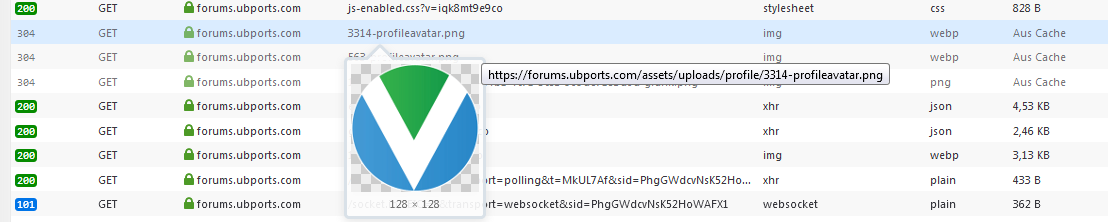
As you can see I get a 304 Not Modified and to the right its marked as being sent from cache. Would be interesting to see yours.
My languages: 🇦🇹 🇩🇪 🇬🇧 🇺🇸
-
Also bear in mind that we are using cloudflare for caching, so static content might not get synced in the cloudflare network for every proxy at the same time.
-
@Flohack I also use CloudFlare on my PC.

How can you trust that an app really won't send some company your location data, when you tell it not to? The only way you can trust a program not to do something it isn't supposed to do is if it is free software. ~ RMS
-
@Flohack said in I cannot change my forum avatar.:
@Opolork You might want to open the developer console in Firefox e.g. and look at the network logs:
As you can see I get a 304 Not Modified and to the right its marked as being sent from cache. Would be interesting to see yours.
How would I view that page on my side?
-
@Opolork Here its in Extras/Web Developer/Network analysis or so...
My languages: 🇦🇹 🇩🇪 🇬🇧 🇺🇸
-
@Opolork How can you use cloudflare, its a content delivery network mainly, not oriented towards clients...?
-
@Flohack probably he's using Cloudflare DNS, not CDN

-
@advocatux said in I cannot change my forum avatar.:
@Flohack probably he's using Cloudflare DNS, not CDN
Yes.

-
@Flohack said in I cannot change my forum avatar.:
@Opolork Here its in Extras/Web Developer/Network analysis or so...
I don't see any option like that here.
-
@Opolork are you using Firefox? Press the
F12key and then select 'Network' -
@advocatux said in I cannot change my forum avatar.:
@Opolork are you using Firefox? Press the
F12key and then select 'Network'Yes. Now what? It looks very confusing.
How can you trust that an app really won't send some company your location data, when you tell it not to? The only way you can trust a program not to do something it isn't supposed to do is if it is free software. ~ RMS
-
@Opolork scroll down until you find the document path as in my screenshot, thats your avatar
My languages: 🇦🇹 🇩🇪 🇬🇧 🇺🇸
-
@Opolork yes, Developer Tools can be a little bit intimidating

Please see https://developer.mozilla.org/en-US/docs/Tools/Network_Monitor to understand the basics about how it works.
-
@Flohack said in I cannot change my forum avatar.:
@Opolork scroll down until you find the document path as in my screenshot, thats your avatar

-
@Opolork can you try pressing
CTRL + F5keys? Do you see the new avatar? -
@advocatux said in I cannot change my forum avatar.:
@Opolork can you try pressing
CTRL + F5keys? Do you see the new avatar?No. Gremlins are at work, I think.

-
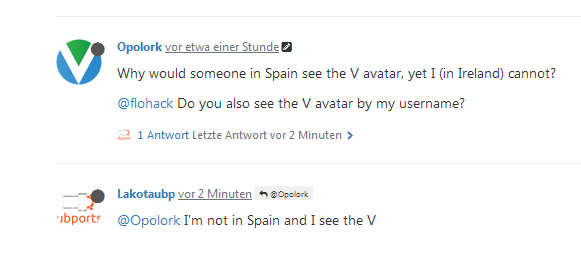
I had the old version, then I hit Control+Shift+R in Firefox to reload ignoring cache. Now you're V.




Hello! It looks like you're interested in this conversation, but you don't have an account yet.
Getting fed up of having to scroll through the same posts each visit? When you register for an account, you'll always come back to exactly where you were before, and choose to be notified of new replies (either via email, or push notification). You'll also be able to save bookmarks and upvote posts to show your appreciation to other community members.
With your input, this post could be even better 💗
Register Login