UBports Robot Logo UBports Forum
    • Categories
    • Recent
    • Tags
    • Popular
    • Users
    • Groups
    • Search
    • Register
    • Login

    Windowed and Staged

    Scheduled Pinned Locked Moved Solved Support
    17 Posts 4 Posters 2.5k Views 2 Watching
    Loading More Posts
    • Oldest to Newest
    • Newest to Oldest
    • Most Votes
      Reply
      • Reply as topic
      Log in to reply
      This topic has been deleted. Only users with topic management privileges can see it.
      • Pulsar33P Offline
        Pulsar33 @Keneda
        last edited by

        @keneda Ok, I understand your comments, thank you. I will think about that to give a try. But switching manually is not what I hoped to do.

        BR
        Pulsar33

        Aquaris BQ E5 HD UBports OTA-25 (currently testing features)
        Aquaris BQ E5 HD Ubuntu Edition Canonical OTA-15 (last Canonical version, daily use)
        Raspberry Pi 4 B - 4 GB & 8 GB with various OS and Desktops (UBports not OK)

        1 Reply Last reply Reply Quote 0
        • KenedaK Offline
          Keneda @Pulsar33
          last edited by

          @pulsar33 said in Windowed and Staged:

          I would be happy to know how to make the toggle visible

          I only tried to help you about this.
          Now i'm sure you can change scalling using terminal, but we have UTTT for this.

          2015-2023 : Meizu MX4 ☠️⚰️✝️
          2023-2024 : Nexus 5 ☠️⚰️✝️
          2024-***** : FPOS Fairphone 5
          🇲🇫🇬🇧

          1 Reply Last reply Reply Quote 2
          • Pulsar33P Offline
            Pulsar33
            last edited by

            Hello
            What I'm looking for existed in the past, but this key isn't available anymore :

            #for Windowed mode:
            gsettings set com.canonical.Unity8 usage-mode Windowed
            #for Staged mode:
            gsettings set com.canonical.Unity8 usage-mode Staged
            

            I listed all the "schemas" but didn't find something relevant ...
            If you know it, please tell me.
            BR
            Pulsar33

            Aquaris BQ E5 HD UBports OTA-25 (currently testing features)
            Aquaris BQ E5 HD Ubuntu Edition Canonical OTA-15 (last Canonical version, daily use)
            Raspberry Pi 4 B - 4 GB & 8 GB with various OS and Desktops (UBports not OK)

            BollyB K 2 Replies Last reply Reply Quote 1
            • BollyB Offline
              Bolly @Pulsar33
              last edited by

              @pulsar33 said in Windowed and Staged:

              I listed all the "schemas" but didn't find something relevant ...
              If you know it, please tell me.
              BR

              You can look in the UTT code, there you will find how it is done.

              15-25: BQ Aquaris E4.5 Ubuntu edition ☠️?
              23-25: BQ Aquaris E5 HD ☠️?
              16-Now (Daily use) : BQ Aquaris M10 FHD Betatester
              20-Now: PinePhone Braveheart & CE UBports

              (Family/Daily use)

              20-Now: Vollaphone Noble
              22-Now: Vollaphone22 Noble

              1 Reply Last reply Reply Quote 0
              • K Offline
                kugiigi @Pulsar33
                last edited by

                @pulsar33 said in Windowed and Staged:

                gsettings set com.canonical.Unity8 usage-mode Windowed

                I'm pretty sure those will still work unless you device is already on 20.04.

                BollyB 1 Reply Last reply Reply Quote 2
                • BollyB Offline
                  Bolly @kugiigi
                  last edited by

                  @kugiigi said in Windowed and Staged:

                  @pulsar33 said in Windowed and Staged:

                  gsettings set com.canonical.Unity8 usage-mode Windowed

                  I'm pretty sure those will still work unless you device is already on 20.04.

                  Yes, it's working.

                  15-25: BQ Aquaris E4.5 Ubuntu edition ☠️?
                  23-25: BQ Aquaris E5 HD ☠️?
                  16-Now (Daily use) : BQ Aquaris M10 FHD Betatester
                  20-Now: PinePhone Braveheart & CE UBports

                  (Family/Daily use)

                  20-Now: Vollaphone Noble
                  22-Now: Vollaphone22 Noble

                  Pulsar33P 1 Reply Last reply Reply Quote 1
                  • Pulsar33P Offline
                    Pulsar33 @Bolly
                    last edited by Pulsar33

                    @bolly @kugiigi Yesss ! Thank you very much !
                    Having look at the code of UTTT as suggested, I had seen the key and didn't understand why I had the answer :
                    The schema "com.canonical.Unity8" doesn't exists
                    This was why I told you "but this key isn't available anymore" above.

                    After you said that it was working, I understood my mistake :
                    I was issuing the command in LXTerminal running inside the Libertine container, and there it doesn't work. You're right, if I type the command outside the Libertine container, it works ! Great !

                    I'm now facing some other problems with the Windowed mode but these are commented in other threads.

                    BR
                    Pulsar33
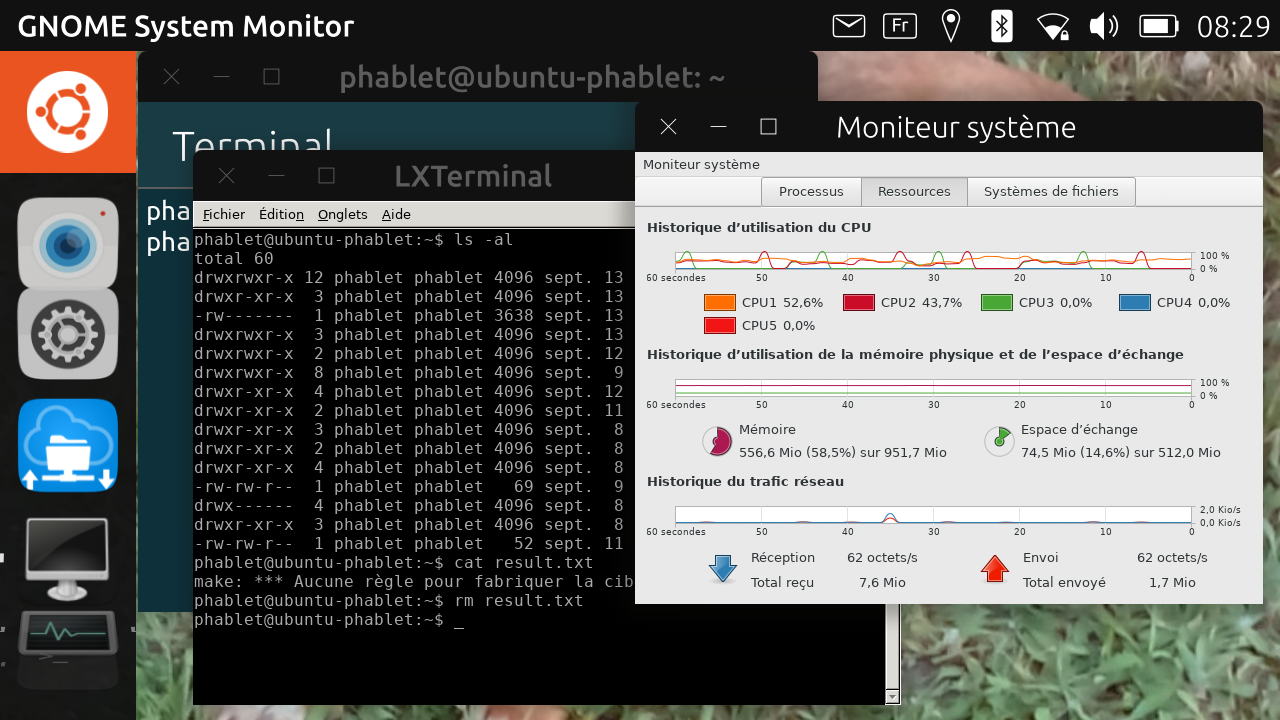
                    screenshot20210913_082935677.png

                    Aquaris BQ E5 HD UBports OTA-25 (currently testing features)
                    Aquaris BQ E5 HD Ubuntu Edition Canonical OTA-15 (last Canonical version, daily use)
                    Raspberry Pi 4 B - 4 GB & 8 GB with various OS and Desktops (UBports not OK)

                    1 Reply Last reply Reply Quote 1
                    • Pulsar33P Offline
                      Pulsar33
                      last edited by Pulsar33

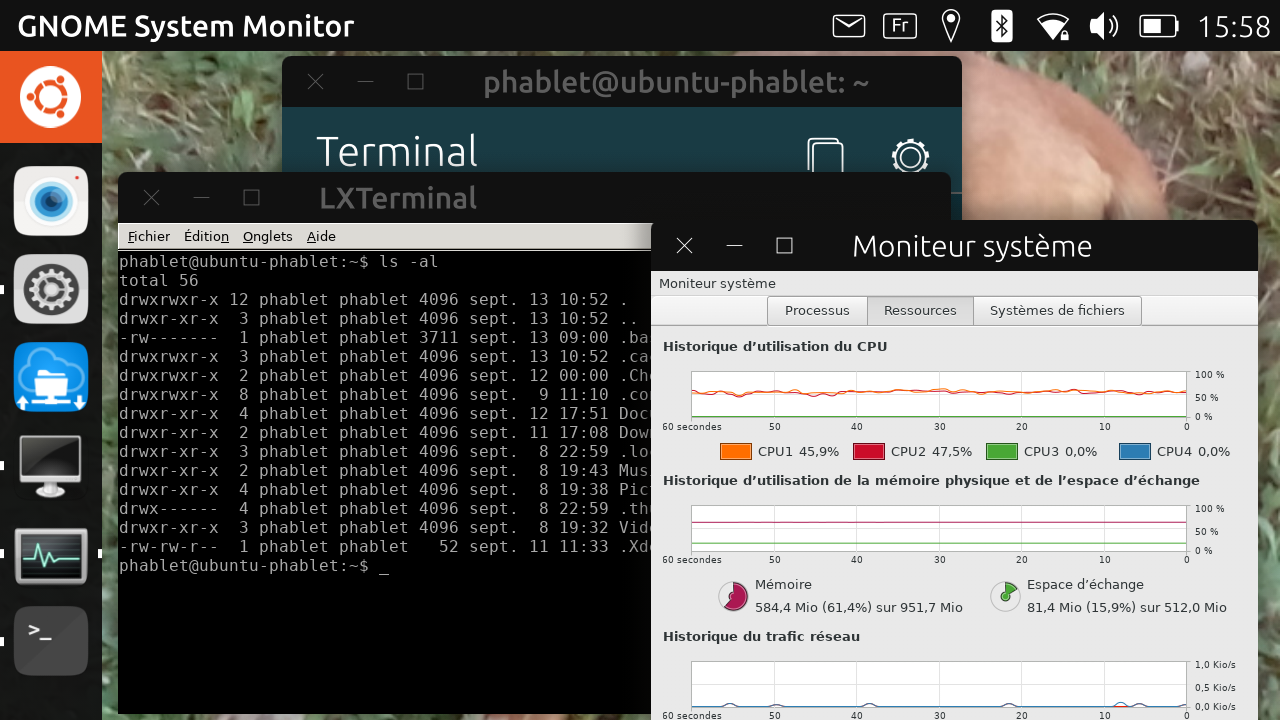
                      One more tip, if you don't want to install UTTT :
                      When you see the picture above, you may usefully use this command

                      gsettings set com.canonical.Unity8 launcher-width 6
                      

                      Then you get this below (minimal launcher width)
                      BR
                      Pulsar33
                      screenshot20210913_155807460.png

                      Aquaris BQ E5 HD UBports OTA-25 (currently testing features)
                      Aquaris BQ E5 HD Ubuntu Edition Canonical OTA-15 (last Canonical version, daily use)
                      Raspberry Pi 4 B - 4 GB & 8 GB with various OS and Desktops (UBports not OK)

                      K 1 Reply Last reply Reply Quote 1
                      • Pulsar33P Offline
                        Pulsar33
                        last edited by

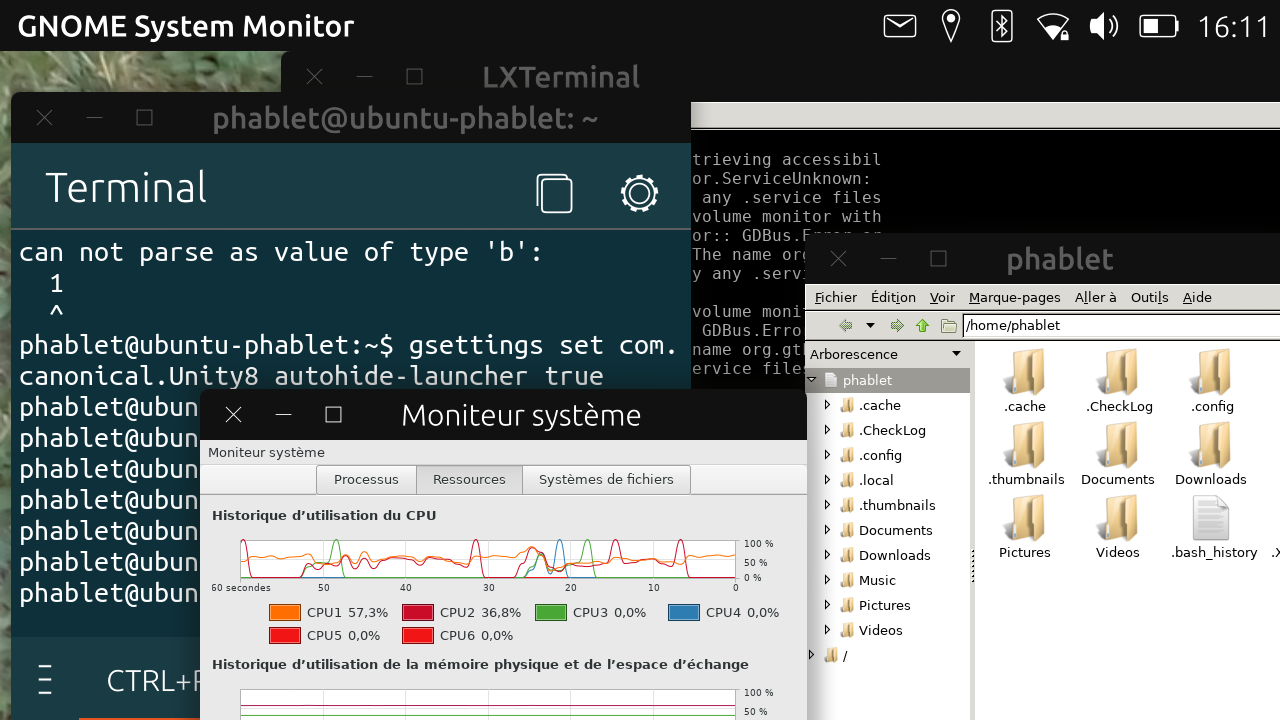
                        And the better tip, if you want to hide automatically the launcher :

                        gsettings set com.canonical.Unity8 autohide-launcher true
                        

                        screenshot20210914_161117874.png

                        Have fun !
                        Pulsar33

                        Aquaris BQ E5 HD UBports OTA-25 (currently testing features)
                        Aquaris BQ E5 HD Ubuntu Edition Canonical OTA-15 (last Canonical version, daily use)
                        Raspberry Pi 4 B - 4 GB & 8 GB with various OS and Desktops (UBports not OK)

                        1 Reply Last reply Reply Quote 1
                        • K Offline
                          kugiigi @Pulsar33
                          last edited by

                          @pulsar33 This is actually in the settings app but it's hidden on small screen for some strange reasons. I have an open PR to just show it in all devices.

                          KenedaK 1 Reply Last reply Reply Quote 1
                          • KenedaK Offline
                            Keneda @kugiigi
                            last edited by

                            @kugiigi
                            It is in UTTT also, along with launcher scaling.

                            2015-2023 : Meizu MX4 ☠️⚰️✝️
                            2023-2024 : Nexus 5 ☠️⚰️✝️
                            2024-***** : FPOS Fairphone 5
                            🇲🇫🇬🇧

                            1 Reply Last reply Reply Quote 0
                            • First post
                              Last post

