Trying to revive 'ubtd' (Bluetooth file transfer)
-
I wonder how the obex service runs at all for you. It does not for me.
On my FP5 running 24.04.1.1, I get:phablet@ubuntu-phablet:~$ systemctl --user cat obex # /usr/lib/systemd/user/obex.service [Unit] Description=Bluetooth OBEX service [Service] Type=dbus BusName=org.bluez.obex ExecStart=/usr/libexec/bluetooth/obexd [Install] Alias=dbus-org.bluez.obex.service # /usr/lib/systemd/user/obex.service.d/ubuntu-touch-session.conf [Service] ExecStart= ExecStart=/usr/lib/bluetooth/obexd -P ftp,irmc,mas,pcsuite -r $HOMEas /usr/lib/bluetooth/obexd does not exist, the service fails to start.
EDIT: after some searching, and finding this github issue, I found the trick to add another override and after setting enable-linger for phablet with loginctl, the obex service is running after a restart.
Not that I can test anything involving Bluetooth for lack of a suitable peripheral

-
@gpatel-fr said in Trying to revive 'ubtd' (Bluetooth file transfer):
I wonder how the obex service runs at all for you. It does not for me.
@lduboeuf already mentioned that
obexdwouldn't start on 24.04. I don't use 24.04 yet myself, so I can't confirm.On my FP5 running 24.04.1.1, I get:
phablet@ubuntu-phablet:~$ systemctl --user cat obex # /usr/lib/systemd/user/obex.service [Unit] Description=Bluetooth OBEX service [Service] Type=dbus BusName=org.bluez.obex ExecStart=/usr/libexec/bluetooth/obexd [Install] Alias=dbus-org.bluez.obex.service # /usr/lib/systemd/user/obex.service.d/ubuntu-touch-session.conf [Service] ExecStart= ExecStart=/usr/lib/bluetooth/obexd -P ftp,irmc,mas,pcsuite -r $HOMEThat content looks identical to what it is on 20.04.
as /usr/lib/bluetooth/obexd does not exist, the service fails to start.
Are you sure
/usr/lib/bluetooth/obexddoes not exist on 24.04? It is normally provided by the same package as the unit file whose content you just showed (packagebluez-obexd).EDIT: after some searching, and finding this github issue, I found the trick to add another override and after setting enable-linger for phablet with loginctl, the obex service is running after a restart.
Thanks a lot for that -- maybe this would the issue on 20.04 as well. I'll try.
Not that I can test anything involving Bluetooth for lack of a suitable peripheral
-
@PhAndersson said in Trying to revive 'ubtd' (Bluetooth file transfer):
Are you sure /usr/lib/bluetooth/obexd does not exist on 24.04
phablet@ubuntu-phablet:~$ ls /usr/lib/bluetooth/obexd
ls: cannot access '/usr/lib/bluetooth/obexd': No such file or directoryWell, that explains it then. When this upgrade from upstart to systemd, UT was still only on focal. When upgrading to 24.04, the path was not upgraded.
On a standard Ubuntu 24.04 (not UT):
apt-file list bluez-obexd
bluez-obexd: /usr/lib/systemd/user/obex.service
bluez-obexd: /usr/libexec/bluetooth/obexd
bluez-obexd: /usr/share/dbus-1/services/org.bluez.obex.service
bluez-obexd: /usr/share/doc/bluez-obexd/changelog.Debian.gz
bluez-obexd: /usr/share/doc/bluez-obexd/copyrightyeah, that's a 24.04 thing. Before Ubuntu was putting the executable under /usr/lib.
I have filed an issue on gitlab.
-
There is progress. I'm happy to report that the D-Bus registration issue that manifested itself through the following error message:
Error registering agent for the default adapter: QDBusError("org.freedesktop.DBus.Error.ServiceUnknown", "The name org.bluez.obex was not provided by any .service files")
is resolved. My mistake. I tried to connect to OBEX over the system bus, when it runs on the session bus.
Still no file transfer, though.
-
@gpatel-fr said in Trying to revive 'ubtd' (Bluetooth file transfer):
@PhAndersson said in Trying to revive 'ubtd' (Bluetooth file transfer):
yeah, that's a 24.04 thing. Before Ubuntu was putting the executable under /usr/lib.I have filed an issue on gitlab.
Splendid! Many thanks.
-
@gpatel-fr said in Trying to revive 'ubtd' (Bluetooth file transfer):
EDIT: after some searching, and finding this github issue, I found the trick to add another override and after setting enable-linger for phablet with loginctl, the obex service is running after a restart.I just tried the
enable-lingertrick on 20.04:$ loginctl enable-lingerthen confirmed that it was set using
$ loginctl user-statusbut after power-cycling the phone, the OBEX daemon still won't start automatically even though its unit file is still enabled.
You mentioned "another override": was there something else to do?
-
the other override is needed because of the specific 24.04 problem, you should not need it.
Maybe all that is needed is to enable again the service.
What's the result of
systemctl --user status obex
also, is there a symbolic link to the service under ~/.config/systemd/user/default.target.wants ?
if not systemd will not start it. -
@gpatel-fr said in Trying to revive 'ubtd' (Bluetooth file transfer):
the other override is needed because of the specific 24.04 problem, you should not need it.
OK -- thanks.
Maybe all that is needed is to enable again the service.
What's the result of
systemctl --user status obex
obex.serviceis still enabled -- here is the requested output:â obex.service - Bluetooth OBEX service Loaded: loaded (/usr/lib/systemd/user/obex.service; enabled; vendor preset: enabled) Drop-In: /usr/lib/systemd/user/obex.service.d ââubuntu-touch-session.conf Active: inactive (dead)also, is there a symbolic link to the service under ~/.config/systemd/user/default.target.wants ?
if not systemd will not start it.Well -- that's a good hint
As it turns out, the folder called
~/.config/systemd/user/default.target.wantsdoes not exist at all. There is a folder calledgraphical-session.target.wantsbut the symlink is not there either. The symlink is created one level above, i.e. in~/.config/systemd/user/. Here is thels -loutput:total 20 lrwxrwxrwx 1 phablet phablet 34 Jan 15 10:50 dbus-org.bluez.obex.service -> /usr/lib/systemd/user/obex.service -rw-rw-r-- 1 phablet phablet 768 Oct 4 16:55 dekkod-notify.service -rw-rw-r-- 1 phablet phablet 716 Oct 4 16:55 dekkod.service drwxr-xr-x 2 phablet phablet 4096 Mar 27 2025 graphical-session.target.wants -rw-rw-r-- 1 phablet phablet 332 Mar 27 2025 osmscout-server.service -rw-rw-r-- 1 phablet phablet 174 Mar 27 2025 osmscout-server.socketBy way of comparison, on my laptop running openSUSE Leap 15.6, the OBEX symlink is created in the exact same place (and
obexdsuccessfully starts when I log in), so I don't know whether or not it's enough to explain why the service fails to start on the phone.This being said, my app is now able to start
obexdby itself if not running already, so that aspect has become less critical. -
@PhAndersson said in Trying to revive 'ubtd' (Bluetooth file transfer):
lrwxrwxrwx 1 phablet phablet 34 Jan 15 10:50 dbus-org.bluez.obex.service -
I have it too; it's a different thing, it's for the dbus part I think.
@PhAndersson said in Trying to revive 'ubtd' (Bluetooth file transfer):
my app is now able to start obexd by itself if not running already,
It may be possible to activate on demand, but I have no idea how.
-
OK, yet more updates.
As already indicated above, my app now successfully registers with D-Bus/OBEX:
[20/01/2026 13:50] Creating a QMirClientScreen now
[20/01/2026 13:50] reply QDBusMessage(type=MethodReturn, service=":1.28", signature="", contents=([]) )
[20/01/2026 13:50] creating agent on dbus
[20/01/2026 13:50] registering agent
[20/01/2026 13:50] discovering obex service
[20/01/2026 13:50] OBEX service not found, attempting D-Bus activation
[20/01/2026 13:50] OBEX service activated successfully
[20/01/2026 13:50] found OBEX service at: "org.bluez.obex"
[20/01/2026 13:50] registering agent on obexd-server
[20/01/2026 13:50] Agent registered successfully
[20/01/2026 13:50] have entries: (".", "..", "HubIncoming", "qmlcache", "qtshadercache-arm64-little_endian-lp64") "/home/phablet/.cache/ratatoskr.philipa"
[20/01/2026 13:50] file:///usr/lib/aarch64-linux-gnu/qt5/qml/Lomiri/Components/1.3/Icon.qml:115:5: QML Image: Failed to get image from provider: image://theme/network-cellular-connected
[20/01/2026 13:50] QObject::startTimer: Timers cannot be started from another thread
[20/01/2026 13:52] file:///usr/lib/aarch64-linux-gnu/qt5/qml/Lomiri/Components/1.3/Icon.qml:115:5: QML Image: Failed to get image from provider: image://theme/network-cellular-connected
[20/01/2026 13:52] file:///usr/lib/aarch64-linux-gnu/qt5/qml/Lomiri/Components/1.3/Icon.qml:115:5: QML Image: Failed to get image from provider: image://theme/network-cellular-connected
[20/01/2026 13:52] qt.qpa.mirclient: Attempted to deliver an event to a non-existent window, ignoring.
But when I start the app and try to push a file from the laptop to the phone over BT,
obexdlogs the following:[20/01/2026 13:50] OBEX daemon 5.64 [20/01/2026 13:50] Excluding pcsuite [20/01/2026 13:50] Excluding ftp [20/01/2026 13:50] Excluding irmc [20/01/2026 13:50] Excluding mas [20/01/2026 13:51] CONNECT(0x0), <unknown>(0xff) [20/01/2026 13:51] CONNECT(0x0), <unknown>(0x0) [20/01/2026 13:51] PUT(0x2), <unknown>(0xff) [20/01/2026 13:51] Agent replied with an error: org.freedesktop.DBus.Error.AccessDenied, An AppArmor policy prevents this sender from sending this message to this recipient; type="method_call", sender=":1.107" (uid=32011 pid=4463 comm="/usr/lib/bluetooth/obexd -P ftp,irmc,mas,pcsuite -" label="unconfined") interface="org.bluez.obex.Agent1" member="AuthorizePush" error name="(unset)" requested_reply="0" destination=":1.106" (uid=32011 pid=4460 comm="ratatoskr " label="ratatoskr.philipa_ratatoskr_260120124119 (enforce)") [20/01/2026 13:51] PUT(0x2), Forbidden(0x43) [20/01/2026 13:51] DISCONNECT(0x1), <unknown>(0xff) [20/01/2026 13:51] DISCONNECT(0x1), Success(0x20) [20/01/2026 13:51] disconnected: Transport got disconnectedLooking in journal, another message is found right before the error reported by
obexd, this one issued bydbus-daemon(here copied from an earlier test run):Jan 15 16:44:14 hatshepsut dbus-daemon[2372]: apparmor="DENIED" operation="dbus_method_call" bus="session" path="/test/agent" interface="org.bluez.obex.Agent1" member="AuthorizePush" name=":1.94" mask="receive" pid=5216 label="ratatoskr.philipa_ratatoskr_260115153557" peer_pid=3539 peer_label="unconfined"Clearly, the IPC between
obexdand the agent registered by my app seems to be blocked by AppArmor. This is the current AA profile for my app:{ "policy_groups": [ "bluetooth", "networking", "content_exchange", "content_exchange_source" ], "policy_version": 20.04 }Can anyone tell me what could be missing?
-
@PhAndersson said in Trying to revive 'ubtd' (Bluetooth file transfer):
AuthorizePush
this is denied; I never dabbled much with Apparmor, and certainly not with UT; I notice with some dismay that there are no apparmor logs and I have no clear idea on the better way to enable them unfortunately.
For now, I have only one positive thing to say: in the application that worked with 16.04, the template was set to 'unconfined'; while this is not generally a great idea, to advance your testing maybe it could be worth a try to add it to the apparmor profile ?
-
@gpatel-fr said in Trying to revive 'ubtd' (Bluetooth file transfer):
For now, I have only one positive thing to say: in the application that worked with 16.04, the template was set to 'unconfined'; while this is not generally a great idea, to advance your testing maybe it could be worth a try to add it to the apparmor profile ?
Yes, you're right -- it's certainly worth a try.
-
Well, good news! With the "unconfined" AA profile, the app works
The phone successfully received a
.jpegfile sent over BT from my laptop: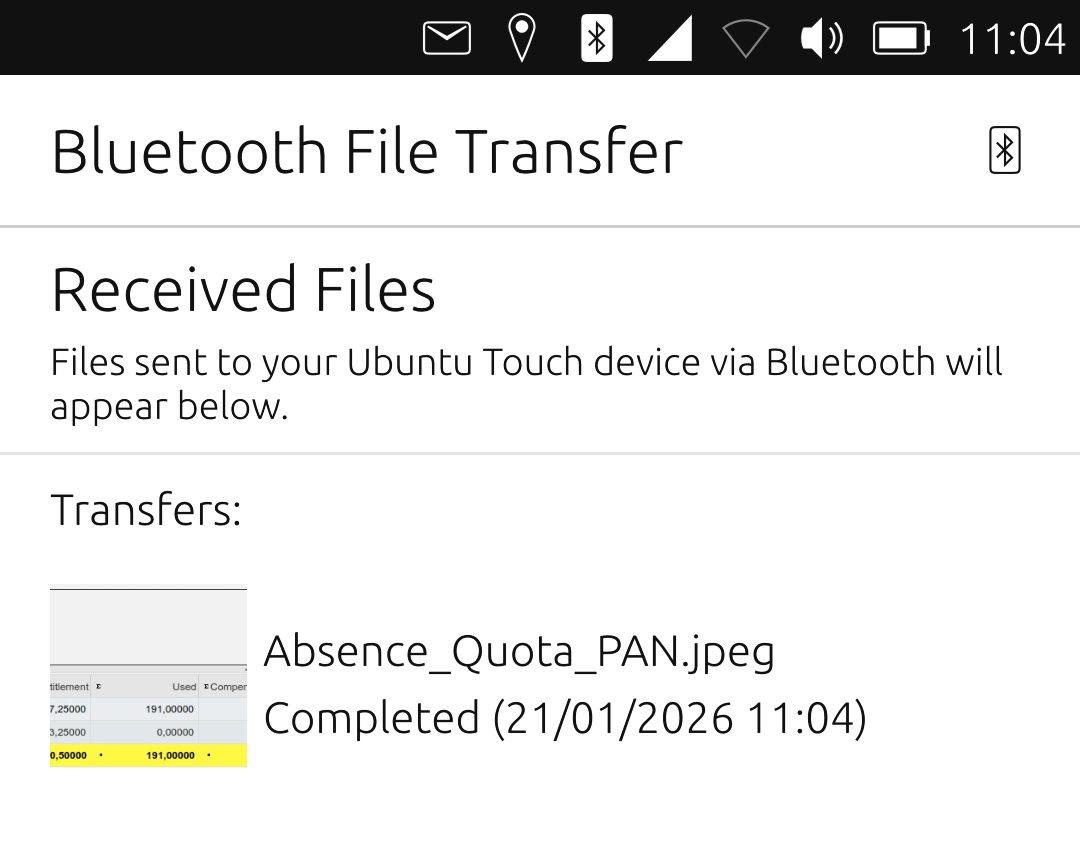
Daily driver: Google Pixel 3a (20.04 OTA-11/stable) [was: Nokia N900 (Maemo) from 2009].
Volla Quintus (24.04-1.3) with 2 SIMs
Xiaomi Mi A2 (16.04 OTA-25/stable) initially with 2 SIMs -
Great ! have happy file exchanges with your car
-
@PhAndersson said in Trying to revive 'ubtd' (Bluetooth file transfer):
Well, good news! With the "unconfined" AA profile, the app works
The phone successfully received a
.jpegfile sent over BT from my laptop:Congrats, So some changes are needed on UT to make it work ?
-
@gpatel-fr said in Trying to revive 'ubtd' (Bluetooth file transfer):
Great ! have happy file exchanges with your car
That won't work yet, unfortunately. For this, I need the SharePlugin to work. That one still crashes as soon as I select it which causes the phone to restart.
More troubleshooting needed

-
@lduboeuf said in Trying to revive 'ubtd' (Bluetooth file transfer):
Congrats, So some changes are needed on UT to make it work ?
If your question is: did I need to hack my phone to make the app work in its current state, then the answer is no. As suggested by @gpatel-fr, I just gave it an "unconfined" AA profile (which I understand would prevent me from publishing it on the OpenStore).
So eventually an updated
bluetoothAppArmor Policy Group would be needed, I guess (or a extra one dedicated to OBEX). -
@PhAndersson I think any spawning of external processes that are not inside the app's
~/.local/sharedirectory require unconfined. And in this case, unconfined would be required since it's using some system executable. -
@projectmoon said in Trying to revive 'ubtd' (Bluetooth file transfer):
I think any spawning of external processes that are not inside the app's ~/.local/share directory require unconfined.
If 'running an external process' means 'activating a service' via dbusk, not 'spawning', it can be done from confined I think. I did not check how exactly is working this application.
-
@PhAndersson said in Trying to revive 'ubtd' (Bluetooth file transfer):
prevent me from publishing it on the OpenStore
Not sure of that actually, there are applications with a big red scary warning, that do not prevent them to be published.
Also, IIRC the idea on phone OS is that the app is shipped with granular authorizations policy and the user grant these rights or not. I don't see why you could not ship a granular apparmor policy for the app if you wanted to do so.

Hello! It looks like you're interested in this conversation, but you don't have an account yet.
Getting fed up of having to scroll through the same posts each visit? When you register for an account, you'll always come back to exactly where you were before, and choose to be notified of new replies (either via email, or push notification). You'll also be able to save bookmarks and upvote posts to show your appreciation to other community members.
With your input, this post could be even better 💗
Register Login