Signal UT: Signal-Desktop for Ubuntu Touch
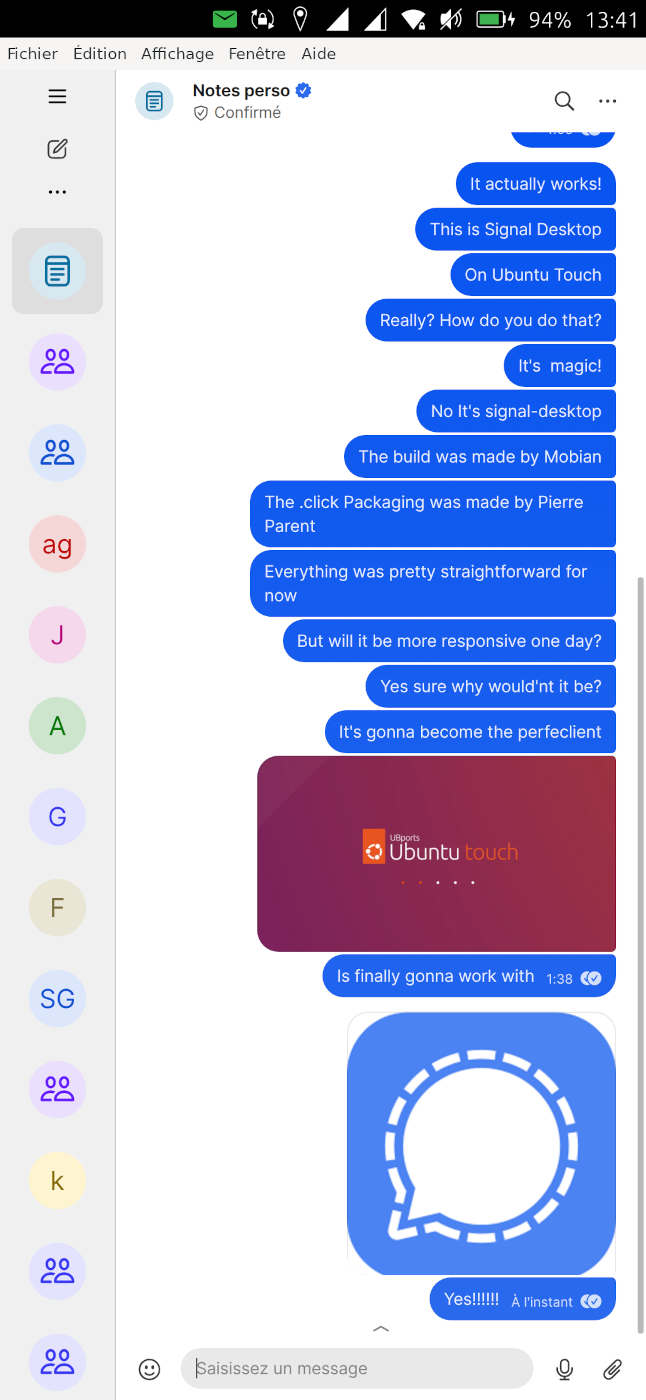
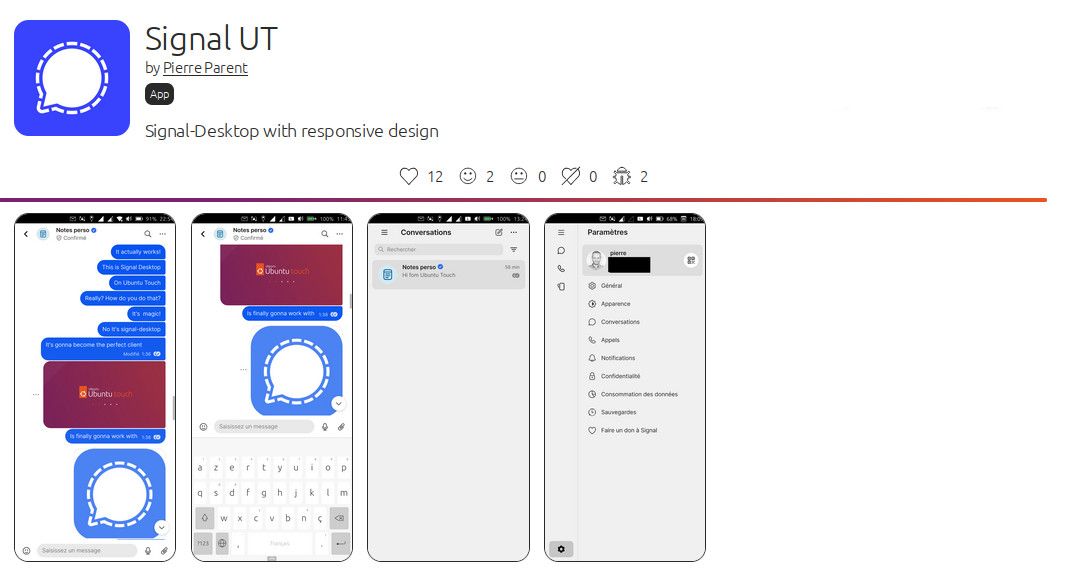
-
@gpatel-fr Sure, that's why I said its a personal thing. I am well aware that some people really need larger text. We had other users asking for that feature before. I gladly can still do without. But it doesn't change the situation, that we wish do help them, but haven't got the menpower to do so.
Although signal app might be different being a desktop app, if that allows scaling. So it could be done per app.
I actually compared the text size of teleports with signal app right now. Text in Signal app is a bit smaller than in teleports. This is on OP5T with default scaling at 21.
-
@danfro Thank you for your comment. It is good to know what one can expect when it comes to the graphic user interface. No text adjustment to be expected anytime soon. I am glad to know that this text resizing functionality has been brought up before (not visible in this forum by search). I understand that the Ubuntu Touch design did not permit for text adjustment. Maybe in version 26.04-1.0, 28.04-1.0, 30.04-1.0 it is a good time to consider text adjustment when everything needs to be adjusted anyway.
Thank you! Now we know what to expect in this part. That was really good information.
-
@mango I remember discussions from TG groups every now and then. And @pparent I am sorry if my comment about glasses was misleading. I didn't wanted to be disrespectful for people with reduced sight.
The qml code does in theory allow to use relative text sizes. See: https://ubports.gitlab.io/docs/api-docs/index.html?p=lomiriuserinterfacetoolkit%2Fqml-lomiri-components-label.html
I think this might even be a Lomiri adjustment, because I don't see textSize property in normal Qt Label.
Maybe we should bring up this topic into develompent groups again.But for instance buttons generally don't have word wrapping available by design. So increasing a label by using a larger text (not mentioning longer translations, German is bad in that regard
 ) may make the button label being cut off. Just as one example on how complex this is.
I guess I should start by using this setting in my apps and try to rework them at least step by step. -
Long text in short, size defined buttons is a classic... The buttons need to resize according to the text on a new line if there is little space. Sometimes landscape mode reveals more text in buttons. This is especially notable when using a translations file to set the labels based on locale setting.
-
@danfro said in Signal UT: Signal-Desktop for Ubuntu Touch:
There needs to be made a setting, all app codes need to be adapted to use that setting.
By the way question: does anyone know any way to get the GRID_UNIT_PX configured in Ubuntu tweaks?
Because the following command seems to allways give the default value for the device:
echo $GRID_UNIT_PX -
I'm not sure that @danfro's answer is painting a full picture.
In fact, I'd say that the main current development effort may bring accessibility improvements.Most of the work around accessibility is not done by individual unpaid developers, but by professionnal devs working to develop the framework that the individual developers are widely using to help them. In the case of native UT applications, the framework is QT.
The bulk of the work done currently with UT is to upgrade the framework from QT5 to QT6.
Although this is done because QT5 is now obsolete and unsupported, this will bring the general improvements done in QT6 to support better accessibility. In your case, this means the flexbox layout that allows developers to design redimensioning interfaces more easily.
What you could do to help is reading about the works of people more advanced in accessibility with QT6 than UT, I mean KDE, and look at the things they have already done, because that's where the easier part to do is, and as such can be a beginning. Most enormous work has been done not in a mammoth project with big resources, but slowly over years. The important part is to actually begin. If the settings do not exist in the UI, it's not so important. What the UI does is mostly calling an interface to change the settings, gsettings, that can be also called from the command line. As UT relies on an existing distro, the APIs to set accessibility features may already exist. That don't mean that all will work automatically, but identifying what should work and don't is called bug searching. Once it's a bug, it can be added to the big TODO list (gitlab issues).
After all that, it's sure that devs will not work automatically on bugs that don't inspire them.
But something more meaty than a forum post could trigger some progress. -
@pparent Looks like its somehow working with a config file: https://gitlab.com/myii/ut-tweak-tool/-/blob/master/src/app/qml/behaviourTab/LomiriScaling.qml?ref_type=heads#L32
-
@gpatel-fr I do admit, I didn't look into Qt6 yet. Maybe that will bring us ways to improve. And you are right, since we use components like Qt or Ubuntu, there are professionals working on that. But it still needs people to make use of it in UT.
-
@danfro said in Signal UT: Signal-Desktop for Ubuntu Touch:
working with a config file:
Thanks for this hint, I stand corrected, I was thinking that settings in UT were done via a dbus mechanism covered by the gsettings interface - dbus allows to notify running applications of the change, an environment variable does not. So setting this value will not apply to running applications, leading to inconsistencies between applications if started before or after the change.
-
@danfro said in Signal UT: Signal-Desktop for Ubuntu Touch:
Looks like its somehow working with a config file
But I don't have the authorizations to access a config file of another app from within an app like Signal UT? Is there another way to get the value, compatible with a confined app?
-
@gpatel-fr We certainly can als use gsettings. I made a proof of concept for ThemeSwitch app a while ago (https://gitlab.com/Danfro/themeswitch/-/tree/gsetting_focal?ref_type=heads).
I am almost sure we can't use other apps values without loosing confinement. The value would need to be provided by the system. I guess if GRID_UNIT_PX could be changed in system settings and apps read that, that might work. Or it may need another apparmor rule. But I am really not that knowledgable to answer all details.
-
Is there a dark mode option? In the settings I cannot select it (no reaction from the listbox)
-
@richarddb said in Signal UT: Signal-Desktop for Ubuntu Touch:
Is there a dark mode option? In the settings I cannot select it (no reaction from the listbox)
-
Thanks to @messayisto I now have a second phone to test 24.04-2.x , and why the keyboard does not work there.
From what I see the gtk maliit input context module loads well , and receives the events corresponding to keyboard opening.
Probably there were modifications made in the Maliit server in the system, and it does not connect well anymore with the gtk maliit input context, which is not very normal as we don't have any more recent version.
I might contact developers on telegram about that, to know a bit more what has been changed.
-
this could be linked to this change:
if it is, you may find warnings such as 'Application attempted to activate itself without focus' in the journal.
-
Hello,
After having installed Signal UT on a Fairphone 5 with Ubuntu Touch 24.04.1 the shortcut in the Lomiri menu for the app is called "X11 support" with an X icon. Is there something I could do about that? I assume it's supposed to be a Signal icon with a designation like "Signal UT". Thanks!
Jeremy
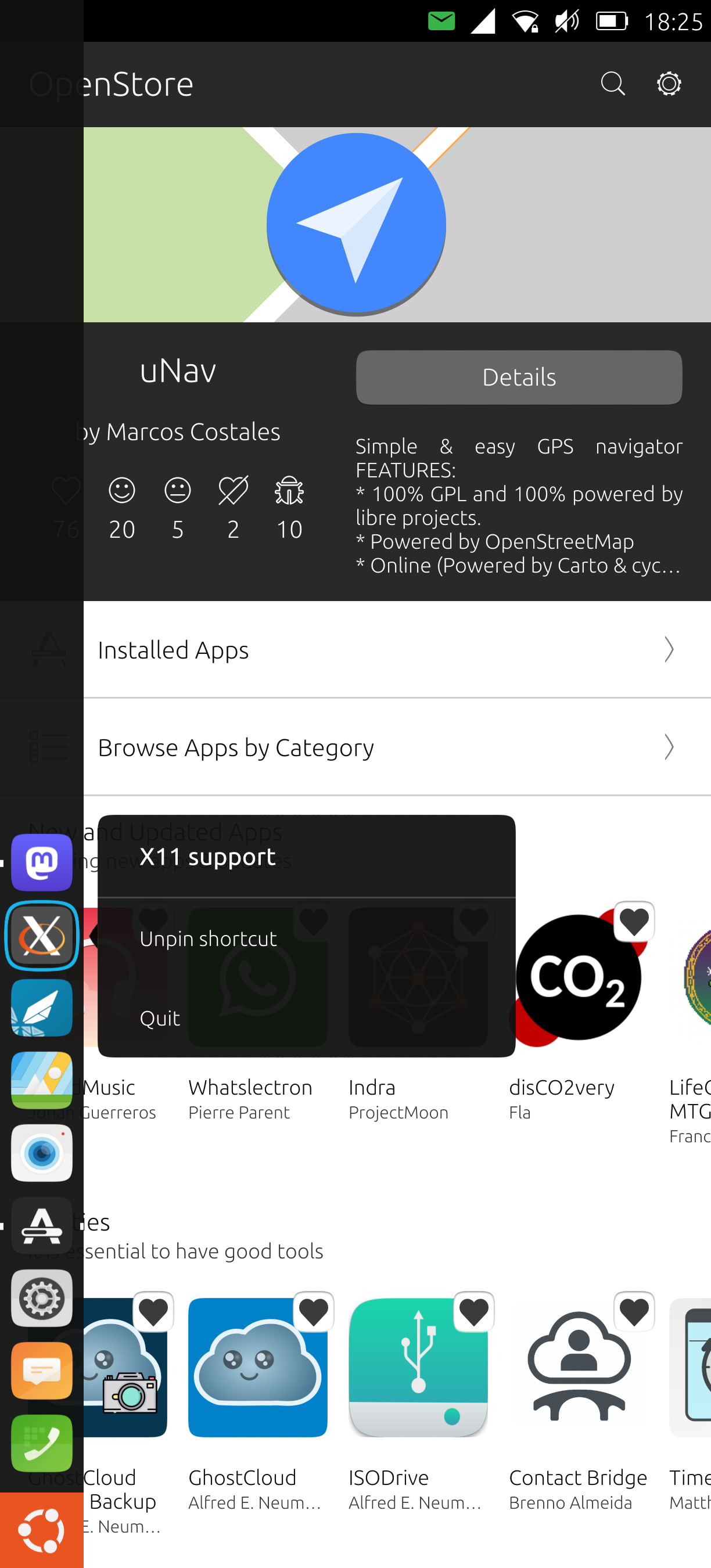
-
Have you read the "tips and tricks" section in the description of the app?
" You will only be able to pin the app icon to the system left menu, while you're on the microphone permission page, or while exporting a file to contentHub and selecting the app. "
Does it answer your question?
-
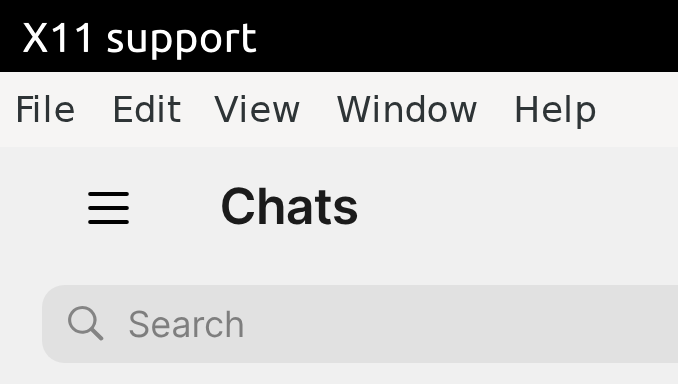
@pparent Thanks for getting back to me so fast! And thanks for providing the app! Pinning the app when I'm in System Settings - Security & Privacy - App permissions - Microphone doesn't make a difference. Exporting a file to the content hub can be done with opening File manager, selecting a file and then selecting "Open with another app" and then selecting Signal UT? That doesn't work either. Also when I rotate the screen I see "X11 support" on top on the left. With other apps this name on the top left corresponds with the actual name of the app.
-
@pparent I would also like to hide the top menu but I can't access File - Preferences - General - System - Hide menu bar. If I click on an item in the menu bar the app shifts a little but shows no dropdown entries.
-
@autostatic I also missed the fine print while installing Signal UT the first time. I solved this by removing the app and then reinstalling and pinning the icon while I was asked for permission during installation.



Hello! It looks like you're interested in this conversation, but you don't have an account yet.
Getting fed up of having to scroll through the same posts each visit? When you register for an account, you'll always come back to exactly where you were before, and choose to be notified of new replies (either via email, or push notification). You'll also be able to save bookmarks and upvote posts to show your appreciation to other community members.
With your input, this post could be even better 💗
Register Login