Looking for Testers: Ubuntu Touch 26.04-1.x (Early version)
-
@mariogrip
Hello Marius.
As the NP1 doesn’t have a fingerprint reader, I’d like to temporarily disable the login password.
I’ve tried everything in Settings/Security/Lock & Unlock
to change how the device is unlocked or to change the password, but nothing works.
Is it the same for you?
The UI returns wrong passphrase...
Even change password doesn't work.confirmed for me as well ( FP5)
-
very good experience btw, on FP5, i have caldav + cardav working with new PIM backends, not tested with SIM yet
-
@lduboeuf Do we have the new contacts backend and syncing in 26.04?
-
@lduboeuf Do we have the new contacts backend and syncing in 26.04?
Yes + new calendar backend.
But not easy to test for now, it needs a bunch of ubports-qa + apt install -
@lduboeuf
I'm up for it.
You can send me a private message with the details if you like. -
 K Keneda referenced this topic
-
ubports-installer_0.11.2_linux_x86_64.AppImage - FP5 - options: Wipe Userdata, Partitioning, Bootstrap - 26.04-1.x = ERROR; No space left on device
New users cannot install 26.04 on FP5 via the ubports installer.ubports-installer_0.11.2_linux_x86_64.AppImage + custom YML (partition size: 4294967296) - FP5 - options: Wipe Userdata, Partitioning, Bootstrap - 26.04-1.x
Using a custom YML that enlarges the partition to 4294967296 allows the installation to proceed.phablet@ubuntu-phablet:~$ system-image-cli -i current build number: 76 device name: FP5 channel: 26.04-1.x/arm64/android9plus/daily last update: 1970-01-01 04:14:48 version version: 76 version tag: 2026-06-08 version rootfs: 2026-06-08T02:57:44Z_arm64_ubports/26.04-1.x_65_b17341d80377936ec2b515693cde376c1045afce version keyring: archive-master version device: 20260607-1956 version boot: 20260607-134008ZHardware:
Wi‑Fi- During initial setup you cannot select Wi‑Fi; it is not possible to enter the Wi‑Fi password, and this cannot be done via the UI afterwards either.
- sudo nmcli --ask dev wifi connect Hotspotje
Error: Failed to add/activate new connection: failure adding connection: settings plugin does not support adding connections - After restarting the device it is possible to connect to Wi‑Fi.
Camera
- Camera app works but only with one camera; it does not switch between Wide and Ultra-wide camera.
GPS
- GPS works; tested with "Pure Maps" and "SensorsStatus". Cold start fix took ~1 minute.
Cellular
- GSM: 5G, VoLTE/VoLTE (T-Mobile NL)
- Outgoing voice call works
- Incoming phone call works
Bluetooth
- Device finds and connects to Bluetooth headset.
- Plays music through the headset.
- Switching between music and phone calls always fails; the Bluetooth headset disconnects and then produces no sound. This has happened multiple times and is not a one-off. With different headsets the same issue occurs, especially when first listening to music with the headset and then trying to make a call. It seems the switch between Bluetooth profiles does not work correctly; when switching from HFP/HSP the Bluetooth connection drops entirely.
Fingerprint scanner
- Works fast and correctly.
Display
- Auto brightness works. (This was not enabled by default, which made the setup screens quite dark.)
- Touchscreen works.
- Rotation adn rotation lock works.
Physical hardware buttons
- Volume buttons work.
- Power / fingerprint button works.
USB
- File transfer works.
- adb works.
- USB dock / convergence works (via dock: USB keyboard/mouse, HDMI monitor).
Software
- Lomiri greeter: I set a numeric PIN and when opening the keyboard appears where previously a numeric keypad showed.
Browser
- Browser works with, for example, GitLab where earlier versions had login issues.
- YouTube test videos play fullscreen.
- Videos with DRM (for example NPO Start here in the Netherlands) do not work. Enabling the Widevine plugin does not seem to complete correctly, the device stays showing "downloading" while the progress bar is at 100%... after 15 minutes had to force-closed the browser.
Convergence
- Display, touchscreen, mouse and keyboard, external mouse and keyboard, Wi‑Fi work.
- Ethernet does not work, this worked on 24.04.
- Snap LibreOffice does not work; in fact no snaps work.
- When disconnecting from the dock all programs are closed, so you cannot continue working mobile.
Other
- The punch‑hole for the camera obstructs icons in the top menu bar, and the clock is cut off by the curved screen edge.
-
gpatel-fr said:
the choppy video now plays perfectly
err, well, actually this problem had (almost) nothing to do with 26.04 (of course).
I had the impression that 26.04 was eating into my battery a bit too fast for my taste so I had set scaling_governor to 'powersave'. However while the processor of my Fairphone 5 is powerful for a phone, it's not enough to handle a video of 18Mbits/s bandwidth.
Testing after a restart (so with scaling_governor set to 'schedutil' the default value) the video olays well. On 24.04-1.3 with the powersave on, the video playing is choppy as well (maybe a bit less than 26.04 but still).
Well, another bit of testing leads to a real 'tada !'.
The long standing problem of phoning 'blind' without ringing with some providers is solved on 26.04 (well, if you use a Qualcomm device like the Fairphone - sorry for y'all Volla users but you'll have to wait a bit more even if you make 26.04 your daily driver) -
@wouterx
This is an aside, but there are a number of phones that do not have enough space to install 24.04-2.x. Would your yaml change work for them? I wonder. Where is that yaml file? How did you decide on that new partition size? Where does it take the space from to make that partition larger? Thank you. -
@lduboeuf
I'm up for it.
You can send me a private message with the details if you like.Just a little patience ;-), all will be in the rootfs image, easier to test then :).
But some parts are missing still due to Qt6/Qt5 mixing -
@lduboeuf
Yes, I saw that.
I read Ubports Dev (but don't interact usually).
Glad to see that!
-
@mariogrip
On android9plus_qt6/daily, the issue with the change in the unlock method has been resolved. Brilliant...
I’d fixed my weather app because the display rendering was different on 26.04-1.x; with android9plus_qt6/daily, that rendering issue has disappeared. -
 ubports-installer_0.11.2_linux_x86_64.AppImage - FP5 - options: Wipe userdata, Partitioning, Bootstrap - 26.04-1.x/arm64/android9plus/daily
New users can now install 26.04 on the FP5 via the UBports installer without special steps; the partition has been enlarged and setup completes smoothly.phablet@ubuntu-phablet:~$ system-image-cli -i current build number: 85 device name: FP5 channel: 26.04-1.x/arm64/android9plus/daily last update: 2026-04-29 21:16:10 version: 85 version tag: 2026-06-11 version rootfs: 2026-06-11T05:53:52Z_arm64_ubports/26.04-1.x_72_b17341d80377936ec2b515693cde376c1045afce version keyring: archive-master version device: 20260610-19936 version boot: 20260611-002753ZHardware
Wi‑Fi- It is not possible to select a Wi‑Fi network during the initial setup; you cannot enter the Wi‑Fi password, and this cannot be done via the UI afterwards either.
- After restarting the device it is possible to connect to Wi‑Fi.
Camera
- Camera app works but only with one camera; it does not switch between wide and ultra-wide lenses.
GPS works. Cold start fix took ~1 minute. Cellular works. GSM: 5G, VoLTE (T-Mobile NL).Bluetooth
- Device finds and connects to Bluetooth headsets.
- Plays music through the headset.
- Switching between music and phone calls consistently fails: the Bluetooth headset disconnects and then produces no sound. This has happened multiple times with different headsets, especially when first listening to music and then trying to make a call. It appears the switch between Bluetooth profiles does not work correctly; when switching from HFP/HSP the Bluetooth connection drops entirely.
Fingerprint scanner. Works quickly and reliably. Display. Auto-brightness works. (It was not enabled by default, which made the setup screens quite dark.) Physical buttons. All hardware buttons work. USB. File transfer/ adb, USB dock / convergence works (via dock: USB keyboard/mouse, HDMI monitor).
Software
- Lomiri greeter: I set a numeric PIN but the on-screen keyboard appears where previously a numeric keypad was shown.
Browser
- Browser works with sites such as GitLab where earlier versions had login issues.
- YouTube test videos play fullscreen.
- DRM-protected videos (for example NPO Start in the Netherlands) do not work. Enabling the Widevine plugin does not complete correctly: the device shows "downloading" while the progress bar is at 100%; after ~15 minutes I had to force‑close the browser.
Convergence
- Display, touchscreen, external mouse and keyboard, and Wi‑Fi work.
- The top bar is much larger than before and is dark, which conflicts with the icons; window information is not displayed.
- Ethernet works! but there is no indicator icon yet.
- Snap LibreOffice does not work; in fact no snaps work.
- When disconnecting from the dock all programs are closed, so you cannot continue working on the go.
Other. The icons and clock are now neatly arranged and perfectly visible around the punch‑hole and curved screen edge in the top menu bar. -
Fingerprint scanner. Works quickly and reliably.
for me there is no change, it's not possible to record one. It was advised to me to reinstall Android, set a fingerprint and get back to UT afterwise but I never did and it don't work yet.
The icons and clock are now neatly arranged and perfectly visible around the punch‑hole and curved screen edge in the top menu bar
it's not 'perfect' (look at the clock in landscape mode) but there is finally improvement here ! Thanks for sharing, I was beginning to despair on this.
-
For the FP5 you must use FP5-TT4H-factory (Android 13). With Android 14 and 15 I also had various things that didn't work properly... and I vaguely remember the fingerprint scanner not working correctly on one of those two; I reported that once in the FP5 Telegram group. And now that you mention it, in landscape mode the clock does fall just outside the visible area... but there's good progress!
-
fairphone 5 works fine
it´s more responsive than 24.04 1.3
flashed from andriod 15 soo no fingerprint and wifi but everything else work -
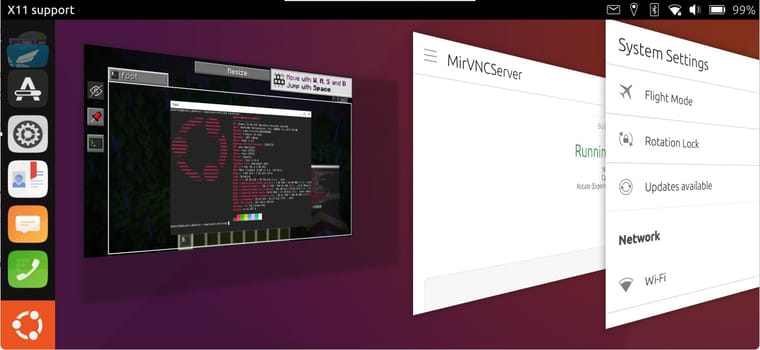
oneplus 6t:
phablet@ubuntu-phablet:~$ system-image-cli -i
current build number: 14
device name: enchilada
channel: 26.04-1.x/arm64/android9plus/daily
last update: 2026-05-17 02:55:36
version version: 14
version tag: 2026-05-16
version rootfs: 2026-05-16T03:09:26Z_arm64_ubports/26.04-1.x_34_166ad1a2b5b5d7b09bcd8b01d9e25947c77e54f9
version keyring: archive-master
version device: 20260425-20807
version boot: 20260312-23417wifi/bluetooth--normal
Camera --cannot save file, related to Gallery
GPU--host and lxc containers without GPU
Gallery--not working as missing libs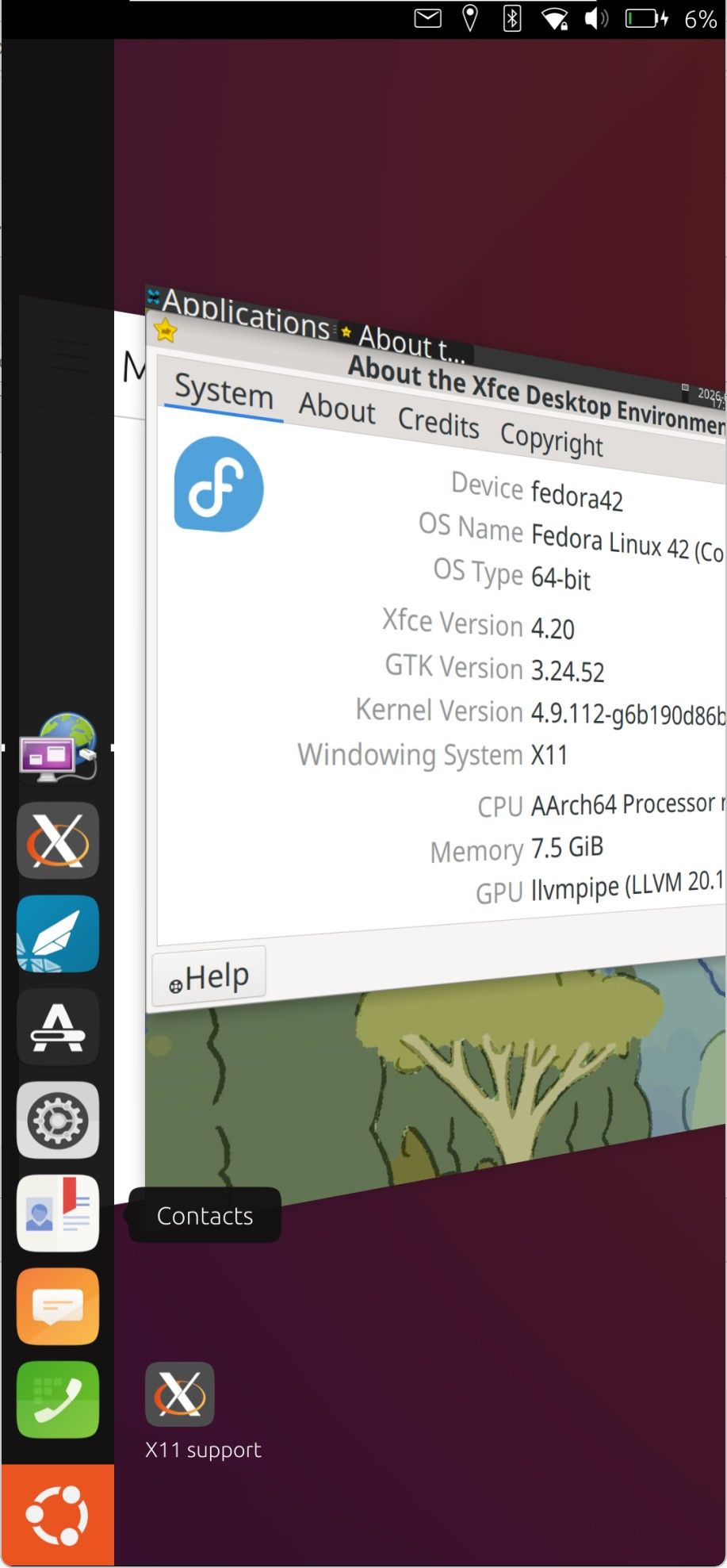
-
@mariogrip
I’ve had quite a few calls cut off today.
Could it be that my NP1 isn’t switching from VoLTE to 3G (which is available here) when 4G coverage is patchy? -
@Vlad-Nirky afaik you can't switch during a call anyway, so if it tried it would have ended the call anyway.
Lomiri greeter: I set a numeric PIN and when opening the keyboard appears where previously a numeric keypad showed.
Not only that, but at least here (FP5) I can't change it in settings either, looks like some polkit issues (ignore the date, didn't connect to WiFi yet):
Apr 29 22:26:28 ubuntu-phablet polkitd[2091]: Identity `unix-group:admin' is not valid, ignoring: No UNIX group with name admin: Success Apr 29 22:26:28 ubuntu-phablet systemd[1]: Starting polkit-agent-helper@2-4794-32011.service - Authorization Manager Agent Helper (PID 4794/UID 32011)... Apr 29 22:26:28 ubuntu-phablet maliit-server[4473]: inputMethod::reset() Apr 29 22:26:28 ubuntu-phablet maliit-server[4473]: in clear preedit.. clearing word engine Apr 29 22:26:28 ubuntu-phablet polkit-agent-helper-1[4802]: Pidfd not supported on this platform, disable polkit-agent-helper.socket and use setuid helper Apr 29 22:26:28 ubuntu-phablet polkitd[2091]: Operator of unix-process:4794:8093 FAILED to authenticate to gain authorization for action org.freedesktop.accounts.change-own-password for system-bus-name::1.113 [/usr/lib/aarch64-linux-gnu/lomiri-system-settings/private/Lomiri/SystemSettings/SecurityPrivacy/LomiriSecurityPrivacyHelper] (owned by unix-user:phablet) Apr 29 22:26:28 ubuntu-phablet lomiri-system-settings[4643]: "/usr/lib/aarch64-linux-gnu/lomiri-system-settings/private/Lomiri/SystemSettings/SecurityPrivacy/LomiriSecurityPrivacyHelper" failed to run with exit status: 1 Apr 29 22:26:28 ubuntu-phablet passwd[4804]: pam_extrausers(passwd:chauthtok): unrecognized ENCRYPT_METHOD value [YESCRYPT] Apr 29 22:26:28 ubuntu-phablet passwd[4804]: pam_extrausers(passwd:chauthtok): unrecognized ENCRYPT_METHOD value [YESCRYPT] Apr 29 22:26:28 ubuntu-phablet passwd[4804]: pam_unix(passwd:chauthtok): user "phablet" does not exist in /etc/passwd Apr 29 22:26:28 ubuntu-phablet systemd[1]: polkit-agent-helper@2-4794-32011.service: Main process exited, code=exited, status=1/FAILURE Apr 29 22:26:28 ubuntu-phablet systemd[1]: polkit-agent-helper@2-4794-32011.service: Failed with result 'exit-code'. Apr 29 22:26:28 ubuntu-phablet systemd[1]: Failed to start polkit-agent-helper@2-4794-32011.service - Authorization Manager Agent Helper (PID 4794/UID 32011). -
@mariogrip
Here is an extract from yesterday’s journalctl.
I had several calls cut off, sometimes after just a few seconds of clear communication.
My wife’s number has been replaced with a random one.
journalctl_2026-06-16_ofono.txt -
FP 5 build 105
serious regression issue on mms ? have confirmed by switching back to 24.04-1.3 stable, can send and receive a mms to an Android phone, switch again to 26.04, failure to send and receive.
Astonishingly the Android phone report a failure to send (it has no issue sending to UT 24.04 or another Android phone). I say 'astonishingly' because I had always thought that MMS were asynchronous (the Android phone has RCS disabled)
On UT 26.04, trying to send a MMS leads to a spinning blue circle next to the text, spinning that never stops.
these tests were done in both cases with wifi OFF
(but it don't work better with wifi on)(I replaced the phone number of the UT phone by 26042604 and the one of the Android phone by 00000000)



Hello! It looks like you're interested in this conversation, but you don't have an account yet.
Getting fed up of having to scroll through the same posts each visit? When you register for an account, you'll always come back to exactly where you were before, and choose to be notified of new replies (either via email, or push notification). You'll also be able to save bookmarks and upvote posts to show your appreciation to other community members.
With your input, this post could be even better 💗
Register Login