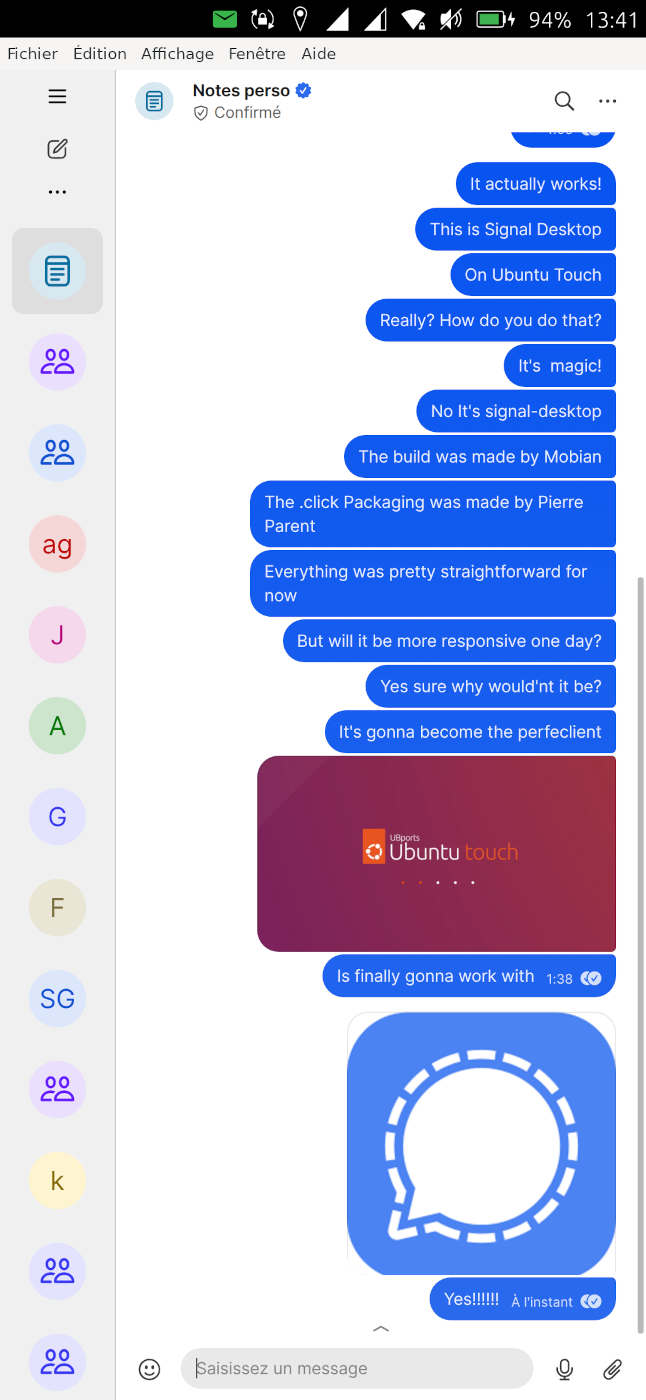
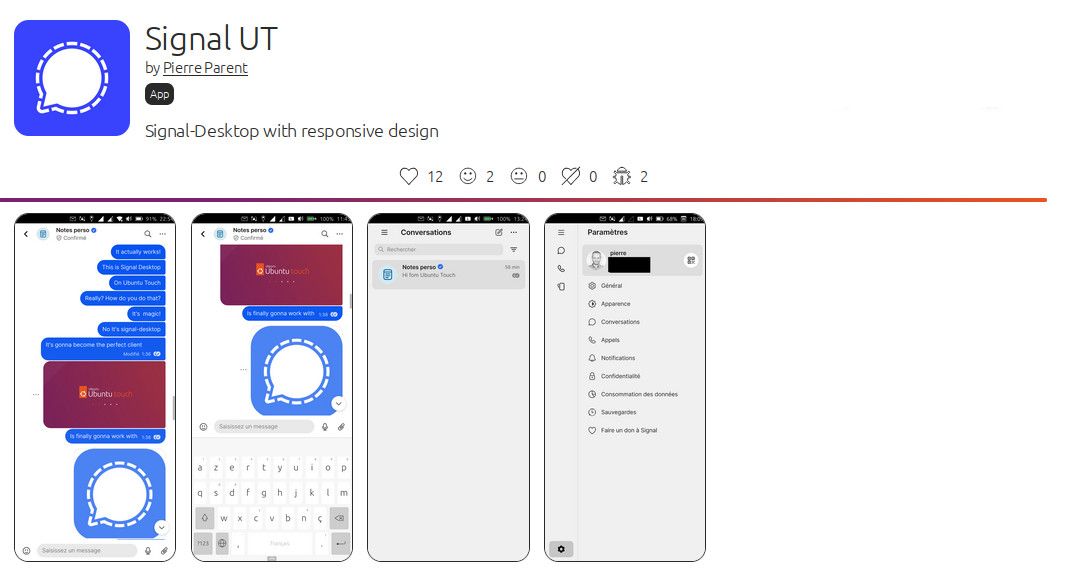
Signal UT: Signal-Desktop for Ubuntu Touch
-
Picture import succeded exactly one time - up to now more...
[20260504_1350_SignalUT_no-picture.mp4](Invalid file type. Allowed types are: .png, .jpg, .bmp, .jpeg, .txt, .log)- how to send You screencasts? -
-
You can publish on youtube or other video platform.
For the record I will publish a new version with update Signal-Desktop version, in early june.
-
I've just released revision 8.13.0-1, it includes the following improvements:
- Better integration of ContentHub
- Better integration of left menu
- Bump to Signal-Desktop 8.13
It took a bit of time as changes upstream broke my way to compile the package and I had to investigate it.
Also I've changed the way ContentHub is handled, now it is hardcoded in Signal-Destkop thank's to a patch. I will make things smoother and more reliable for the user, but it will also prepare the ground for switching to Wayland, with Mir2.x
This version should also not crash on Ubuntu Touch 24.04-2.x, although the virtual keyboard will probably not work, like on all XWayland apps with 24.04-2.x (currently).
I plan to release a new version every 1-2 month, as a Signal-Desktop version is only guarantied to work for a period of 3 months.
A feature I want to add is the ability to configure scaling with fine grain.
Tell me if the new version works well for you!

-
@pparent good update. I am noticing that the keyboard seems to close after every message rather than staying open. And it seems like that when keyboard closes, the text entry still stays halfway up the screen. But that bug was preexisting. The keyboard closing after every message is new.
-
And it seems like that when keyboard closes, the text entry still stays halfway up the screen. But that bug was preexisting.
Yes because for now I cannot detect when the keyboard is really open or not.
The keyboard closing after every message is new.
Ok I guess it might be a change upstream in Signal-Desktop that provoked it. Thank's for reporting I'll see what I can do about it in next revision.
-
-
Sorry for hijacking this thread. But your apps run on Xwayland too, right? I wanted to ask how you manage to get rid of that annoying XWindow? If you could show me how to do that for my pEFL app (see https://forums.ubports.com/topic/9958/custom-builder-for-a-library/10?_=1780999049215), I’d really appreciate it!!!
By the way, great work. If it weren’t for the keyboard issue, Min b
-
Sorry but I'm not sure to understand your message, what you want to achieve, or what keyboard issue you are talking about.
Can you explain more?
-
with my pEFL App, two windows open: one named "pefl" (my app) and one named "X11 Support."
In Min Browser (which also runs via Xwayland, right?), there's only one window. So somehow you managed to get rid of the "X11 Support" window.
In Min Browser, the input from the Maliit Keyboard is sometimes overwritten (for example, I want to open www.google.de, but at some point it turns into www.googlegoogle.de). I think it is this problem: https://github.com/minbrowser/min/issues/2705
-
with my pEFL App, two windows open: one named "pefl" (my app) and one named "X11 Support."
In Min Browser (which also runs via Xwayland, right?), there's only one window. So somehow you managed to get rid of the "X11 Support" window.
Strange maybe you can post a screenshot, on your topic and mention me, I will reply there!
In Min Browser, the input from the Maliit Keyboard is sometimes overwritten (for example, I want to open www.google.de , but at some point it turns into www.googlegoogle.de ). I think it is this problem: https://github.com/minbrowser/min/issues/2705
Yes I plan to work on fixing that soon!

-
Yes I plan to work on fixing that soon!
this would be great

At the moment I study your content-hub implementation. Also great work there
-
It seems Signal-Desktop will support linux-arm64 officially in upcoming releases!
https://github.com/signalapp/Signal-Desktop/commit/8e1728ff634734a5e30fd314ab4c246434f0aa2e
Which is a nice to have! (That does not exclude the need to patch the code for use on UT )
-
Sorry for the aside, but what is the status for using Signal from a desktop app (without having a phone number) ?
-
Sorry for the aside, but what is the status for using Signal from a desktop app (without having a phone number) ?
Well I guess it will probably be a reality one day, but for now we have to be patient, as no official announcement has been made about if and when a standalone desktop version (Without needing Android or iOS) will be available.
Also from my understanding it would not be without needing a phone number. I think you will still need to receive a code by SMS. Just that you won't need to install Signal on an Android/iOS smartphone, and you will be able to directly make the installation process (that requires SMS authentication) on your desktop (or in this case on you Ubuntu Touch).
-
If anyone can report the current status of the app on 24.04-2.x, it would help, as I currently don't have a testing device compatible with it!
https://forums.ubports.com/topic/12379/ubuntu-touch-24.04-2.0-call-for-testing/10
Thank's!
-
@pparent I'm a 2.x user!
- The app installs and runs.
- The crash that used to happen is gone with the last update from 06.06.2026.
- I can send files (such as .pdf) without issues.
- I can send images, but the send button won't appear unless I choose the 'disappear after looking' opti after I have uploaded the photo. (I have noe idea what this function is called in English.) If I enlarge the message writing field before starting to choose a picture, the send button remains and works without problems. I don't know if this how it is supposed to work or if it is an actual issue.
- The keyboard does not appear, and I find no way to write messages or paste messages written in a different tool.
Ping or message me if you need me to test anything specific or send any logs.
-
Thank you! What you describe is kind of expected. Currently it seems the keyboard does not work with any XWayland app on 24.04-2.x. Normally the messages are sent by typing Enter/Return on the virtual keyboard.
I could help if you give the output when you run these adb commands, and try to open the keyboard (click on the edit area)
WARNING: this will run Signal UT in an unconfined way, only do that if you fully trust Signal UT, only for testing purposes, and run it preferably only on a testing device with no personal data rather than on your daily driver
cd /opt/click.ubuntu.com/signalut.pparent/current/ export DISPLAY=:0 export LD_LIBRARY_PATH=lib/aarch64-linux-gnu/ export MALIIT_DEBUG=1 export G_MESSAGES_DEBUG=all ./launcher.sh -
@pparent I'm very happy it is so stable now, though. Good to be able to at least check messages reliably.
Here you go: https://pastebin.com/d6UWtj5G
-
Thank you very much!
Unfortunately, at the moment, this does not help me understand what happens on 24.04-2.x
-
I've released V8.15.0-1 with the following changes:
-Fix keyboard closing after sending a message
-Bump to Signal-Desktop 8.15.0-1 (First to officially support arm64)


Hello! It looks like you're interested in this conversation, but you don't have an account yet.
Getting fed up of having to scroll through the same posts each visit? When you register for an account, you'll always come back to exactly where you were before, and choose to be notified of new replies (either via email, or push notification). You'll also be able to save bookmarks and upvote posts to show your appreciation to other community members.
With your input, this post could be even better 💗
Register Login