@gpatel-fr That´s perfect!
Thank you very much for solving this stubborn problem.
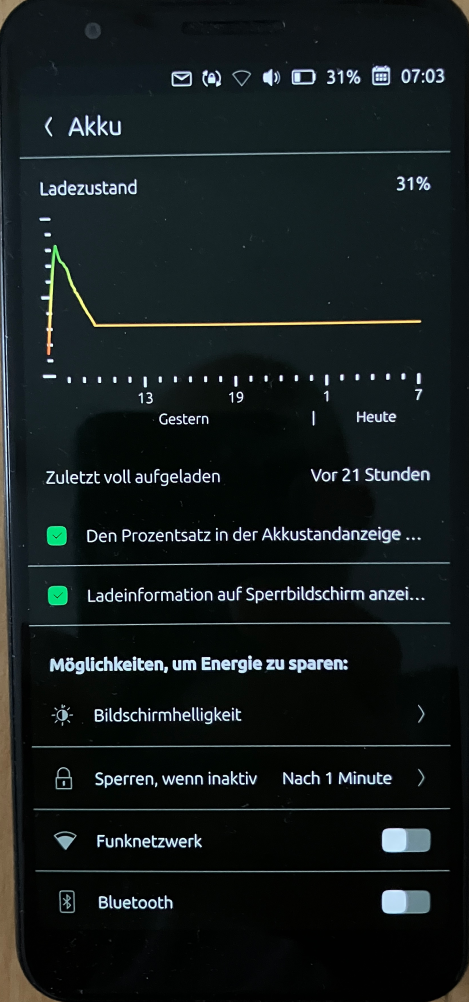
Now I can put the Pixel 3a into ‘Nokia 3210 mode’ with a single click. Calls and text messages work, and the battery lasts at least three days in this mode.
#!/bin/bash
# ====================================================================
# NOKIA 3210 MODUS: CPU throttling + All offline services (Pixel 3a)
# ====================================================================
if [ "$EUID" -ne 0 ]; then
echo "ERROR: Please run the script using: sudo $0"
exit 1
fi
echo "Enable Nokia 3210 mode..."
# 1. Force CPU cores into power-saving mode
for governor in /sys/devices/system/cpu/cpu*/cpufreq/scaling_governor; do
if [ -f "$governor" ]; then
echo "powersave" > "$governor"
fi
done
echo "[✓] CPU throttling enabled."
# 2. Turn off Wi-Fi
nmcli radio wifi off
echo "[✓] Wi-Fi disabled."
# 3. Turn off location tracking (GPS)
sudo dbus-send --system --type=method_call --print-reply --dest=com.lomiri.location.Service /com/lomiri/location/Service org.freedesktop.DBus.Properties.Set string:com.lomiri.location.Service string:IsOnline variant:boolean:false
echo "[✓] Location tracking disabled."
# 4. Turn off Bluetooth
rfkill block bluetooth
echo "[✓] Bluetooth disabled."
# 5. Turn off mobile data
sudo -u phablet DBUS_SESSION_BUS_ADDRESS="unix:path=/run/user/32011/bus" dbus-send --session --type=method_call --print-reply --dest=com.lomiri.connectivity1 /com/lomiri/connectivity1/Private org.freedesktop.DBus.Properties.Set string:com.lomiri.connectivity1.Private string:MobileDataEnabled variant:boolean:false
echo "[✓] Mobile data disabled."
# 6. Greenline-Service stop at user level
XDG_RUNTIME_DIR=/run/user/32011 sudo -u phablet systemctl --user stop greenline.service 2>/dev/null
echo "[✓] greenline.service stopped."
echo "------------------------------------------------"
echo "Success! CPU, wireless modules and GPS are in sleep mode."
sleep 3