@Moem Please accept my apologies for the redundant information. I sometimes skim over things when reading, and English isn't my native language. On Error Resume Next 
Posts
-
RE: [Release] HomeSpike v1.0 — a real home screen for Ubuntu Touch (multi-page, dock, drag-to-reorder, three placement modes, true multitasking)
-
RE: [Release] HomeSpike v1.0 — a real home screen for Ubuntu Touch (multi-page, dock, drag-to-reorder, three placement modes, true multitasking)
@Zer0 It seems you haven't quite gotten over the desktop thing yet.
I watched the UBports Q&A 191 from May 30, 2026, today and was surprised when your questions about desktop optimization suddenly came up.
In fact, the UBports team had already put the topic on their agenda in Q&A 189.
*UBports Q&A 189 on May 3th, 2026.
New Experimental Feature: Desktop Icons with Categories:
Allows moving icons on desktop, currently buggy but serves as foundational design.
Application categorization (e.g., Media, Household, Work, System) is promising for bringing back "Scopes" concept.
Works well in both horizontal and vertical display, improving usability on larger devices.*Focusing on a new project is definitely the right way to go here. But please give us an easy-to-install alpha release app like “Greenline.” Getting V-Spike up and running was a real struggle. And after an update, no one wants to go through that again.
-
RE: [Release] HomeSpike v1.0 — a real home screen for Ubuntu Touch (multi-page, dock, drag-to-reorder, three placement modes, true multitasking)
@Zer0
My Windows partition is full of projects like that (solo efforts) from the last century. Some of them are even still running. I never got any credit for them.
If you really want to be successful, remember: “It’s incredible what you can achieve when you don’t care who gets the credit for it.”
I’m definitely looking forward to seeing the first drafts. At the rate you’re developing, that won’t be long now.
-
RE: [Release] HomeSpike v1.0 — a real home screen for Ubuntu Touch (multi-page, dock, drag-to-reorder, three placement modes, true multitasking)
@Zer0
It’s a shame if you’re thinking of turning your back on this UT community. I only see the public conversations. I don’t know much about the rules in open-source projects. My field of expertise is mechanical engineering and control systems. But even in this industry, there are often differences that seem insurmountable. Most of the time, it has nothing to do with the actual issue.Maybe the train has already left the station when it comes to the App Drawer gold plating. We’ll just have to see what happens next and what comes of it.
In the meantime, try creating a standalone app for Ubuntu Touch—it’ll make everyone’s jaws drop. (Long faces)
You have what it takes to write a really great app. Go for it! -
RE: [Release] HomeSpike v1.0 — a real home screen for Ubuntu Touch (multi-page, dock, drag-to-reorder, three placement modes, true multitasking)
@Zer0
We shouldn't mix topics and conversations from different areas. Your Spike project is a remarkable achievement, and I'd be happy if someone were to continue working on it. I just thought you might have something to contribute on the topic of app drawer optimization. But apparently, there are other issues at play here.Some people might like Spike V1 as an app. However, as a way to optimize or replace the app drawer, it falls far short of the mark. Of course, the Lorimi team is responsible for any changes to the app drawer. You have to be willing to go along with that.
-
RE: [Release] HomeSpike v1.0 — a real home screen for Ubuntu Touch (multi-page, dock, drag-to-reorder, three placement modes, true multitasking)
@Zer0 I follow the development and communication on GitLab. Collaboration and respect among open-source developers should be better. That would also lead to better solutions.
I’ve been trying to develop my own custom app drawer, which is also useful as a home screen. I’d like to share the result. Maybe it will inspire someone with more expertise in QML and software development.
I used the Show Desktop app by @mateo_salta as inspiration. Show Desktop OpenStore
I use the transparent area to display an app drawer as a home screen.
There is a fixed category at the bottom called “Quick Start” (similar to the Bottom Dock).
And the rest of the area is filled with the base category “Unsorted.” This contains all installed apps, just like in the app drawer.It is now possible to create new categories and move and sort apps between categories.
It’s a wonderful way to design your own tidy app drawer that also works as a home screen.See Screenrecording: screen recording
Unfortunately, I wasn't able to automatically import the installed apps into the “Uncategorized” category. I had to hardcode the launch commands into the code.
I also couldn't use app icons, which is why it's “Text Only.”
But I think with your skills (see Spike V1), you can create a perfectly organized app drawer as your home screen.
-
RE: 24.04-2.x how does it work at this point for you ?
@gpatel-fr
The issue with attachments not being forwarded only arises once you switch to 24.02.
When you switch back to 1.3, the problem persists.
In that sense, it could very well be an issue that was triggered by the installation of 24.02. -
RE: 24.04-2.x how does it work at this point for you ?
@gpatel-fr
I've now tested it on a device running 1.3 as well.
Attachments aren't being forwarded there either.
So it's not a problem specific to 24.04-2.x. -
RE: 24.04-2.x how does it work at this point for you ?
Contact Bridge -> sync error
Dekko 2 -> Forwards emails, but without attachments -
RE: Cell phone has Android V 11 image Oxygen OS 11.0.16.BE89BA
@fischer.poco
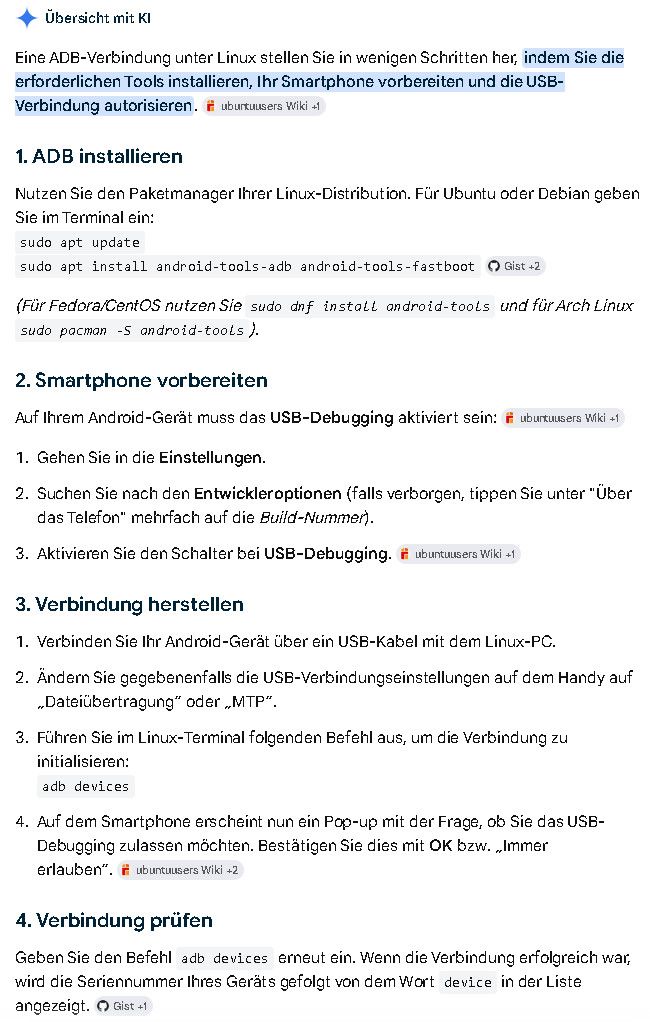
You can also install ADB on Linux.
Don't you have internet access to look up this information quickly? -
RE: any good guides for TB-X306X?
I managed to make it work, I just forgot to click the option to wipe disk in the ubports installer
In fact: You haven't read the UBports instructions. As a thank-you for our help, please promise to provide us with detailed installation instructions the next time you perform an installation. Keep in mind: Even the best instructions are useless if no one reads them.
-
RE: Cell phone has Android V 11 image Oxygen OS 11.0.16.BE89BA
@fischer.poco Switching to the Inactive Slot (A Common Cause of Boot Loops)
The OnePlus 10 uses a so-called A/B partition system. If the update or ROM was installed on the wrong slot, the phone will not boot.- Connect the phone to your PC via a USB cable (make sure the Android Platform Tools / ADB & Fastboot are installed).
- Open the Command Prompt (CMD) in the Platform-Tools folder on your PC. Type: fastboot devices (your device should be listed here with a serial number).
- Check the current slot with: fastboot getvar current-slot
Switch the slot. -
- If it says “a,” type: fastboot --set-active=b.
-
- If it says “b,” type: fastboot --set-active=a.
- Restart the device with: fastboot reboot
Give it a try. Of course, there's no guarantee.
-
RE: FP5: Network Switching (Cell/WIFI) Not Happening When Changing Locations
@Futura Mobile network -> previous networks: Remove (forget) all networks and reconnect to your home network.
This solved a few network issues for me. -
RE: any good guides for TB-X306X?
@magnusajber Do you have an x306x running stock Android 11?
Then everything is perfect! -
RE: Cell phone has Android V 11 image Oxygen OS 11.0.16.BE89BA
@fischer.poco Well then, since there aren't any more questions. What do you think of Ubuntu Touch?
-
RE: any good guides for TB-X306X?
@magnusajber I got one up and running successfully last week.
The first task is to install stock Android 11 on the X306X. Do you have a plan for that yet? -
RE: Cell phone has Android V 11 image Oxygen OS 11.0.16.BE89BA
I had Windows decades ago... I have no idea how this will continue, please help me out. Otherwise I'll sell the thing again and it'll be a trip!
@fischer.poco You post random topics here from time to time in different languages, but you never respond to users' replies. What do you expect? A TeamViewer session?
-
RE: Cell phone has Android V 11 image Oxygen OS 11.0.16.BE89BA
@fischer.poco To unlock OEM, you'll need a Wi-Fi connection for a moment. After that, the switch should no longer be disabled.
-
RE: OnePlus Nord N10 5g OEM Unlock
@fischer.poco Du musst das Handy kurz mit Wifi verbinden um den OEM unlock zu aktivieren. Mit Wifi sollte der Schalter nicht mehr inaktiv sein.
