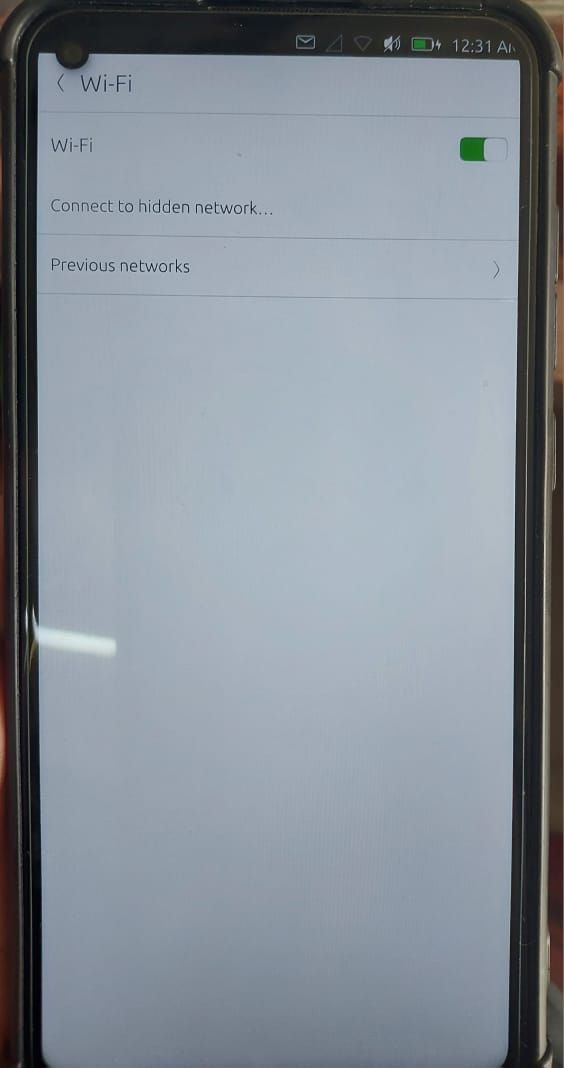
• Unable To Scan WI-FI Networks (24.04.1-1) on redmi note 9 (merlin)

    15
    1
    0 Votes
    15 Posts
    597 Views
    Vlad NirkyV
    @lolo I would say that the ROM depends on the Redmi Note 9 Pro model. The model is usually printed on the back of the phone under Redmi. This phone has had many variations depending on where it is sold. (Global, Turkey, India, etc.) The global model is M2003J6B2G and need joyeuse_global_images_V12.0.3.0.QJZMIXM_20210419.0000.00_10.0_global_0801ff7d09 You can get info with adb shell getprop | grep incremental adb shell getprop ro.product.name In fastboot mode (Power and Volume down until Xiaomi rabbit) fastboot getvar product Tell us wich model and which phone you have and I'll try to find the right ROM to install before install UT.
  • Redmin Note 9 Pro doubt - Fake/Virtual 8GB of RAM?

    25
    0 Votes
    25 Posts
    7k Views
    P
    Hello again, Dear UT Friends - I'm redoing the Ubuntu installation at Redmi Note 9 Pro Max in the following way: 59). I started unlocking the BL based on this HowTo: https://forums.ubports.com/topic/9957/installation-guide-redmi-note-9s - Thank you, Dear @stanwood 60). I inserted a SIM card with internet into the phone and I turned on it. 61). I turned off the Wi-Fi: Settings > Wi-Fi > Off 62). I go to the MIUI Version: Settings > About phone > MIUI Global 14.0.2 Stable - the one below. 63). Tap 7 times on "MIUI version ; MIUI Global 14.0.2 Stable 14.0.2.0(SJXINXM) > You are now a Developer! 64). I enabled OEM Unlocking and USB Debugging: Settings > Additional settings > Development options > OEM unlocking > Off > On > Enable unlocking > ... > USB debugging > Off > On > I'm aware... > OK (4) 65). I'm stuck on the step "Bind your Xiaomi account to your phone. (If not you have to create one) Tap "Mi Unlock status" » Agree » "Add account and device". Make sure your device can connect to the internet using mobile data." 66). I did Settings > Mi Account > ... and I can see... > adarsh... > ... now I suppose that I need to ask the Seller to give me the password or to somehow to logout from the account? Now the "Xiaomi Cloud" > Sign Out > and they ask me the password... Thank you for your Feedback/Patience/Hints and Kind Regards~~ Piotrek~~pe3no.
  • Installation fails on Redmi Note 9 (merlin)

    41
    1 Votes
    41 Posts
    6k Views
    KenedaK
    @0xinit69 IIRC you should find the settings for 2/3/4/5G in mobile settings in settings app.
  • The Xiaomi Redmi Note 9S/9 Pro (India) Difference to europe Model?

    4
    0 Votes
    4 Posts
    260 Views
    Vlad NirkyV
    @MarcelloTogg I have two Xiaomi Redmi Note 9 Pro M2003J6B2G (global). I use them in Belgium. Very pleasant phones to use with UT. All is working very well.
  • Xiaomi Redmi Note 9 last update

    10
    0 Votes
    10 Posts
    586 Views
    K
    Hi, after latest update wifi and bluetooth don't work. Ive even tried usb tethering as client and it doesn't work either.
  • Xiaomi Redmi note 9 net problem

    9
    0 Votes
    9 Posts
    518 Views
    Vlad NirkyV
    @donieck Ho. And what's the values in in System settings / cellular / Provider and acces point name / Access point name / internet ? [image: 1764828582699-81241797-8922-44d6-ae68-6dcc0b7eaf57-image.png]
  • paste in terminal, clock widget in home screen help request

    7
    0 Votes
    7 Posts
    424 Views
    G
    @Biplabro said in paste in terminal, clock widget in home screen help request: github page of mobile browser are you talking about Morph ? I just tried it and can't repro. Using long press and paste from the menu seems to work fine for me.
  • A few questions on redmi note 9

    3
    0 Votes
    3 Posts
    271 Views
    MoemM
    @Lorenzo said in A few questions on redmi note 9: Are they treated as two separate devices or will they be rolled into one? Xiaomi devices are often wildly different from one another even if the model name and number are very close. Not sure about this one, but if they are separate devices now, they probably need to be and will stay that way.
  • Can NOT install UT Redmi note 9 pro "exit code 256"

    22
    0 Votes
    22 Posts
    2k Views
    Vlad NirkyV
    @smobilesoft Well... I have the same phone. I am not a porter and I apologize to them (or invite them to correct me) for the shortcuts used. I have unlocked it, install the needed ROM to be compatible with UT port. The UT port interacts with an abstraction layer called Halium. There is a version of Halium for each version of Android 9, 10, 11, 12, etc. Halium interacts with the low-level Android drivers that are left in place when UT is installed and Android is replaced. The port therefore expects to have very specific drivers (those of the recommended version of Android). Each ROM contains a number of partitions that are either left in place, replaced, or modified. Altering these partitions (or using a non-compliant ROM that has other partitions) can therefore result in a system that cannot receive UT or anything else at all. You can experiment, and it may be beneficial to you and to others who are in the same situation or not. When the device is unlocked and the ROM joyeuse_global_images_V12.0.3.0.QJZMIXM is in place, installer can resize the needed partitions via [image: 1760128909183-bead290c-af62-4237-82e9-9d1ff28cf229-ut-install-checkbox.png] /home/jll/UBT/4Install/UT install checkbox.png
  • lowmemorykiller on miatoll 24.04-2

    6
    0 Votes
    6 Posts
    1k Views
    Vlad NirkyV
    @Bouleetbil Very impressive... I followed your exchanges on the French Telegram thread. I hope you remember where you parked your flying saucers, guys.
  • This topic is deleted!

    1
    0 Votes
    1 Posts
    48 Views
    No one has replied
  • No Wifi nor Cellular on miatoll on 24.04-1

    2
    0 Votes
    2 Posts
    543 Views
    J
    @ferrieux 24.04 is currently not the stable version of Ubuntu Touch. Maybe installing the stable version (currently 20.04 (OTA-9) focal) could solve your problems. I think the ubports installer should also show you what version is stable.
  • 0 Votes
    3 Posts
    710 Views
    Josele13J
    @Technotramp If by using the Ubports installer does not continue to change it to fastboot, you must do it manually, without disconnecting the cable being careful is to press power and volume down until the ubports installer continues its installation, this is a common problem in the Ubports installer Regards...
  • Installation guide Redmi Note 9S

    26
    6 Votes
    26 Posts
    11k Views
    W
    @Vlad-Nirky Ah, ok! I didn't know this about switching on a these things. Appreciate the tip!
  • Upgrading to correct version of Android 10

    Solved
    5
    0 Votes
    5 Posts
    854 Views
    W
    @arubislander Thanks a lot for this tip. I have no familiarity with Android but wondered if that might be the case. Good to know!
  • noble devel

    1
    1 Votes
    1 Posts
    295 Views
    No one has replied
  • RedPocket SIM card doesn't work

    16
    0 Votes
    16 Posts
    2k Views
    L
    @uxes Correct Android? I had whatever it came with. 10.something. I wasn't running UT. I was only starting the process. I couldn't get data, so I couldn't unlock the phone with Xiaomi. I wasn't close to installing UT yet.
  • 0 Votes
    5 Posts
    770 Views
    W
    @hamidreza2000m Welcome to the community! If you get time, feel free to post what you learned here. It could help many others in your position who are considering trying Ubuntu Touch. A small note from my experience.. while many banking apps don't work even in Waydroid (I think because of unlocked boatloader?) some banks work fine via their website. I often send/receive transfers, check balance, etc. through my bank's website using Morph, the main web browser of UT. Hope that you're able to make the switch!
  • mouse not working over the full screen

    5
    0 Votes
    5 Posts
    554 Views
    developerbaymanD
    @MrT10001 i see thank you ill see if anyone filed a report with them
  • WiFi partially working

    Moved
    5
    0 Votes
    5 Posts
    618 Views
    Vlad NirkyV
    @kaleido Great. If you plane to keep on UBT, you can join us in the Telegram chanel t.me/UTForMiatoll